New Release D3D9Client Development

The so-called real life have been keeping me busy lately, so, haven't had much time for development.


As discussed here, I have a HUD which renders clearly in MOGE but only very faintly in your Dx9 client.
As per Urwumpe's suggestion in that thread, would it be possible to include some HUD rendering options in your client which may solve the issue?

I don't recall seeing a problem like that before. Any other SC4 things having the same problem ?
 
Been trying to run Terrain Toolbox ( https://www.orbiter-forum.com/threads/terrain-toolkit.37665/ ) with latest D3D9 R4.11 and no luck.
It crashes to desktop. Tried all the options under gcGUI Mode, no luck...

It would need to be recompiled but sadly it's in broken state since I started working on elevation/mesh import options which got interrupted by some other higher priority issue and the upgrade was left unfinished.
 
What is weird. Is a lot of vessels the HUD messages work. But the Moon Base Alpha stuff it doesn't. Also some keys don't work,.... . They all didn't work then I would say D3D9 was the issue. But I have some that work. No clue

There is "Enable GDI Overlay" option for Orbiter 2016 that might fix the issue. There is also "Enable GDI Compatibility" for Orbiter 2010 but it's possible that it's not operational because the GDI and DirectX doesn't work well together.
 
Thanks. What is confusing. It seems the Moonbase Alpha vessel react that way. I have some that the display is there. No changes to d3d9.
 
Quick question: textured mesh group vs untextured (TEXTURE 0), any difference in performance?
 
Quick question: textured mesh group vs untextured (TEXTURE 0), any difference in performance?

Not sure if I understand the question. It should be obvious that rendering with a texture is slower especially if normal/reflection map is used.
 
  • Like
Reactions: GLS
Not sure if I understand the question. It should be obvious that rendering with a texture is slower especially if normal/reflection map is used.
Yes, that was my thinking, but I just wanted to hear it from the experts. Thanks! :cheers:
 
This might be a bit out of the left field but, is there anyway to generate 3D exhausts from the existing 2D textures? I really think that would add to the immersion, instead of being flat 2D images.


This might not be the answer you were looking for, but what about doing it with particles and a light source/emissivity inside the engine bell. if you calculate the locations of your oblique shocks in your exhaust on the fly, and make your exhaust spread out as your \( \frac{P_e}{P_a} \) ratio increases.
 
i found a bug when i want to load my upcoming Star Trek universe add-on into the D3d9 client.. i use Custom mesh as a Planet which represents a Sun, now the problem i have is that it dissapears when i zoom out and it does not appear untill i am very close.. i dont know if this is fixable, i would like to continue development in the D3D9 client.. but this prohibits me from doing so.. when i have the time i will upload some example pictures.

hope somebody can help/resolve this issue with Custom Mesh planets
 
this is an experimental solar system rather:), on the contrary, it won't work without D3d9 if you used a blender, you are limited only by the speed of the computer please provide a screenshot or more information
 
ek3Fmrb.png


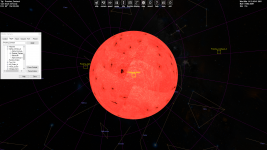
This is the Sun Proxima Centauri as a .MSH in the Normal D3D7 Orbiter 2016, i do use Blender to export them to a .MSH file


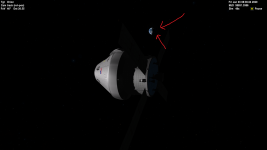
And this is the same Sun .MSH in the D3D9 Client

it like dissapears and when you get very close it returns to normal.. i dont know if its because of my mesh or if its a client bug..

9IeBCaS.png
 
Is the "Size" parameter correct in a config file ? What happens if you increase it by a factor of ten.
 
Is the "Size" parameter correct in a config file ? What happens if you increase it by a factor of ten.

Here its increased by a Factor of 10

here is the config file

Code:
Name = Proxima_Centauri
EllipticOrbit = TRUE           ; ignore perturbations
HasElements = TRUE             ; orbital elements follow

 ; === Planetary Mean Orbits ===
;***cfgBatchDataCalculator
Epoch =  2005.41409993155
SemiMajorAxis = 899879400000  ; in metres
Eccentricity =  0.000           ;
Inclination =  80.84444
LongAscNode =  4.65     ;??
LongPerihelion =  3.0  ;??
MeanLongitude = 7  ;??

; === Physical Parameters ===
Mass = 6.18801e27
Size = 1.04e10                ; mean radius
AlbedoRGB = 1 0 0

; === Atmospheric Parameters ===
AtmPressure0 = 000e1          ; Pa
AtmDensity0 = 0.00001              ; kg/m^3
AtmAltLimit = 200e3           
AtmColor0 = 1 0.95 0.8 
AtmHorizonAlt = 110e3           ; horizon rendering altitude [m]
AtmHazeExtent = 0.01           ; horizon haze extent
AtmHazeColor = 1 0.6 0.6

; === Visualisation Parameters ===
MaxPatchResolution = 0         ; highest sphere patch level
MinCloudResolution = 1                    ; cloud layer from this resolution
MaxCloudResolution = 8                    ; highest cloud resolution level

1604057402795.png
 
@jarmonik does the D3D9 client support the way level 8 planetary textures are created by the Pltex with night lights included? my planets do not show the nightlights in D3D9 client, maybe they are not supported?
 
Hi,

You talk about planet rendering. I have found a small flickering (sorts of blue and white pixels on the attached picture) on the edge of the planet, especially the Earth while looking it from far. This flickering occurs after loading the scene and while moving the camera.

I don't know if we have the same flickering with other planets. But it only appears with D3D9 client, not with DXD7 "in-stock" client.

Below, those are my settings for the last release of D3D9 client (r. 1355) for Orbiter 2016 :

Code:
FrameRate = 200
EnableLimiter = 0
CustomCamMode = 1
PlanetPreloadMode = 0
PlanetTexLoadFreq = 50
Anisotrophy = 12
SceneAntialias = 8
SketchpadFont = 1
PreLoadBaseVisuals = 0
EnableNormalMapping = 1
NearClipPlaneMode = 0
RwyLightAnimate = 1
RwyLightAngle = 120
RwyBrightness = 1
NightLightsAngle = 10
BumpMapAmplitude = 1
PlanetGlow = 0.7
EnvMapSize = 256
EnvMapMode = 2
EnvMapFaces = 3
ShadowMapMode = 3
ShadowMapFilter = 2
ShadowMapSize = 2048
TerrainShadowing = 0
EnableGlass = 1
EnableMeshDbg = 1
TileMipmaps = 1
TextureMips = 1
TileDebug = 0
StereoSeparation = 65
StereoConvergence = 0.2
DebugLvl = 1
VCNearPlane = 0.1
LightConfiguration = 4
DisableDrvMgm = 0
NVPerfHUD = 0
DebugLineFontSize = 18
DisableVisualHelperReadout = 0
LODBias = -0.2
MeshRes = 1
MicroMode = 1
MicroFilter = 4
BlendMode = 1
MicroBias = 3
CloudMicro = 1
PostProcess = 1
ShaderDebug = 0
PresentLocation = 1
PlanetTileLoadFlags = 3
LabelDisplayFlags = 3
GDIOverlay = 0
gcGUIMode = 0
AbsoluteAnimations = 1
NormalmappedClouds = 1
TerrainFlats = 1
OrbitalShadowMult = 0.85
SolCfg = Sol
DebugLineFont = Fixed

I don't know which setting could solve that. Actually, it's not a very annoying detail but I just let you know about this small glitch.

Kind regards
 

Attachments

  • glitch_edge_earth.png
    glitch_edge_earth.png
    477 KB · Views: 33
Hi,

You talk about planet rendering. I have found a small flickering (sorts of blue and white pixels on the attached picture) on the edge of the planet, especially the Earth while looking it from far. This flickering occurs after loading the scene and while moving the camera.

I don't know if we have the same flickering with other planets. But it only appears with D3D9 client, not with DXD7 "in-stock" client.

Below, those are my settings for the last release of D3D9 client (r. 1355) for Orbiter 2016 :

Code:
FrameRate = 200
EnableLimiter = 0
CustomCamMode = 1
PlanetPreloadMode = 0
PlanetTexLoadFreq = 50
Anisotrophy = 12
SceneAntialias = 8
SketchpadFont = 1
PreLoadBaseVisuals = 0
EnableNormalMapping = 1
NearClipPlaneMode = 0
RwyLightAnimate = 1
RwyLightAngle = 120
RwyBrightness = 1
NightLightsAngle = 10
BumpMapAmplitude = 1
PlanetGlow = 0.7
EnvMapSize = 256
EnvMapMode = 2
EnvMapFaces = 3
ShadowMapMode = 3
ShadowMapFilter = 2
ShadowMapSize = 2048
TerrainShadowing = 0
EnableGlass = 1
EnableMeshDbg = 1
TileMipmaps = 1
TextureMips = 1
TileDebug = 0
StereoSeparation = 65
StereoConvergence = 0.2
DebugLvl = 1
VCNearPlane = 0.1
LightConfiguration = 4
DisableDrvMgm = 0
NVPerfHUD = 0
DebugLineFontSize = 18
DisableVisualHelperReadout = 0
LODBias = -0.2
MeshRes = 1
MicroMode = 1
MicroFilter = 4
BlendMode = 1
MicroBias = 3
CloudMicro = 1
PostProcess = 1
ShaderDebug = 0
PresentLocation = 1
PlanetTileLoadFlags = 3
LabelDisplayFlags = 3
GDIOverlay = 0
gcGUIMode = 0
AbsoluteAnimations = 1
NormalmappedClouds = 1
TerrainFlats = 1
OrbitalShadowMult = 0.85
SolCfg = Sol
DebugLineFont = Fixed

I don't know which setting could solve that. Actually, it's not a very annoying detail but I just let you know about this small glitch.

Kind regards
Yeah, I have noticed this a long time ago. Didn't think this to be a bug or an issue, though. It seems to be a side effect of the new atmosphere rendering shaders of dx9 client. It manifests as aliasing effects on the edge of the planet's night side, when it has a shaded atmosphere
 
Terrain flattening only works if "Surface elevation, using" in the "Visual effects" tab is set to linear interpolation instead of cubic. Also flattening is not doing anything on its own, instead you have to author *.flt files in the planet's tree "Flat" layer to actually flatten certain areas.
Is there any documentation anywhere on the format of .flt files? I am starting to play with them, but so far I only was able to find one short one-liner sample for Pathfinder site. I figured out some parameters to successfully flatten a few most important areas on Baikonur, but I'd like to understand what other values in the file revcords are. And what other are possible, that are not in the file. For example, can there be anything but 'Ellipse"?
 
Back
Top