New Release D3D9Client Development

Have you tried to increase "MaxPatchResolution = 16" setting from the used "Moon.cfg" higher, let's say "19" ? Could you test that and report back ?

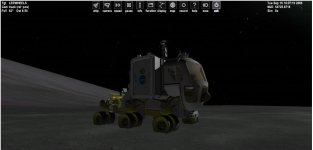
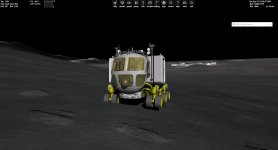
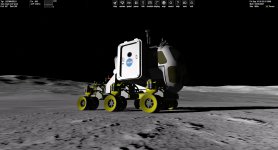
I have changed the value as you suggested but nothing changes. More curious is that chnaging the mesh resolution does not improve the rendering (still cuting) while the vehicle on a long slope. I think that this turnaround seem to work only on very light slopes.

Maybe it is the vehicle that has a problem with the parameter "height from the ground", located in the config file of the vessel :


Code:
ClassName=GeneralVehicle
Module=GeneralVehicle


Empty_Mass = 1000            ;[kg] empty mass (almost unused)
Mesh = LER\LERWHEELS        ; meshname
Cockpit_pos = -0.5 0.63 1.5    ; [m m m] Position of the cockpit camera
Acceleration = 1.15            ; [G] Acceleration factor expressed in Gs
Brake = 2                    ; [G] Deceleration factor expressed in Gs
Max_Speed = 100                ; [km/h] Max Speed
Reverse_Max_Speed = 50        ; [km/h] Max Speed in Reverse
Steering_Speed = 1          ; Steering wheel velocity factor
Full_Pedal_Time = 2            ; [s] seconds from the beginning of pressing of Acceleration or Brake and the full power is applied
Max_Steering_Angle = 30      ; [DEG] Max steering of the front wheels per side
Height_From_Ground = 2.166     ; [m] height of the center of gravity from the ground
Always_Upright = FALSE       ;if set to TRUE vehicle will always remain parallel to the ideal ground, without following terrain's inclinations
Four_Wheels_Steering = TRUE ;if true also rear wheels will steer

;Mesh Groups - just specify using space between them

Rear_Right_Groups = 6 2
Rear_Left_Groups = 11 3
Front_Right_Groups = 8 1
Front_Left_Groups = 9 4
Middle_Axles_N = 1
Middle_Groups_1 = 5 7 0 10


Camber = 0                            ;[DEG] camber angle of the front wheels, no  camber is implemented for rear wheels.

Listen_From = LERBODY

BEGIN_ATTACHMENT
C 0 0 0  0 1 0  0 0 1  BDY
END_ATTACHMENT


But I have noticed that increasing the "height from the ground" does not fix the issue technically. And indeed, i could confirm (because it was already said before) that it is an interpolation issue so that every terrain mesh are not completely taken into account. If only Martin could read us :)

And about shadows from lunar terrain, i don't know how to blurry them or reduce the sharpening effect while increasing the mesh resolution.
 

Attachments
  • Capture.JPG
    Capture.JPG
    40.3 KB · Views: 17
  • Capture2.JPG
    Capture2.JPG
    39.2 KB · Views: 17
Last edited:
I have changed the value as you suggested but nothing changes.

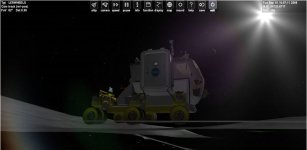
I downloaded the Add-On and made some tests with it. At least in the screen shot below the rover doesn't align with terrain very well. Looks like it maintains a constant horizontal level, so, the sinking is possibly a problem on add-on side instead of D3D9 or Orbiter.
I also tested AMSO Lunar Rover and I couldn't find any issues with sinking or floating wheels. In AMSO the front wheel appears to sink about 1-3 centimeters into the ground and that seems to be constant everywhere so it's likely a touchdown point configuration issue.
 

Attachments

  • rover.jpg
    rover.jpg
    117.7 KB · Views: 17
I downloaded the Add-On and made some tests with it.

Which add-on have you downloaded ? Because there are 2 versions : the original one from Fred18 from GeneralVehicle addon available from Orbiter Hangar, and another one based on the previous model, which is indeed a bit buggy with slopes. I speak about the first one whose wheels are half-cut by hard slope terrain.
 
Which add-on have you downloaded ? Because there are 2 versions : the original one from Fred18 from GeneralVehicle addon available from Orbiter Hangar, and another one based on the previous model, which is indeed a bit buggy with slopes. I speak about the first one whose wheels are half-cut by hard slope terrain.

Looks like I downloaded them both and the test were done with the buggy one. I made some new test using the scenario "LER on Olympus crater border.scn" after changing the reference body to "Moon" and I am not able to reproduce the sinking wheels. (Orbiter 2016) Anyone else willing to give it a go ? To see how it runs ?

Which version of Orbiter are you using ?
Which version of D3D9Client you have ?
 

Attachments

  • Rover.jpg
    Rover.jpg
    180 KB · Views: 21
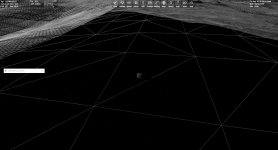
I was test driving with the rover on the moon and I noticed that there are some patches where the high resolution terrain mesh is missing. Could this be the culprit behind sinking wheel phenomenon. Something is definitely wrong here...
 

Attachments

  • NoHighRes.jpg
    NoHighRes.jpg
    170.4 KB · Views: 19
I noticed that when approaching a runway SW of EDW the terrain gets all messed up (walls and valleys, but the vehicle flies thru them) if "cubic interpolation" is used, and when switching to "linear interpolation" it looks ok... is this normal/expected?
(yes, I noticed the warning during loading ?)
 
I noticed that when approaching a runway SW of EDW the terrain gets all messed up (walls and valleys, but the vehicle flies thru them) if "cubic interpolation" is used, and when switching to "linear interpolation" it looks ok... is this normal/expected?
(yes, I noticed the warning during loading ?)

I can't see any anomalous terrain around Edwards with stock highres elevation tile set. So, I guess some add-on scenery would be required to reproduce the anomaly. You shouldn't see any walls.

What exactly are required to reproduce the issue ?

Could you change the "Debug Level" to "2" and locate following kind of data section from D3D9ClientLog (written in dark green/blue color)

Code:
(575: 30.6s 162.66ms)(0x304C) NewTileA[Moon]: Lvl=4, Scale=1, Offset=0
(576: 30.6s 00.35ms)(0x304C) TileCreatedFromFile: Level=4, ilat=8, ilng=18
(577: 30.7s 53.47ms)(0x304C) NewTileA[Moon]: Lvl=5, Scale=1, Offset=0
(578: 30.7s 00.34ms)(0x304C) TileCreatedFromFile: Level=5, ilat=15, ilng=36
(579: 30.9s 227.98ms)(0x304C) NewTileA[Moon]: Lvl=6, Scale=1, Offset=0
(580: 30.9s 00.36ms)(0x304C) TileCreatedFromFile: Level=6, ilat=31, ilng=72
(581: 31.0s 115.54ms)(0x304C) NewTileA[Moon]: Lvl=7, Scale=1, Offset=0
(582: 31.0s 00.34ms)(0x304C) TileCreatedFromFile: Level=7, ilat=63, ilng=144
(583: 31.1s 116.57ms)(0x304C) NewTileA[Moon]: Lvl=8, Scale=1, Offset=0
(584: 31.1s 00.33ms)(0x304C) TileCreatedFromFile: Level=8, ilat=126, ilng=289
(585: 31.2s 58.76ms)(0x304C) NewTileA[Moon]: Lvl=8, Scale=1, Offset=0
(586: 31.2s 00.33ms)(0x304C) TileCreatedFromFile: Level=8, ilat=127, ilng=289
(587: 33.9s 2668.30ms)(0x304C) NewTile[Moon]: Lvl=9, Scale=0.1, Offset=-2000
(588: 33.9s 00.36ms)(0x304C) TileCreatedFromFile: Level=9, ilat=254, ilng=578
(589: 34.2s 308.86ms)(0x304C) NewTile[Moon]: Lvl=9, Scale=0.1, Offset=-2000
(590: 34.2s 00.36ms)(0x304C) TileCreatedFromFile: Level=9, ilat=253, ilng=578
 
  • Like
Reactions: GLS
I can't see any anomalous terrain around Edwards with stock highres elevation tile set. So, I guess some add-on scenery would be required to reproduce the anomaly. You shouldn't see any walls.

What exactly are required to reproduce the issue ?

Could you change the "Debug Level" to "2" and locate following kind of data section from D3D9ClientLog (written in dark green/blue color)

Code:
(575: 30.6s 162.66ms)(0x304C) NewTileA[Moon]: Lvl=4, Scale=1, Offset=0
(576: 30.6s 00.35ms)(0x304C) TileCreatedFromFile: Level=4, ilat=8, ilng=18
(577: 30.7s 53.47ms)(0x304C) NewTileA[Moon]: Lvl=5, Scale=1, Offset=0
(578: 30.7s 00.34ms)(0x304C) TileCreatedFromFile: Level=5, ilat=15, ilng=36
(579: 30.9s 227.98ms)(0x304C) NewTileA[Moon]: Lvl=6, Scale=1, Offset=0
(580: 30.9s 00.36ms)(0x304C) TileCreatedFromFile: Level=6, ilat=31, ilng=72
(581: 31.0s 115.54ms)(0x304C) NewTileA[Moon]: Lvl=7, Scale=1, Offset=0
(582: 31.0s 00.34ms)(0x304C) TileCreatedFromFile: Level=7, ilat=63, ilng=144
(583: 31.1s 116.57ms)(0x304C) NewTileA[Moon]: Lvl=8, Scale=1, Offset=0
(584: 31.1s 00.33ms)(0x304C) TileCreatedFromFile: Level=8, ilat=126, ilng=289
(585: 31.2s 58.76ms)(0x304C) NewTileA[Moon]: Lvl=8, Scale=1, Offset=0
(586: 31.2s 00.33ms)(0x304C) TileCreatedFromFile: Level=8, ilat=127, ilng=289
(587: 33.9s 2668.30ms)(0x304C) NewTile[Moon]: Lvl=9, Scale=0.1, Offset=-2000
(588: 33.9s 00.36ms)(0x304C) TileCreatedFromFile: Level=9, ilat=254, ilng=578
(589: 34.2s 308.86ms)(0x304C) NewTile[Moon]: Lvl=9, Scale=0.1, Offset=-2000
(590: 34.2s 00.36ms)(0x304C) TileCreatedFromFile: Level=9, ilat=253, ilng=578

I have the Antelope valley addon from Martin, which should be "near" the official Orbiter download location.
It also happens in the EDW area, specifically in zones where the terrain has been edited with Elev_mod tiles. Nothing in KSC or other edited areas, so it seems related to the Antelope valley addon... maybe it has a high resolution?

Here is the requested log:
Code:
(563: 48.2s 2613.51ms)(0x698) NewTileA[Earth]: Lvl=0, Scale=1, Offset=0
(564: 48.2s 02.56ms)(0x698) TileCreatedFromFile: Level=0, ilat=0, ilng=0
(565: 49.1s 829.15ms)(0x698) NewTileA[Earth]: Lvl=1, Scale=1, Offset=0
(566: 49.1s 00.93ms)(0x698) TileCreatedFromFile: Level=1, ilat=0, ilng=0
(567: 50.3s 1286.72ms)(0x698) NewTileA[Earth]: Lvl=2, Scale=1, Offset=0
(568: 50.3s 00.77ms)(0x698) TileCreatedFromFile: Level=2, ilat=1, ilng=1
(569: 51.7s 1315.90ms)(0x698) NewTileA[Earth]: Lvl=3, Scale=1, Offset=0
(570: 51.7s 00.74ms)(0x698) TileCreatedFromFile: Level=3, ilat=2, ilng=2
(571: 52.8s 1151.65ms)(0x698) NewTileA[Earth]: Lvl=4, Scale=1, Offset=0
(572: 52.8s 00.76ms)(0x698) TileCreatedFromFile: Level=4, ilat=4, ilng=5
(573: 53.2s 435.09ms)(0x698) NewTileA[Earth]: Lvl=4, Scale=1, Offset=0
(574: 53.2s 01.61ms)(0x698) TileCreatedFromFile: Level=4, ilat=5, ilng=5
(575: 53.9s 693.04ms)(0x698) NewTileA[Earth]: Lvl=5, Scale=1, Offset=0
(576: 53.9s 00.91ms)(0x698) TileCreatedFromFile: Level=5, ilat=9, ilng=10
(577: 54.7s 756.05ms)(0x698) NewTileA[Earth]: Lvl=5, Scale=1, Offset=0
(578: 54.7s 00.94ms)(0x698) TileCreatedFromFile: Level=5, ilat=9, ilng=11
(579: 55.3s 622.37ms)(0x698) NewTileA[Earth]: Lvl=6, Scale=1, Offset=0
(580: 55.3s 00.78ms)(0x698) TileCreatedFromFile: Level=6, ilat=19, ilng=21
(581: 56.0s 658.59ms)(0x698) NewTileA[Earth]: Lvl=6, Scale=1, Offset=0
(582: 56.0s 00.87ms)(0x698) TileCreatedFromFile: Level=6, ilat=19, ilng=22
(583: 57.1s 1074.29ms)(0x698) NewTileA[Earth]: Lvl=7, Scale=1, Offset=0
(584: 57.1s 06.07ms)(0x698) TileCreatedFromFile: Level=7, ilat=39, ilng=43
(585: 57.1s 72.13ms)(0x698) NewTileA[Earth]: Lvl=7, Scale=1, Offset=0
(586: 57.2s 44.61ms)(0x698) TileCreatedFromFile: Level=7, ilat=39, ilng=44
(587: 57.3s 166.44ms)(0x698) NewTile[Earth]: Lvl=8, Scale=1, Offset=0
(588: 57.4s 14.34ms)(0x698) TileCreatedFromFile: Level=8, ilat=78, ilng=88
(589: 57.6s 278.92ms)(0x698) NewTile[Earth]: Lvl=9, Scale=1, Offset=0
(590: 57.7s 19.52ms)(0x698) TileCreatedFromFile: Level=9, ilat=156, ilng=176
(591: 58.2s 519.86ms)(0x698) NewTile[Earth]: Lvl=10, Scale=1, Offset=694
(592: 58.2s 15.43ms)(0x698) TileCreatedFromFile: Level=10, ilat=312, ilng=353
(593: 58.3s 78.60ms)(0x698) NewTile[Earth]: Lvl=10, Scale=1, Offset=690
(594: 58.3s 07.06ms)(0x698) TileCreatedFromFile: Level=10, ilat=313, ilng=353
(595: 58.7s 386.76ms)(0x698) NewTile[Earth]: Lvl=11, Scale=1, Offset=694
(596: 58.7s 00.98ms)(0x698) TileCreatedFromFile: Level=11, ilat=625, ilng=707
(597: 58.9s 223.89ms)(0x698) TileInterpolatedFromParent: Level=12, ilat=1251, ilng=1414
(598: 59.0s 126.29ms)(0x698) NewTileA[Earth]: Lvl=7, Scale=1, Offset=0
(599: 59.0s 03.92ms)(0x698) TileCreatedFromFile: Level=7, ilat=38, ilng=44
(600: 61.3s 2235.18ms)(0x19A0) Surface 0xD360F78 (Cockpit\hud.dds) Converted to RenderTargetTexture (512,256)
(601: 61.3s 09.69ms)(0x19A0) Creating SubSurface for 0xD360F78
(602: 61.3s 00.28ms)(0x19A0) [ERROR] SurfHandle=0x9E3A8E0, Never use Sketchpad::GetDC() hDC not available
(603: 61.6s 334.92ms)(0x698) NewTile[Earth]: Lvl=11, Scale=1, Offset=694
(604: 61.6s 01.17ms)(0x698) TileCreatedFromFile: Level=11, ilat=625, ilng=706
(605: 65.7s 4066.71ms)(0x698) NewTile[Earth]: Lvl=11, Scale=1, Offset=693
(606: 65.7s 00.78ms)(0x698) TileCreatedFromFile: Level=11, ilat=626, ilng=707
(607: 71.9s 6269.10ms)(0x698) TileInterpolatedFromParent: Level=12, ilat=1252, ilng=1414
(608: 73.0s 1013.27ms)(0x698) NewTile[Earth]: Lvl=11, Scale=1, Offset=693
(609: 73.0s 01.46ms)(0x698) TileCreatedFromFile: Level=11, ilat=626, ilng=706
 
@GLS How about a scenario so we can also test the problem ?
It might be dependent on camera angle, field of view or position. Or the view (internal, external, etc).
Having others taking a look is less work for jarmonik and might uncover more data about the situation ;)
 
@GLS How about a scenario so we can also test the problem ?
It might be dependent on camera angle, field of view or position. Or the view (internal, external, etc).
Having others taking a look is less work for jarmonik and might uncover more data about the situation ;)
No special setup needed IMO... just take a DG and fly low and/or land at Edwards.
I can make a scenario if it is really needed, but the "trick" here seems to be the high resolution Antelope valley addon, as things look OK at in Florida.
 
The only thing I notice on Edwards is that the high resolution textures are limited to very small area. They popup as I fly low.
I don't see any other problem.
But I'm using "linear interpolation" since that's the one that works with AMSO and other addons.
 
I have the Antelope valley addon from Martin, which should be "near" the official Orbiter download location.

Ok, Thanks. I can reproduce the issue with that one. Here's a new D3D9Client.dll could you check if the problem is fixed ?
 

Attachments

  • Like
Reactions: GLS
Ok, Thanks. I can reproduce the issue with that one. Here's a new D3D9Client.dll could you check if the problem is fixed ?
That appears to fix it! No issues at EDW or anywhere else, thanks!

But standby as I think I found another issue (not terrain related)
 
OK, this one seems an Orbiter bug:
  • load a scenario with a "Context XYZ" entry
  • exit to the launch pad, but don't close it
  • load another scenario, this one without the "Context" entry
  • MOGE CTD, D3D9 loads as if "Context XYZ" was in the scenario

Nothing in the Orbiter.log, but the D3D9 log has several lines of
[ERROR] Base Object 0x253A460 = 'Zaragoza' not cataloged
for the "Context XYZ" surface bases.

Looks like something isn't being initialized between 2 runs in the same session.

BTW, running Orbiter 2016.
 
Hi everyone,

A question to Jarmonik and eventually others about a very old issue : From the long time you hardly work on this awesome graphical client, have you found some solutions to fix "floating" shadows from generic building above the terrain ? I cannot bear to see them while landing on the earth, so that I prefer to disable shadows ?. But as I see, it seems to be only related to generic building (those provided in Orbiter 2016) and especially on sharp terrain. And curiously, those same buildings can be crossed by sunlight.

Sorry for the inconvenience ?
 

Attachments

  • light_crossing_generic_buildings.JPG
    light_crossing_generic_buildings.JPG
    28.8 KB · Views: 26
  • shadows_generic_buildings.JPG
    shadows_generic_buildings.JPG
    24.3 KB · Views: 23
Hi everyone,

A question to Jarmonik and eventually others about a very old issue : From the long time you hardly work on this awesome graphical client, have you found some solutions to fix "floating" shadows from generic building above the terrain ? I cannot bear to see them while landing on the earth, so that I prefer to disable shadows ?. But as I see, it seems to be only related to generic building (those provided in Orbiter 2016) and especially on sharp terrain. And curiously, those same buildings can be crossed by sunlight.

Sorry for the inconvenience ?


The sunlight crossing through buildings, that is a side effect of the lens flare post processing filter. I recommend not using that processing filter. Instead, use the LightGlow filter, which gives a pseudo-HDR effect, or no filter at all.

The other issue with shadows, it is still there. Surface base object shadows do not map to the terrain properly. Plus, surface base objects do not seem to be affected by distance fog in atmosphere. I remember there was a discussion about z-buffer bug with rendering surface base objects? That issue does not seem to be fixed yet.
 
Hello,how would I go about putting a bump map on a custom spacecraft?

I can tell you how to do it in GIMP. It's all the other maps I need a tutorial for! It might be handy to have a tutorial written if there's an expert texture artist among us.

This may not be the best method, but it will give you a result, it's what I've been doing ...

Using GIMP 2.10:
  1. Open your texture
  2. Go to: Colors>Desaturate>Desaturate and choose Mode: 'Value (HSV)' - I leave the rest as default (Blending Options Mode: Replace, Opacity 100.00)
  3. Go to: Filters>Generic>Normal Map - the only thing I change is the scale which I reduce to 2 or 3. Experiment and see what you like, high numbers = stronger effect. You might like to experiment with Flip X Flip Y options if your texture has a really obvious lighting direction and you want to get your bump to match this.
  4. File>Export As - add '_norm' to the filename of your original texture. Ie if your texture is red.dss, your accompanying bump should be red_norm.dds. As soon as you attempt to export a dds file extension you'll see the compression options to choose from.
Caveat: I bet there is a better way! I'm stumbling through the new features and I'm still not making good spec maps and haven't tried the others. But this gets me a working bump map. I'd love to see simple tutes like this for all the maps using GIMP or other free software. (and apologies if they're out there and I've missed them).

Hope this helps!
 
Back
Top