New Release D3D9Client Development

New Version:

- Tried to convert the Original C texture to use normal maps. Due to some mistakes in adding small/fine details, it doesn't really work too well but it's still better than previous B texture. It should have more natural looking pattern than the B texture.
- Latest texture pack now contains A, A2, B and C textures, although, the default configuration only uses A and C textures. But you are free to mix them anyway you like.
- Also the original texture pack by rstr can be used but then you should set the NORMALS parameter to zero from MicroTex.cfg to make them render correctly.
- Normal mapped micro textures are now working on Mars. Default configuration only uses _A texture on Mars.
- Currently the texture assigned in "Slot 2" or "Level 2" in MicroTex.cfg is randomly rotated if the rotations are enabled from D3D9 settings.
- Texture names used by micro textures no longer need the encoding D3D9<bodyname>_x.dds since the names are now located in MicroTex.cfg
- I am likely not going to provide any more textures since there are many other things that need to be done.

Texture Pack with normals: http://users.kymp.net/p501474a/Orbiter/MicroTextures.zip
.
 

Attachments

Works great here! Excellent job :cheers:

I'm certain they are on the todo list, but two minor things that stand out for me:

» You can see some illumination on the dark side of steep cliffs, even when they are in complete shadow. It's a kind of "negative normal" or something. Easy to notice with low sun.

» Texture distortion at the poles / away from the equator. I understand why it happens, but it's very noticeable, even at moderate latitudes.
 
But now some pattern is observable again... somehow previous "D" version had a bit better view.
But a bit more visible are "squares" in small craters (~from 50m altitude). Maybe tweaking can improve it...
 
Last edited:
Can we still play with "OPTIONAL TEXTURE BLEND EQUATIONS" at line 600 of Modules\D3D9Client\Surface.fx?
 
Can we still play with "OPTIONAL TEXTURE BLEND EQUATIONS" at line 600 of Modules\D3D9Client\Surface.fx?

Yes, it would be good idea to give some feedback regarding which one of them works best.
 
D3D9Client Beta 20

» You can see some illumination on the dark side of steep cliffs, even when they are in complete shadow. It's a kind of "negative normal" or something. Easy to notice with low sun.

» Texture distortion at the poles / away from the equator. I understand why it happens, but it's very noticeable, even at moderate latitudes.

These two issues should be fixed.

But a bit more visible are "squares" in small craters (~from 50m altitude). Maybe tweaking can improve it...

They are compression artifacts, should be fixed from beta 20.

- Micro texture rendering is reworked and should no longer require high texture repeat counts from a hardware.
- Micro texture rotations are disabled, let's see if we can handle things without rotations. There are some problems with aspect rations and alignments.

Attention:
Micro texture format has changed due to some pretty bad compression issues. Normal map is now stored in green and alpha channel to improve the quality. Lot of image editing programs have difficulties to deal with alpha, so, I have added format conversion utility in the client. That will allow to convert the old format into a new one using DXT5 compression. Utility is located in D3D9 debug controls. Also, 16-bit RGB4 format is supported. Mipmaps are directly copied from a source image and compressed. They are not auto-generated. "Developer Mode" has been added in micro texture settings in the D3D9 configuration dialog, it will enable a use of the old format when testing and editing textures. Avoiding a need to convert textures before testing them.

New Format:
.r = Albedo
.g = Normal Map Y
.b = Albedo
.a = Normal Map X

There is a new _C3 texture added in a texture package. It's likely better than the previous ones.

Texture Package: http://users.kymp.net/p501474a/Orbiter/MicroTextures.zip
.
 

Attachments

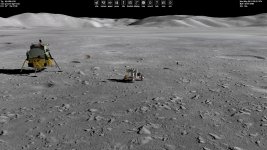
Really nice Moon now:
 

Attachments

  • Moon12.jpg
    Moon12.jpg
    347.4 KB · Views: 91
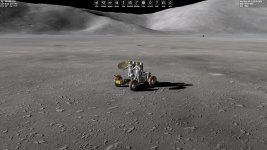
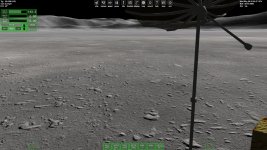
I changed A textures scaling to 90.0 then it is almost sharp even looking from 2m height view of and from Lunar Rover...
Also I like that shadows on the slopes of mountains are convincingly dark, so even during the morning it looks more appropriate. I mean that global Moon textures have mostly local "evening" shading, but blackness of shadows compensates for this.
 

Attachments

  • Moon15.jpg
    Moon15.jpg
    336.8 KB · Views: 96
  • Moon16.jpg
    Moon16.jpg
    344.9 KB · Views: 85
Last edited:
I'm not sure the micro elevation plays nicely with the runway lights:

That's a known issue and been there a long time. I am currently working on an implementation allowing to place rocks on a surface. The same implementation would allow to snap the light beacons to the actual surface too. So, we'll get that fixed.
 
jarmonik, i would like to report that there are no proper surface base object and mesh shadows on moon and mars. no such problem with earth.

and contrails shadows on the surface flicker on earth
 
NASSP OR AMSO ?
Mostly NASSP meshes (only some AMSO (antenna), most of them are incompatible), with spacecraft3 and multistage2015 BETA .ini files.
It is temporarily... hope AMSO will be updated.
 
Is it possible to apply microtextures to bodies apart from Moon,Earth and Deimos?,tried adding bodies to microtex.config but do not show.

Edit:

Just lower the scaling,

BODY Iapetus
NORMALS 1
LEVEL 0 D3D9Moon_B.dds 5.0
LEVEL 1 D3D9Moon_B.dds 5.0
LEVEL 2 D3D9Moon_B.dds 1.0

orbiter_2016-03-12_16-42-07-07.jpg
orbiter_2016-03-12_16-42-37-48.jpg
 
Last edited:
Just lower the scaling,

Did you have to bring it down to 5.0 to get it working ? How high value is working and could you tell me the "MaxTextureRepeat.......: ?" from the Orbiter.log ?
 
I had it upto 15 but was too repetative. Max texture from d3d9 log is,
(32: 2.47s 1098276354us)(0xF5C) MaxTextureRepeat.......: 8192. could not find it in orbiter.log.
 
New build:

- Runway lights are now properly snapped to a surface. Currently done in per beacon basis (i.e. every light is separately placed on surface) but it might be better just snap the runway endpoints.

- Cloud shadow implementation is reworked. Shadows are now rendered during the main render pass which would allow atmospheric scattering implementation to read cloud shadow data. Also, the shadows should now have a full coverage and work well enough with a variable terrain heights.

If there are any problems with cloud shadows now is the proper time to report them.
 
Last edited:
Hi Jarmo,
what compiler version are you using, by the way? I assume Visual studio 2012, right?
I'm just asking because I've changed some project files[1] and could only check with VS2012 and VS2015.
I hope I can find a machine with VS2010 to complete the task of "no warnings". Or maybe the VS2010 already was ;)

Regards,
Kuddel

[1] at /trunk/
 
Back
Top