
-
ORBITER-FORUM will be temporarily closed at 2026-07-23 18:00 UTC while we complete some OF maintenance tasks. The amount of downtime is expected to take up to one hour, but probably less.
You are using an out of date browser. It may not display this or other websites correctly.
You should upgrade or use an alternative browser.
You should upgrade or use an alternative browser.
OHM Crew Dragon for Orbiter2016
- Thread starter OrbitHangar
- Start date

Scorch
Member
Did a quick test orbit with her this evening. I love the way she flies. I'm looking forward to spending a lot more time on it over the weekend. Tremendous job, you all! 

pappy2
Active member
- Joined
- May 3, 2012
- Messages
- 410
- Reaction score
- 43
- Points
- 43
Ha! Great idea. Must give it a go.
On the subject of Dragon-IDA-PMA orientation, I find that having anything other than principal X,Y,Z axes for the Dragon docking port dir/rot makes using the DockingMFD very difficult.
So the Dragon docking port will have to stay as it is, I'm afraid.
It will be a matter of editing the docking ports on IDA and ISS.
(As Donamy previously noted)
Sorry pappy2 :-(
Cheers,
BrianJ
It's not a big deal Brian, :thumbup:
may be someday "dave1705" will update its addon with IDA 2 and 3
and that it will take into account your Addon "Crew Dragon for Orbiter2016"
See you soon
friendly
Thanks!Did a quick test orbit with her this evening. I love the way she flies. I'm looking forward to spending a lot more time on it over the weekend. Tremendous job, you all!
One more update soon to fix the glass-cockpit-viewpoint bug.
Cheers,
Brian
pappy2
Active member
- Joined
- May 3, 2012
- Messages
- 410
- Reaction score
- 43
- Points
- 43
Hello Brian,
are you aware of the modification of SpaceX's "GO SEARCHER" ship that will be used to recover Crew Dragon ? :hmm:
https://forum.nasaspaceflight.com/index.php?topic=45946.20

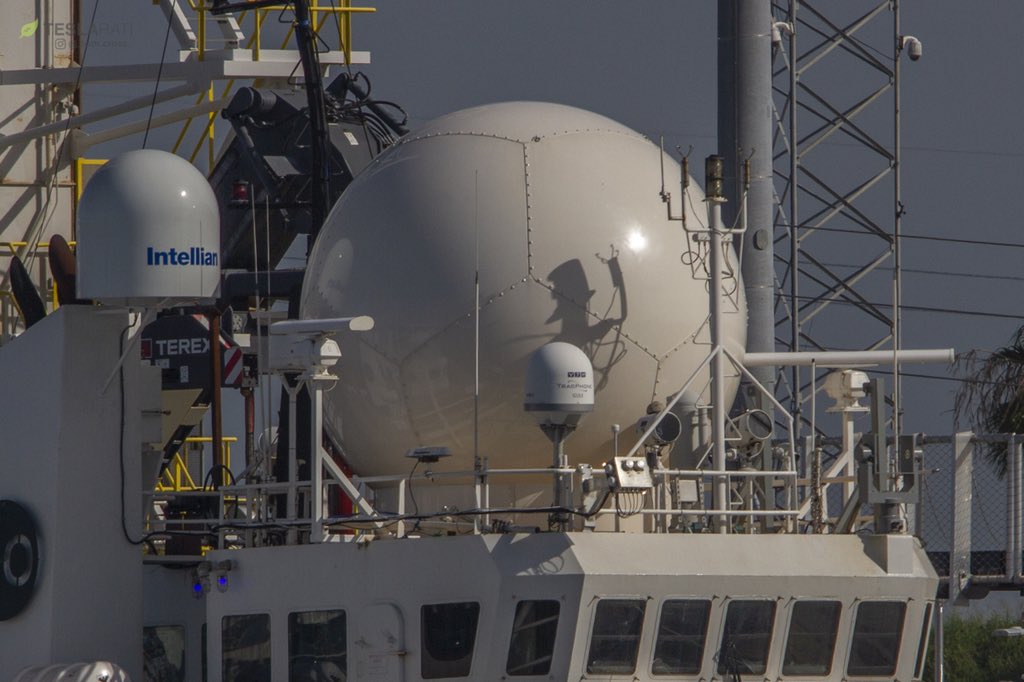
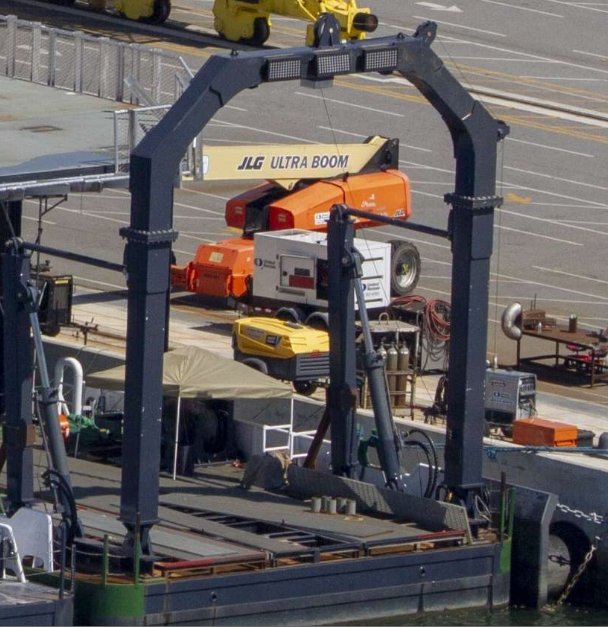
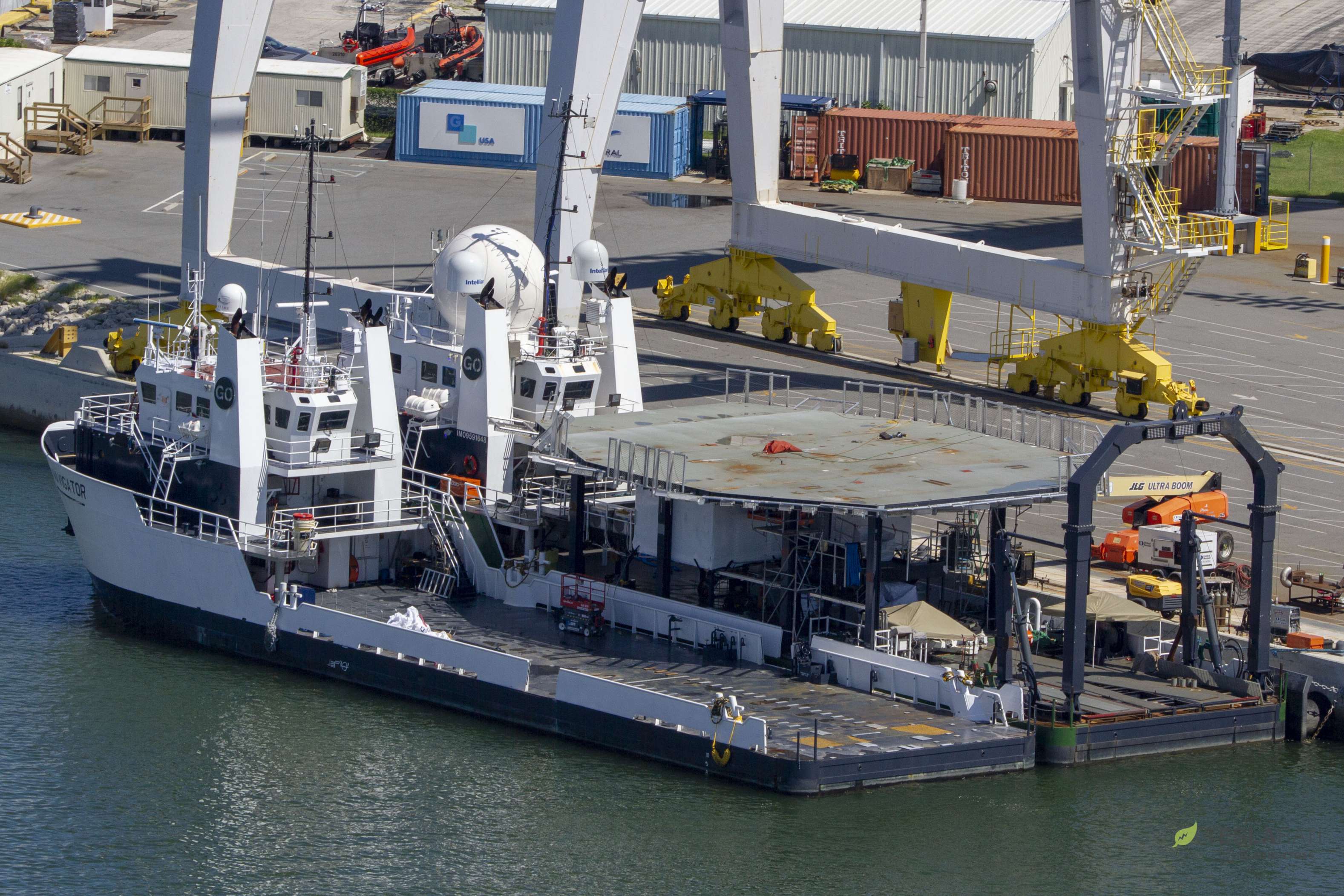
It has two small and a huge radome, the rear crane is reinforced, and a helipad to bring the astronauts back to Earth is under construction !!!!
http://orbiter.dansteph.com/forum/index.php?topic=14252.msg215564#msg215564
You will have to update your Addon ... :thumbup:
I hope you do not have too much work right now!
Thank you in advance.
EDIT 08 oct 2018
Hello David,
It is a helipad that has been added to the deck of "GO SEARCHER".
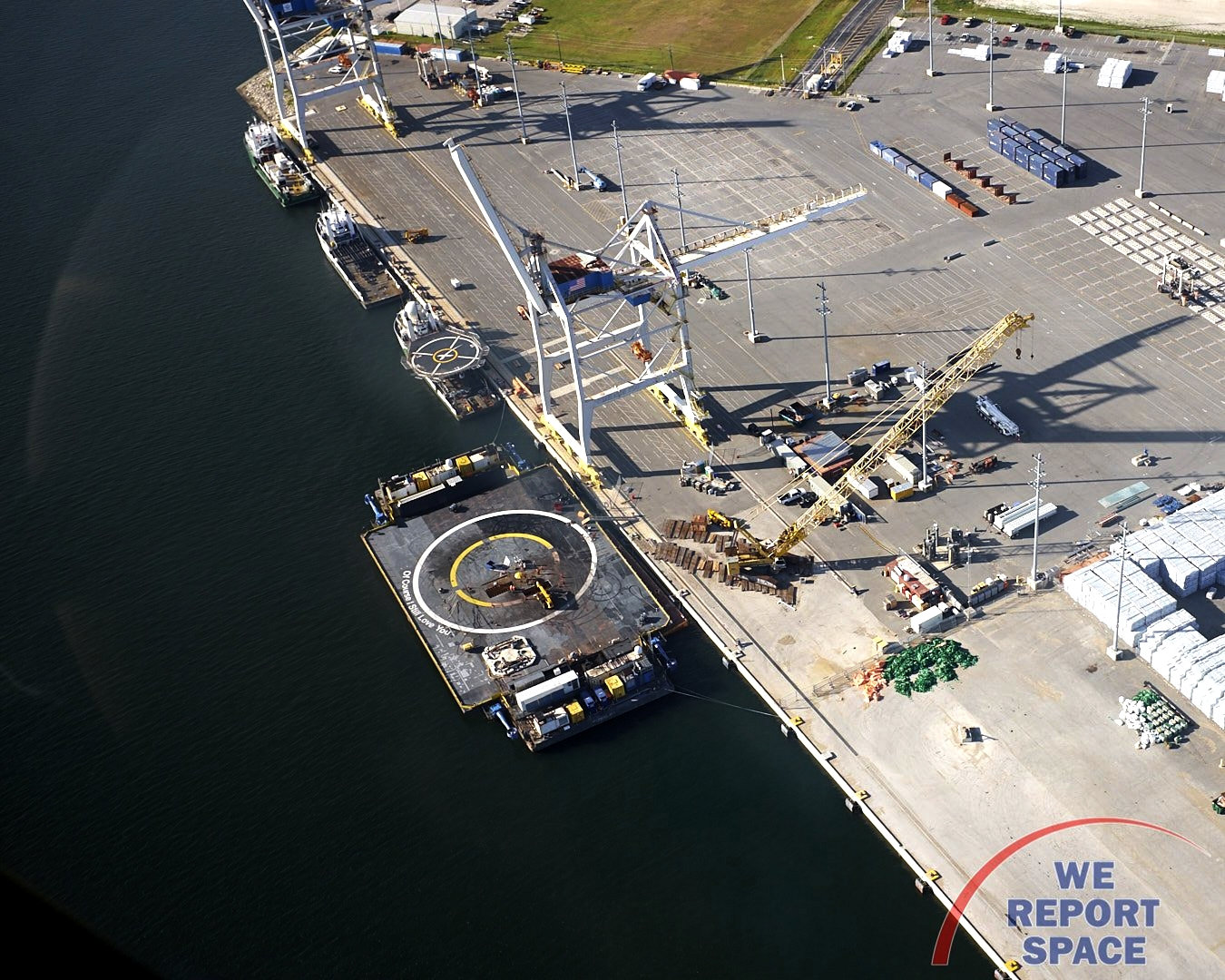
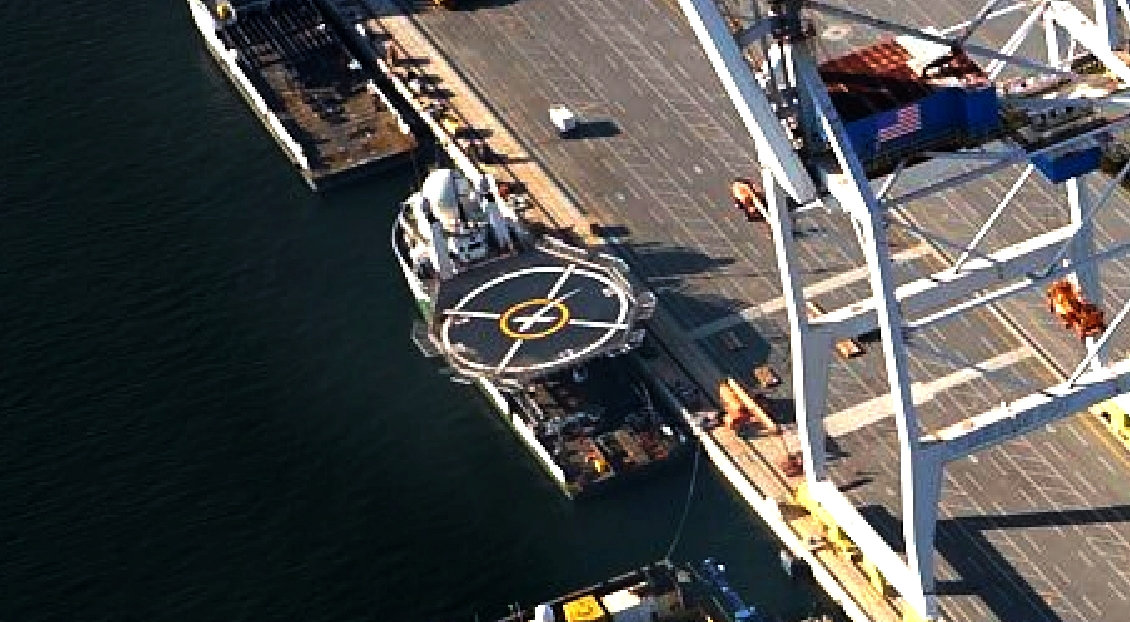
[ame="https://twitter.com/WeReportSpace/status/1049447055914164225"]We Report Space on Twitter: "Check out SpaceX's east coast fleet in Port Canaveral. Looks like some work taking place on the drone ship, and Go Searcher has a newly painted helipad. Helicopter tour with @FloridaAirTours, photo credit: Jared Haworth / We Report Space… https://t.co/qBKDR1AsWz"[/ame]
are you aware of the modification of SpaceX's "GO SEARCHER" ship that will be used to recover Crew Dragon ? :hmm:
https://forum.nasaspaceflight.com/index.php?topic=45946.20


It has two small and a huge radome, the rear crane is reinforced, and a helipad to bring the astronauts back to Earth is under construction !!!!
http://orbiter.dansteph.com/forum/index.php?topic=14252.msg215564#msg215564
You will have to update your Addon ... :thumbup:
I hope you do not have too much work right now!
Thank you in advance.
EDIT 08 oct 2018
Hello David,
It is a helipad that has been added to the deck of "GO SEARCHER".


[ame="https://twitter.com/WeReportSpace/status/1049447055914164225"]We Report Space on Twitter: "Check out SpaceX's east coast fleet in Port Canaveral. Looks like some work taking place on the drone ship, and Go Searcher has a newly painted helipad. Helicopter tour with @FloridaAirTours, photo credit: Jared Haworth / We Report Space… https://t.co/qBKDR1AsWz"[/ame]
Last edited:
Thanks pappy2 - I enjoy a bit of ship building
Is there any info regarding type of ship / specifications?
Anyway, for now....
Update v.181002 on OH:
Fixed "Glass-cockpit viewpoint" bug.
Cheers,
Brian
Is there any info regarding type of ship / specifications?
Anyway, for now....
Update v.181002 on OH:
Fixed "Glass-cockpit viewpoint" bug.
Cheers,
Brian

- Joined
- Mar 23, 2008
- Messages
- 1,327
- Reaction score
- 1,657
- Points
- 128
- Website
- francisdrakex.deviantart.com
Just took the updated Dragon for a relaxing flight. Very nice, all functioning well, excellent meshes, a realistic flight impression.
One minor quibble:
On a German keyboard, the [Y] and [Z] key are interchanged.
Here the Orbiter keys for zoom in/out are [Y] and [X].
This unfortunately intercepts the [Y] Auto Deorbit Burn key.
The workaround is to go to the virtual cockpit and click the 'auto deorbit' button.
I guess that's ok.
One minor quibble:
On a German keyboard, the [Y] and [Z] key are interchanged.
Here the Orbiter keys for zoom in/out are [Y] and [X].
This unfortunately intercepts the [Y] Auto Deorbit Burn key.
The workaround is to go to the virtual cockpit and click the 'auto deorbit' button.
I guess that's ok.
Thanks for the feedback. Keyboard incompatibility noted, I could make it Ctrl-Y or somethingJust took the updated Dragon for a relaxing flight. Very nice, all functioning well, excellent meshes, a realistic flight impression.
One minor quibble:
On a German keyboard, the [Y] and [Z] key are interchanged.
Here the Orbiter keys for zoom in/out are [Y] and [X].
This unfortunately intercepts the [Y] Auto Deorbit Burn key.
The workaround is to go to the virtual cockpit and click the 'auto deorbit' button.
I guess that's ok.
- Joined
- Mar 23, 2008
- Messages
- 1,327
- Reaction score
- 1,657
- Points
- 128
- Website
- francisdrakex.deviantart.com
I could make it Ctrl-Y or something
Unfortunately the Ctrl-Y is used for 10° zoom steps, and Shift- commands are used for MFDs. Maybe it could be Alt-Y. I would leave the Y as the normal key and just add the Alt-Y executing the same command, mention it in the documentation.
pappy2
Active member
- Joined
- May 3, 2012
- Messages
- 410
- Reaction score
- 43
- Points
- 43
Thanks pappy2 - I enjoy a bit of ship building
Is there any info regarding type of ship / specifications?
Cheers,
Brian
Brian :tiphat: :tiphat:

https://www.marinetraffic.com/en/ai...mmsi:366584000/imo:9591648/vessel:GO_SEARCHER
---------- Post added 10-10-18 at 07:19 PM ---------- Previous post was 10-09-18 at 08:04 PM ----------
@pappy2
try this to the IDA.cfg
; === Docking ports ===
BEGIN_DOCKLIST
0 0.05 0.32 0 0 1 0 1 0 ;CCVehicle
0 0 -0.38 0 0 -1 0 -1 0 ;PMA
END_DOCKLIST
Good evening "Don"
Your modification solution is very good::thumbup: :thumbup:
Crew Dragon is in the right position the nose cone well above the PMA.


By cons sorry "Brian" but the lazer is no longer in the target of IDA. :facepalm: :facepalm:
I know :lol:
The laser/lidar is just a bit of fun really.
I didn't think the original alignment (between the two IDA targets) was satisfactory, anyway. I'm open to a better suggestion
But it's easy to move the lidar, so if anyone has a preference one way or the other, let me know.
P.S. Thanks for the Go Searcher infos!
Cheers,
BrianJ
The laser/lidar is just a bit of fun really.
I didn't think the original alignment (between the two IDA targets) was satisfactory, anyway. I'm open to a better suggestion
But it's easy to move the lidar, so if anyone has a preference one way or the other, let me know.
P.S. Thanks for the Go Searcher infos!
Cheers,
BrianJ
pappy2
Active member
- Joined
- May 3, 2012
- Messages
- 410
- Reaction score
- 43
- Points
- 43
I know :lol:
The laser/lidar is just a bit of fun really.
I didn't think the original alignment (between the two IDA targets) was satisfactory, anyway. I'm open to a better suggestion
But it's easy to move the lidar, so if anyone has a preference one way or the other, let me know.
P.S. Thanks for the Go Searcher infos!
Cheers,
BrianJ
If there was a straight on view from an outside camera, it would give a 3D view of the target to line up on like the real one.
Good evening Brian
I think the target area of the lazer should be here
in yellow


Last edited:
As Brian said, the laser is fictitious. Docking MFD works better. Or you can look out the hatch. Like I said, an outside camera view, (like the one I put on the Shenzou 9) would be great.
Hi Don,Like I said, an outside camera view, (like the one I put on the Shenzou 9) would be great.
not quite sure what you mean - an external camera viewpoint where the docking camera should be? In line with the IDA targets (where the lidar is)?
Shouldn't be a problem.
Hi Don,
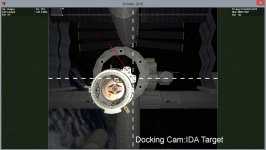
great, that lines up nicely with the "lower-right" target on IDA, so I've added that as an extra "Docking Cam" viewpoint, along with a viewpoint on the centre-line(for folks who don't use IDA). Tried to make a simple "Soyuz" type display overlay for it.
Only slight snag is the IDA disappears when you get right up close (mesh "clipping").
The Lidar now lines up with the "upper-left" IDA target.
Note: This assumes you use Donamy's parameters for IDA docking ports, above.
Docking Cam view....
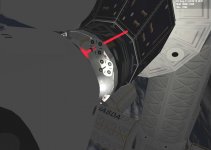
Docked to IDA...
Also, I have changed the Auto- De-Orbit button from Y to U, for keyboard compatibility.
And re-instated the Size parameter increase when chutes deployed (otherwise you don't get any shadow on the ground till almost landed).
Any further suggestions? (before I do another update on OH).
Thanks,
BrianJ
great, that lines up nicely with the "lower-right" target on IDA, so I've added that as an extra "Docking Cam" viewpoint, along with a viewpoint on the centre-line(for folks who don't use IDA). Tried to make a simple "Soyuz" type display overlay for it.
Only slight snag is the IDA disappears when you get right up close (mesh "clipping").
The Lidar now lines up with the "upper-left" IDA target.
Note: This assumes you use Donamy's parameters for IDA docking ports, above.
Docking Cam view....
Docked to IDA...
Also, I have changed the Auto- De-Orbit button from Y to U, for keyboard compatibility.
And re-instated the Size parameter increase when chutes deployed (otherwise you don't get any shadow on the ground till almost landed).
Any further suggestions? (before I do another update on OH).
Thanks,
BrianJ
Last edited:
Similar threads

- Replies
- 19
- Views
- 6K


