I bet that's the problem- I was only editing the one in the "Textures" folder. Thanks! ?The anomaly with a stock Atlantis is likely due to base texture being loaded from "Textures2" folder.


I bet that's the problem- I was only editing the one in the "Textures" folder. Thanks! ?The anomaly with a stock Atlantis is likely due to base texture being loaded from "Textures2" folder.
Here's the shader with modifications, attached as a zip file. I duplicated and modified the existing lighting implementation. Changes are clearly marked in the shader.So, can you make the modifications to the shader ? I have included a new binary that enables the specular map for the shader.
Sorry about the delay. I have now uploaded the modification into the SVN. Yes, the one with a specular map does indeed look much better. Thanks about that.Here's the shader with modifications, attached as a zip file. I duplicated and modified the existing lighting implementation. Changes are clearly marked in the shader.
I think this is the right thread to report this in. I've noticed something ever since I installed this add-on: Boca Chica Base and that is that the terrain at KSC/CCAFS has vanished and the surface textures is vibrating like crazy. If I disable terrain flattening, everything is as it should be. Re-enable terrain flattening and the issue is back.
Orbiter is 2016 release with D3D9Client R.4.19.

I think this is the right thread to report this in. I've noticed something ever since I installed this add-on: Boca Chica Base and that is that the terrain at KSC/CCAFS has vanished and the surface textures is vibrating like crazy. If I disable terrain flattening, everything is as it should be. Re-enable terrain flattening and the issue is back.
Only file in there.Is the addon *.flt file the only one in the /Textures/Earth/Flat/ directory? If not, could it be that another file is present that changes the KSC area?
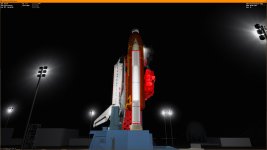
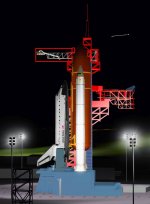
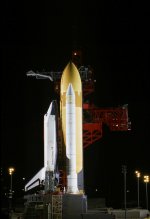
I got this weird difference in shading on the SRM segments. The shader is Metalness and I have the Light glow post-processing selected. Again, this with D3D9Client R4.19 and Orbiter 2016.
The issue remains with R4.20. And the terrain and flickering problems are at KSC with the BC add-on installed.I have uploaded R4.20 does that fix the issue there ?
Also, I tested the Boca Chica base and couldn't detect any flickering issues.
I now experience it at BC as well. I can reliably reproduce the problem by just using the "BocaChica 10km Hop" scenario from this add-on: https://www.orbithangar.com/showAddon.php?id=f134e80a-f13e-4599-93e7-50ba8e744f01The issue remains with R4.20. And the terrain and flickering problems are at KSC with the BC add-on installed.
CONFIG_VERSION 3CONFIG_VERSION 3
; =============================================
MESH DG\deltaglider_ns
SHADER Metalness
SAFEGUARD 0
; ---------------------------------------------
MATERIAL 11
SMOOTHNESS 1.000000 1.000000A couple of issues I'm having:
1. I'm having trouble again with the Reload Textures button......
2. When using the D3D9 Debug Controls on a vessel that has no materials config file, setting the default shader to Metalness and then clicking "Save materials" doesn't save the setting.....
Another item: A code sample that shows the shows the "SpecialFX" parameter in action. Felix24 posted his heatmap texture in post for the default Atlantis so it could be a good starting point.
gcCore *pCore = gcGetCoreInterface();
if (pCore) {
    COLOUR4 value = { heat, 0, 0, 0 };
    pCore->MeshMaterial(hMesh, material_idx, MESHM_SPECIALFX, &value, true);
}