
New Release D3D9Client Development

Yeah! Exactly! Can he provide some coding insights?

Looks good but I'd say the exhaust mesh cuts a bit too much on the blue sky... So the alpha gradient has to start very low (or high, correct me). Also the "moving texture" part seems a bit unnecessary to me, in reality those (beautiful) patterns really look plain and stable (that's how flames behave in general, unless wind sends dust into them). But I think it would work very well on the aforementionned aerodynamics or reentry effects.
 
OK so the texture manages the flame mesh transparency and has small "artefacts" on it to achieve the "glittering" effect. Now was he rotating the mesh directly (animation), or did he manipulate the UV coordinates, we can't guess. But very roughly it seems to be the same approach mentionned by Jarmo a few posts above on the aerodynamic effects, so I think we're on a good track. ?
 
Looks good but I'd say the exhaust mesh cuts a bit too much on the blue sky... So the alpha gradient has to start very low (or high, correct me). Also the "moving texture" part seems a bit unnecessary to me, in reality those (beautiful) patterns really look plain and stable (that's how flames behave in general, unless wind sends dust into them). But I think it would work very well on the aforementionned aerodynamics or reentry effects.
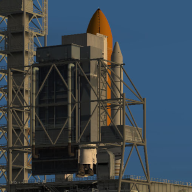
Actually, the flames are not static at all. See the close-ups in this excellent NASA compilation:
 
OK so the texture manages the flame mesh transparency and has small "artefacts" on it to achieve the "glittering" effect. Now was he rotating the mesh directly (animation), or did he manipulate the UV coordinates, we can't guess. But very roughly it seems to be the same approach mentionned by Jarmo a few posts above on the aerodynamic effects, so I think we're on a good track. ?
From what I remember, he used Spacecraft3.dll so nothing fancy, so most likely a simple rotation animation.
 
Something else to keep in mind is that the distance between the blue mach diamond and the nozzle base varies depending on throttle level. The closer to minimum throttle level, the closer the mach diamond is to the nozzle. This is an effect that can clearly be seen in various SSME/RS-25 static tests.
 
Well IMHO the first step would be to make a good-looking stable exhaust flame / aerodynamic effect / reentry effect. That's not a small task. From there we could explore how to improve each one, "improving" meaning "making it closer from reality".

Scaling through throttle-ing is pretty easy to do right now - its a "scaling" animation where the "animation state" is relative to the thrust level. Of course it would be even better to get (and translate in C++) the real equations that describe this phenomenon, but this is quite high-level maths/physics.

Also I was thinking about scaling up the flame and making it dimmer as pressure decreases, to simulate expansion. Again its a scaling animation against atmospheric pressure, nothing crazy but getting a decent result is another thing and would take a lot of experimentation.
 
You mean the effects that occur between 0:50 and 1:10 in video's timescale.

So, what would be needed:
  • User supplied mesh and texture like ( 256 x 1024 )
  • Dynamic Pressure for Start and End
  • Visible texture section length in pixels like 128 for ( 256 x 1024 ) texture. Meaning that 256x128 would be visible at a time.
  • Texture roll/slide speed pixels/sec for the Y-coordinate
  • VECTOR3 giving the reference/origin point (could this also be used to move user supplied mesh on the right place ?)
  • VECTOR3 pointing to the direction of slide and the length would control an alpha fade effect.
  • Alpha fade function ? Maybe the following would be sufficient: alpha = pow(distance, x), where "x" would be user supplied variable and "distance" is in range 0.0 to 1.0

Anything else in mind ?
The UV range in the mesh itself could be 0 to 1 for both axies. The client could rescale the UV range as needed.
"How often does it show" could could be a parameter but, IMO it should be a random ocorrence (maybe 10-25%?) as the user doesn't control the atmospheric conditions.

This reminds me, how is this going to work in other atmospheres besides Earth?
 
This reminds me, how is this going to work in other atmospheres besides Earth?

Well he mentionned dynamic pressure, so that's settles it. AFAIK Dynamic Pressure is relative to atmospheric density.

For engines exhausts, pressure is always an important parameter, because it defines if the exhaust will look "diamond-shaped" or "jellyfish". Now what's in the atmosphere probably shifts colors, but that's another can of worms.
 
Well he mentionned dynamic pressure, so that's settles it. AFAIK Dynamic Pressure is relative to atmospheric density.
Yeah, but AFAIK the condensate is water, so the ppH2O is probably a factor

For engines exhausts, pressure is always an important parameter, because it defines if the exhaust will look "diamond-shaped" or "jellyfish". Now what's in the atmosphere probably shifts colors, but that's another can of worms.
For engines firing in an atmosphere, O2 is a factor in the periferal burning in the plume.


In the end these are questions for the physics engine to answer.
 
Another factor is the actual thruster level. The more open a valve is the wider the plume is. I've attached two screenshots of the STS-122 External Tank venting gaseous hydrogen from the intertank vent. The first image shows venting at a partial vent valve opening while the second shows venting from a fully open vent valve.
That plume is huge compared to the size of the E.T. How long is that plume visible after the valve is close or it's out of gas. My best guess would be 5-15 seconds. Let's forget this for now and focus on the two other cases. Engine exhaust and aerodynamic condensation effect.
 
Tried new version.
1) I noticed when whole stack of rocket (first stage - "landed" status) is selected, it is OK, but selecting (with F3 )orbiter (attached to main stack, so status of vessel in scenario is "orbiting") it gets brighter (~ ambient ligthing increases).
2) Is "metalness" shader applied to a whole mesh? Seems that all groups of mesh have to "share" it. There are meshes, where only part is metallic, but part is just white, etc, where only OLD PBR shader is more appropriate.
3) Was this sunrise improvement thing about surface sunrises\sunsets?
 
That plume is huge compared to the size of the E.T. How long is that plume visible after the valve is close or it's out of gas. My best guess would be 5-15 seconds. Let's forget this for now and focus on the two other cases. Engine exhaust and aerodynamic condensation effect.
Here's the video where those two screenshots were taken from. ET venting begins at 2:30. And as you can see, the plume doesn't hang around for very long.
 
Here's the video where those two screenshots were taken from. ET venting begins at 2:30. And as you can see, the plume doesn't hang around for very long.
Thanks about the video. I guess we could try to improve the particle effects so that high-rate exhaust would be wider and long duration exhausts would travel farther away from the source.
 
Tried new version.
1) I noticed when whole stack of rocket (first stage - "landed" status) is selected, it is OK, but selecting (with F3 )orbiter (attached to main stack, so status of vessel in scenario is "orbiting") it gets brighter (~ ambient ligthing increases).
I'll try to reproduce that with AMSO..
2) Is "metalness" shader applied to a whole mesh? Seems that all groups of mesh have to "share" it. There are meshes, where only part is metallic, but part is just white, etc, where only OLD PBR shader is more appropriate.
Metalness shader can do both, Metallic and non-metallic. It's the metalness map where it gets it's name: youtube: Metansess vs Specular

3) Was this sunrise improvement thing about surface sunrises\sunsets?
That was about fixing bug related to a sunlight color received by a vessel during sunset/-rise
 
That plume is huge compared to the size of the E.T. How long is that plume visible after the valve is close or it's out of gas. My best guess would be 5-15 seconds. Let's forget this for now and focus on the two other cases. Engine exhaust and aerodynamic condensation effect.
The plume lasts for a LONG time, as the gas doesn't just disappear after x seconds, and in a vaccum it just keeps growing as there is nothing "containing" it. How long it is visible pretty much depends only on the camera settings... I don't think there is a way to win this one, because it will never "look good" on every situation.
 
Again yes lets focus on limited goals first (engine exhausts and aerodynamic effects), stay positive and then take time to dig in more particular cases.

The behavior of overexpanded gases is a bit different, I raised the issue there :


Now yes strictly speaking it has to do with engine exhaust ; eventually we'll have to find a way to deal with it, but lets start with how things look in the (familiar) dense part of Earth atmosphere.
 
Thanks about the video. I guess we could try to improve the particle effects so that high-rate exhaust would be wider and long duration exhausts would travel farther away from the source.
I think that can currently be done with the particle stream system in place. Something it can't do currently is the visibility part, that the plume is only really visible from certain light angles. That is what I what I want to see implemented, variable plume visibility.
 
I think that can currently be done with the particle stream system in place. Something it can't do currently is the visibility part, that the plume is only really visible from certain light angles. That is what I what I want to see implemented, variable plume visibility.
After thinking about this some more, I think this could replace the standard 2D exhaust renderings that you get through AddExhaust(). It could even be made user option in the Advanced Options window. That way those who want the "traditional/classic" 2D appearance and those who want the more realistic and accurate appearance both get their wills fulfilled.
 
Back
Top