
New Release D3D9Client Development

A quick remark about transparency:
Perhaps mesh groups could be excluded from shadow computations, based on material properties. Simply exclude if opacity is different from 1.

(For texture alpha, there's no solution, the mesh must be updated)
 
Last edited:
I agree with this option as it is an option seeing in many modern AAA games. Another shadow related bug is that what shadows are seen depends on what vessel is in focus. This is an old bug that I have reported earlier: https://www.orbiter-forum.com/showthread.php?p=579460&postcount=4566


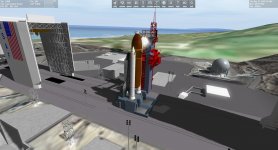
I made some testing and I saw that shadow quality can wary depending on vessel in focus like in this screen shot (SRB on shuttle wing) but they shouldn't completely disappear. It shouldn't be difficult to apply better shadows on all small vessels like the shuttle.
 

Attachments

  • shot.jpg
    shot.jpg
    267 KB · Views: 33
Ok, Thanks. I had some trouble getting it to work, it seems to crash in a cockpit view but I was able to make the necessary test.


Here's a slightly modified shader and textures. Some of the textures were pretty badly out of reasonable range. Even if we have a "roughness map" it is in-fact a smoothness map so 255 is mirror smooth and 0 is very rough. This article speaks of a "Microsurface" https://marmoset.co/posts/physically-based-rendering-and-you-can-too/


The textures should be remade the ones in the package have been modified-compressed-modified-compressed... so the quality have deteriorated.


Could you test these textures and the modified shader to see if there are any fundamental issues remaining. I wasn't able to test the local lights due to no access in cockpit.
I did forget to mention that the modules were built for the latest Orbiter 2016 beta revision (90). Things do look better now though, thanks. Final confirmation will have to come once proper reflections have been implemented.
 
Side note for developers compiling D3D9Client from source:
- 'trunk' is currently not the main development branch of Jarmo. He currently mainly develops on branch '2016'.
- I'll merge all the changes back to 'trunk' when it makes sense (@Jarmo: drop me a note when you think it's worth it :thumbup:)
 
Question, For the Standard Orbiter Game Engine are Meshes as Planets supported, but strangely in the D3D9 engine when i load up my Planetary System that uses the Meshes the meshes are not present like in the Regular engine.. somebody knows a fix for this?
 
Question, For the Standard Orbiter Game Engine are Meshes as Planets supported, but strangely in the D3D9 engine when i load up my Planetary System that uses the Meshes the meshes are not present like in the Regular engine.. somebody knows a fix for this?


Umm, as far as I know, and have tested and used, latest version of d3d9 client for latest version of Orbiter, i.e. 2016 Beta rev90, fixed the invisible planet meshes in external graphics client bug. Not sure about d3d9 client version for Orbiter 2016 release. That one maybe doesn't have the fix implemented yet.. haven't tested.
 
Umm, as far as I know, and have tested and used, latest version of d3d9 client for latest version of Orbiter, i.e. 2016 Beta rev90, fixed the invisible planet meshes in external graphics client bug. Not sure about d3d9 client version for Orbiter 2016 release. That one maybe doesn't have the fix implemented yet.. haven't tested.

they seem to appear now but there is still one problem they dissapear when zooming out.. For instance im trying to recreate another sun, so its a big sun and when i zoom out beyond 1.7G it dissapears
 
Side note for developers compiling D3D9Client from source:
- 'trunk' is currently not the main development branch of Jarmo. He currently mainly develops on branch '2016'.
- I'll merge all the changes back to 'trunk' when it makes sense (@Jarmo: drop me a note when you think it's worth it :thumbup:)


My current working copy of 2016 branch was a lot of modifications since I am still working on "mesh to terrain" converter and other elevation tools. I don't know when I got the time to finish it. However, I don't see any issues with merging current 2016 modifications into the trunk.
 
How is was about local light shadows? any chance?...
 
Phew! I managed to merged the changes from branch/2016/ to trunk/, but that was a big mess!
The trunk/ HEAD compiles, links & runs :thumbup:,
but the planetary elevation is not working correct :thumbsdown:
  • Bases are floating above (or below) the surface
  • It looks like the elevation is scaled wrong (but that might be an optical illusion due to the point above ;) )
So, Jarmo (or anyone else) whoever finds and fixes the issue first gets 1e3 extra karma points :lol:

---------- Post added 10-04-20 at 01:14 ---------- Previous post was 09-04-20 at 23:20 ----------

Side note:
I will probably exchange all the "for each (... in ...)" code by range-based for statements, as the former is not C++ standard (as the documentation notes).
Not that we like D3DClient to be cross-compile-able, but still...:thumbup:
 
How is was about local light shadows? any chance?...
And of course multiple environment cameras so that we finally can have realistic reflections (instead of one camera being responsible for all the reflections on multiple elements which is very unrealistic).
 
Side note:
I will probably exchange all the "for each (... in ...)" code by range-based for statements, as the former is not C++ standard (as the documentation notes).
Not that we like D3DClient to be cross-compile-able, but still...:thumbup:

Those "auto loops" are a very good feature, as it decreases the number of times coders look like fools... :lol: :shifty:
 
Hmm, off hand, did you try to incorporate surface flattening in the area of the bases that are floating?


Phew! I managed to merged the changes from branch/2016/ to trunk/, but that was a big mess!
The trunk/ HEAD compiles, links & runs :thumbup:,
but the planetary elevation is not working correct :thumbsdown:
  • Bases are floating above (or below) the surface
  • It looks like the elevation is scaled wrong (but that might be an optical illusion due to the point above ;) )
So, Jarmo (or anyone else) whoever finds and fixes the issue first gets 1e3 extra karma points :lol:

---------- Post added 10-04-20 at 01:14 ---------- Previous post was 09-04-20 at 23:20 ----------

Side note:
I will probably exchange all the "for each (... in ...)" code by range-based for statements, as the former is not C++ standard (as the documentation notes).
Not that we like D3DClient to be cross-compile-able, but still...:thumbup:
 
Trying the build the last D3D9Client sources I get this when the script gets to the GenericCamera MFD, this is with the latest trunk revision (r. 1273):

Code:
c:\d3d9client\orbitersdk\samples\genericcamera\mfd.cpp(389): error C3861: '_FVECTOR4': identifier not found [C:\D3D9Client\Orbitersdk\samples\GenericCamera\GenericCamera.vcxproj]
c:\d3d9client\orbitersdk\samples\genericcamera\mfd.cpp(390): error C3861: '_FVECTOR4': identifier not found [C:\D3D9Client\Orbitersdk\samples\GenericCamera\GenericCamera.vcxproj]
c:\d3d9client\orbitersdk\samples\genericcamera\mfd.cpp(391): error C3861: '_FVECTOR4': identifier not found [C:\D3D9Client\Orbitersdk\samples\GenericCamera\GenericCamera.vcxproj]
 
Last edited:
Phew! I managed to merged the changes from branch/2016/ to trunk/, but that was a big mess!
The trunk/ HEAD compiles, links & runs :thumbup:,
but the planetary elevation is not working correct :thumbsdown:
I think I know what the issue might be... Fixed.

Side note:
I will probably exchange all the "for each (... in ...)" code by range-based for statements, as the former is not C++ standard (as the documentation notes).
Not that we like D3DClient to be cross-compile-able, but still...:thumbup:

Sounds good, Do these "range-based" loops support erasing/deleting elements from the array being browsed through ?

Like:
for each (auto x in list) {
if (x.var == 0) list.remove(x);
}

---------- Post added at 18:53 ---------- Previous post was at 18:35 ----------

Trying the build the last D3D9Client sources I get this when the script gets to the GenericCamera MFD, this is with the latest trunk revision (r. 1273):

Code:
c:\d3d9client\orbitersdk\samples\genericcamera\mfd.cpp(389): error C3861: '_FVECTOR4': identifier not found [C:\D3D9Client\Orbitersdk\samples\GenericCamera\GenericCamera.vcxproj]
c:\d3d9client\orbitersdk\samples\genericcamera\mfd.cpp(390): error C3861: '_FVECTOR4': identifier not found [C:\D3D9Client\Orbitersdk\samples\GenericCamera\GenericCamera.vcxproj]
c:\d3d9client\orbitersdk\samples\genericcamera\mfd.cpp(391): error C3861: '_FVECTOR4': identifier not found [C:\D3D9Client\Orbitersdk\samples\GenericCamera\GenericCamera.vcxproj]


This should be fixed now from the "trunk".


Code:
if (bNightVis) 
{               
pSkp3->SetBrightness(&FVECTOR4(0.0, 4.0, 0.0, 1.0));          
pSkp3->SetRenderParam(SKP3_PRM_GAMMA, &FVECTOR4(0.5f, 0.5f, 0.5f, 1.0f));            
pSkp3->SetRenderParam(SKP3_PRM_NOISE, &FVECTOR4(0.0f, 0.3f, 0.0f, 0.0f));           
}
 
I can confirm that he GenericCamera MFD build issue is now fixed and that the script generates a package. However, D3D9Client itself isn't too happy anymore. One major issue is that when viewing terrain up close, there's a severe frame rate reduction. This seems to be loading related as it only lasts for about 20 seconds or so (and no, I don't have tile mip-mapping enabled so that isn't it).

Another is that rendering of the FDAI ("eight-ball") in SSU is broken which hasn't been for a long time in D3D9Client as well there's severe flickering of the PLB flood-lights, almost to the point of epilepsy seizure inducing. None of these issues were present before.

---------- Post added at 08:04 PM ---------- Previous post was at 06:41 PM ----------

Scratch the terrain-causing-frame-reduction-issue as I don't have it anymore. Must have been something transient as it's completely gone now. The flickering lights remain however, even on the stock DG.
 
Another is that rendering of the FDAI ("eight-ball") in SSU is broken which hasn't been for a long time in D3D9Client as well there's severe flickering of the PLB flood-lights, almost to the point of epilepsy seizure inducing. None of these issues were present before.


So, these are broken from current Orbiter Beta build and 4.1 for Orbiter 2016 is still running fine ? right ?
 
So, these are broken from current Orbiter Beta build and 4.1 for Orbiter 2016 is still running fine ? right ?
Not sure on Orbiter 2016 part as I only have an installation with the Orbiter beta.
 
I think I know what the issue might be... Fixed.
Someone earned his karma points :thumbup:

Sounds good, Do these "range-based" loops support erasing/deleting elements from the array being browsed through ?

Like:
for each (auto x in list) {
if (x.var == 0) list.remove(x);
}
They do, but one might have to be a bit more expressive/careful then. I haven't digested that scenario fully, so:
I'll probably keep those loops, that remove elements during iterations, as they are now :).

---------- Post added at 22:49 ---------- Previous post was at 21:36 ----------

I must correct my last statement: Even the "for each" construct does not allow for deletion!
See the remarks here.
So in those cases I'll might to convert it to std::remove_if or a plain old for loop.
 
Today I was driving the lunar rover in NASSP 8.0 Beta on Apollo 17, when I switched views back to my EVA astronaut, I suddenly got some strange "shimmer" showing on him. I then switched to the LM and the same thing:

Screenshot%202020-04-11%2018.41.53.png


I tried re-installing D3D9 client but the issue persists, also if I turn off self-shadows, the shimmer is gone. This is a weird one because I have not made any changes to Orbiter for a few months now and have been using the latest Orbiter Beta and D3D9 client (D3D9ClientBeta29.0-forBETA r90(r1247)) Here was my D3D9 settings when the issue happened:

Screenshot%202020-04-11%2019.14.01.png


Any Ideas?

EDIT: So I checked my previous quicksaves and the issue was not present in those, saved about 30 minutes or so before. The issue seems to only happen with my latest quicksave with the LRV parked directly behind the LM, so I tried moving it to the side of the LM and then the issue dissapeared. EDIT 2: I have now observed the issue is solved by turning the rover so its at a different angle from the sun. If I turn it back then the shimmer happens again, and only on other objects (LM and astronaut), the rover itself never had the shimmering but the shimmering of other objects seem to be dependent on the rover's angle with the sun.
 
Last edited:
Back
Top