
You are using an out of date browser. It may not display this or other websites correctly.
You should upgrade or use an alternative browser.
You should upgrade or use an alternative browser.
New Release D3D9Client Development
- Thread starter jarmonik
- Start date

- Joined
- Mar 28, 2008
- Messages
- 2,707
- Reaction score
- 881
- Points
- 128
No, nothing that would effect. The only change in the RC44 is in the D3D9Effect.cppHi jarmonik,
you didn't change anything in the source[1], only the Module (dll) changed. Is there something I should also incooperate in my merged version for you?
PHP:
void D3D9Effect::UpdateEffectCamera(OBJHANDLE hPlanet)
{
    VECTOR3 cam, pla;
    oapiCameraGlobalPos(&cam);
    oapiGetGlobalPos(hPlanet, &pla);
    double len = length(cam - pla);
    double rad = oapiGetSize(hPlanet);
    cam = unit(cam - pla);
    DWORD width, height;
    oapiGetViewportSize(&width, &height);

    float radlimit = float(rad) + 1.0f;
    const ATMCONST *atm = oapiGetPlanetAtmConstants(hPlanet);
    if (atm) radlimit = float(atm->radlimit);

    FX->SetValue(eCameraPos, &D3DXVECTOR3(float(cam.x),float(cam.y),float(cam.z)), sizeof(D3DXVECTOR3));
    FX->SetVector(eRadius, &D3DXVECTOR4((float)rad, radlimit, (float)len, (float)(len-rad)));
    FX->SetFloat(ePointScale, 0.5f*float(height)/tan(float(oapiCameraAperture())));
}Weirdo Earthtorch
Member
- Joined
- Mar 23, 2008
- Messages
- 165
- Reaction score
- 0
- Points
- 16
Further testing with RC44 - KSC nightlights texture bug appears with 'specular water reflections' toggle. Runway light bug appears with specular water reflections and specular reflections from objects toggles and celestial sphere texture selected. I can only reproduce this on my laptop with Intel GM965 Express embedded graphics, not on I3 Intel HD3000. I assume it's some kind of driver issue, but I guess it's here for reference if anyone else experiences similar.

- sun light/runway lights bug related to sim time reduction in scenario editor fixed.
Confirmed fixed here. Looks perfect!
Thanks,
n122vu

- Joined
- Apr 1, 2008
- Messages
- 2,168
- Reaction score
- 663
- Points
- 113
O.K. Thanks. That's an easy merge I think.No, nothing that would effect. The only change in the RC44 is in the D3D9Effect.cpp
I would like to, but I think my D3D9 foo is too weakAre you planning to implement the force vectors them selves (the rendering part) ?

I'll do the code that calls the "RenderVector" quite easily, but when it comes to the real thing, I think it's over my head.
I was thinking about this approach:
First I will just do the logic.
Then I thought I'll give it a try by using the GrapplePoint rendering for testing the lenght, direction, scale etc.
Thereafter I might sit down and build the meshes for the vectors (those 'pencils'
 ).
).After that I was plannig to kindly ask you to do the .fx and whatever might be needed.
The rendering method parameter signature should be quite similar to that for the GrapplePoint, except maybe for the additonal 'length' (absolute value of the vector)
I don't think this will be ready in a day or two, 'cause real live prevents me from spending as much time on this as I like
I'll come back to you as soon as I have something to deliver.
Ah, and I will add the config-switch as well
EDIT: By the way, I might change the hooking completely, cause I think there's a way to further reduce the CPU-load of this. Unfortunately it has an impact on framerate; small but reducable.
/Kuddel
Last edited:

- Joined
- Sep 12, 2010
- Messages
- 3,131
- Reaction score
- 415
- Points
- 123
- Location
- Rome
- Website
- www.tuttovola.org
Dansteph is looking for some betatesters...
:woohoo:
http://orbiter.dansteph.com/forum/read.php?f=2&i=15083&t=15083
:woohoo:
http://orbiter.dansteph.com/forum/read.php?f=2&i=15083&t=15083

- Joined
- Feb 7, 2008
- Messages
- 422
- Reaction score
- 105
- Points
- 43
That's strange. In the past, it always worked when I installed the new clients over my existing installation, but the last few releases don't seem to have a change. RC44 should be installed properly, but the Orbiter_ng splashscreen shows
D3D9Client RC40 Build [Feb 27 2012]
Any ideas? :embarrassed:
D3D9Client RC40 Build [Feb 27 2012]
Any ideas? :embarrassed:
- Joined
- Apr 1, 2008
- Messages
- 2,168
- Reaction score
- 663
- Points
- 113
That's strange. In the past, it always worked when I installed the new clients over my existing installation, but the last few releases don't seem to have a change. RC44 should be installed properly, but the Orbiter_ng splashscreen shows
D3D9Client RC40 Build [Feb 27 2012]
Any ideas? :embarrassed:
I'm not 100% sure, but maybe the name of the (Module) DLL changed and your Orbiter_ng.cfg still 'points' to the old one? "D3D9Client.dll" vs. "D3D9ClientBeta.dll" vs. "D3D9ClientDebug.dll" vs. "D3D9Client_111105.dll" maybe?
The 'official' one should be just "D3D9Client.dll"
/Kuddel
Last edited:

Yes, I'm one of them, it works proprely with RC40, now I'll check with RC44 :bananadance:Dansteph is looking for some betatesters...
:woohoo:
http://orbiter.dansteph.com/forum/read.php?f=2&i=15083&t=15083
DGIV-2 Orbiter 2010+D3D9 coming soon ...

Astronut25
New member
D3D9 Client is More Stable Than Default Client
I've noticed that in the past few releases, that the D3D9 Client is more stable than the default, scenarios that crash in the default work perfectly in the D3D9 version, various addons sometimes glitch in default work perfectly.
Example:
in default client
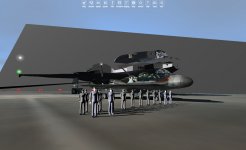
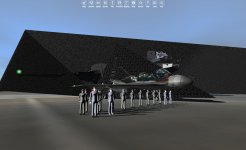
:blink:
Does anyone know whats going on?
in D3D9

This is my addon project
I've noticed that in the past few releases, that the D3D9 Client is more stable than the default, scenarios that crash in the default work perfectly in the D3D9 version, various addons sometimes glitch in default work perfectly.
Example:
in default client
:blink:
Does anyone know whats going on?
in D3D9
This is my addon project
Last edited:


I've noticed that in the past few releases, that the D3D9 Client is more stable than the default, scenarios that crash in the default work perfectly in the D3D9 version, various addons sometimes glitch in default work perfectly.
Example:
in default client
View attachment 9480
View attachment 9481
:blink:
Does anyone know whats going on?
Keep in mind that what you're showing as default client is actually the beta version of Orbiter.

Will orulex work with D3D9 client someday?
---------- Post added at 07:46 PM ---------- Previous post was at 07:34 PM ----------
and the Earth Map Lv 14 doesn´t work in the D3D client. What I Have to do?
---------- Post added at 07:59 PM ---------- Previous post was at 07:46 PM ----------
i´ve solve the map problem. But i have two more doubts:
Second (the first was about orulex): the Visible Background isn´t connecting well with the stars, doing a effect like myopic lens. There´s a way to fix it?
Third: There´s a way to appear the constellation names?
thanks!!
---------- Post added at 07:46 PM ---------- Previous post was at 07:34 PM ----------
and the Earth Map Lv 14 doesn´t work in the D3D client. What I Have to do?
---------- Post added at 07:59 PM ---------- Previous post was at 07:46 PM ----------
i´ve solve the map problem. But i have two more doubts:
Second (the first was about orulex): the Visible Background isn´t connecting well with the stars, doing a effect like myopic lens. There´s a way to fix it?
Third: There´s a way to appear the constellation names?
thanks!!

luki1997a
Active member
Will orulex work with D3D9 client someday?
I think, it won't. Artlav has to do something with code(I think).

superotherguy
New member
There seems to be a little bug with Orbitersound 3.5 and the DirectX 9 client. In the Radio/mp3 MFD no soundtracks can be found. The soundtracks only seem to work in regular Orbiter 2010. Any idea's why Orbiter_ng doesn't support soundtracks?

- Joined
- Jan 14, 2008
- Messages
- 9,266
- Reaction score
- 1,740
- Points
- 203
- Location
- VA
- Website
- alteaaerospace.com
- Preferred Pronouns
- he/him
There seems to be a little bug with Orbitersound 3.5 and the DirectX 9 client. In the Radio/mp3 MFD no soundtracks can be found. The soundtracks only seem to work in regular Orbiter 2010. Any idea's why Orbiter_ng doesn't support soundtracks?
See this post for a workaround. In short, it's an OrbiterSound bug with orbiter_ng.exe, not a D3D9 bug.

Dan has already fixed that bug in OrbiterSound and will publish updated version soon. So no workaround is neccessaryThere seems to be a little bug with Orbitersound 3.5 and the DirectX 9 client. In the Radio/mp3 MFD no soundtracks can be found. The soundtracks only seem to work in regular Orbiter 2010. Any idea's why Orbiter_ng doesn't support soundtracks?
- Joined
- Apr 1, 2008
- Messages
- 2,168
- Reaction score
- 663
- Points
- 113
Concept for labels on 'Arrows/Pointers'
Hello jarmonik,
I have come quite far with my implementation of the 'Body Force Vectors' and 'Coordinate Axes' display.
The OapiExtension class now uses window-message delegates, that do not hurt the framerate too much (not measurable :-D )
But now I have (again) a conceptual question:
The general call-order is something like this:
--- Scene::Render() ---
foreach (Object) // Vessel, Planet, Base,...
--- VVessel::RenderBodyForces(...) ---
Get the vector (weight, lift, drag, etc.)
Build the label (e.g. "M = 1.904Nm" for forces respectively e.g."+Z" for axes)
foreach( vector )
--- D3D9Effect::RenderPointer(...) ---
Create the mesh and do the D3D9-Things (very similar to D3D9Effect::RenderArrow)
Now here comes the question:
Should I place the 'rendering' of the label at D3D9Effect or better somewhere else (VVessel or Scene)?
I saw in the code, that nearly all text (2D) rendering is done in class Scene, so should I do the same? If 'yes', what would be the best aproach? Should VVessel::RenderBodyForces return a vector that can be used for the placement of the labels?
Second question is: How do I prevent that the "Arrows/Pointers" are overlapped by the vessel? I assume that I have to render without Z-Ordering, but how do I do that? I can easily see that I have to order the objects by distance before, but I habe now idea how to setup the FX...(if I have to).
Thanks in advance,
Kuddel
P.S.: I'll post a more current version of OapiExtension later this day, so you can include it in your working-copy, if you like.
Hello jarmonik,
I have come quite far with my implementation of the 'Body Force Vectors' and 'Coordinate Axes' display.
The OapiExtension class now uses window-message delegates, that do not hurt the framerate too much (not measurable :-D )
But now I have (again) a conceptual question:
The general call-order is something like this:
--- Scene::Render() ---
foreach (Object) // Vessel, Planet, Base,...
call pv->vobj->RenderBodyForces(pDevice) respectively pv->vobj->RenderAxes(pDevice)
--- VVessel::RenderBodyForces(...) ---
Get the vector (weight, lift, drag, etc.)
Build the label (e.g. "M = 1.904Nm" for forces respectively e.g."+Z" for axes)
foreach( vector )
call D3D9Effect::RenderPointer(hVessel, &vector, *pSize, ?"Label"?, &color);
--- D3D9Effect::RenderPointer(...) ---
Create the mesh and do the D3D9-Things (very similar to D3D9Effect::RenderArrow)
Now here comes the question:
Should I place the 'rendering' of the label at D3D9Effect or better somewhere else (VVessel or Scene)?
I saw in the code, that nearly all text (2D) rendering is done in class Scene, so should I do the same? If 'yes', what would be the best aproach? Should VVessel::RenderBodyForces return a vector that can be used for the placement of the labels?
Second question is: How do I prevent that the "Arrows/Pointers" are overlapped by the vessel? I assume that I have to render without Z-Ordering, but how do I do that? I can easily see that I have to order the objects by distance before, but I habe now idea how to setup the FX...(if I have to).
Thanks in advance,
Kuddel
P.S.: I'll post a more current version of OapiExtension later this day, so you can include it in your working-copy, if you like.
Last edited:
- Joined
- Apr 1, 2008
- Messages
- 2,168
- Reaction score
- 663
- Points
- 113
OapiExtension Class
Hi jarmonik,
attached you'll find the current (stable?!) version of OapiExtension.
One thing is different from the previous interaction with the rest:
You have to call OapiExtension::HandlePopupWindows in the method D3D9Client::RenderWithPopupWindows, like this:
therefore the package also contains the (changed) file D3D9Client.cpp
Additionaly a small "changelog".
Bye,
Kuddel
EDIT: Removed attachment, the version I posted in the 'Addendum' below should be it!
Hi jarmonik,
attached you'll find the current (stable?!) version of OapiExtension.
One thing is different from the previous interaction with the rest:
You have to call OapiExtension::HandlePopupWindows in the method D3D9Client::RenderWithPopupWindows, like this:
Code:
bool D3D9Client::RenderWithPopupWindows()
{
    _TRACER;

    const HWND *hPopupWnd;
    DWORD count = GetPopupList(&hPopupWnd);

    if (bFullscreen) {
        if (count) GetDevice()->SetDialogBoxMode(true);
        else       GetDevice()->SetDialogBoxMode(false);
    }

[COLOR="Blue"]    // Let the OapiExtension manager know about this..
    oapiExtension->HandlePopupWindows(hPopupWnd, count);[/COLOR]

    for (DWORD i=0;i<count;i++) {
        DWORD val = GetWindowLongA(hPopupWnd[i], GWL_STYLE);
        if ((val&WS_SYSMENU)==0) {
            SetWindowLongA(hPopupWnd[i], GWL_STYLE, val|WS_SYSMENU);
        }
    }

    return false;
}Additionaly a small "changelog".
Bye,
Kuddel
EDIT: Removed attachment, the version I posted in the 'Addendum' below should be it!
Last edited:
- Joined
- Apr 1, 2008
- Messages
- 2,168
- Reaction score
- 663
- Points
- 113
Addendum:
Another thing: The last posted OapiExtension class did still contain one issue:
Scale gauge readouts were not converted into correct value ranges.
Now ScaleGauge ranges are [0.25..4] and OpacityGauge ranges are [0..1]
For whom it may concern, find an updated version attached (which completely replaces the previous one)
/Kuddel
That was easy, adding "ZEnable = false;" to the technique did the job :thumbup:How do I prevent that the "Arrows/Pointers" are overlapped by the vessel?
Another thing: The last posted OapiExtension class did still contain one issue:
Scale gauge readouts were not converted into correct value ranges.
Now ScaleGauge ranges are [0.25..4] and OpacityGauge ranges are [0..1]
For whom it may concern, find an updated version attached (which completely replaces the previous one)
/Kuddel
Attachments
Last edited:
Similar threads

- Sticky
- Replies
- 6
- Views
- 11K

- Replies
- 10
- Views
- 4K


- Replies
- 1
- Views
- 4K


- Replies
- 7
- Views
- 4K