
You are using an out of date browser. It may not display this or other websites correctly.
You should upgrade or use an alternative browser.
You should upgrade or use an alternative browser.
Project D3D11Client download and installation instructions
- Thread starter asmi
- Start date

- Joined
- Oct 30, 2009
- Messages
- 14,018
- Reaction score
- 4
- Points
- 0
So it appears you didn't read it whole, after all. The same link to vcredist is posted in the issue report I also linked in the 2nd thread you have read, as well as in the post above yours.Thanks, that works. Maybe your file is more recent compared to that in the orbiter folder.

Yep I've read negligently.
So, I start a scenario, the window hangs after the loading. All white.
Yes, I checked the client in the modules tab.
Yes, I'm running _ng.exe.
Log says:
It doesn't work with any scenario.
So, I start a scenario, the window hangs after the loading. All white.
Yes, I checked the client in the modules tab.
Yes, I'm running _ng.exe.
Log says:
---------------------------------------------------------------
>>> WARNING: Obsolete API function used: oapiBlt
Colour key argument not supported by graphics client
---------------------------------------------------------------
It doesn't work with any scenario.
Last edited:
Bitbucket updated their UI, so I though I would post on how to change the how-to to reflect the changes
Change 1. & 2. to the following
1. Go to https://bitbucket.org/asmi/ovp and click "Downloads" near the top middle of the screen. Then click the "Branches" subcategory under where you just clicked.
2. Locate the branch you want to download, Currently D3D11Client - Terrain, and on the right side of the screen, click "zip". You'll get file with name like "asmi-ovp-e90912175309.zip".
It also looks like you have a permalink to the most current version
https://bitbucket.org/asmi/ovp/get/D3D11Client - Terrain.zip
But IDK if you are going to migrate back to the master when you're done with the terrain. just a thought.
Change 1. & 2. to the following
1. Go to https://bitbucket.org/asmi/ovp and click "Downloads" near the top middle of the screen. Then click the "Branches" subcategory under where you just clicked.
2. Locate the branch you want to download, Currently D3D11Client - Terrain, and on the right side of the screen, click "zip". You'll get file with name like "asmi-ovp-e90912175309.zip".
It also looks like you have a permalink to the most current version
https://bitbucket.org/asmi/ovp/get/D3D11Client - Terrain.zip
But IDK if you are going to migrate back to the master when you're done with the terrain. just a thought.
dumbo2007
Crazy about real time sims
I dont think you need CVS to just run the client. You need to download the client and paste it into your Orbiter folder.
Development of the client happens through mercurial on bitbucket now.
Development of the client happens through mercurial on bitbucket now.
Hi, guys!
I tried look for the d3d11 client. I've read the instructions on how to get the d3d11 client, but when I open up bitbucket, I don't see anything that look like branches. Please help me get the d3d11 client for me. Thanks!!
Cheers,
Vincent
I tried look for the d3d11 client. I've read the instructions on how to get the d3d11 client, but when I open up bitbucket, I don't see anything that look like branches. Please help me get the d3d11 client for me. Thanks!!
Cheers,
Vincent

Hi, guys!
I tried look for the d3d11 client. I've read the instructions on how to get the d3d11 client, but when I open up bitbucket, I don't see anything that look like branches. Please help me get the d3d11 client for me. Thanks!!
Cheers,
Vincent
They changed the BitBucket design a bit, but it is not too complicated.
Instead of point 1 and 2 in asmi's installation procedure above, do the following:
1. Go to https://bitbucket.org/asmi/ovp and click on the "Downloads" tab. Don't be surprised to find an empty downloads list there, the default sub-tab there is the files section (and there are no files in asmi's download section). Instead just choose the Branches sub-tab, and you should see a list of all available branches.
2. Search for the "D3D11Client" entry and click the "zip" link on the right side. You'll get file with name like "asmi-ovp-5583c998327f.zip".
Also note that the link scheme on BitBucket is very easy. Just enter "http://bitbucket.org/asmi/ovp/get/<name>.zip" into your browser, with <name> being whatever version reference you want - branch name ("D3D11Client"), tag, hash-code, etc. It will get you the appropriate version as ZIP archive.
regards,
Face
Weirdo Earthtorch
Member
- Joined
- Mar 23, 2008
- Messages
- 165
- Reaction score
- 0
- Points
- 16
Hi, guys!
I got a problem, when I tried to download the d3d11, then the d3d11 couldn't be downloaded, retry, and I clicked on retry, it is no go. Please check this out. Thanks!!
Cheers,
Vincent
Hi Vincent
I just followed Face's instructions in the post above yours and got a D3D11 client download with no problem. Installed (well, extracted over a clean Orbiter Beta) and it runs fine. I don't think there's anything I can amplify from his post, and there doesn't seem to be any issue with bitbucket either.
I got a problem, when I tried to download the d3d11, then the d3d11 couldn't be downloaded, retry, and I clicked on retry, it is no go. Please check this out. Thanks!!
I can't reproduce your problem. If you follow the instructions above, you should currently get this link: https://bitbucket.org/asmi/ovp/get/D3D11Client.zip
If I follow this link, I get my usual download pop-up. If I save to file, it gets downloaded without problems. If I open the file, I see the proper content. If I extract the archive, I get all files running.
Please check your internet connection and/or permissions.

Screamer7
Member
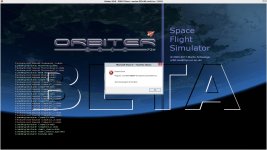
I want to test it out on my nVidia 660 GTX, but get this error:
http://www.orbiter-forum.com/attachment.php?attachmentid=11105&stc=1&d=1354836814
I am running Windows 8 on a Intel Core i5-3470 CPU @ 3.20GHz
I figured it out....my stupid mistake.
I used the wrong beta version.
http://www.orbiter-forum.com/attachment.php?attachmentid=11105&stc=1&d=1354836814
I am running Windows 8 on a Intel Core i5-3470 CPU @ 3.20GHz
I figured it out....my stupid mistake.
I used the wrong beta version.
Attachments
Last edited:

- Joined
- Sep 12, 2010
- Messages
- 3,131
- Reaction score
- 415
- Points
- 123
- Location
- Rome
- Website
- www.tuttovola.org
Hi, sorry to bug you with such a question, but does the quoted statement still hold true now that we have a newer beta?...current build is only compatible with 111105 Beta...
I can't try it myself as I don't have the correct hardware, I just want to keep track with it.
- Joined
- Oct 30, 2009
- Messages
- 14,018
- Reaction score
- 4
- Points
- 0
The newest beta added a new function to Sketchpad, so if there was no new build of the graphics client made, it's incompatible.Hi, sorry to bug you with such a question, but does the quoted statement still hold true now that we have a newer beta?
Screamer7
Member
Ripley, I was under that impression too.Hi, sorry to bug you with such a question, but does the quoted statement still hold true now that we have a newer beta?
I can't try it myself as I don't have the correct hardware, I just want to keep track with it.
It still wants the 111105 Beta.
- Joined
- Oct 30, 2009
- Messages
- 14,018
- Reaction score
- 4
- Points
- 0
That's why Orbiter 111105 is still obtainable from Download Orbiter page / Orbiter Beta.It still wants the 111105 Beta.
Screamer7
Member
Alright, the DX11 client is working now, but it return an error after a while, and crash.
I did a clean Orbiter 100830 install via 7zip.
Then I unzip the orbiter111105-100830diff.7z to the installed 100830 directory.
It load fine although I noticed a lot of missing textures.
Is that the problem?
And that brings me to my second question; which add-on(s) must I download to get rid of that missing texture notifications?
And how do I get the FPS to show on the screen?
You guys doing an awesome job. My 660 GTX appreciate it very much.
Thanks.
I did a clean Orbiter 100830 install via 7zip.
Then I unzip the orbiter111105-100830diff.7z to the installed 100830 directory.
It load fine although I noticed a lot of missing textures.
Is that the problem?
And that brings me to my second question; which add-on(s) must I download to get rid of that missing texture notifications?
And how do I get the FPS to show on the screen?
You guys doing an awesome job. My 660 GTX appreciate it very much.
Thanks.
And how do I get the FPS to show on the screen?
Such general questions would fit better in the development thread, not here in the installation instructions thread.
Regarding the question itself, I guess you are just not familiar with the new Orbiter layout introduced in the beta. The "I" and "F" key is not consumed by Orbiter anymore.
Try activating the framerate plugin. Also check the menu bar configuration dialog with a right click on it.
Screamer7
Member
I should be more focused where I post...sorry.
Hi, asmi!
How do I get the D3D11 client to work, do I need to get the CVS from the source forge website which I'm not sure where it's at, and what do I need to type into the CVS to get the D3D11 client to work? Thanks!
Cheers,
Vincent
How do I get the D3D11 client to work, do I need to get the CVS from the source forge website which I'm not sure where it's at, and what do I need to type into the CVS to get the D3D11 client to work? Thanks!
Cheers,
Vincent
Similar threads

- Replies
- 12
- Views
- 5K
- Replies
- 7
- Views
- 4K

- Replies
- 8
- Views
- 4K

- Replies
- 1
- Views
- 4K


- Replies
- 67
- Views
- 23K
