Problem OpenOrbiter2024 Testphase User Issues

Buck Rogers

Major Spacecadet
Joined
Feb 26, 2013
Messages
1,194
Reaction score
1,571
Points
128
I get no reaction from any of the sliders in the Post Processing Configuration window except the very bottom one and only if I have Sun Glare activated in the Advanced tab. Situation: stock DG parked on Earth/Mars looking up at the sun. I may have missed something so unsure if user error or not.
Or the short of it, what settings do I need to get the Sun to look like this.
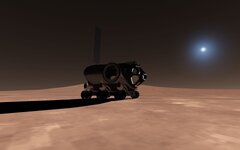
0386.jpg
 
Last edited:
So, it seems that the docking logic has been changed, and the "trick" to move the docking port (undock, move port, dock) no longer works without side effects. In Orbiter 2016, if the (re)dock was done using mode 0, the attitude rates where changed but nothing major. Now the docked stack goes into a violent tumble. Using mode 1 or 2 changed the speed, which easily would send the vessels to another planet. Tried to "cheat" and save the vessel state before the undocking, to then set it back after docking, but it doesn't produce positive results. Having this logic in Pre-step or post-step makes no difference. Any ideas?
 
So, it seems that the docking logic has been changed, and the "trick" to move the docking port (undock, move port, dock) no longer works without side effects. In Orbiter 2016, if the (re)dock was done using mode 0, the attitude rates where changed but nothing major. Now the docked stack goes into a violent tumble. Using mode 1 or 2 changed the speed, which easily would send the vessels to another planet. Tried to "cheat" and save the vessel state before the undocking, to then set it back after docking, but it doesn't produce positive results. Having this logic in Pre-step or post-step makes no difference. Any ideas?
By saving the state, do you mean GetAngularVel and GetElements? That would be my first guess. Although, in O2016 I've been using mode 2 with Get and SetElements and it's been fine (though something sure seems to have changed, so who knows if that's any better).
 
By saving the state, do you mean GetAngularVel and GetElements? That would be my first guess. Although, in O2016 I've been using mode 2 with Get and SetElements and it's been fine (though something sure seems to have changed, so who knows if that's any better).
I tried the pair GetStatusEx() and DefSetStateEx().
 
So, it seems that the docking logic has been changed, and the "trick" to move the docking port (undock, move port, dock) no longer works without side effects. In Orbiter 2016, if the (re)dock was done using mode 0, the attitude rates where changed but nothing major. Now the docked stack goes into a violent tumble. Using mode 1 or 2 changed the speed, which easily would send the vessels to another planet. Tried to "cheat" and save the vessel state before the undocking, to then set it back after docking, but it doesn't produce positive results. Having this logic in Pre-step or post-step makes no difference. Any ideas?
Could you show the code that does this "trick" ? I'll look into it. The code that's been working before.
 
Thanks, I have checked the source codes and there are no changes related to docking routines. What is the severity of the problem ? If I start working on it, it will take quite some time since I am totally unfamiliar with the code in question. Martin would have a better insight. If a fix is preferred then create a ticket with instructions/scenario on how to reproduce the issue.

What is being docked and where ?
 
Thanks, I have checked the source codes and there are no changes related to docking routines. What is the severity of the problem ? If I start working on it, it will take quite some time since I am totally unfamiliar with the code in question. Martin would have a better insight. If a fix is preferred then create a ticket with instructions/scenario on how to reproduce the issue.

What is being docked and where ?
The severity is that this "trick" is currently impossible to use, as the docked vessels go into a spin. So, AFAIK that leaves exactly 0 ways to move a docking port, which is what is needed. An "official way" to move the docking port would be nice, but I have no problem with a "trick", as long as it works.

In the extreme, I could disable this feature in SSV, which basically would void my last release and 2 month of work making the docking systems... not ideal.

In the SSV scenarios: "Space Shuttle Vessel\Historic missions\STS-126\STS-126 docking with ISS Nov 16.scn" will have the ISS ready for docking. Just move in, and after docking wait 1 minute for the automatic sequence to start driving the ring (and docking port), and things will happen...
Yes, I can open a ticket, and even craft a scenario and vessel that will have "imminent docking" and reduced time until docking port motion. Just let me park the LaTeX work first.
 
Ok, so the need to move the docking port comes from a simulation of more realistic docking sequence. That's vital piece of information.
 
Ok, so the need to move the docking port comes from a simulation of more realistic docking sequence. That's vital piece of information.

Yeah, the need to move the docking port comes from need to retract the docking probe or docking ring. This accounts for the vast majority of real-world spacecraft.

It's also worth mentioning (not a feature request, yet at least):
  • Prior to retraction there is some amount of flexibility between real-world docked vessels. (Probably harder to simulate)
  • Many probe-and-drogue type docking systems do not constrain rotation(roll about the docking port axis). For Apollo, for example, docking with a roll misalignment has implications on the SPS gimbal angles. We actually have the ability to calculate the effect on engine gimbal trim angles, but we obviously can't dock with any roll because Orbiter snaps the vessel to a perfect roll angle when docking. (maybe this is easier to simulate, could we just allow an optional kind of docking port that preserves roll before and after docking)
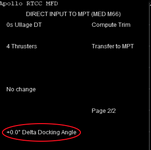
1710001513832.png


Not trying to create extra work for the 2024 release, but it turns out to be a super easy thing to implement and someone really wants to, then that would be awesome to have.
 
Ok, so the need to move the docking port comes from a simulation of more realistic docking sequence. That's vital piece of information.
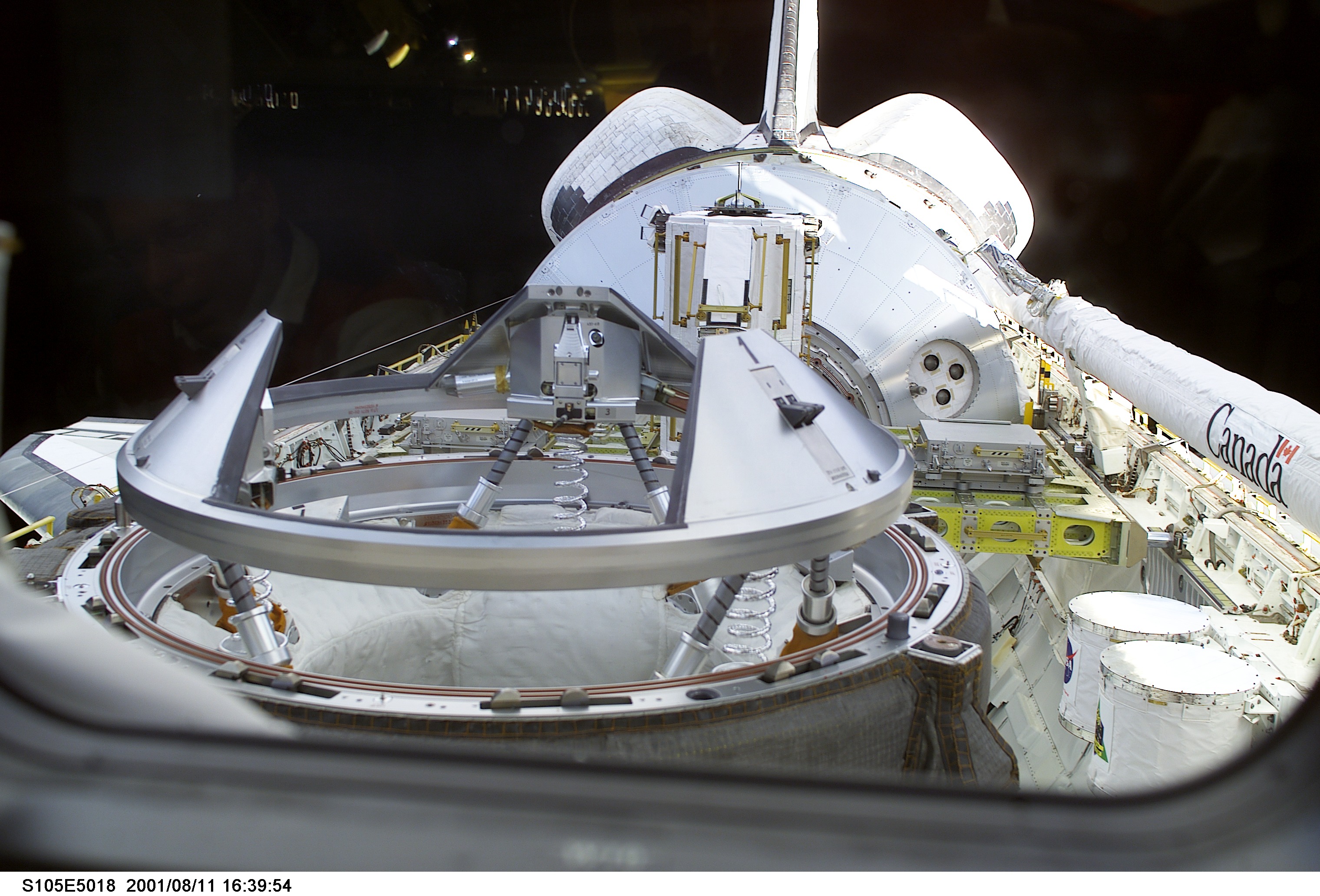
105mplm.jpg

Yeah, the docking port is initially in the top ring, that moves up and down for several reasons. In the end, the docking port will be located at the bottom ring, where the hooks hold the target vessel.
 
I just leave it here and create an issue on GitHub hoping that this can be corrected in the future development).

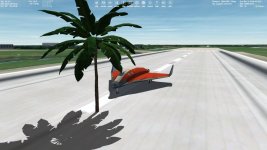
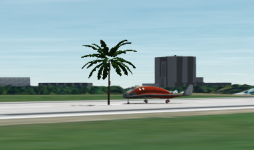
A white halo around textures when the "FLAG 0x20" is used for transparent textures with an alpha channel:
It's pretty noticeable especially from a great distance and when we have several trees:
 
It's anti-aliased against background (sky). I'll try to disable AA while rendering with flag 0x20.
I tried it in the "Build 17 Aug 2024". It looks like the white halo decreased but is still present. And disabling the anti-aliasing made the texture edges very sharp (and shadows as well), and they flicker a lot:

halo.png
 
I tried it in the "Build 17 Aug 2024". It looks like the white halo decreased but is still present. And disabling the anti-aliasing made the texture edges very sharp (and shadows as well), and they flicker a lot:

View attachment 40209
Could you post a screenshot with antialiasing enabled?
 
Could you post a screenshot with antialiasing enabled?
If I understand correctly this anti-aliasing was disabled at the code level in the "Build 17 Aug 2024" since there's the note on GitHub: "Disabled MSAA when using mesh flag 0x20 to avoid edge glow."

So, in previous releases this anti-aliasing was enabled. The screenshots could be seen here:
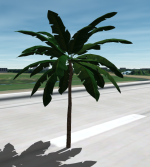
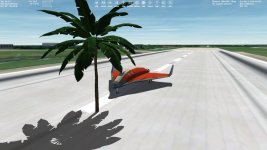
Sadly I still don't know how to hide a white halo around textures when an alpha channel is used. It's not noticeable on the 1st picture, but it's on the 2nd one:

View attachment 39916View attachment 39917
And here is this palm mesh and textures for testing.
 
I tried it in the "Build 17 Aug 2024". It looks like the white halo decreased but is still present. And disabling the anti-aliasing made the texture edges very sharp (and shadows as well), and they flicker a lot:

Could you try these modified shaders. Do they make things any better. Also the flag 0x20 uses a cheap trick to render behind other objects so top quality shouldn't be expected.
 

Attachments

Thanks, I copied these into /Modules/D3D9Client. I think it completely looks better. At least the white halo around texture is not visible now (old/new screenshots):

old.jpgnew.jpg

Yes, the tree and its shadow are not smooth at the edges, and the tree is flickered and pixelated at far distance, but I consider this is a feature of the tree itself:

flickering.png

This flag could be more useful with other objects.
 
Back
Top