New Orbiter Beta Released (r.13, Mar 7, 2015)

Yes I downloaded the OVP beta from the link you supplied, I did not compile anything from sources thou?

We just copy the contents of d3d7client111029.zip into the orbiter beta directory right?

The zip file is a few months old thou maybe I am using the wrong files.
 
Alright, I've uploaded a new OVP package (d3d7client141220.zip) for anybody who doesn't want to compile it themselves. Can you try again with the new package to see if it works?
 
When I click on the D3D7Client tab the launchpad freezes and gives no error message.
 
Sorry, I'm out of ideas. I just downloaded and installed the Orbiter beta and the OVP package myself to double-check, and it seems to work here. Does anybody else have a similar problem?
 
NextBigLeap, were you able to get DX9 working in window mode as my DX9 works but only in fullscreen.
 
It might just be an installation problem... SVN can be terribly confusing to work with if you're not used to it.
 
Thanks for new beta just before Christmas Martin ! :)

So, what are the new features in this beta ?
 
Hm. SVN should have overwritten your old orbiter.exe with the recompiled installation checker. I'm afraid you will have to manually copy Install/orbiter.bin to orbiter.exe.

I am thinking about dropping the installation checker anyway. It seems to be more trouble than it's worth. The only useful thing it does is catching problems with mssing VS runtimes. Without it, users may just get confused by cryptic Windows error messages, and never figure out the problem.

Copied Install/orbiter.bin to orbiter.exe, works fine.
The level of detail is awesome ! You can even distinguish every single tree from up above ! The new water "shader" is pretty neat too.

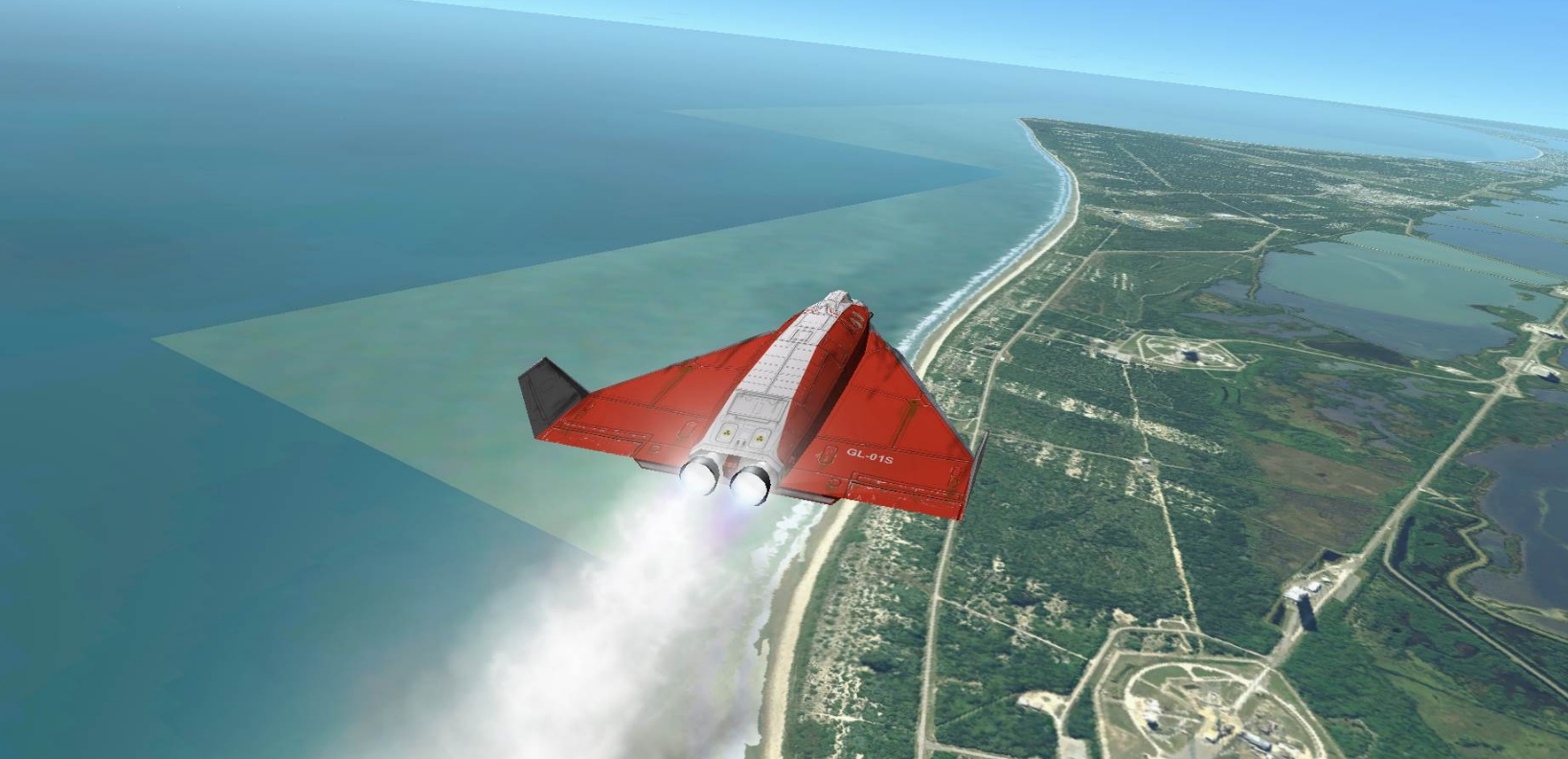
The only problem I've seen so far is transparency issues with tiles that contains shores:
16c3ef27098fd97c46f47331b9463c60.jpg


Also, thanks for the banner, but could you please link the logo without the DeltaGlider behind? That would be perfect, and I won't bother you anymore, promised ! :lol:
 
Martin, I think it would be a good idea to update the first page with the date of the latest release. I just now realised that there was a new version up, since your post was already burried under 2 pages of troubleshooting when I got here...
 
Thanks for the new beta. Looks like there aren't many changes in the DX7Client code, so, shouldn't be difficult to upgrade the D3D9Client for the Beta 9.
 
I think it would be a good idea to update the first page with the date of the latest release.
I've taken the liberty of updating the thread title with the date of the last beta update. This should make it clear for people who don't read all threads or follow this one that there was a new beta release.
 
I've taken the liberty of updating the thread title with the date of the last beta update. This should make it clear for people who don't read all threads or follow this one that there was a new beta release.

Is there a reason why the title can not be edited/changed by the thread owner ? Lot of important posts may go unnoticed because of that.
 
Is there a reason why the title can not be edited/changed by the thread owner ?
It should be possible to edit the title of thread by editing the title of opening post in "Advanced" editor. At least it was possible this way some time ago, but nothing should have changed. (Moderators and administrators usually do it from the list of threads instead.)
 
It should be possible to edit the title of thread by editing the title of opening post in "Advanced" editor. At least it was possible this way some time ago, but nothing should have changed. (Moderators and administrators usually do it from the list of threads instead.)

I can confirm; I last edited my Orbiter 2015 Calendar submission thread to tell that submissions were closed. You indeed have to go in the advanced editor in order to edit the thread title.
 
The only problem I've seen so far is transparency issues with tiles that contains shores:
16c3ef27098fd97c46f47331b9463c60.jpg
Thanks for this, it looks as if there is now a mismatch between the latest EarthHi_10_08 package, and the currently uploaded EarthLo package. I may have to generate a new EarthLo to fix this, but I don't know if I will be able to do this for the next two weeks (away from high-speed/high-volume internet).

For now, you may have to take my word that once all texture packages are finalised, it will all work together beautifully :lol:

What you could do to help me pinpoint this: progressively reduce the value of "max resolution level" under the "visual effects" tab down from 19, and see at which level these seams disappear. This'll tell me from which resolution level the textures are out of sync.
 

Attachments

  • banner2015_ng.png
    banner2015_ng.png
    80.4 KB · Views: 28
What you could do to help me pinpoint this: progressively reduce the value of "max resolution level" under the "visual effects" tab down from 19, and see at which level these seams disappear. This'll tell me from which resolution level the textures are out of sync.

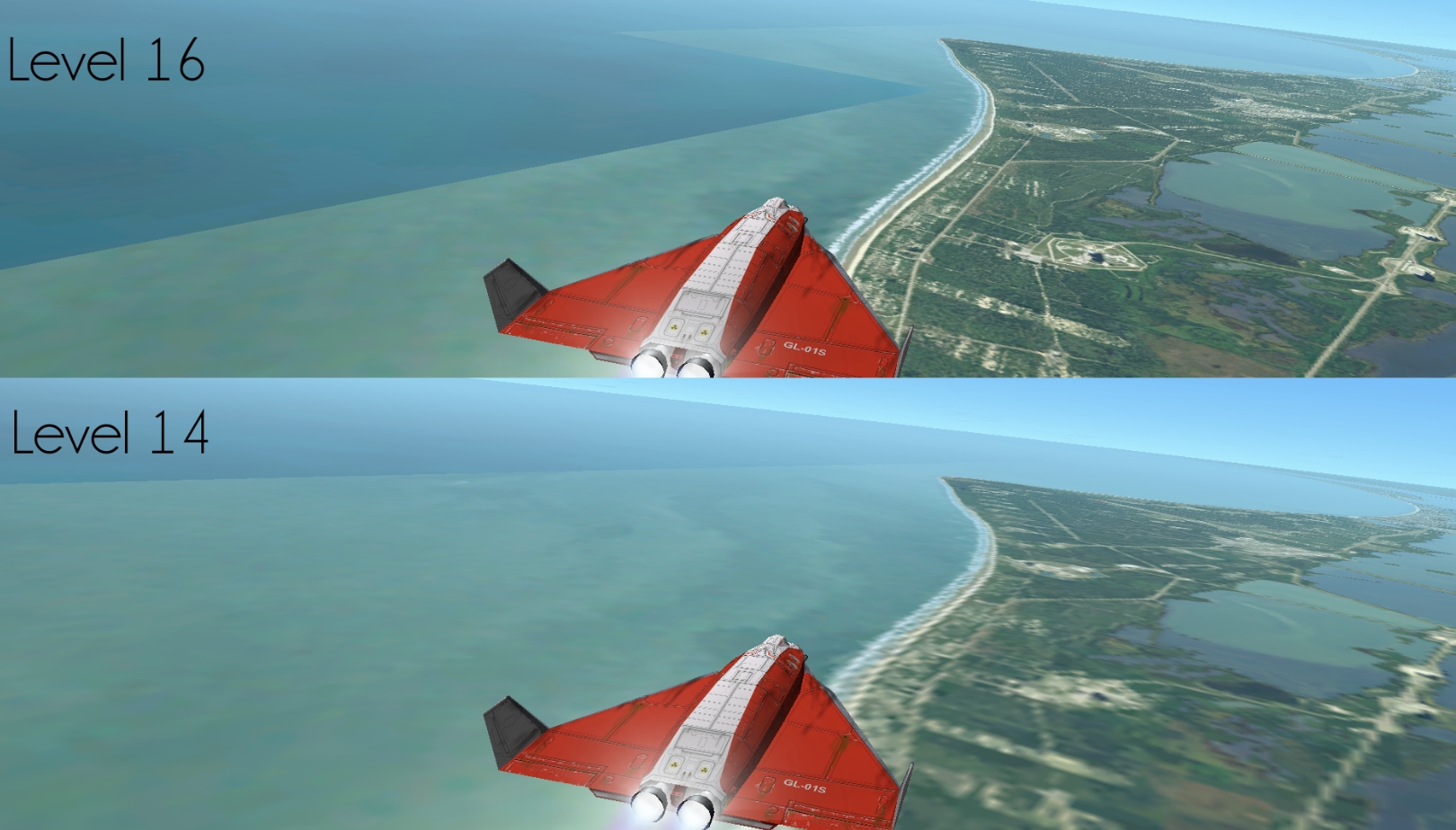
Levels 14 and 16 seems to blame. They're all having issues with transparency at different places.

79e0560d320b29b835a208bf1763ce8b.jpg
 
Last edited:
Levels 14 and 16 seems to blame. They're all having issues with transparency at different places.

79e0560d320b29b835a208bf1763ce8b.jpg

Odd. Levels 14 to 16 should all have been updated with the new hires texture pack. The lores pack only contains levels up to 9.

Just to confirm: when you unpacked the new EarthHi_10_08.zip inside the Orbiter directory, you did allow it to overwrite existing files?
 
Let me re-install them, but I'm pretty sure that everything got overwritten.

---------- Post added at 16:31 ---------- Previous post was at 16:22 ----------

Reinstalled and forced overwriting, but the same artifacts appear.

Can someone else confirm this?
 
Back
Top