New Orbiter Beta Released (r.13, Mar 7, 2015)

Just to avoid misunderstandings, I meant that a Flightgear developer is a Orbiter Forum member, not an Orbiter developer!
Sorry, my fault.
:tiphat:

Ok, I get it now :thumbup:

Anyway, Orbiter 2014 looks very interesting & runs fine even on my outdated 6y old laptop. Keep up the good work developers, who ever you are.
 
Is there a set of torrents being seeded for the 2014 texture packs somewhere?
 
Is there a set of torrents being seeded for the 2014 texture packs somewhere?

I turned on my client. Should give you up to 10Mbit/sec. (Though, it depends on your capacity as well.) I recently started shutting my computer off at night, and my bittorrent client doesn't start automatically when I reboot.
 
I turned on my client. Should give you up to 10Mbit/sec. (Though, it depends on your capacity as well.) I recently started shutting my computer off at night, and my bittorrent client doesn't start automatically when I reboot.

Might be a silly question (not too uncommon for me), but how do I go about grabbing it?

I'm using Deluge as a torrent client.

Cheers!
 
Might be a silly question (not too uncommon for me), but how do I go about grabbing it?

Go back to the first post and look where it says:

The textures for Earth, Moon and Mars are no longer part of the SVN repository. They must be downloaded separately. Go to http://mirror.orbiter-radio.co.uk/or...turepacks.html (Xyon's German mirror) or http://www.alteaaerospace.com/users/...turepacks.html (dbeachy1's US mirror) to get these files. See Xyon's post below for details on downloading and unpacking.

I see from your country flag you're in Canada, so you'll probably want to use Doug's US Mirror. Download the .torrent files from there and then open them in your BitTorrent client.

For example, for Earth, click here and download this file. Save that file somewhere on your computer where you can easily access it. (Such as your Desktop, or your Downloads.)

Then use your BitTorrent client to open the .torrent file. If your BitTorrent client has .torrent files registered, then you can just double click the .torrent file and it will automatically open your BitTorrent client.
 
Last edited:
Atmospheric Haze

Here's a question for Martin:

Currently the horizon haze is rendered on a top of everything without z-buffer and this will make the terrain look a transparent. (Very bad on Mars). So, do you have any plans to deal with this problem ?
 
Here's a question for Martin:

Currently the horizon haze is rendered on a top of everything without z-buffer and this will make the terrain look a transparent. (Very bad on Mars). So, do you have any plans to deal with this problem ?

By transparent you mean that the haze texture is rendered on top of the surface, without regard for terrain features? I've noticed this, but haven't really come up with a solution. The haze layer is rendered in two passes: once before the surface, to show atmosphere effects above the horizon, and once afterwards, to blend the horizon with the atmosphere layer above.

I could fade out the second pass as the camera approaches the surface, and just rely on the fog settings, but this could lead to an ugly sharp horizon line.

Do you have any ideas? Does DX9 offer any additional solutions for this?
 
By transparent you mean that the haze texture is rendered on top of the surface, without regard for terrain features?
Yes, Exactly.

Do you have any ideas? Does DX9 offer any additional solutions for this?

Well, In DX9 we have a multiple options available. I suppose the easiest one would limit the changes for the surfaces rendering alone. In a "post rendering" stage the final color is computed:

cFinal.rgb = cFragment.rgb * cAttennuate.rgb + cInScatter.rgb;

Currently, parameters cAttennuate and cIncatter are computed so that the result is equal to DX7 fixed function fog.

Of course, we can compute the optical depth of an atmosphere between the camera and a vertex located in a surface mesh, resulting a scalar value. But since the optical depth is a wave-length dependent the scalar is multiplied with a wave length dependency vector and the result would be cAttennuate.

It might be possible to compute the cInScatter: cInScatter = HazeColor * optical depth. Of course, the exact equation would require a scaling factors for the optical depth, some clamping and a few factors to match-it with the current sky-dome. But I am not exactly sure about that. We can do some experimentations after implementing the 3D terrain in DX9.

I have never programmed DX7 so I can't really say anything about it. It's possible to do the math via CPU but I don't know how to feed the data into the fixed function pipeline in DX7.

You may find this interesting:
http://etd.dtu.dk/thesis/58645/imm2554.pdf
 
Can you guys use the latest transx with 2014 ? cause it seems to always crash for me.
 
Bonjour,

I started to download via alteaaerospace an earth texture, earth high res part1, but a question just came to me simultaneously : does this type of texture for the Earth or the Moon, of 4 go ( in size in the data for download, with a browser or via torrent ), is exactly 4 go or a little less ( it seems that one bit less could be sufficent ) ?

My / my hard drives are formatted in fat 32 and I would like for the moment remain with this standard.

Thank you and good day.
 
Can some Mod edit the first post and update Xyon's server address, please?
http://mirror.orbiter-radio.co.uk/orbiter/

There you go, fort:

dTwChiz.png


They're bigger than 4Gb.
 
Last edited:
There you go, fort:
They're bigger than 4Gb.

Aie,aie,aie...:facepalm: ( goodbye cruel world )

Merci Ripley,

Good. Anyway my main hard drive is only 80 gb. Assuming I run orbiter on this disc with the textures unzipped (and the zipped one on another drive ...) it could still be a little ( bit ) short ( and I prefer to forget even unzipping and file transfer time ).

I could have to find another strategy (or another hard drive...).

Another hobby ?:nono:
 
Last edited:
D3D9Client progress

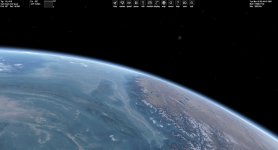
I have made some progress with the D3D9. Terrain and cloud layer code is translated for DX9 and minor improvements for the haze rendering has been made but it will be a challenge to get it working properly with everything else. Unfortunately there are serious issues with z-fighting with a distant terrain and that will be an other major challenge to fix. I have a few ideas but they are NOT trivial to implement since the surface bases are also effected. Also, a surface base implementation is an other matter that would need to be solved.

EDIT: I'll try to upload the code and a binaries during the weekend.
 

Attachments

  • Mountains.jpg
    Mountains.jpg
    167.5 KB · Views: 183
This may or may not have been asked but is it possible to use grey-scale maps for 3D terrain? If not can this be added? :)
 
This may or may not have been asked but is it possible to use grey-scale maps for 3D terrain? If not can this be added? :)

Suggestion seconded.

At the very least, the ability to assign higher resolution height-maps similar to the way base tiles work in 2010 would be nice.
 
Back
Top