New Release D3D9Client Development

I can host/mirror them in my very slow home server if you want. Temporarily at least.
That would be fine. Also maybe some admin could add the client among the Orbiter downloads.

Here's a quote from the old website:
This is a graphics client/engine for Orbiter Spaceflight Simulator 2016. To install the client you need to download a package and extract it in the root folder of the Orbiter. Any previously existing files should be replaced.

DirectX Runtimes
You will need a DirectX June 2010 End-User Runtimes to run the client. If the package isn't installed in your computer you will receive an error message "The program can't start because d3dx9_43.dll is missing from your computer". Or you may see a pop-up window in Orbiter LaunchPad telling about a missing runtimes. If that happens then download the package from a link below and extract the content of the package in any empty directory you want and then find a Setup.exe and run it. It is a common mistake to forget to run the Setup.exe You can delete the contents of the directory after the setup is completed. The directory is just a temporary storage for the installation files.

Here is the link: DirectX9 Runtimes
 
I don't really know. The old website is no longer available. I tried to upload/add the client to Orbiter Downloads but it gave me an unknown error.
So, is
Code:
http://users.kymp.net/~p501474a/D3D9Client/
forever gone?
 
That would be fine. Also maybe some admin could add the client among the Orbiter downloads.

Here's a quote from the old website:
I've uploaded the latest release that I had on my PC (Wayback download didn't work for me and I think it's the same version).
I've transfered the resource to you, you should be the rightful owner now ;)
 
I've uploaded the latest release that I had on my PC (Wayback download didn't work for me and I think it's the same version).
I've transfered the resource to you, you should be the rightful owner now ;)
I have the one for Beta and 2010, I can send you.
 
I have a bunch of versions for 2010, 2016, and beta if anyone needs/wants them.
  • R16.9 (2010)
  • R16.10 (2010)
  • R3.12
  • R4.1
  • R4.4
  • R4.7
  • R4.11
  • R4.15
  • R4.16
  • R4.18
  • R4.19
  • R4.20
  • R4.22
  • R4.23
  • R4.24
  • R4.26
  • Beta 29.3
  • Beta 30.0
  • Beta 30.1
  • Beta 30.7
 
One thing I'd like to add regarding the sun glare: currently it appears to emphasize the background stars in its vicinity; I'm not an expert on this matter by any means but generally I'd assume that opposite should happen and the sun would make it very difficult to make out any of those nearby stars due to brightness of the glare itself - hopefully this can demonstrate the 'issue' better (using default celestial sphere settings - added circle for clarity):View attachment 31911

I believe this used to occur with the old lens flare implementation as well so I'm not really sure if it's something that can be 'fixed' easily, but I figured I'd point it out anyway while the new sun glare option is being introduced.
Yeah, stars should not be visible across a major region when the sun is present (except for very bright ones, perhaps). But when the camera is in any shadow, stars should become visible
 
I would like to point out a bug which prevents settings to remain selected. If you check a checkbox and switch to another tab, the changes revert back. I guess this is because the launchpad reads from the Orbiter_ng config file each time a tab is clicked
 
I tried the new pre-release version of orbiter dev build. Wanted to test NASSP on it however it doesn't seem to work. I guess this is by design?
 
I tried the new pre-release version of orbiter dev build. Wanted to test NASSP on it however it doesn't seem to work. I guess this is by design?
We haven't switched yet. There are some things we need to fix in our code first. It's very high up on the priority list for us, though.
For now please continue to follow our installation instructions and use Beta R90.
 
Yeah, stars should not be visible across a major region when the sun is present (except for very bright ones, perhaps).
There's probably a simple additive blending going on. The star pixel's value is getting added to the glare value for the same pixel, and displaying the sum. This is how the real world works, except that the sun is much brighter in reality and completely washes out all stars within its glare.

A more realistic way might be to progressively dim all stars the closer they get to the sun glare, and dim them completely when they are behind the glare.
 
Sure, go ahead. I'll transfer them to @jarmonik after I've uploaded them.
I've uploaded the latest versions for Orbiter 2010, 2016 and beta.
It's a quick and dirty upload, but they're available again!
 
I've uploaded the latest versions for Orbiter 2010, 2016 and beta.
It's a quick and dirty upload, but they're available again!

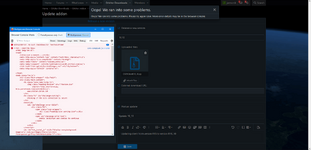
Thanks, I was able to upload a new version using Microsoft Edge but I still have no luck with Firefox. So, the issue seems to be browser specific.

problem.png
 
Back
Top