New Release D3D9Client Development

Regarding Git and Orbiter migration:

When using SVN I have usually just 'Checkout' a copy from the SVN repo on a top of an existing Orbiter installation but it looks like the Git can't do that, it needs to do a 'clone' in an empty folder. So, I studied a bit of the CMake and added a cmake-files to the project. So, you can create VS Solution and Project files from there for your preferred VS version. Running the CMake will automatically copy necessary files to your Orbiter Installation Folder. And, So-far, it appears to work reasonably well.

I have also change the directory structure to match the one used by the Orbiter. So, the source files are located in /Src/D3D9Client/ and the sample projects are in the old place /Orbitersdk/samples/
 
You can create working trees that are at a different place than your repository clone in git with the command "git worktree add <path>".
 
Hi,
For the latest D3D9 releases (4.22-4.24) for Orbiter 2016, I get a black rendering when viewing planets at low angles at certain zooms. Older D3D9Client.dll do not give this.
Horizontal haze disable in the video settings removes the black.

Happy to do any testing of settings if it helps.
Sorry if I'm repeating something that has been identified.
Same here. Zoomming in/out fixes the problem for me. :unsure:
 
@fatcat : Does this build fix the issue?
@jarmonik : If fatcat's answer is "yes", then the merge is done, bumping the version number and distribution "still pending" ;)
( or did the fix need some more changes than r1440 & r1442 ? )​

Info:
Code:
Revision: 1445
Author: Kuddel
Date: 2021-08-05 21:30:30
Message:
Merged revision(s) 1440, 1442 from trunk:
- Attempt to fix the horizon ring issue.
- Planet z-fighting fix
----
Modified : /branches/2016
Modified : /branches/2016/Orbitersdk/D3D9Client/VPlanet.cpp
 

Attachments

@jarmonik : If fatcat's answer is "yes", then the merge is done, bumping the version number and distribution "still pending" ;)
( or did the fix need some more changes than r1440 & r1442 ? )​
Yes, that should be it, Thanks. I have uploaded a new version. Since, it's hard to reproduce the problem I can't confirm if it's fixed or not. So, waiting confirmation...
 
By the way, the "32-bit a.k.a. BETA a.k.a. 2019" D3D9Client also got the fix & a version-number increase:
Code:
Revision : 1447,1448
Author   : Kuddel
Date     : 2021-08-05 22:47:33
Message  : - bumped version to Beta 30.8
           Merged revision(s) 1440, 1442 from trunk:
           - Attempt to fix the horizon ring issue.
           - Planet z-fighting fix
Modified : /branches/2019
           /branches/2019/Orbitersdk/D3D9Client/D3D9Client.cpp
           /branches/2019/Orbitersdk/D3D9Client/D3D9Client.rc
           /branches/2019/Orbitersdk/D3D9Client/VPlanet.cpp
           /branches/2019/Orbitersdk/D3D9Client/doc/D3D9Client_API_Reference.chm
           /branches/2019/Orbitersdk/D3D9Client/doc/Doxyfile
           /branches/2019/Utils/D3D9Client/build_release.bat
I think I'll change the build-scripts to generate the ZIPs with the new "2019" name, shouldn't we? It's not BETA anymore ;)
 
I am in awe at you developers talents. :salute:
I replaced the D3D9Client.dll in the Plugin module with the 4.25 version and the problem is fixed.
The 'DG-S ready for takeoff' is a good scenario to troubleshoot this with. Some zooming and panning produces the issue easily.
I swapped back and forth a number of times between 4.24 and 4.25 D3D9Client.dll, testing different scenarios and can reliably confirm that 4.25 fixes the issue.
Many thanks Jarmonik and team.
 
I have set the GitHub repo for the x64 project over here:
There are few issues with the CMake:

  • Is there a way to add a custom folder under a project in the Solution Explorer. I would like the have shader codes in that folder just like the .cpp and .h files are located in their own folders.
  • Is there a way to set the "does not participate in build" flag for these files.

Those can be set manually but CMake have a tendency of resetting them from time to time.

Also after moving to CMake there is a major decrease in build speed, so, any ideas how to recover it.

The old project files are still there just in case if we need them.
 
You can create working trees that are at a different place than your repository clone in git with the command "git worktree add <path>".
Thanks, that's good to know.
 
There are few issues with the CMake:

  • Is there a way to add a custom folder under a project in the Solution Explorer. I would like the have shader codes in that folder just like the .cpp and .h files are located in their own folders.
Maybe this? https://cmake.org/cmake/help/latest/command/source_group.html
  • Is there a way to set the "does not participate in build" flag for these files.
I am displaying my ignorance here, but I take it that shader codes are GPU scripts that are compiled at run time? If they are not listed as sources for any target in the CMake files, then they technically don't participate anyway. If they are listed, then they will participate in the build of that target, and the target will be rebuilt whenever one of the source files changes.
Those can be set manually but CMake have a tendency of resetting them from time to time.

Also after moving to CMake there is a major decrease in build speed, so, any ideas how to recover it.
Not sure why that would be. Maybe your CMake scripts define additional dependencies that limit the possible parallelisation of the build process? You could also check the compiler and linker flags that CMake assigns, to see if there is anything likely to affect the time (more expensive optimisation settings?).
 
Was this https://www.orbiter-forum.com/threa...-sceneries-for-orbiter-2016.38022/post-571024 issue/vertical horizontal resolution issue ever resolved?
The 2016++ versions of Orbiter support vertical resolution of smaller than 1 meter. The above mentioned flattening also supports this now. As for the horizontal resolution, the documentation says level 17, but the code says that the maximum tile level loaded is 15. However - according to the code - a loaded elevation tile corresponds to a loaded texture tile level differently, presumably due to a great-grandfather relation. This would mean that level 15 is loaded by level 18+ texture levels, which would contradict the documentation.
 
Last edited:
Are there any configuration steps necessary in order to build the D3D9 client using CMake? What I did was:

  1. Clone that latest D3D9 repo to a new folder: git clone [email protected]:jarmonik/D3D9Client.git
  2. Run "C:\Program Files (x86)\Microsoft Visual Studio\2019\Community\VC\Auxiliary\Build\vcvars32.bat" to initialize the VS 2019 command-line build environment.
  3. CD D3D9Client
  4. cmake .
Here is the console output:

Code:
D:\GitHub\D3D9Client>cmake .
-- Building for: Visual Studio 16 2019
-- Selecting Windows SDK version 10.0.19041.0 to target Windows 10.0.19043.
-- The C compiler identification is MSVC 19.29.30040.0
-- The CXX compiler identification is MSVC 19.29.30040.0
-- Detecting C compiler ABI info
-- Detecting C compiler ABI info - done
-- Check for working C compiler: C:/Program Files (x86)/Microsoft Visual Studio/2019/Community/VC/Tools/MSVC/14.29.30037/bin/Hostx64/x64/cl.exe - skipped
-- Detecting C compile features
-- Detecting C compile features - done
-- Detecting CXX compiler ABI info
-- Detecting CXX compiler ABI info - done
-- Check for working CXX compiler: C:/Program Files (x86)/Microsoft Visual Studio/2019/Community/VC/Tools/MSVC/14.29.30037/bin/Hostx64/x64/cl.exe - skipped
-- Detecting CXX compile features
-- Detecting CXX compile features - done

...but then CMake hangs forever, with Task Manager showing CMake using 100% of a single core, so looks like it's stuck in a loop?

I also tried building D3D9 from inside VS 2019 via D3D9Client\Orbitersdk\D3D9Client\D3D9ClientVS2019.sln and then doing a Rebuild All for the win32 target, but the build fails with:

Rebuild started...
1>------ Rebuild All started: Project: D3D9Client, Configuration: Debug Win32 ------
1>D:\GitHub\D3D9Client\Orbitersdk\D3D9Client\D3D9ClientVS2019.vcxproj(39,5): error MSB4019: The imported project "D:\GitHub\D3D9Client\Orbitersdk\VS2015\PropertyPages\orbiter_plugin.props" was not found. Confirm that the expression in the Import declaration "D:\GitHub\D3D9Client\Orbitersdk\D3D9Client\..\VS2015\PropertyPages\orbiter_plugin.props" is correct, and that the file exists on disk.
1>Done building project "D3D9ClientVS2019.vcxproj" -- FAILED.
========== Rebuild All: 0 succeeded, 1 failed, 0 skipped ==========

Am I missing some steps?
 
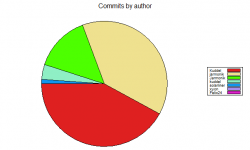
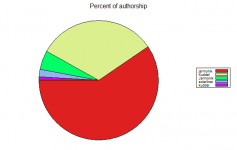
Hey you git-experts out there:
As Jarmo moved the D3D9Client repository to git (including history ? ), is there a way to convert/change the subversion-authors afterwards?
I mean there were some contributors :
Code:
Felix24 => ???
jarmonik => jarmonik @ git
Jarmonik => jarmonik@ git
Kuddel => schnepe2@ git
kuddel => schnepe2@ git
solarliner => ???
xyon => ????
...hehe from the "case-sensitiveness" I can even say from what machine I committed :D Jarmo, too it seems
Authors.png Authors2.png
 
Last edited:
Yes. You can convert a git repo to another while filtering branches, data, or even remap meta-data. However, it is history rewriting, and will produce commits with different hashes.

EDIT: just found out that it already has a feature especially for this use-case: https://git-scm.com/docs/gitmailmap
 
Last edited:
[...]However, it is history rewriting, and will produce commits with different hashes.
Would that be a problem? I mean now in this early state we should do this - as it would become worse later on I assume.
Deleting my fork and forking again from the new repository is not an issue, now. I have not yet done too much locally ;)
 
Would that be a problem? I mean now in this early state we should do this - as it would become worse later on I assume.
Deleting my fork and forking again from the new repository is not an issue, now. I have not yet done too much locally ;)
Indeed, the classic rewrite approach would be a problem later on, but the mail map approach is much less invasive, as it basically uses a checked in file to remap the author names at the user end, not in the repo data itself.
 
Back
Top