Are the vent filter screens supposed to be black under normal lighting?No such luck as shown by the attached screenshot where only one light is active.

-
ORBITER-FORUM will be temporarily closed at 2026-07-23 18:00 UTC while we complete some OF maintenance tasks. The amount of downtime is expected to take up to one hour, but probably less.
You are using an out of date browser. It may not display this or other websites correctly.
You should upgrade or use an alternative browser.
You should upgrade or use an alternative browser.
New Release D3D9Client Development
- Thread starter jarmonik
- Start date
- Joined
- Feb 4, 2008
- Messages
- 9,758
- Reaction score
- 1,028
- Points
- 203
You mean the grey rectangles that are on each side of the bay? Then no, normal color is silver grey. You can see them in this panorama from inside the PLB of Endeavour: http://nasatech.net/TREndeavour/TREndeavourCargoFrwd120406/Are the vent filter screens supposed to be black under normal lighting?
- Joined
- Mar 28, 2008
- Messages
- 2,707
- Reaction score
- 881
- Points
- 128
If you play around with the material setup does it remain unlit ?Another issue with the new metalness shader, the ODS isn't lit up by the PLB flood lights for whatever reason.
- Joined
- Feb 4, 2008
- Messages
- 9,758
- Reaction score
- 1,028
- Points
- 203
Yes. Just to clear up any confusion, both the airlock (illuminated bottom part) and the ODS (unilluminated part) itself are using the exact same settings and shader (Metalness).If you play around with the material setup does it remain unlit ?

Just a thought I had :
Would it be possible to add some dynamic pressure effects through the client ? I have something like KSP on mind, a white-ish transparent shell with a moving texture around the mesh to simulate condensation effects that happen when the aerodynamic load is high. It could be used for reentry effects too (as in KSP).
I get we can use particle streams for all that stuff, but the render is so-so and is "getting old".
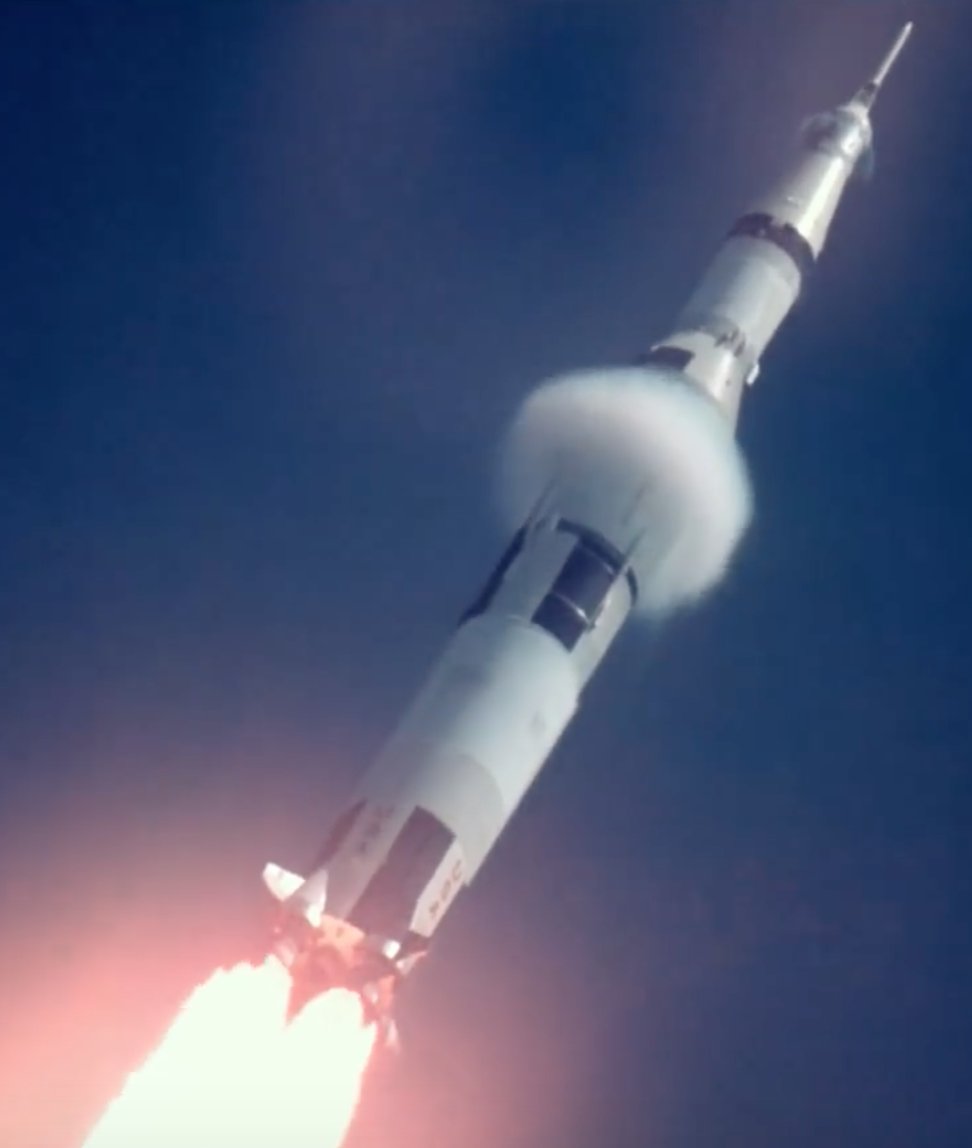
Would it be possible to add some dynamic pressure effects through the client ? I have something like KSP on mind, a white-ish transparent shell with a moving texture around the mesh to simulate condensation effects that happen when the aerodynamic load is high. It could be used for reentry effects too (as in KSP).
I get we can use particle streams for all that stuff, but the render is so-so and is "getting old".

- Joined
- Apr 1, 2008
- Messages
- 2,168
- Reaction score
- 663
- Points
- 113
A graphics client has no sense of "velocity" (or at least it should not have  ), so an additional API would be needed.
I don't think that this should be handled by a graphic client.
A C++ library (template or a "recipe") that uses the vessels geometry and velocity information to "prepare" the best data for the graphic client - that wold be my wish...
A special shader implementation to assist however, is something a graphic client should provide.
), so an additional API would be needed.I don't think that this should be handled by a graphic client.
A C++ library (template or a "recipe") that uses the vessels geometry and velocity information to "prepare" the best data for the graphic client - that wold be my wish...
A special shader implementation to assist however, is something a graphic client should provide.
- Joined
- Apr 1, 2008
- Messages
- 2,168
- Reaction score
- 663
- Points
- 113
The current
might get a brother like
so it's not something we can expect to work for Orbiter 2016...
So, a well-tuned C++ code using only
Does anyone have a nice example (-code) of a well done dynamic pressure effect?
clbkCreateReentryStream(...) callback (the logic when it is called is handled by Orbiter core)might get a brother like
clbkCreateBowshockStream(...), but that is something the core has to provide,so it's not something we can expect to work for Orbiter 2016...
So, a well-tuned C++ code using only
clbkCreateParticleStream(...) etc. would be the preferred way for now.Does anyone have a nice example (-code) of a well done dynamic pressure effect?
- Joined
- Apr 1, 2008
- Messages
- 2,168
- Reaction score
- 663
- Points
- 113
While I was thinking about it, ...let me wish
Something like a generic header/source combo that might look a bit like this:
this is of course not thought through in every detail.
Just a little brainstorming on my side while watching the SLS test fire
Something like a generic header/source combo that might look a bit like this:
C++:
enum GeneralShape {
  CYLINDRICAL, ///< like "regular" rockets (e.g. Saturn V)
  SPHERICAL,   ///< like e.g. Soyuz
  WEDGE,       ///< like the e.g. the DeltaGlider or the Space Shuttle Orbiter
  CUBOID        ///< like a brick ;)
};

/// Interpolation between start and end:
enum Timing { LINEAR, LOGARITHMIC, SQUARE, CUBICAL };

struct ShockParam {
  GeneralShape shape;            ///< mainly for "cross section" in direction of travel
  VECTOR3      offset;           ///< offset from Vessels CoG (default to {0,0,0})
  double       dynPressureStart; ///< dynamic pressure [Pa] when effect should start
  double       dynPressureEnd;   ///< dynamic pressure [Pa] when effect should stop (bigger than 'start')
  Timing       progress;         ///< "Timing" is not the right word here, but...
  short        osc;              ///< oscillating frequency [Hz] for pulsing effect (default: 0 a.k.a "off")
  //...
};

// To be called once at initialization
HANDLE CreateDynamicPressureEffect(ShockParam p);

// Called every Nth timestep
void RenderDynamicPressureEffect(const OBJHANDLE hVessel, const HANDLE &sph);

// ...
// which does something like:
//   if ( !isInAtmosphere(vessel) || standsStill || ... ) return; // quickly deduce if we can return as soon as possible
//
//   if (vessel->GetDynPressure() BETWEEN (dynPressureStart, dynPressureEnd) )
//   {
//     InterOrExtrapolate(progress) => call whatever is needed to render nicely ;)
//   }
this is of course not thought through in every detail.
Just a little brainstorming on my side while watching the SLS test fire
- Joined
- Feb 4, 2008
- Messages
- 9,758
- Reaction score
- 1,028
- Points
- 203
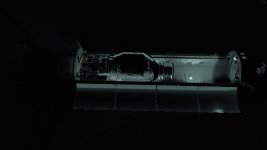
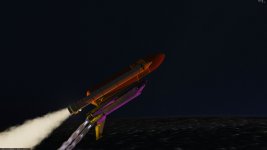
I can happily report that revision 1381 which was checked in earlier this afternoon, resolves all the issues with local lights I have previously reported. Everything looking proper now with the metalness shader and local lights. The only thing missing with local lights now are self-shadows. And if you could get multi-cam reflections going, then we're in business.
Attachments
- Joined
- Mar 28, 2008
- Messages
- 2,707
- Reaction score
- 881
- Points
- 128
Kuddel, There is something very wrong in the 1382 commit. I am not an expert on SVN, so, how is one supposed to undo a commit ?
How does the "nullptr" differ from regular "NULL" we have use so-far ?
- DeltaGliders virtual cockpit is completely broken, Broken Horizon, switches/animations not moving, pilots head visible from inside, texts and labels missing, etc...
- The "Pick" feature isn't working
- Lots of CTDs
How does the "nullptr" differ from regular "NULL" we have use so-far ?
- Joined
- Mar 28, 2008
- Messages
- 2,707
- Reaction score
- 881
- Points
- 128
Yes, I noticed that too. Will look into it.First time I noticed this (purple color of the orbiter during sunrise):
- Joined
- Mar 28, 2008
- Messages
- 2,707
- Reaction score
- 881
- Points
- 128
Are there any good reallife videos showing these effects, I would need to study them and think about the rendering options.Would it be possible to add some dynamic pressure effects through the client ? A white-ish transparent shell with a moving texture around the mesh to simulate condensation effects that happen when the aerodynamic load is high.
@jarmonik: you can see it there, happens on the most 'exposed' surfaces (the less 'angled').
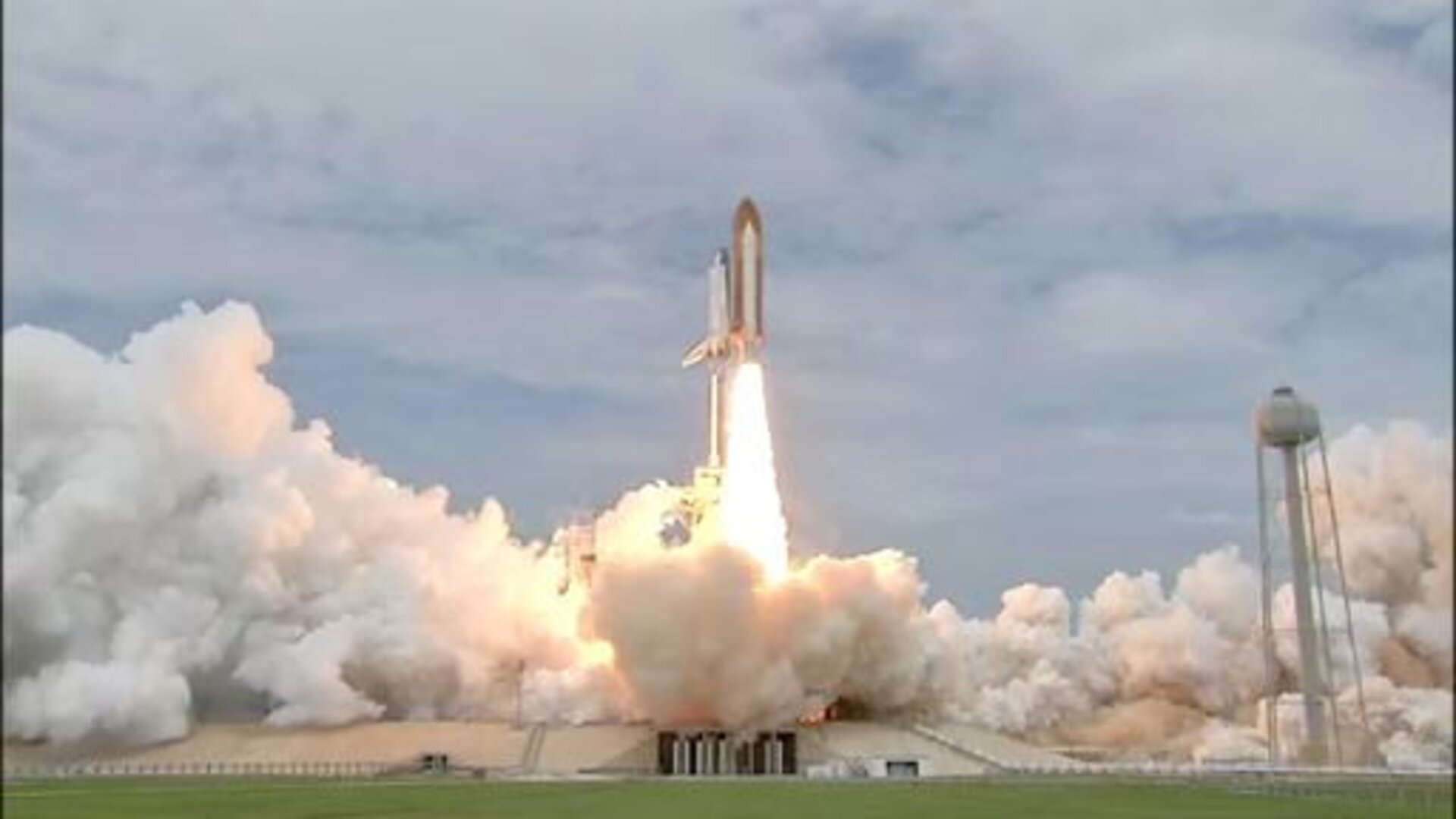
STS-135 Space Shuttle Launch
www.esa.int

About the "vapor condensation behind a shock wave" effect, IMO the graphics client should only provide the tools for it's representation. If this effect is to be made with a conical mesh, made up of several axial segments so UV mapping and alpha can be played with, then the graphics engine should only worry about sliding the UV coordinates and having alpha lower along a mesh axis (things it can probably do much faster than "by hand").
It should be the user's job to make the conical mesh and texture (each rocket has different shapes), and the physics engine should handle when it shows up (like the reentry visuals).
Just my <insert 2 cents smiley>
It should be the user's job to make the conical mesh and texture (each rocket has different shapes), and the physics engine should handle when it shows up (like the reentry visuals).
Just my <insert 2 cents smiley>
- Joined
- Mar 28, 2008
- Messages
- 2,707
- Reaction score
- 881
- Points
- 128
D3D9Client 4.15 is out
- The sunset color issue should be fixed.
- Local lights can now effect in meshes in environment maps.
- Irradiance map is now integrated using a brute force. (no frame-rate impact) (new shaders only at a moment)
- Semi-directional Ambient light can now bounce from vessel to vessel. (new shaders only at a moment)
- The "Heat Map" is made available for the old shader.
- Lighting control sliders added to Graphics Controls.
- Sunlight intensity
- Indirect ambient light intensity (i.e. irradiance)
- Local lights intensity limit at "point blank range"
- Joined
- Mar 28, 2008
- Messages
- 2,707
- Reaction score
- 881
- Points
- 128
You mean the effects that occur between 0:50 and 1:10 in video's timescale.@jarmonik: you can see it there, happens on the most 'exposed' surfaces (the less 'angled').
STS-135 Space Shuttle Launch
www.esa.int
So, what would be needed:
- User supplied mesh and texture like ( 256 x 1024 )
- Dynamic Pressure for Start and End
- Visible texture section length in pixels like 128 for ( 256 x 1024 ) texture. Meaning that 256x128 would be visible at a time.
- Texture roll/slide speed pixels/sec for the Y-coordinate
- VECTOR3 giving the reference/origin point (could this also be used to move user supplied mesh on the right place ?)
- VECTOR3 pointing to the direction of slide and the length would control an alpha fade effect.
- Alpha fade function ? Maybe the following would be sufficient: alpha = pow(distance, x), where "x" would be user supplied variable and "distance" is in range 0.0 to 1.0
Anything else in mind ?
The UV range in the mesh itself could be 0 to 1 for both axies. The client could rescale the UV range as needed.
Similar threads

- Sticky
- Replies
- 6
- Views
- 10K

- Replies
- 10
- Views
- 4K


- Replies
- 1
- Views
- 4K


- Replies
- 7
- Views
- 4K