New Release D3D9Client Development

We could add a list of valid CRCs (for d3d9.dll 0xC0CB and 0x95F5 seem to be OK) but without knowing all good versions this might end up in continuous updates...
The Version information alone however should give us quite a good insight on the system setup.
 
How can you turn off shadows for a particular material ?
 
The Version information alone however should give us quite a good insight on the system setup.
Agreed.

---------- Post added at 12:02 ---------- Previous post was at 11:49 ----------

How can you turn off shadows for a particular material ?

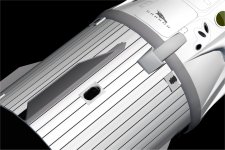
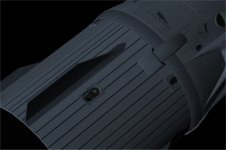
Right now the shadows can't be controlled in a per material basis. Casting a shadows can be disabled by setting a meshgroup flag 0x1. However, it's not possible (right now) to prevent a material from receiving a shadows. It wouldn't be difficult to add a feature like that but we have already used all of our flow control booleans.

Could you post a screenshot about the case ?

Blocking shadows would make sence only for an emissive material. Right now, emissive material should already block the shadows (mostly).


BTW, Is it just me or does the forum add (2-3) emply lines here and there in a posts ?

---------- Post added at 12:12 ---------- Previous post was at 12:02 ----------

Would it be possible to block out the sun, when a mesh is in front of it, in lens flare mode ?


It's a bit difficult. The way how the lens flare/glare is implemented should be changed, sadly I am very bad at sketching artwork. So, it's not very high on a priority list.


Right now the shadows can't be controlled in a per material basis. Casting a shadows can be disabled by setting a meshgroup flag 0x1. However, it's not possible (right now) to prevent a material from receiving a shadows. It wouldn't be difficult to add a feature like that but we have already used all of our flow control booleans.

Could you post a screenshot about the case ?

Blocking shadows would make sense only for an emissive material. Right now, emissive material should already block the shadows (mostly).


Where do I list the flag in the mesh file ? Example ?


I believe DaveS asked about this also, but I couldn't find the post.
 

Attachments

  • umbilical shadow2.jpg
    umbilical shadow2.jpg
    90.2 KB · Views: 16
  • umbilical shadow.jpg
    umbilical shadow.jpg
    147.5 KB · Views: 16
Where do I list the flag in the mesh file ? Example ?
I believe DaveS asked about this also, but I couldn't find the post.
The FLAG parameter goes with the main parameter items that's specified at the beginning of each mesh group.


Example:
Code:
LABEL rect
MATERIAL 2
TEXTURE 2
GEOM 16 8 ; rect
1.98397 0.543818 -6.71276 0.884949 0.465689 0 0.221819 -0.279311
-1.04064 1.19721 -6.71276 0 1 0 0.262282 -0.279311
-1.51227 1.19721 -6.71276 0 1 0 0.221819 -0.279311
1.98397 0.543818 -6.98488 0.884949 0.465689 0 0.221819 -0.394903
1.04065 1.19721 -6.98488 0 1 0 0.262282 -0.394903
-1.98397 0.543818 -6.71276 -0.884948 0.465689 0 0.221819 -0.279311
1.76565 0.958691 -6.98488 0.884949 0.465689 0 0.262282 -0.394903
1.51228 1.19721 -6.71276 0 1 0 0.221819 -0.279311
-1.04064 1.19721 -6.98488 0 1 0 0.262282 -0.394903
1.04065 1.19721 -6.71276 0 1 0 0.262282 -0.279311
1.76565 0.958691 -6.71276 0.884949 0.465689 0 0.262282 -0.279311
1.51228 1.19721 -6.98488 0 1 0 0.221819 -0.394903
-1.76565 0.958691 -6.98488 -0.884948 0.465689 0 0.262282 -0.394903
-1.51227 1.19721 -6.98488 0 1 0 0.221819 -0.394903
-1.98397 0.543818 -6.98488 -0.884948 0.465689 0 0.221819 -0.394903
-1.76565 0.958691 -6.71276 -0.884948 0.465689 0 0.262282 -0.279311
8 13 1
2 1 13
14 5 12
15 12 5
9 11 4
11 9 7
6 0 3
0 6 10

So the FLAG parameter goes in like this:
Code:
LABEL rect
MATERIAL 2
TEXTURE 2
FLAG 1
GEOM 16 8 ; rect
1.98397 0.543818 -6.71276 0.884949 0.465689 0 0.221819 -0.279311
-1.04064 1.19721 -6.71276 0 1 0 0.262282 -0.279311
-1.51227 1.19721 -6.71276 0 1 0 0.221819 -0.279311
1.98397 0.543818 -6.98488 0.884949 0.465689 0 0.221819 -0.394903
1.04065 1.19721 -6.98488 0 1 0 0.262282 -0.394903
-1.98397 0.543818 -6.71276 -0.884948 0.465689 0 0.221819 -0.279311
1.76565 0.958691 -6.98488 0.884949 0.465689 0 0.262282 -0.394903
1.51228 1.19721 -6.71276 0 1 0 0.221819 -0.279311
-1.04064 1.19721 -6.98488 0 1 0 0.262282 -0.394903
1.04065 1.19721 -6.71276 0 1 0 0.262282 -0.279311
1.76565 0.958691 -6.71276 0.884949 0.465689 0 0.262282 -0.279311
1.51228 1.19721 -6.98488 0 1 0 0.221819 -0.394903
-1.76565 0.958691 -6.98488 -0.884948 0.465689 0 0.262282 -0.394903
-1.51227 1.19721 -6.98488 0 1 0 0.221819 -0.394903
-1.98397 0.543818 -6.98488 -0.884948 0.465689 0 0.221819 -0.394903
-1.76565 0.958691 -6.71276 -0.884948 0.465689 0 0.262282 -0.279311
8 13 1
2 1 13
14 5 12
15 12 5
9 11 4
11 9 7
6 0 3
0 6 10

Here's the link to the post that contains the updated D3D9Client.dll module that links the FLAG parameter to the vessel self-shadows: https://www.orbiter-forum.com/showthread.php?p=586364&postcount=4739
 
Last edited:
So it only works with Beta ?
 
Works perfectly in 3.5 !!:thumbup:
 
Hey guys!

Sorry if somebody reported the issue before, it's quite a looong topic here )) So bear with me.

Orbiter 2016 with d3d9 client lagging as hell with VNCMFD module enabled.
Some info - https://www.orbiter-forum.com/showthread.php?p=586427&postcount=147

When it's switched off - everything's fine.
With default graphics it works fine as well.

So what can be causing the problem?

Cheers!
 
Last edited:
So what can be causing the problem?

My guess is that incompatible systems are mixed. For an example the GDI/HDC stuff doesn't work well with the D3D9+ especially if you try to read something from the D3D.

So, you are trying to transfer an image from Orbiter over a wireless network ?

To do that properly, you would need an auxiliarry "helper" surface. Should be tested which one of these works better, I don't know.

Code:
hAux = oapiCreateSurfaceEx(w, h, OAPISURFACE_RENDERTARGET | OAPISURFACE_NOMIPMAPS | OAPISURFACE_LOCKABLE);
hAux = oapiCreateSurfaceEx(w, h, OAPISURFACE_SYSTEMMEM);
After that you would need to get "AsyncLock" for the surface to read the bits.

Code:
BITMAP bmp;

if (gcGetLockAsync(hAux, &bmp) == true) {

BYTE *pData = bmp.bmBits;
DWORD pitch = bmp.bmWidthBytes;
...etc...

gcReleaseLock(hAux);

// Blit the source surface to a helper surface
oapiBlt(hAux, hMFDRenerSurf, .....);
}
Right now we don't have "gcGetLockAsync" function implemented yet but can be done easily if needed.

Also should be noted that 3 frames of inactivity in hAux must exists before "AsyncLock" returns "true". Can't get an external lock on a surface if it exists in internal rendering queues of the DirectX.

Also, it should be possible to call "gcGetLockAsync" from a different thread but I am not exactly sure about it.

So, Are you a developper ?
.
 
Last edited:
jarmonik
Thank you for your explanation!

PS.
Currently I'm not a developer and I have intermediate level of programming skills.
But I try to dig deeper into Orbiter modding territory to create my owns designs. I can easily make detailed 3d models, textures, but can't put them in the simulator yet :facepalm:

Cheers!
 
jarmonik
Thank you for your explanation!

PS.
Currently I'm not a developer and I have intermediate level of programming skills.
But I try to dig deeper into Orbiter modding territory to create my owns designs. I can easily make detailed 3d models, textures, but can't put them in the simulator yet :facepalm:

Cheers!


Welcome to the "Dark Side" of Orbiter.
 
Welcome to the "Dark Side" of Orbiter.

Haha! thanks! <Imperial march starts playing here> :lol:

I've got huge interest of building full function simpit including external HUD, so basically, as far as I know, it's possible using d3d9 client.
 
Where do we stand on getting the following issues patched up:

  • Cloud microtextures
  • Cloud shadows over open water
  • Diffuse particle streams affected by planetary shadows
  • Multi-environmental camera support

Some of these have been in the works for quite a while now, so any updates would be nice.
 
When they get to it, is fine with me. :hail:

---------- Post added 01-26-19 at 04:01 AM ---------- Previous post was 01-25-19 at 11:59 PM ----------

how do you get back the drop down menu ?
 
When they get to it, is fine with me. :hail:

---------- Post added 01-26-19 at 04:01 AM ---------- Previous post was 01-25-19 at 11:59 PM ----------

how do you get back the drop down menu ?
Are you talking about the standard top-center drop down menu? Or the two corner ones? The top-center one can be accessed by pressing F4.
 
Tuttovola.org link broken

When I try to click on the download link, I am met with an error screen that says 403 Forbidden. I would greatly appreciate if someone would either fix the link, or repost the files.
 
Back
Top