New Release D3D9Client Development

The version number doesn't matter. It wasn't changed by the people who added fixes. You can have version 3.14.0.3 released before Orbiter 2010, next version 3.14.0.3 with final changes for Orbiter 100606, or newer version 3.14.0.3 with changes for Orbiter 100830, even newer version 3.14.0.3 released with Orbiter beta 100905 with fixes for pen/brush allocation, or version 3.14.0.3 with the fix you need, by atomicdryad from Jan. 2011.

Check the transx.dll module build date in Orbiter.log.

My assumption has always been that the version included with Orbiter100830 is the best one to use, no need to download off OHM or anywhere else. It also appears that the development is not ongoing unfortunately, although I dont think it will need to be updated any time soon either.
 
Jarmonik, I hope you read this. Is it possible to change the minmum reflection to 0.01 or 0.001 or less. We would then have the opportunity to have a much lesser reflection. I have an engine material which would be better with a more duller reflection.
Added emissive and freshnel with the minimum reflection.


Also is it possible to have planet normals. There is a damn good Mars and Moon texture/normal you can download from a post by Veterok.
Once again, many many thanks for this client. The amount of time you spent on is was/is enormous. Well done. Kind regards, Ken
 
Last edited:
Is it possible to change the minmum reflection to 0.01 or 0.001 or less. We would then have the opportunity to have a much lesser reflection. I have an engine material which would be better with a more duller reflection.

If your reflection is set to 0.01 and you still see a lot of reflection, then it's probably the Fresnel reflection you are seeing. You can reduce this by reducing the third (far right) parameter in the Fresnel settings.

Also, if you increase the first (far left) parameter, the Fresnel reflections become weaker where the object is facing you, but not around the edges.
 
KSC with normal maps.

Looks nice but uppon closer inspection, it's completly unreal. Normal maps derived from the standard textures will not work.

Here's an example from http://www.cajomi.de/GeoControl/geocontrol2_features.htm


Color map
passroad2_colourmap.jpg

http://www.cajomi.de/GeoControl/geocontrol2_features.htm


Normal map
sarntal_normal_map.jpg


The best approach would be to calculate the normalmaps off DEM files, coded as grayscale images:
Death%20Valley%20TOPOMAP1.jpg
 
Looks nice but uppon closer inspection, it's completly unreal. Normal maps derived from the standard textures will not work.

I agree, it is not really accurate. I posted it primarily as a proof of concept that normal maps do work on surftiles.

But, I think that it is possible to use the standard textures, provided that they are edited before converting to normal maps. I am pleased with how the woods appear, but the roads look like their are raised above the surrounding vegetation. This could be fixed by darkening the road right-of-ways through the vegetation, resulting in normals that suggest that the road and grass areas are lower than the surrounding canopy.

I agree that DEM data is a good thing to use, but for KSC it would be kind of boring, considering how the terrain there is very flat with little to no variation. Also, DEMs are not very high resolution (30m/pixel or so), so the resulting normal maps would look correspondingly smooth, even for very mountainous terrain. Normal maps work fine for this (making flat mountains look 3d), but if made with standard textures, they work even better for giving roughness and definition to otherwise flat textures.

DEMs would be a good source for creating normal maps on the same scale as planetary textures.

For things that already have the mountains modeled in 3d, like Ascension Island, normal maps might help by enhancing the granularity of the terrain.
 
I still think there is too much reflection at 0.01. I can,t get the result I want.
But I,m am happy with what I have.
 
Hello,jarmonik getting a CTD,after playing for a little while,it seems to be caused by using the F4 a few times.
Code:
(969: 1215.77s 4991497929us)(0x18B0)[ERROR] Orbiter Version 100830
(970: 1215.77s 4991498251us)(0x18B0)[ERROR] D3D9Client Build [Mar 31 2013]
(971: 1215.77s 4991498382us)(0x18B0)[ERROR] Exception Code=0xC0000005, Address=0x00456CF7
(972: 1215.77s 4991498505us)(0x18B0)[ERROR] EAX=0x00000001 EBX=0x000001A8 ECX=0x00980000 EDX=0x1A97EEC0 ESI=0x10E78188 EDI=0x00000000 EBP=0x009FFA40 ESP=0x009FF9C0 EIP=0x00456CF7
(973: 1215.77s 4991498767us)(0x18B0)[ERROR] C:\Users\James Seegert\Documents\Pete's Documents\Orbiter 2010P1\orbiter2010P1.exe\modules\server\orbiter.exe EntryPoint=0x004ACFAC, Base=0x00400000, Size=2097152
(974: 1215.78s 4991510674us)(0x18B0)[ERROR] GraphicsClient::RenderWndProc(hWnd=0xE007C, uMsg=522, wParam=9961472, lParam=18481576)
(975: 1216.04s 4991766288us)(0x18B0) ORBITER SCENARIO SAVED SUCCESSFULLY (D3D9ClientRescue.scn)
 
So if I wanted to add reflective surfaces to the XR-2, how exactly do I do that? Can't use the in-sim client thing because the mesh groups of that ship are all whacky.

---------- Post added at 07:17 PM ---------- Previous post was at 07:02 PM ----------

and also how far away from the Earth should the planet glow effect still be present?

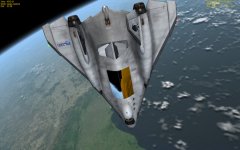
I am currently at about 115,000 miles away from Earth (185.61mm) and my XR-2 looks like this.... this is with 1.50 glow effects


picture.php


Should it still be like this you think? My initial reaction is no....but I am not at all sure.
 
So if I wanted to add reflective surfaces to the XR-2, how exactly do I do that?

Here's a small demonstration. Drop these files into your Textures\XR2Ravenstar folder.

To open and edit these files, use Gimp (http://www.gimp.org/) with the Gimp DDS plugin (http://code.google.com/p/gimp-dds/).

Once you have installed Gimp and the DDS plugin, open the file top_hull_colour_XR2_paint_refl.dds. In the dialog box that pops up, uncheck "Load mipmaps" and "Show this dialog", and hit OK.

To paint areas with chrome, pick pure white and draw on the texture. You might want to open top_hull_colour_XR2_paint.dds (the default texture) to aid you in deciding where to paint. To paint gold areas, pick a color around red 255, green 128, blue 0.

If you open top_hull_colour_XR2_paint_spec.dds, you'll have to unpack the alpha channel to edit it. To do that, right-click on the thumbnail image in the Layers-Gradients window, and click "Add layer mask...", and in the dialog box, select "Transfer layer's alpha channel" and hit OK. The rgb channel is now on the left, and the alpha channel is on the right.

To explain, the _refl file contains the color and intensity of the reflection. Any black areas will have no reflection, Fresnel or otherwise. If you make it any value above black, then Fresnel reflections will be available, and the minimum reflection will get stronger as the colors in the texture become brighter. The _refl file is formatted as DXT1.

The _spec file controls the color and intensity of the specular reflection, and also the specular power. The color and intensity come from the rgb channel, so that black zones have no specular reflection, while colored or white zones have colored or white specular reflections. The alpha channel controls the specular power, which is the width of the specular "hot spot". Values close to black will have a very wide "hot spot", while values close to white will have more pinpointed "hot spots". Absolute black kills all specular reflection. The _spec file is formatted as DXT5. DXT3 will work fine most of the time, but there are some cases when you need the fine control over the alpha channel that DXT5 gives.

When you are ready to save the files, click File and then Export. If you are exporting a _spec file with an alpha channel, it might tell you "DDS plug-in can't handle layer masks". If this happens, click "Export", and then continue to pick your compression format.

It is possible to load the textures one at a time- they can work independent of each other. So if you don't want to mess with the _spec or _refl file, you can simply delete it or rename it so that Orbiter doesn't see it.

 

Attachments

OK, recently got D3D9 installed, and was taking it for a spin with a stock DG at my Larson Base. However, it seemed to have issues...
picture.php

If you look closely, several mesh surfaces are invisible. I was running this on a computer with a high-end graphics card that has no issues with normal Orbiter.
In short, what's going on here?
 
Ok, I just noticed, that while yes you can set a planet glow value to above 1.000, but it will not stick. Every time orbiter is reloaded, it will go back to 1.000
 
Hi Interceptor,

I've tried the RC10 but could not reproduce your issue :(
Do you set anything special? Fullscreen/WindowMode?
Here's what I've tried:
- Orbiter 100830
- D3D9Client RC10 (http://d3d9client.codeplex.com/downloads/get/637387)
- Windowed Mode
- Start Scenarion "Scenarios\Delta-glider\DG Mk4 in orbit.scn"
- Tried F4 several (hundred ;) ) times (outside view and cockpit view).

So if you do anything special please let us know (maybe post your Orbiter_NG.cfg)
By the way, did you check that your D3D-GraphicCard-Drivers are up to date?

/Kuddel

Hello,jarmonik getting a CTD,after playing for a little while,it seems to be caused by using the F4 a few times.
Code:
(969: 1215.77s 4991497929us)(0x18B0)[ERROR] Orbiter Version 100830
(970: 1215.77s 4991498251us)(0x18B0)[ERROR] D3D9Client Build [Mar 31 2013]
(971: 1215.77s 4991498382us)(0x18B0)[ERROR] Exception Code=0xC0000005, Address=0x00456CF7
(972: 1215.77s 4991498505us)(0x18B0)[ERROR] EAX=0x00000001 EBX=0x000001A8 ECX=0x00980000 EDX=0x1A97EEC0 ESI=0x10E78188 EDI=0x00000000 EBP=0x009FFA40 ESP=0x009FF9C0 EIP=0x00456CF7
(973: 1215.77s 4991498767us)(0x18B0)[ERROR] C:\Users\James Seegert\Documents\Pete's Documents\Orbiter 2010P1\orbiter2010P1.exe\modules\server\orbiter.exe EntryPoint=0x004ACFAC, Base=0x00400000, Size=2097152
(974: 1215.78s 4991510674us)(0x18B0)[ERROR] GraphicsClient::RenderWndProc(hWnd=0xE007C, uMsg=522, wParam=9961472, lParam=18481576)
(975: 1216.04s 4991766288us)(0x18B0) ORBITER SCENARIO SAVED SUCCESSFULLY (D3D9ClientRescue.scn)
 
Hi Kuddel,and thanks for your help,I think it was a module that was causing the crash,I am not 100% sure,I will keep testing,and get back with you,I have a question for you on the d3d9 tab that you pull down from F3,what does the save materials button do?
 
I get these sort of errors and others quite often for no reason. Same scenarios, same computer, same eveything. Doesn,t always CTD. Orbiter can shutdown O.K. Probably people won,t know anyway, unless they check the log at every shutdown.
 
Hi Kuddel,and thanks for your help,I think it was a module that was causing the crash,I am not 100% sure,I will keep testing,and get back with you,I have a question for you on the d3d9 tab that you pull down from F3,what does the save materials button do?

O.K. Any combination of some add-ons can cause any combination of issues ;)

Anyway, the "save materials" button in the "D3D9 Debug Controls" Dialog does just that: it saves the materials ;)
The complete dialog is to tweak materials of a ship/mesh while you can 'see' the changes.
You can select a mesh the easies way by enabling the "Pick" checkbox and just click somewhere on the ship. You will notice a green flash, indicating that you've selected that mesh for editing.
Then you can adjust several properties of that material via the combo-boxes, edit-fields and sliders in the lower part of the dialog.
Once you are happy with the result you click on "save materials" and the changed material specifications will be saved in the "Config\GC\" folder of your Orbiter installation.
So next time you fly with a ship of the same class it will have the properties you have defined/changed applied.
If you want to have the "default" look back, just delete the according file from that folder (e.g. "Config\GC\DeltaGlider.cfg") and the standard Orbiter appearance will be restored.
The install ZIP of D3D9Client contains some of those files already, that contain some nice "advanced looks" for some of the standard vessels. You can always take those and place it back into that folder to get the "D3D9-Default" look.

The complete "D3D9 Debug Controls" Dialog is rather new, so unfortunately there is not (yet) a documentation available. Once the layout and feature-set of that dialog is kind of stable the documentation will be the next thing we have to do.

Regards,
Kuddel
 
Nice reply Kuddel. Then of course you can tweak your file in CG with notepad etc.
 
Back
Top