So if I wanted to add reflective surfaces to the XR-2, how exactly do I do that?
Here's a small demonstration. Drop these files into your Textures\XR2Ravenstar folder.
To open and edit these files, use Gimp (
http://www.gimp.org/) with the Gimp DDS plugin (
http://code.google.com/p/gimp-dds/).
Once you have installed Gimp and the DDS plugin, open the file top_hull_colour_XR2_paint_refl.dds. In the dialog box that pops up, uncheck "Load mipmaps" and "Show this dialog", and hit OK.
To paint areas with chrome, pick pure white and draw on the texture. You might want to open top_hull_colour_XR2_paint.dds (the default texture) to aid you in deciding where to paint. To paint gold areas, pick a color around red 255, green 128, blue 0.
If you open top_hull_colour_XR2_paint_spec.dds, you'll have to unpack the alpha channel to edit it. To do that, right-click on the thumbnail image in the Layers-Gradients window, and click "Add layer mask...", and in the dialog box, select "Transfer layer's alpha channel" and hit OK. The rgb channel is now on the left, and the alpha channel is on the right.
To explain, the _refl file contains the color and intensity of the reflection. Any black areas will have no reflection, Fresnel or otherwise. If you make it any value above black, then Fresnel reflections will be available, and the minimum reflection will get stronger as the colors in the texture become brighter. The _refl file is formatted as DXT1.
The _spec file controls the color and intensity of the specular reflection, and also the specular power. The color and intensity come from the rgb channel, so that black zones have no specular reflection, while colored or white zones have colored or white specular reflections. The alpha channel controls the specular power, which is the width of the specular "hot spot". Values close to black will have a very wide "hot spot", while values close to white will have more pinpointed "hot spots". Absolute black kills all specular reflection. The _spec file is formatted as DXT5. DXT3 will work fine most of the time, but there are some cases when you need the fine control over the alpha channel that DXT5 gives.
When you are ready to save the files, click File and then Export. If you are exporting a _spec file with an alpha channel, it might tell you "DDS plug-in can't handle layer masks". If this happens, click "Export", and then continue to pick your compression format.
It is possible to load the textures one at a time- they can work independent of each other. So if you don't want to mess with the _spec or _refl file, you can simply delete it or rename it so that Orbiter doesn't see it.



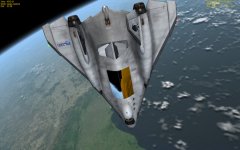


 ) times (outside view and cockpit view).


