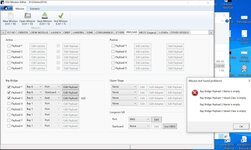
Are you sure SSV_*.dll files exist in the "Modules" folder?

Is this a new computer or Windows installation? If so, did you install the vc redistributables?Are here

"Payload Bay": {
      "Payloads": [
        {
          "Passive": [],
          "Payload": {
            "Vessel Class": "SSV_ASE1",
            "Name": "ASE",
            "Attachment ID": 0,
            "Scenario Params": []
          }
        }
      ],
That might be something to do with the extraction of the addons.... don't know what. Or maybe file access permissions to the Modules folder.I came to the conclusion that the problem is with Windows, the orbiter's base scenarios work normally, but the addons are like this
A feather
but thanks for the help.
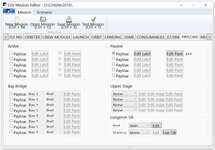
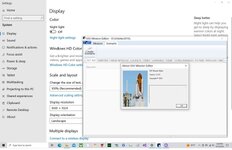
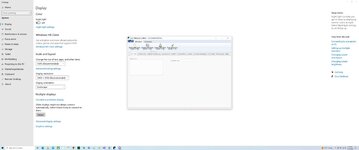
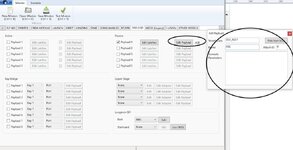
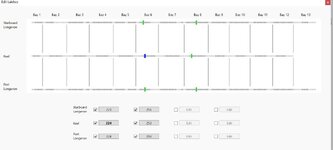
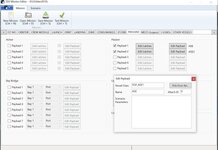
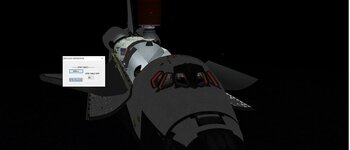
The window and controls seem smaller, and the text larger... I've never seen anything like that.So I try at 2 resolutions and the same. But on the mission editor. I add THE SSV ase1 as a Vessel in the passive. When I clicked on edit latch the payload bay image opened. I guess then I select which bay,.... The ASE is in via attachment manager.
"Payload Bay": {
      "Payloads": [
        {
          "Passive": [],
          "Payload": {
            "Vessel Class": "SSV_ASE1",
            "Name": "ASE",
            "Attachment ID": 0,
            "Scenario Params": []
          }
        }
      ],

Go back to my initial post: I never said Bay Bridge Payload. Those are for things like the GAS canisters mounts, or the OARE (check STS-107) that attach directly to the PLB, where the bridges are mounted.I adjust my graphics setting.
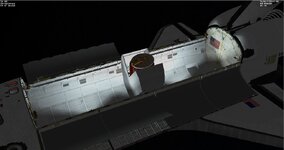
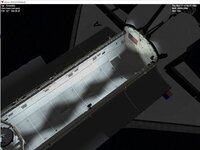
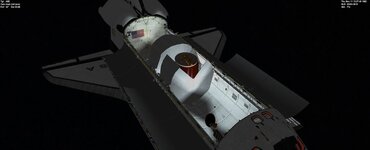
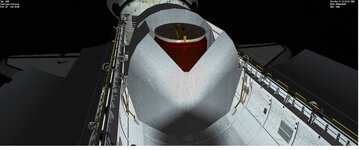
But here shouldn't I see the Bay 6 keel and 2 sides? I see nothing. The scn has the mission file
So the ASE should be attached to the Keel?
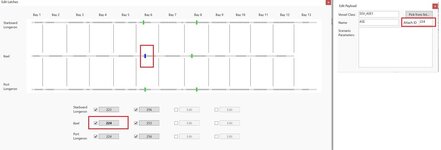
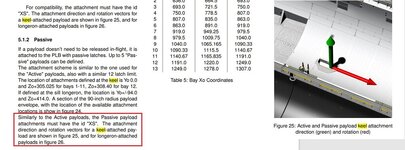
On the first image, set "Attach ID" to the index of the keel attachment in the ASE (you need an attachment in there, check the manual).how to get the ASE attached to the Keel?
That is the index of the attachment in the payload, which here is the ASE vessel. The 224 is the PLID where the latch will be placed.But not sure on the mission editor what the attach id should be?
Yes.So would it be 0 since it is the first attachment?
Columbia:SSV_OV
  STATUS Orbiting Earth
  RPOS 4658512.132 -3568864.857 2934256.034
  RVEL -4145.0104 152.2701 6629.0331
  AROT -107.413 -60.523 -0.265
  VROT -0.1903 -0.0416 -0.0120
  RCSMODE 2
  AFCMODE 7
  PRPLEVEL 3:0.859413 4:0.718581 5:0.709190
  NAVFREQ 0 0
  MISSION STS-5D
Any ASE parameters go in the Scenario Parameters box.So would the ASE be attach in the SCN?
The Mission Editor creates and edits mission files, and then a launch scenario can be created for that mission.I guess I am missing the connection between the mission editor and the scenario. I saw I could make a launch scenario.
There was setting on my graphics display.Also, what fixed the Mission Editor font size?
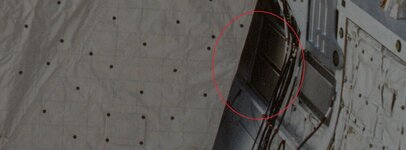
Enable Vent Doors 4 and 7 in Mission Editor.But it seems there is a double vent? in the real one but not in mine.
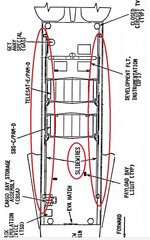
The base where 2 GAS cans attach should be a Bay Bridge payload. If the GAS cans are one vessel with the base, it is done, but if the GAS cans are individual vessels, they would attach to the base.would the GAS and the TAsk board and CBSA be attached to bridge rails or passive payloads?