Thanks That did it. Got 3.8 running. I was using the link in the doc.


Time to update it then.... I was using the link in the doc.

They have been (2017-08-31). I believe the 2016-branch didn't get that merge.Time to update it then.
Merged revision(s) 861,1042-1047 from trunk:
- Documentation update
  - updated DirectX runtimes URL to link to the current (June 2010) version.
- fixed incorrect report of spacecraft.dll used
  when starting another scenario without closing the Launchpad dialog.
- Added logging of loaded D3D9 DLLs and their versions.
- added EditorConfig file
  Visual Studio 2017 supports this natively, Visual Studio 2015 might need a plugin
  (see https://EditorConfig.org)
Where is this set? I'd like to tweak it for myself.- Cloud shadow intensity over water has been increased.
Where is this set? I'd like to tweak it for myself.
//float fBlue = saturate(cTex.b - (cTex.g + cTex.r)*0.5f)*3.0f + 0.5f;
fShd = saturate(1.0 - fShd*fAlpha); // *fBlue);
Thanks for this and things are much better now, everything is perfectly usable again, no over-saturation anywhere.- An attempt is made to address the VC over-saturation issue in SSU. (Haven't been able to test it) (feedback required)
Is there any update on the smaller sized MFD font issue I posted about a while back? It's not a major concern but I just wanted to point it out as it still remains the way it used to be even with the latest D3D9 build and GPU drivers (I also had an OS reinstallation in the meantime and the issue persisted with a clean W10 install).
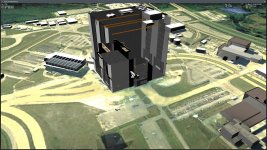
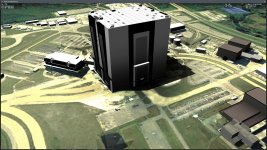
I think I have discovered a bug in the D39DClient's handling of the UNDERSHADOWS base element parameter.
My fault ... :blush:The name of the beta build is messed up for some reason but it's supposed to be for r.88 of the Orbiter.
Is there any work on going to improve the atmosphere rendering?


I installed the version 25-Feb-2019, but it's not good for my hardware. Same problem with D3D9ClientR3.5-forOrbiter2016(r1061).zip.
Is there an even older version? Probably I need a very old version, but I forgot the working version.
I don't need the most up to date version, I just need a reasonably stable version.
EDIT: I found my post #4176 on Sep 2016, hence a version published at that time should be fine.
If you really want to take the shot at an "old version" I would step back in this thread from the date you've mentioned until you find a post by Jarmo or me that had a ZIP attached.
Out of curiosity:
- Do you have an XP machine?
- Did you re-install your System? You might have forgotten to install the DirectX 9 runtimes...(happened to me a couple of weeks ago too, thinking: "Why doesn't this start at all?" :facepalm
- Does the log (Orbiter.log and/or Modules\D3D9Client\D3D9ClientLog.html) tell anything?
Why need D3D9 on Orbiter 2016 at all? I am not using D3D9 on Orbiter 2016 but on Orbiter 2010.