New Release D3D9Client Development

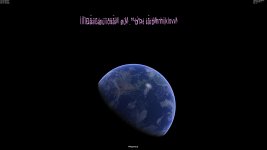
Here are some text drawing problems when running the Welcome scenario in the D3D9Client (4k 3840x2160):
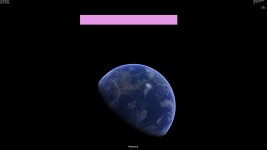
16.08.10 11-19-19 Cape Canaveral.jpg

Or after starting paused:
16.08.10 11-21-34 Cape Canaveral.jpg

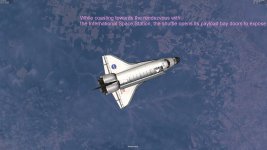
Text running out of the screen:
16.08.10 11-11-41 STS-101.jpg

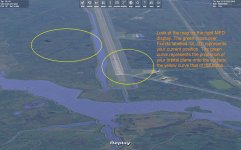
The text should look like this (stock client, 1920x1200):
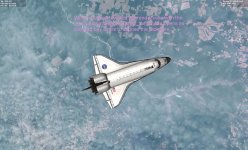
16.08.10 11-25-48 STS-101.jpg

And there also seems to be a problem with extra "speckles" or "dots" around all of the drawn texts.
 
Here are some text drawing problems when running the Welcome scenario in the D3D9Client (4k 3840x2160)

That's a known issue, regarding Sketchpad on D3D9. Jarmo's working on it (?) but I don't know if it is fixed or not in the stable branch.
 
D3D9Client 24.3 (for Orbiter BETA r61)

Hi Eduard (et. al),

please try this new release.

The text-wrapping issue should be fixed.
The "scrambled" text has not occurred here, so it might still be there.

This is for Orbiter BETA r61 a.k.a. "Orbiter 2016 - RC.4"...
Should also work for Orbiter BETA r60 a.k.a. "Orbiter 2016 - RC.3"
 

Attachments

Could the fog rendering be improved a bit? I think it's a bit too dense right now. Here's two comparison screenshots:

2010-P1:
Fog_Orbiter2010.jpg


2016 RC4:
Fog_Orbiter2016.jpg
 
IMHO, the fog rendering wasn't dense enough - the new atmospheric graphics are more physically accurate.

---------- Post added at 00:21 ---------- Previous post was at 00:12 ----------

Kuddel, Jarmo, where is the D3D9 External MFD code? I've merged the trunk with my HDR branch and still no external MFDs...
 
IMHO, the fog rendering wasn't dense enough - the new atmospheric graphics are more physically accurate.
I think you're very wrong based on this photo taken of the SCA/Enterprise at altitude during one of the Approach and Landing Tests. As you can see, the air is very clear and visibility is nearly unrestricted:

054.%20OV-101%20Flight%20MC-1%20In%20Flight.jpg
 
IMHO, the fog rendering wasn't dense enough - the new atmospheric graphics are more physically accurate.

Looking at the 2 images DaveS posted, what I notice isn't the density (which I think looks +/- OK), but the color. We're looking at a desert, at sunset, and everything is blue. IMO it should look more white. :2cents:
 
Well that was taken at 10km altitude more or less, and there's a whole set of climatologic variables that are at play (yes, I'm saying that I could show you a foggy day and say "see, not dense enough").

I live in Toulouse and looking south I can see the Pyrénées, approx. 100km from home. They appear very blue due to the Rayleigh scattering that is simulated to render the new atmosphere graphics. Mie and Rayleigh scattering vary depending on the weather: for exemple here in Toulouse having wind coming from the south adds sand grain from the Sahara and increases Mie scattering - but after a rain storm, the air is more "pure" and therefore scatters less; that's when I can see the mountains more clearly.

Flying_over_Earth.jpg

PL5L2.jpg


Those pics however seems to prove you right - but maybe they've been processed with a filter to take out some of the blue. I was thinking myself that the sunset colors were too vibrant compared to footage I saw in the HDEV experiment.
 
The sunset/sunrise colors were done by me, calibrated to match a video of HST unberth and deploy during STS-125/HST SM4 in May 2009. Unberth occurred during late orbital day lasting into orbital night. This video is totally unprocessed, raw footage from the PLB cameras. The fog opacity is too high right now.

---------- Post added at 03:20 AM ---------- Previous post was at 02:49 AM ----------

This is the STS-122/1E Crew Postflight Video presentation and it has some great on-orbit video that shows atmospheric opacity: [ame="http://www.youtube.com/watch?v=8akgPBjkL-Y"]Space Shuttle STS-122 Atlantis Space Station Assembly ISS-1E Columbus Lab 2008 NASA - YouTube[/ame]
 
This works for me now. Thanks.
Fine.


Is this bug known?
Tiles sometimes doesn't match together.

View attachment 14720
I've noticed that too, but didn't took any closed look into it.
I am not sure since when these appeared. I think it's in the (texture / height) data.
But anyway I am not able to do anything about that, sorry :dry:

---------- Post added at 22:37 ---------- Previous post was at 22:33 ----------

Kuddel, Jarmo, where is the D3D9 External MFD code?
It's not under version control. I have some sources lying around somewhere, but I think it's better to wait a bit, maybe Jarmo will add something to SVN.
I'll see what happens (and add the files on Monday if time permits and Jarmo hasn't done so).
 
Last edited:
Hi Guys.
As well as this ongoing bug, now getting a colour bleed as per screenshot. (Most pronounced on red digits)
Lessoned bleed on white by changing to yellow (skp->SetTextColor(0x0fffff); ) if it's a clue.....
 
Last edited:
Gotta say, the detail and quality of this client now is STUPENDOUS !
Congrats for all your work !!
 
Last edited:
It's not under version control.
How can my feature branch compete with the stable release if I don't even have the same resources to start with? :lol:

Speaking of stable, I think we could integrate the Lens Flare part of the HDR branch into the stable branch? Leave the other HDR (bloom & tonemapping) stuff out for now and implement that. I'll be creating a separate LensFlare branch for that.
 
Gotta say, the detail and quality of this client now is STUPENDOUS !
Congrats for all your work !!

What base is that??!? I want it. :)
 
Have there been any progress on switching the lighting computation from a per-vertex basis to a per-pixel basis as suggested in this reply: http://www.orbiter-forum.com/showthread.php?p=512678&postcount=3183 ?

---------- Post added at 10:40 PM ---------- Previous post was at 09:22 PM ----------

Here is the build - it only features the Lens Flare code, and not the HDR one - as the name suggests.
OK, so I downloaded and installed this to test it. No good news I'm afraid. Things look dark and weird and top that off, I get to suffer a massive frame rate reduction (it's down from a stable 120, to 36).
 
OK, so I downloaded and installed this to test it. No good news I'm afraid. Things look dark and weird and top that off, I get to suffer a massive frame rate reduction (it's down from a stable 120, to 36).

The framerate drop is expected at this stage - although I hope it can be reduced by quite a bit. However I don't really know why things are dark - do they look right again if you turn Post Processing off in the Video tab -> Advanced options?
 
Back
Top