
New Release D3D9Client Development

I have reduced the shader model from 3.0 down to 2.0 to allow the D3D9Client to run in older computers. But it looks like the scripts compiled for level 3.0 are running faster than the scripts compiled for level 2.0. I'll get about +10% in framerate.

The package contains shader model 3.0 files for D3D9Client. Unzip the files in /Modules/D3D9Client/ folder.
 
Last edited:
Seems like I'm getting the same FPS in RC10. I'm getting 50 FPS in daylight and around 15 FPS during nighttime, even with local light sources off.

So, it's a night time problem. I'll take a look in it.
 
I have reduced the shader model from 3.0 down to 2.0 to allow the D3D9Client to run in older computers. But it looks like the scripts compiled for level 3.0 are running faster than the scripts compiled for level 2.0. I'll get about +10% in framerate.

The package contains shader model 3.0 files for D3D9Client. Unzip the files in /Modules/D3D9Client/ folder.
That gave a little boost from 15 FPS to 22 FPS.
 
That gave a little boost from 15 FPS to 22 FPS.

That sounds great. But, I can't reproduce the night time problem. Could you test the RC14 in a clean installation of Orbiter. Also, what's the response of the inline DX7 engine ?
 
That sounds great. But, I can't reproduce the night time problem. Could you test the RC14 in a clean installation of Orbiter. Also, what's the response of the inline DX7 engine ?
DX7 inline:
-Local light sources on: 16 FPS
-Local light sources off: 18 FPS

I'm going to try a clean install.

---------- Post added at 10:19 PM ---------- Previous post was at 10:01 PM ----------

Clean install with the default Atlantis yields 60 FPS, both in DX7 inline and D3D9 RC14.
 
Clean install with the default Atlantis yields 60 FPS, both in DX7 inline and D3D9 RC14.

You probably had the vertical sync on. Is there a difference in a framerate between daytime and night time in the RC14 without the v-sync ?
 
You probably had the vertical sync on. Is there a difference in a framerate between daytime and night time in the RC14 without the v-sync ?
I'm running Orbiter in window mode, so V-sync shouldn't be in effect.
 
I'm running Orbiter in window mode, so V-sync shouldn't be in effect.
Ok, but can you reproduce the daytime/night time problem in a clean installation ? Is the night time frame rate lower than the daytime ?

If not then something else in your "SSU work" installation must be eating the frame rate during the night time.

---------- Post added at 23:53 ---------- Previous post was at 23:45 ----------

I'm running Orbiter in window mode, so V-sync shouldn't be in effect.
No, Actually the D3D9Client can/will V-sync in a windowed mode as well. So, make sure the "Disable Vertical Sync" is checked.
 
Ok, but can you reproduce the daytime/night time problem in a clean installation ? Is the night time frame rate lower than the daytime ?

If not then something else in your "SSU work" installation must be eating the frame rate during the night time.
It's the same, no change.

No, Actually the D3D9Client can/will V-sync in a windowed mode as well. So, make sure the "Disable Vertical Sync" is checked.
OK. Without V-sync activate the FPS remains stable throughout several day/night cycles in the Atlantis/Launch into sunrise scenario at 72 FPS.
 
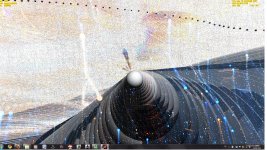
I've got a strange bug with the SL version of the client :

bugbugbug.jpg

Pretty cool effect, in fact ! :thumbup::)
I didn't do anything but launching Hubble default scenario.
 
OK. Without V-sync activate the FPS remains stable throughout several day/night cycles in the Atlantis/Launch into sunrise scenario at 72 FPS.

There is probably something else, other than the client, that's reducing the framerate down to 15 in the SSU scenario. There are some ways to improve the efficiency of the local light sources and make them to look a little better. But now I am going to have same sleep.

---------- Post added at 01:09 ---------- Previous post was at 01:07 ----------

I've got a strange bug with the SL version of the client :

Nice effect, But the RC14 doesn't have a SL version. So, remove it from the /plugin/ folder and use the non-SL version instead.:thumbup:
 
Ok, got it :)

The other one is working fine ! Still has the smooth 400-500 FPS.
 
I've found a little bug with clouds? textures? or lighting?
bug1.png

bug2.png

these dark ? are blinking very fast, also STS doors are always closed(Shuttle Fleet)
BTW great work:thumbup:
 
Celestial body non-spherical meshes like Phobos and Deimos aren't visible.

Sorry if this problem was reporte already in this thread - it's quite long and I really don't have much time to read it now; at least it's not mentioned in the list of known problems.
 
I've found a little bug with clouds? textures? or lighting? these dark ? are blinking very fast, also STS doors are always closed(Shuttle Fleet) BTW great work:thumbup:

Looks a bit like z-fighting. You may have two Earths overlapping each-other. Also, Delete D3D9ClientSL if it exists in /Modules/plugin/ folder.
 
D3D9Client RC15

Here is RC15. If you have a D3D9ClientSL.dll located in you /Modules/plugin/ folder, remove it. It doesn't belong in RC15 installation.

- SoyuzTMA LES grid stabilizator animation issue is fixed.
- Phobos and Deimos are back in their orbits.
- Ambient light setting in a visual effects tab is now effecting in vessels.
- FX scripts are complied for shader model 3.0 by default. (+10% in framerate)
- Few other optimizatios are made. (+50% in framerate)

I'll try to find some ways to improve the local light sources and make them to effect in runways and base-tiles. Hopefully without any significant performance cost.
 
Last edited:
Back
Top