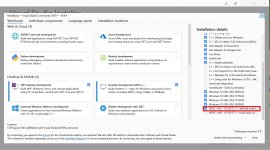
Where do I get them?

Through the VS2019 Installer.Where do I get them?


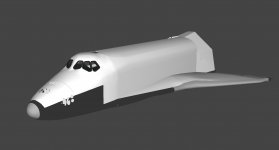
Question on new orbiter mesh: How far should I take it? Since this is a brand new mesh, it will break things once I get it into Orbiter. So should I proceed or is it better to wait?
I could take care of the animations, although there's several that aren't implemented yet (for example, the star tracker doors and the vent doors). The star tracker doors do have animation sequences attached to them, it's just that the switches on O6 aren't hooked up to them yet. And the vent doors are commanded either through the RSLS (commanded to full OPEN at T-28 seconds at 2.5 sec intervals with an RSLS check at T-7 seconds) in or SPEC 051 OVERRIDE (part of Entry FDF, page 2-10, VENT DOOR CLOSE).Can you fix the animations yourself? If not better wait until somebody is around who can.
And who can do that, should do it in a feature branch. Make sure the mesh is fully integrated into SSU and then merge the branch back.
I could take care of the animations, although there's several that aren't implemented yet (for example, the star tracker doors and the vent doors). The star tracker doors do have animation sequences attached to them, it's just that the switches on O6 aren't hooked up to them yet. And the vent doors are commanded either through the RSLS (commanded to full OPEN at T-28 seconds at 2.5 sec intervals with an RSLS check at T-7 seconds) in or SPEC 051 OVERRIDE (part of Entry FDF, page 2-10, VENT DOOR CLOSE).
How do you mean? Currently there's no triggers for them. The ST door switches on O6 have their proper animations but there's no connection between the switch logic and the actual ST door animations. So moving the switches does nothing, the ST doors remain closed. And the AVS has no animations period.No show stopper there, IMHO. You can test the animations also without any simulation behind, if needed.
How do you mean? Currently there's no triggers for them. The ST door switches on O6 have their proper animations but there's no connection between the switch logic and the actual ST door animations. So moving the switches does nothing, the ST doors remain closed. And the AVS has no animations period.
Well, the thing is that I'm not a coder. I can edit existing code, but not create new code. Maybe I should wait until we have the external animation system we discussed for version 5.2 is in place.Yes. What about you just define some REALLY obscure keybinding (or keybinding sequence) for triggering all animations for test purposes? This way you can test that all animations work fine and are not depending on people implementing the mechanic subsystem.
Well, the thing is that I'm not a coder. I can edit existing code, but not create new code. Maybe I should wait until we have the external animation system we discussed for version 5.2 is in place.
Maybe not, but it is certainly a foreign language, one I'm not familiar with.It isn't exactly rocket science.

What neets to be done?It isn't exactly rocket science.