New Orbiter Beta Released (r.44, Dec 5 2015)

There is indeed a small change between the definitions of GetHorizonAirspeedVector in 2010-P1 and GetGroundSpeedVector(FRAME_HORIZON) in the beta:

In 2010-P1, the vector returned by GetHorizonAirspeedVector is the vessel's velocity vector (relative to the planet centre) minus the velocity of a surface point below the vessel - independent of the vessel's altitude.

In the beta, the vector returned by GetGroundSpeedVector is the vessel's velocity vector (relative to the planet centre) minus the velocity of a point at the current vessel position, fixed in the rotating planet frame. In other words, it is the vessel's velocity in the rotating planet frame.

The two definitions are identical at ground level, but start to diverge at higher altitudes. In particular, a vessel in geostationary orbit has a zero groundspeed in the new definition, but had a nonzero airspeed in the old definition. (I think my rationale of the old definition was something like the atmosphere lagging behind the rotating planet surface at higher altitudes - which obviously is not correct.) So the new version is intended to remove this ad-hoc assumption and provide a more consistent definition.

Does that make sense? Given this new definition, can you correct your ascent calculations so that they come to correct results again?

First of all thank you very much for the quick and detailed responses!

Relevant to ShiftCG everything works perfectly now! thank you!

About the groundspeed I think I understood what you mean, and first the good news: I simply changed this
Code:
const double wearth=2*PI/oapiGetPlanetPeriod(GetSurfaceRef()); 
	double EastVel=abs((oapiGetSize(GetSurfaceRef()))*wearth*cos(lat));
into this
Code:
const double wearth=2*PI/oapiGetPlanetPeriod(GetSurfaceRef()); 
	double EastVel=abs((oapiGetSize(GetSurfaceRef())+GetAltitude())*wearth*cos(lat));

and orbit is reached again with a 4 digits precision :thumbup:

I think that the result and what you stated is perfectly consistent and correct: in my vision the groundspeed is the velocity of the point projected on the surface by the vessel which coincides with the velocity in the rotating frame.

so, for example, if you fly at high altitude you do an arc much longer than the distance projected on earth and with a speed much higher than the groundspeed.

I hope I was clear and to have guessed what you meant!

Thanks again for this amazing job! :cheers:
 
Finallyyyyyyyyyy! :woohoo:

Customer satisfaction is our priority. We strive to follow up on every bug report within no more than 10 years (and often succeed). :lol:

Can I take it from the enthusiastic reaction that it actually works? Can I close the issue thread?
 
Sorry, I was in school, and then there were the kids to take care of... got around to testing it just now.
It does indeed seem to be fixed, although there is something really weird going on.

At first, after the update, the problem persisted. I fired up visual studio to run some further tests. First I just rebuilt the IMS dll and ran it, and... the problem was gone. Being thouroughly confused, I took the newly built dll back to Orbiter 2010 P1, where the problem now also seems to be gone. This shouldn't really be possible, so I'm a bit reluctant to give the green light at the moment. Maybe I changed my build and am not reproducing it correctly. That would seem to be the most logical explanation. I'll look into it, though probably not today anymore... waaaay too tired right now.
 
Last edited:
But of course I can't leave my finger of a mystery even when I fall asleep while trying to solve it.

I tested the original shuttlePB sample that I posted to reproduce the bug (with your corrections, of course), and I got the same result: A dll that worked in both Orbiter 2015 and 2010 P1. Any idea what voodoo might be at work here?

There's a caveat, though... The Mesh of the ShuttlePB starts distorting like mad, to the point where it occasionaly occults the sky (voodoo magic indeed).
This still happens after replacing the new ShuttlePB.dll with the original one or reverting it in SVN. So there's a chance the problem had persisted before and I didn't notice it, although I think I would have noticed it in Orbiter 2010 P1 (yes, the behavior is exactly the same in both versions, inline client. Also, the shadow retains the correct form).

I honestly have no Idea what might be going on here. I have attached a zip with the .cpp and the "evil" dll in case you want to run it.
 

Attachments

Last edited:
I couldn't actually run your DLL because I don't have the required debug runtimes.

Which brings me to an idea: do you get the same effect if you compile a release version? Did you use a different compiler when you got the CTDs? And if so, and if you still have that compiler, could you try to compile with that so see if you can reproduce the CTD in 2010-P1?

What exactly is the procedure to reproduce the mesh distortion? Does this also happen on the second launch only, or also on the first call?
 
I couldn't actually run your DLL because I don't have the required debug runtimes.

Ugh, really sorry about that. Release build is attached.


Which brings me to an idea: do you get the same effect if you compile a release version?

Yes, I do.

Did you use a different compiler when you got the CTDs?

Indeed. I was using VisualStudio 2008 back then, the current build is on VisualStudio 2013. Good thinking.

And if so, and if you still have that compiler, could you try to compile with that so see if you can reproduce the CTD in 2010-P1?

I'm not sure how easy it is to still get a hold of VS 2008. There's also the problem that I'll be on vacation from tomorrow (which is almost today already) and limited to mobile net, so no big downloads until a week after.

What exactly is the procedure to reproduce the mesh distortion? Does this also happen on the second launch only, or also on the first call?

I just launched it after building that ShuttlePB dll and there it was, right of the bat (DG brighton beach scenario). So I took the dll to Orbiter2010, and there it was again. I deleted the new dll and renamed the original one to ShuttlePB.dll again, and it still happened (2010P1). Then I right-clicked on the new ShuttlePB.dll in Orbiter 2015 and clicked revert from the svn submenu, which worked for all I could tell, but the problem was still there. As a matter of fact, I can't seem to get rid of it anymore, however that is possible. I'll have to get a fresh install and see about a possible reproduction from scratch. Right now I have trouble believing that the occurence is really related, although I wouldn't know where else it would come from.
 

Attachments

Ugh, really sorry about that. Release build is attached.
Thanks!

I just launched it after building that ShuttlePB dll and there it was, right of the bat (DG brighton beach scenario). So I took the dll to Orbiter2010, and there it was again. I deleted the new dll and renamed the original one to ShuttlePB.dll again, and it still happened (2010P1). Then I right-clicked on the new ShuttlePB.dll in Orbiter 2015 and clicked revert from the svn submenu, which worked for all I could tell, but the problem was still there. As a matter of fact, I can't seem to get rid of it anymore, however that is possible. I'll have to get a fresh install and see about a possible reproduction from scratch. Right now I have trouble believing that the occurence is really related, although I wouldn't know where else it would come from.

I can't reproduce the problem, even with your dll, and even with a freshly checked-out orbiter beta. Not sure what could cause this. Maybe some runtime mismatch? But why this problem should show up just now is a mystery.

Anyway, it's nothing that can't wait for a week (in particular since it took me quite some time to pick up the original bug report anyway) - so enjoy your holiday!

In the meantime, maybe somebody else could download jedidia's ShuttlePB.dll and see if they can reproduce the reported mesh distortion.
 
Can't reproduce Jedidia's problem either. Everything seems fine except shifted CoG, but I guess it was what this .dll was meant to do. Mesh of the ShuttePB is boringly normal.
 
Bonjour Docteur,

Thank you for your work on Orbiter;

Would it be possible, as in past versions of ortbiter, to to have (by adding a line?), in the current state and quicksave's scn, the line
Help Default \ Checklists \ .... useful when a specific chm comes with an addon (Kulch addons ans some others).

For example:

BEGIN_ENVIRONMENT
System.....................
Date MJD ...............
Help CurrentState_img
Help Default\Checklists\mychm,mychm
END_ENVIRONMENT

I'm finishing an utility giving the possibility via different menus to view videos, images, text files,htm files, pdf, in two separate windows, and timers, starting from a chm parsing an external html file.


Good day.

( my message number 130 page 9 of this thread )

http://orbiter-forum.com/showthread.php?p=515433&postcount=130
 
Last edited:
Committed r.34

Change log:
  1. Bug fix: inline help (Alt-F1) did not work when scenario help file referenced a html instead of a chm file.
  2. Scenario files: scenarios with an existing help file reference now keep this when saved to current state or quicksave. (see below)
  3. Bug fix: MapMFD: drawing groundtrack lines in geostationary orbit caused performance loss
  4. Bug fix: graph drawing in dialogs could result in infinite loops (Flight data monitor) [issue #869]
  5. DeltaGlider: Nosecone operation moved into DockingSubsystem

Would it be possible, as in past versions of ortbiter, to to have (by adding a line?), in the current state and quicksave's scn, the line
Help Default \ Checklists \ .... useful when a specific chm comes with an addon (Kulch addons ans some others).
 
Bug fix: inline help (Alt-F1) did not work when scenario help file referenced a html instead of a chm file.

I did not know that.

Scenario files: scenarios with an existing help file reference now keep this when saved to current state or quicksave. (see below)

I am currently finishing to write the instructions for use of this little addon. Really thank you. :)

Good day docteur.
 
Last edited:
I think I can now savely say that the ShuttlePB mesh issue is unrelated to the ShiftCG thingy.

I just tried a fresh install, and the problem was present there already. I'm not quite sure how it was possible for me to never notice it before, though.
The issue appears only in the DG brighton beach scenario. The mesh seems fine in other scenarios, and even in the brighton beach scenario any other spawned ShuttlePB shows up normally. Only the one sitting on the pad at bb goes wonky. It also only happens in the inline client, D3D9 client is fine. Happens to me on both orbiter 2010 P1 and Beta.

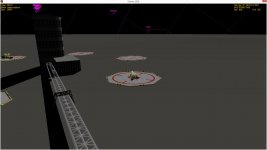
I've attached a screenshot just to show that I'm not crazy. THe screen is only a momentary capture of one of the forms the mesh goes through. It's constantly twisting, expanding and contorting like an eldritch abomination, at times swallowing the sky, at times being completely invisible.

If anybody else is getting this it might be worth looking into. If not, never mind. I'll just chalk it up to bad influence I'm having on my computer... :shifty:

As for the ShiftCG bug, I think we can definitely close that issue now that I'm sure that the two aren't related.


EDIT:

Something completely different I've noticed during these tests is that the rail car doesn't seem to follow the horizontal alignement of the rail in the Beta. On Brighton Beach, it is nicely below the rail at one end, but passes through the rail and is above it on the other. Maybe this is already known.
 

Attachments

  • PBdistortion.jpg
    PBdistortion.jpg
    178.5 KB · Views: 70
Last edited:
Something completely different I've noticed during these tests is that the rail car doesn't seem to follow the horizontal alignement of the rail in the Beta. On Brighton Beach, it is nicely below the rail at one end, but passes through the rail and is above it on the other. Maybe this is already known.

Yes, I noticed that as well. At the moment the train doesn't cope well with the two endpoints of the line being at different elevations.
 
Docking and undocking while landed changes the landed state to not landed for a frame or two. Is this intended, or unexpected behavior?
 
Yes, this is intended. There is no guarantee that the individual vessels of a landed (idle) docked assembly are themselves in equilibrium after undocking, so Orbiter switches back to "active" mode to allow the components to settle to their equilibrium state after undocking. If they are at their equilibrium state already, they will switch back to idle quickly, otherwise it might take longer.
 
One question about touchdown points:

If I set them in the older mode the rocket sits on its tail correctly but as soon as thrust starts to be applied it fells down into the terrain and keeps falling inside Earth until thrust is strong enough to make it fly (and starts flying some hundreds meters below ground level).

If instead I use the new method with stiffness and damping the rocket keeps making small jumps in place while thrust is building up, which is always a bit risky. I tried with the full spectrum of stiffnes and damping values (including the ones that made me jump outside the solar system as soon as the simulation was started).

Is there a way to avoid this effects?

two other small things: how can I show fps without turning on the performance meter window? also I cannot open the camera dialog in full screen mode.

Thanks in advance!
 
If I set them in the older mode the rocket sits on its tail correctly but as soon as thrust starts to be applied it fells down into the terrain and keeps falling inside Earth until thrust is strong enough to make it fly (and starts flying some hundreds meters below ground level).

If instead I use the new method with stiffness and damping the rocket keeps making small jumps in place while thrust is building up, which is always a bit risky. I tried with the full spectrum of stiffnes and damping values (including the ones that made me jump outside the solar system as soon as the simulation was started).

Is there a way to avoid this effects?
Do you get this problem also with the default Atlantis on launch? If not, can you try those touchdown parameters on your vessel to see if that helps (you may however need to adjust the stiffness parameters accordingly if your vessel mass is significantly different).

Also, in the Launchpad dialog, go to Extra | Time propagation | Dynamic state propagators, and set the "Max. Subsamples" value from 10 to 100. Does that make any difference?
two other small things: how can I show fps without turning on the performance meter window? also I cannot open the camera dialog in full screen mode.
Right-click on the main menu to bring up the menu context dialog, and set the left or right auxiliary info bar to "Frame rate".

Open Orbiter.cfg, and delete the "Window positions" section. This should reset the dialog window positions if for whatever reason they have been shifted off-screen.
 
Do you get this problem also with the default Atlantis on launch?

Worse: when I open the simulation I find the atlantis some 50 meters above ground falling back, like it had bounced up to that height

If not, can you try those touchdown parameters on your vessel to see if that helps (you may however need to adjust the stiffness parameters accordingly if your vessel mass is significantly different).

Tried anyway but the problem becomes sensitively worse: as soon as the engines starts to light the rocket jumps high

Also, in the Launchpad dialog, go to Extra | Time propagation | Dynamic state propagators, and set the "Max. Subsamples" value from 10 to 100. Does that make any difference?

tried, no difference

Other problems are perfectly solved, thank you very much and sorry, I didn't know I could right click the info bar, I missed that in the forum.
 
Back
Top