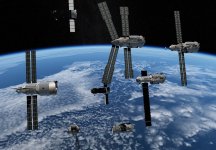
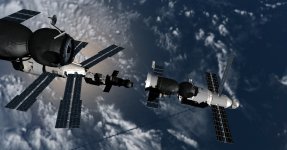
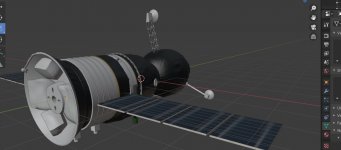
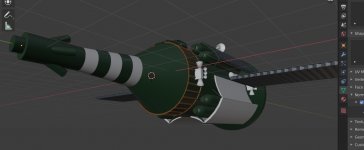
Project Mir station complex / UR-500 family

or you can use the program VesselBuilder for Orbiter (making animation clearer)
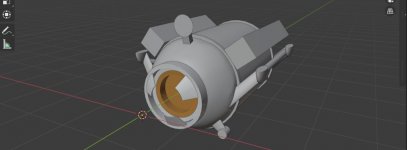
I am facing a problem chrome piece looks good in a blender but it looks bad in orbiter. maybe there is a secret to making chrome?

Remember that Blender and Orbiter have different shading algorithms. You need a high specular value for the material definition in Orbiters mesh file.
 
The exporter for v2.8x seems quite consistent regarding basic materials.
Reflexions and metal like shading are only possible on the D3D9 client, but you need to add an extra config file or spec map textures.
 
chrome (solution to the problem) - chrome works great on rounded shapes (ball, cylinder ) but if the object has a right angle, it does not understand what to reflect (e.g. docking port) then you have to do a UV and make chrome from the texture
 
Last edited:
Kevin Gustafson made a very detailed web series on YouTube about Mir chronicling every Soyuz and Progress mission, and station assembly flights using archive footage and KSP. Hope this might help well with your development:)
glad to see that I am not alone in the key points of the station modeling and adds details from myself ?
 
So awesome to see this addon coming on, the finished product is going to look amazing! :hailprobe:
 
I found a little trouble white texture remains white in shadow. but getting into the sun turns gray (in the screenshot above, this is noticeable on the Mir module)
ISS suffers from this disease i tried all possible blender and dx9 settings the problem remains

I found the source of the problem the problem is in the mesh reflection corrected (but I have to redo some parts of the mesh) ?
 
Last edited:
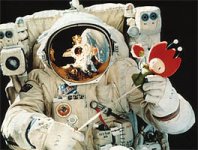
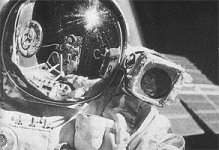
MakeHuman a program that allows you to create people there is a lesson on YouTube on how to make a spacesuit on a person
another question is to find a blueprint for a spacesuit " Orlan-DMA "
tm08_serebrov_orlan.jpgtm08_viktorenko_orlan.jpg
 
APAS-95 (which was installed on the shuttle) no different from APAS-89 (which was installed on the Kristall module)?

545454.jpg
 
Last edited:
APAS-95 (which was installed on the shuttle) no different from APAS-89 (which was installed on the Kristall module)?

View attachment 22871
According to Wikipedia, "Although [RKK] Energia's code for the Shuttle APAS is APAS-95, it has been described as being basically the same as APAS-89." So, you can copy the docking port of the stock Atlantis in Orbiter 2016, and use it for the Kristall module.
 
Last edited:
it is possible to split an object in two ( Kvant-1 tug divided into two Soyuz divided into three) but without using a file .dll?
Soyuz from add-on ISS Fleet V4.5 for Orbiter 2010 divisible by three without file .dll and he is the only one who works on the orbiter 2016
(I have a backup plan to just attach one to the other with a scenario)
 
The advantages of using VesselBuilder is that you could see and test your changes right away during simulation, and that could be saved permanently when you close Orbiter (but not when it crashes)

In addition, there's a backup.txt file automatically written in the Config in case there's something wrong in it
 
the only Soyuz T that I could find is the Soyuz from the movie Salyut 7 ( 2017) :) even more from the movie trailer

View attachment 22895
Great start! Love the movie btw even though some scenes are a little semi-fictional (my copy has English subtitles in it)

Some additional drawings for the Soyuz T and the Progress 7K-TG:

images

Progress 7K-TG

images

Soyuz 7K-ST (Soyuz T)
 
This is the only photo of a TKS derived vehicle I was able to find:

Based on it, I think the Almaz Space Stations might be a good approximation for thermal covers:

 
Last edited:
Back
Top