Project Mir station complex / UR-500 family

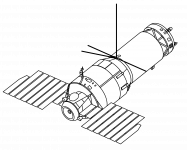
When @Gargantua2024 talked about whether the image of an Almaz station is available in public, I took a drawing of it from Mir Hardware Heritage, a document "about the heritage of the major hardware elements associated with the Mir space station complex." Almaz station belongs to such category in the document.
 
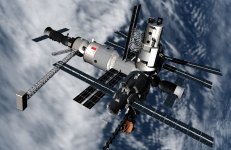
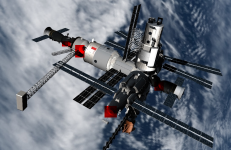
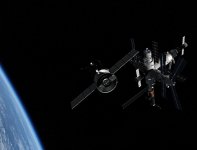
You need to rotate the modules at the front of the station (at least Kvant 2 and Spektr) by 90º, so that their solar panels are all "going to the sides".
Mir_from_STS-81.jpg


Also, the Docking Module had its 2 docking ports rotated by some angle (45º?).
 
thanks but so far the working mess (There is hardly such an expression in English:))
 
do not forget that I am a noob
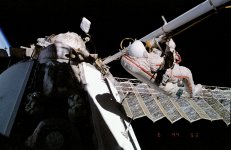
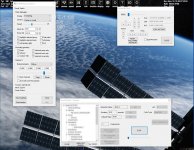
watching the developers fight with Canadarm, Strela (mir) getting farther from me 681033-caa4d7010166c705636808010ff22d12.jpg
 
do not forget that I am a noob

I am sure not telling you something surprising or insult anybody out here by saying, that we all once started out as noobs.

Just don't get used to being a noob, ok? You can do it.
 
I'm very worried about creating animation (I will have to create rockets with launching complexes and I would like to reduce the load now) i need to remove solar panels
there is a more detailed instruction on how to make an animation of solar panels in my situation? (VesselBuilder)
 
I'm very worried about creating animation (I will have to create rockets with launching complexes and I would like to reduce the load now) i need to remove solar panels
there is a more detailed instruction on how to make an animation of solar panels in my situation? (VesselBuilder)

I am no expert on VesselBuilder, but I can tell you that even in native C++, it is not overly complex.

Essentially you just need to know three things for each animation component in your solar array: The group id in the mesh, the position in the vessels visual and the rotation angle of the joint (positive or negative angles).
 
It's very time consuming to create complex animations.
Many people simply create two meshes (one with the panels closed, another with the panels open). Then they swap the mesh on payload jettison.
Another option is a single mesh with different mesh groups for open/close panels. You then swap (or scale) the visible group on key press.

The key is to find the best solution for your skill level.
 
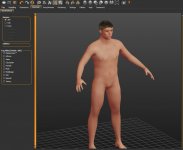
MakeHuman creates a character for import into a blender, from the body with the help of sculpting we create a spacesuit head will be needed later for transparent glass on the helmet
6565.jpg
 
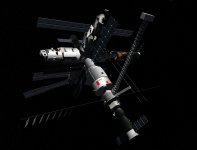
Heads up, the Base Block isn't in the correct orientation in relation to the other modules. From the view above, it should be rotated 90º CW.
 
Back
Top