
-
ORBITER-FORUM will be temporarily closed at 2026-07-23 18:00 UTC while we complete some OF maintenance tasks. The amount of downtime is expected to take up to one hour, but probably less.
You are using an out of date browser. It may not display this or other websites correctly.
You should upgrade or use an alternative browser.
You should upgrade or use an alternative browser.
Discussion Mesh making with Blender
- Thread starter misha.physics
- Start date

misha.physics
Well-known member
- Joined
- Dec 22, 2021
- Messages
- 1,534
- Reaction score
- 2,326
- Points
- 128
- Location
- Lviv
- Preferred Pronouns
- he/him
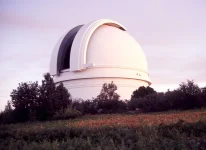
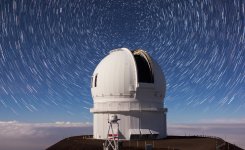
Honestly I don't know what textures could add more details to the model. I used these pictures as reference:
misha.physics
Well-known member
- Joined
- Dec 22, 2021
- Messages
- 1,534
- Reaction score
- 2,326
- Points
- 128
- Location
- Lviv
- Preferred Pronouns
- he/him
I didn't consider my posts in this thread as such the "tutorials", since I'm new in Blender myself, but nevertheless it could be useful for someone.Feel like putting together a couple of training tutorials for those new to trying Blender for Orbiter modelling?
Or if you mean whether I'm going to make some structured tutorials on Blender, then I haven't thought about it. I think there're a lot of professional free video lessons on Blender on YouTube.

Perhaps, but not enough specifically on how to make Blender work with Orbiter.I didn't consider my posts in this thread as such the "tutorials", since I'm new in Blender myself, but nevertheless it could be useful for someone.
Or if you mean whether I'm going to make some structured tutorials on Blender, then I haven't thought about it. I think there're a lot of professional free video lessons on Blender on YouTube.
misha.physics
Well-known member
- Joined
- Dec 22, 2021
- Messages
- 1,534
- Reaction score
- 2,326
- Points
- 128
- Location
- Lviv
- Preferred Pronouns
- he/him
I'm using the Blender Orbiter Mesh Tools, it includes a basic tutorial.
By the way, questions regarding mesh making (including texturing) with Blender can be asked in the current thread.
By the way, questions regarding mesh making (including texturing) with Blender can be asked in the current thread.

Buck Rogers
Major Spacecadet
- Joined
- Feb 26, 2013
- Messages
- 1,232
- Reaction score
- 1,648
- Points
- 128
For modding in Orbiter (especially low poly) textures are as important as the meshes.Honestly I don't know what textures could add more details to the model. I used these pictures as reference:
At first glance one would say it's just white, but that's not true:
It's an off white, it's dirty, the inside is dark, there are lots of structural details, bumps, windows, insignia, all these belong in the texture. One should also add subtle shadows, together with norm, emis, etc. maps it can look almost photo realistic (even though it's low poly). Check aircraft skinning tuts to learn the arcane art.
I've thought about this but it's very difficult, where to begin, how to put it together. And Orbiter specific problems are few compared to the bulk of general 3D knowledge needed. A very simple starting walkthrough specific for Blender with the Orbiter plugin might be good for absolute beginners (simple export to Orbiter).Feel like putting together a couple of training tutorials for those new to trying Blender for Orbiter modelling?
A good place to start would be to make a UACS cargo (slight momentary bias), but start by reskinning a box, then add norm maps, then start in Blender with a simple box, make changes, export and go from there. And if you get stuck ask questions, slowly a small Orbiter Blender community is growing.
misha.physics
Well-known member
- Joined
- Dec 22, 2021
- Messages
- 1,534
- Reaction score
- 2,326
- Points
- 128
- Location
- Lviv
- Preferred Pronouns
- he/him
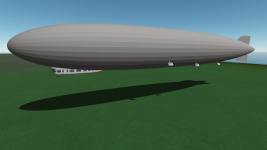
A new airship is almost done:


misha.physics
Well-known member
- Joined
- Dec 22, 2021
- Messages
- 1,534
- Reaction score
- 2,326
- Points
- 128
- Location
- Lviv
- Preferred Pronouns
- he/him
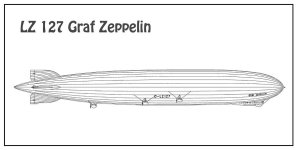
I used the blueprint as a reference:
misha.physics
Well-known member
- Joined
- Dec 22, 2021
- Messages
- 1,534
- Reaction score
- 2,326
- Points
- 128
- Location
- Lviv
- Preferred Pronouns
- he/him
I finished the mesh:
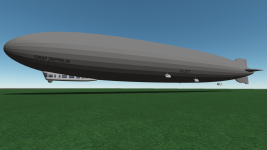

- Joined
- Feb 6, 2008
- Messages
- 38,938
- Reaction score
- 3,937
- Points
- 203
- Location
- Wolfsburg
- Preferred Pronouns
- Sire
BTW, if you want to get the flight behavior right, there is a treasure trove of information and scientific research on the LZ-126/ZR-3 U.S.S Los Angeles, a smaller, but similar build Zeppelin built in Germany for the USA.
For example:
 ntrs.nasa.gov
It looks really much much like the LZ-127 constructed right afterwards, especially the gondola and its passenger spaces. The flight experience of Los Angeles also contributed to the later passenger operations of the DELAG.
For example:
Full-Scale Turning Characteristics of the U.S.S. Los Angeles - NASA Technical Reports Server (NTRS)
This paper present a description of the method employed and results obtained in full-scale turning trials on the rigid airship U. S. S. "Los Angeles". The results of this investigation are not sufficiently comprehensive to permit definite conclusions as to the variation of turning...
It looks really much much like the LZ-127 constructed right afterwards, especially the gondola and its passenger spaces. The flight experience of Los Angeles also contributed to the later passenger operations of the DELAG.
Last edited:
misha.physics
Well-known member
- Joined
- Dec 22, 2021
- Messages
- 1,534
- Reaction score
- 2,326
- Points
- 128
- Location
- Lviv
- Preferred Pronouns
- he/him
Thanks. Honestly, I didn't think to make an aerodynamic model, since I don't understand this subject well yet. So, you or anyone else could do that if you want. I agree to share my mesh for it.
- Joined
- Feb 6, 2008
- Messages
- 38,938
- Reaction score
- 3,937
- Points
- 203
- Location
- Wolfsburg
- Preferred Pronouns
- Sire
Thanks. Honestly, I didn't think to make an aerodynamic model, since I don't understand this subject well yet. So, you or anyone else could do that if you want. I agree to share my mesh for it.
I will think about it. I had made some researching for it before, but always (like now) had something else in mind.
misha.physics
Well-known member
- Joined
- Dec 22, 2021
- Messages
- 1,534
- Reaction score
- 2,326
- Points
- 128
- Location
- Lviv
- Preferred Pronouns
- he/him
Fixed some inscription background issue:

- Joined
- Feb 6, 2008
- Messages
- 38,938
- Reaction score
- 3,937
- Points
- 203
- Location
- Wolfsburg
- Preferred Pronouns
- Sire
Well, it looks great, but isn't really accurate, the modern font is too rounded and the middle lines of E and F to long, also the words have more separation between them.

(Source: https://www.airships.net/lz127-graf-zeppelin/history/ )
If you want to see more of it, here is a great video in sadly rather poor quality (for modern standards).
(Could you maybe make the old small construction shed at Friedrichshafen? Most flights of it started there.)
(Source: https://www.airships.net/lz127-graf-zeppelin/history/ )
If you want to see more of it, here is a great video in sadly rather poor quality (for modern standards).
(Could you maybe make the old small construction shed at Friedrichshafen? Most flights of it started there.)
- Joined
- Feb 6, 2008
- Messages
- 38,938
- Reaction score
- 3,937
- Points
- 203
- Location
- Wolfsburg
- Preferred Pronouns
- Sire
Sadly a quick search can't find a suitable font that you can use for the letters. Its a special simpler version of a Grotesk Font, but the (likely-train inspired) "PreussischeI V44 Ausgabe 3" gets pretty close. But there, G, R and Z are far off.
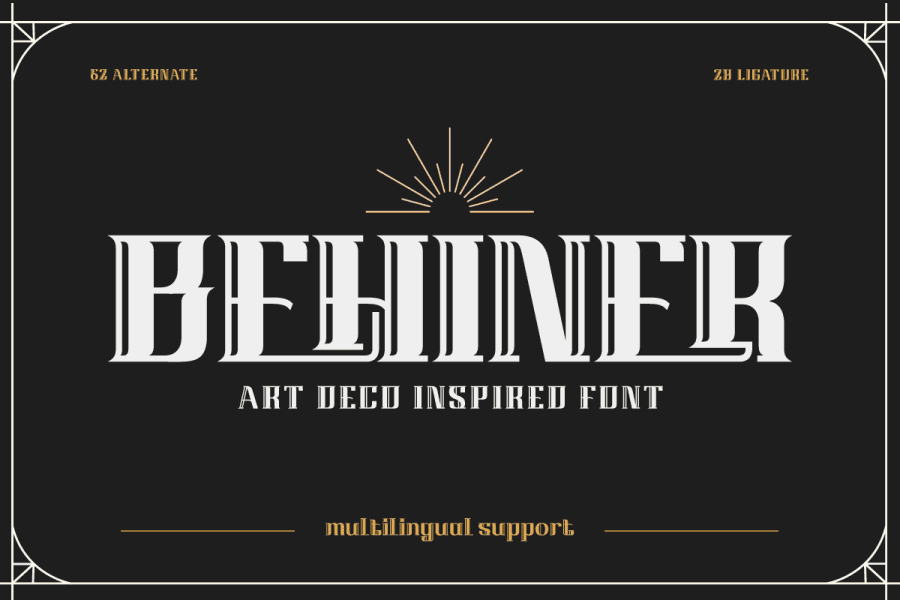
 www.1001fonts.com
100+ Free 1920s Fonts · 1001 Fonts
Download beautiful, vintage-inspired 1920s fonts for free! Give your web designs a unique and stylish look with these fonts, perfect for all creative projects.
www.1001fonts.com
misha.physics
Well-known member
- Joined
- Dec 22, 2021
- Messages
- 1,534
- Reaction score
- 2,326
- Points
- 128
- Location
- Lviv
- Preferred Pronouns
- he/him
Thanks. Oh, I noticed that I made the inscription only on one left side.
By the way, I saw this:
Maybe I could search for it later.Could you maybe make the old small construction shed at Friedrichshafen?
By the way, I saw this:
- Joined
- Feb 6, 2008
- Messages
- 38,938
- Reaction score
- 3,937
- Points
- 203
- Location
- Wolfsburg
- Preferred Pronouns
- Sire
Thanks. Oh, I noticed that I made the inscription only on one left side.
You must pay attention there, the paint scheme is asymmetric, especially at the rudders. If you want to do the Nazi era paint scheme, remember that the swastika is only on the port side, while the starboard side shows the tri-color of the naval ensign.
Thats the Zeppelins always flew with their starboard side facing cities outside Germany, so nobody saw the swastika.... Hugo Eckener really despised the Nazis, for example, he flew clockwise around Chicago on their trip there.
The pre-1933 paint scheme seems mostly silver with minimal black text, for example, the lower rudder only had "D." on it, likely for telling its a German airship.
Maybe I could search for it later.
There are many pictures for it, should be easy. I also have a map of the era. AFAIR there is also a NACA report about airship ground handling that has some gritty pictures.
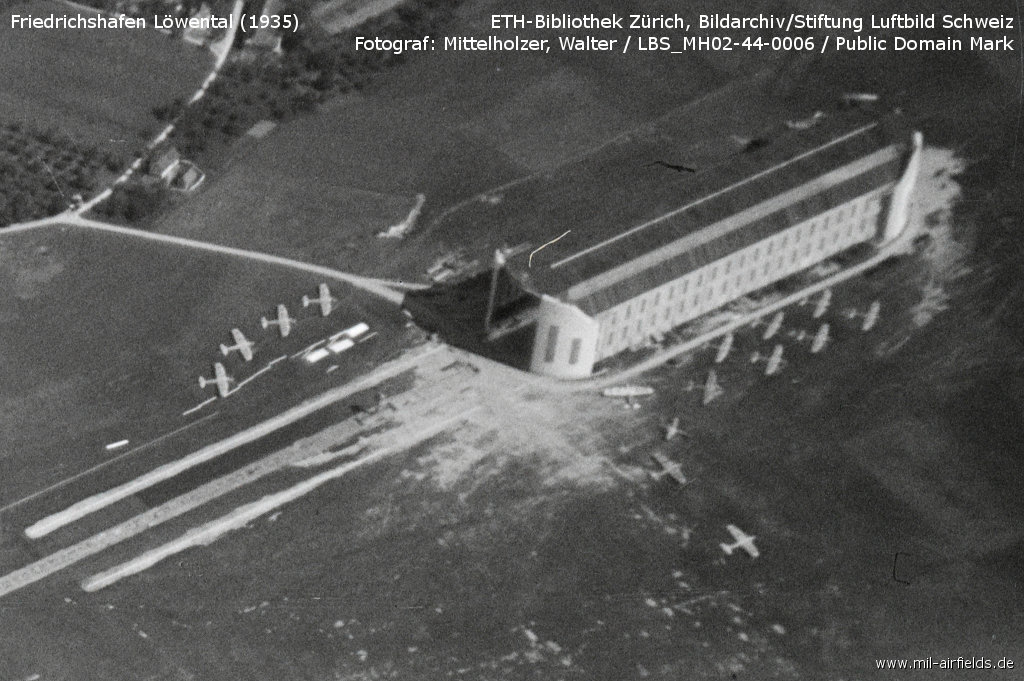
Flugplatz Friedrichshafen Löwental
www.mil-airfields.de
By the way, I saw this:
Thanks I didn't see this yet.
Last edited:
misha.physics
Well-known member
- Joined
- Dec 22, 2021
- Messages
- 1,534
- Reaction score
- 2,326
- Points
- 128
- Location
- Lviv
- Preferred Pronouns
- he/him
I think I should use one of these fonts:
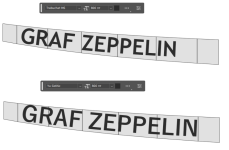
I prefer the second one.
I prefer the second one.
- Joined
- Feb 6, 2008
- Messages
- 38,938
- Reaction score
- 3,937
- Points
- 203
- Location
- Wolfsburg
- Preferred Pronouns
- Sire
Yes, the second is closer to the goal. The curves are just a bit too round, but I am sure, thats the special Zeppelinwerft flavor. Maybe you can find a good reference to use as texture instead of using a windows font. And maybe use two whitespaces.
Similar threads

- Replies
- 103
- Views
- 25K


- Replies
- 175
- Views
- 41K
