Gaming Digital Combat Simulator Thread

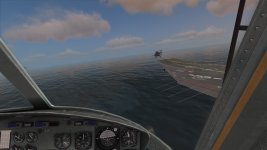
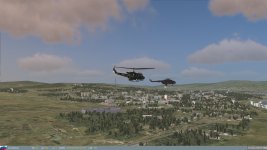
Welcome to Helicopter flying! :D
 

Attachments

  • Screen_130920_205736.jpg
    Screen_130920_205736.jpg
    315.4 KB · Views: 28
  • Screen_130920_204755.jpg
    Screen_130920_204755.jpg
    418 KB · Views: 26
:D

@Urwumpe and other Hip flyers: use the autopilot(s)!

It's more like a stabilization system similar to the one found in the Ka-50.
It offers pitch/roll and yaw stabilization (which I keep enabled at all times) and also an altitude hold function for those longer flights.
 
:D

@Urwumpe and other Hip flyers: use the autopilot(s)!

It's more like a stabilization system similar to the one found in the Ka-50.
It offers pitch/roll and yaw stabilization (which I keep enabled at all times) and also an altitude hold function for those longer flights.

I do that, its part of the standard take-off procedure after all. :lol: Still it is hard to keep the helicopter in one place.
 
DCS World crashes for me. Good thing I didn't buy any addons yet.:thumbsdown:
 
Where can I find that easily ?
 
Feeding the troll...
Windows (7 or earlier):
Start->Programs->Accessories->System Tools->System Information

Windows 8:
[Windows Key]+X->Command Prompt->Type systeminfo then hit [Enter]
 
Intel(R) Core(TM)2 Duo CPU
E8500 @ 3.16GHz
3.16 GHz, 3.25 GB of RAM
GeForce 9800 GTX+
XP
 
Well, here are my current specs:

Operating System|Microsoft Windows 7 Home Premium Version 6.1.7601 Service Pack 1 Build 7601
System type|x64-based PC
CPU|Intel(R) Core(TM) i7-3610QM CPU @ 2.30GHz, 2301 MHz, 4 cores, 8 logical processors
Installed physical memory|16,0 GB
Total real memory|15,9 GB
Available real memory|12,0 GB
Available virtual memory|31,8 GB
GPU 1|Intel(R) HD Graphics 4000
GPU 2|NVIDIA GeForce GTX 670M
 
Intel(R) Core(TM)2 Duo CPU
E8500 @ 3.16GHz
3.16 GHz, 3.25 GB of RAM
GeForce 9800 GTX+
XP

Hm, the reason for your crash might be related to using a 32-bit OS, which limits the amount of memory available to a single application to about 2GB, but, still, it should work.

Does a specific error appear?

The 3.25 GB of memory are...strange. Do you know how they are arranged?
 
no error, just CTD and I lose my screen background. Don't know how they are arranged.
 
no error, just CTD and I lose my screen background. Don't know how they are arranged.

How much memory does your GPU have? I have 1.5 GB exclusive
 
Are you running it from Steam? I had some issues running the Steam version of DCS world. Using the download from DCS instead seemed to work.
 
Not running steam.

I have

Total Physical Memoy 4,096 MB
Available physical memory 2.22 GB
Total virtual Memory 2.00 GB
Available virtual memory 1.96 GB
PAge File Space 5.09 GB

Does this tell you anything ?
 
Guys, correct me if I'm remembering wrong from my Windows XP/Desktop Tech days, but is his virtual memory not set a little low there? I'd always heard it should be set Custom at 1.5 x Total RAM for both min and max amount (to keep Windows from resizing it on the fly).

If so, in your case it would look like:
(*)Custom size:
Initial size (MB): 6144
Maximum size (MB): 6144
 
Just received my serial for the Mi-8. Will download this evening. Also have the A-10C to get up to speed on, but up for a flight probably tomorrow evening (US EDT).

---------- Post added at 06:33 PM ---------- Previous post was at 12:46 PM ----------

Wow. The Mi-8 sure likes to dance, doesn't she?
 
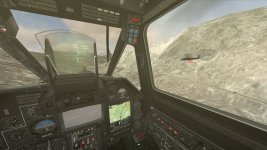
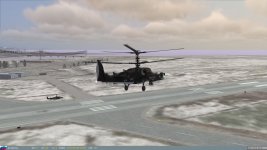
Last night in a short warm up mission.

We were both successful in not beeing shot down (and actually completing the mission objective), but took still some damage (he had lost his complete hydraulics).
 

Attachments

  • Screen_130922_212834.jpg
    Screen_130922_212834.jpg
    468.6 KB · Views: 27
  • Screen_130922_213527.jpg
    Screen_130922_213527.jpg
    397.2 KB · Views: 27
Back
Top