New Release D3D9Client Development

I'm trying to compile the source code from Codeplex using Visual Studio 2010 Express, and I keep getting a syntax error:

error C2061: syntax error : identifier 'ImageFileFormat'

I've tried to follow all the directions- the DirectX SDK (Feb 2010) is installed, NVAPI is installed (not mentioned in the directions, but still needed for some reason), the latest Orbiter plus beta is installed, Doxygen is NOT installed as I'm not interested in the documentation.

What is going on here?

Edit: I tried compiling it with plain ol' Orbiter 2010P1, and it worked fine. I could not get it to compile at all with the 111105 beta.
 
Last edited:
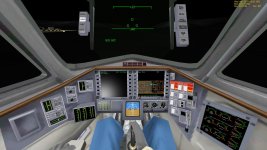
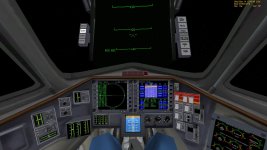
Working on adding emissive textures for virtual cockpits. The DG is the first victim...

 
Question - does it override emissive entry in material definition or mix with it?
 
Question - does it override emissive entry in material definition or mix with it?

Right now, I multiply it with the emissive material definition. Basically, the emissive channel is generated by:

diffuse texture * emissive texture * emissive material definition

or, if no _emis texture is found,

diffuse texture * emissive material definition

Ambient lighting is generated by

(diffuse sunlight + ambient light) * ambient material definition

The main goals are to make the emissive map to not cause glowing instruments during daytime, and to make the day/night difference big enough to make night lighting an interesting prospect.

PHP:
float3 emisMap = cTex.rgb * gMtrl.emissive.rgb;
float3 ambient = (gSun.diffuse.rgb + gSun.ambient.rgb) * gMtrl.ambient.rgb;
if (gUseEmis) {
    emisMap *= tex2D(EmisS, frg.tex0).rgb;

float3 diff = gMtrl.diffuse.rgb * (d * gSun.diffuse.rgb) + ambient;
float3 spec = gMtrl.specular.rgb * (s * gSun.specular.rgb);

if (gEnvMapEnable) {
    cTex.rgb *= (1.0f - gMtrl.reflect.a);
    spec += gMtrl.reflect.rgb * texCUBE(EnvMapS, reflect(-CamW, nrmW)).rgb;    
}
    
float3 colr = cTex.rgb * saturate(diff) + saturate(spec);
colr = (emisMap * (1 - colr)) + colr;
    
if (gDebugHL) colr = colr*0.5 + gColor.rgb;

return float4(colr.rgb, cTex.a*gMtrlAlpha);
 
Got an NVIDIA card for christmas; the first thing I tested was the 3D feature of D3D9 using my analygraph glasses. Too bad that 3D only works in true fullscreen, and too bad that FaceTrackNoIR has problems with glasses. If everything went alright it would be one hell of an experience !

---------- Post added 01-03-14 at 00:04 ---------- Previous post was 01-02-14 at 23:38 ----------

Also, I know this is a huge request, but any plans on self shadowing? This was the reason I used D3D11 back before reflections were implemented here, and it would be the "last feature" before perfection !
 
I'm working with the logitech extreme pro joystick and logitech profiler to map frequently used key bindings to it. I noticed the custom key bindings with the profiler works in orbiter exe but not orbiter_ng for some reason. Has anybody had any issues binding keys to their joystick for orbiter_ng particularly in conjunction with a stand alone joystick key binder?

No experience here, but a crazy idea... Is it possible to run both orbiter.exe (in Launchpad only) and orbiter_ng (simulating) at the same time, and have orbiter_ng capture the keypresses?
 
After a fresh Orbiter install, I have this warning in orbiter log:

Code:
...snip
D3D9Client: [Loading Stars]
WARNING: Inconsistent magnitude limits for background star brightness. Disabling background stars.
...snip

I never noticed it before.

And I also have these values (copied somewhere long time ago from an OF post) in Parameters tab (FWIW, with "Realistic sky" as a celestial sphere background):

3Oh8zKZ.png


Do you have any suggestion?

---------- Post added at 12:23 ---------- Previous post was at 11:53 ----------

Uh! Scratch that.
Now stars load correctly...go figure...
 
Started with a lens flare GLSL shader for the Blender Game Engine, I wanted to port it to HLSL. But I needed to test that shader in order to see if it works.

I then thought about ENB Series, which is a d3d9.dll wrapper that allows you to include post-processing into the frame before rendering. And I got it working ... kinda:
enbseries_d3d9_test01.jpg

Left is ENB on, right is off.

As you can see, stars are gone, atmosphere is gone, and apparently the sun is gone too. But I got Bloom! (yay).

To be continued ...

---------- Post added at 20:10 ---------- Previous post was at 18:58 ----------

The "GTA San Andreas" version of ENB works perfectly well, and give nice results:
enbseries_d3d9_test02.jpg

enbseries_d3d9_test03.jpg

enbseries_d3d9_test04.jpg


(Bottom/Left = ENB off; Top/Right = ENB on)

Plus some other random screenshot for fun:
enbseries_d3d9_test05.jpg

enbseries_d3d9_test06.jpg

enbseries_d3d9_test07.jpg


I do realize that I added ENB to test my shader ... Still this is cool !
 

After some experimentation, I have come up with a r0 set that works for both in-atmosphere and on-orbit sunrises/sunsets without any code mods:

Code:
D3DXVECTOR3 r0 = _one - D3DXVECTOR3(1.15f, 1.65f, 2.35f) * disp;

I like it a lot, but I think it looks strange while in the atmosphere.

But I found two things:

First, if you change the line in Mesh.fx
float3 diff = gMtrl.diffuse.rgb * (frg.diffuse.rgb + d * gSun.diffuse.rgb); // Compute total diffuse light
to
float3 diff = gMtrl.diffuse.rgb * (frg.diffuse.rgb + d * saturate(gSun.diffuse.rgb)); // Compute total diffuse light

and in NormalMap.fx
float3 diff = gMtrl.diffuse.rgb * (frg.diff.rgb * (local*local) + frg.ambi + d * gSun.diffuse.rgb);
to
float3 diff = gMtrl.diffuse.rgb * (frg.diff.rgb * (local*local) + frg.ambi + d * saturate(gSun.diffuse.rgb));

then the sunset colors look better in the atmosphere, removing the "toasted" look. See screenshot; before on top, after on bottom.


Second, if you use the "alt" parameter in D3D9Util.cpp, you can set the altitude at which the sunrise/sunset glow changes. When launching during a sunrise or sunset, the change is very abrupt at 50km. It should be possible to set different colors for different altitude layers for a gradual transition. However, the tweak mentioned above kind of makes this one unnecessary, as it doesn't look strange anymore when in the atmosphere.

Code:
D3DXVECTOR3 r0;
if (alt>5e4f)                        // if spacecraft is above 50km, 5e4 meters
    r0 = _one - D3DXVECTOR3(1.15f, 1.65f, 2.35f) * disp;
else
    r0 = _one - D3DXVECTOR3(0.65f, 0.75f, 1.0f) * disp;
 
Really happy to see so much development activity on the client.
Cheers guys! :thumbup:

:hailprobe:
 
Here is a build of what I've been experimenting with. Several shaders have been modified, so if you have been tweaking your own shaders, be sure to back them up first.

Features include:

Fixed y-axis issue for normal maps and bump maps.

Fixed an issue where normal maps corrupted the specular map.

Updated specular highlighs for water on planets- open oceans, muddy rivers, and lagoons now all reflect the same intensity of sunlight.

New glass effect- more accurate reflections and specular properties. Bubble canopies look more realistic.

Optional sun flare effect on glossy surfaces, separate from specular highlights. Code is in NormalMap.fx and Mesh.fx and is labeled, and can be commented out safely.

Improved sunrise/sunset coloring on vessels and buildings, using DaveS's suggestion.

Emissive textures for virtual cockpits- cockpit lighting is now possible by adding an _emis texture. Emissive map is multiplied by emissive material definition. Emissive textures for vessel exteriors are updated to use the same algorithm. Example textures for DG virtual cockpit are included.

Translucent textures- useful for ISS solar arrays and other translucent objects or materials. Translucency is enabled by adding a _norm texture with an inverse blue component (z-axis). The resulting normal map will look yellowish instead of blue. One way to make one: first create a normal map, then decompose into red, green, and blue channels using GIMP. Invert the colors in the blue channel, and then recombine. Once enabled, translucency uses _transl (translucency) and _transm (transmittancy) textures, which are used just like diffuse textures and specular textures, respectively. If _transl and/or _transm are not provided, the client defaults to using the regular diffuse and specular textures. _transl textures are illuminated based on the angle of the surface relative to the sun, and _transm textures are illuminated only when the sun is directly behind the texture. Example textures for ISS solar panels are included.

Feedback is welcome. I'm not completely sure about the emissive/translucent textures and the sun flare, and I'd like to hear what others think.
 

Attachments

Always appreciate the continued work on this client. It adds so much to the Orbiter experience. Ill try this out and let you know how it goes.
 
Hello Felix24,I just tried out your new experimental D3d9 client,and everything looks tweaked just right,I like the look of the reflection of the sunset on the ships it looks more realistic,I have not implemented your sun glare effect,but when I have sometime tonight I will check it out,oh one more thing I couldn't get the emissive textures of the DG virtual cockpit to look like your photo of it in an earlier post, the buttons aren't glowing blue like they appear in the photo you provided in an earlier post,thanks and great work.:cheers:
 
Last edited:
Here's how it ought to look while in earth's shadow:


Can you post a screenshot if it doesn't look like the above?
 
Here you go,and thanks


Moon,and,Earth shadow.
 

Attachments

  • 14.01.20 00-23-33 GL-NT.jpg
    14.01.20 00-23-33 GL-NT.jpg
    179.9 KB · Views: 81
  • 14.01.20 00-41-16 GL-01.jpg
    14.01.20 00-41-16 GL-01.jpg
    166.7 KB · Views: 71
Last edited:
Hey Felix !

I've downloaded the zip and tried to go in the 2D cockpit view of the DG but each time I get a CTD.
Here is the end of orbiter.log :
Finished initialising status
Finished initialising camera
Finished initialising panels
Finished setting up render state
D3D9Client: [Scene Initialized]
Orbiter Version 100830
D3D9Client Build [Jul 12 2013]
Exception Code=0xC0000005, Address=0x004762E2
EAX=0x00000003 EBX=0x0000003E ECX=0x0955CE88 EDX=0x00000003 ESI=0x095A4F78 EDI=0x113066C8 EBP=0x009FFE10 ESP=0x009FFA90 EIP=0x004762E2
C:\Users\Franky\Desktop\Orbiter 2010\modules\server\orbiter.exe EntryPoint=0x004ACFAC, Base=0x00400000, Size=2097152
Exception in clbkRenderScene()
!!! Abnormal Program Termination !!!

Other vessels with 2D panels work fine.

Also, in the 3D view, I don't get your new effect during night.
Can't wait to try all these new features ! :)
 
Here you go,and thanks

Moon,and,Earth shadow.

Hey Felix !

I've downloaded the zip and tried to go in the 2D cockpit view of the DG but each time I get a CTD.
Here is the end of orbiter.log :

Other vessels with 2D panels work fine.

Also, in the 3D view, I don't get your new effect during night.
Can't wait to try all these new features ! :)

Here's the problem most likely, and it's totally my fault.

In the zip I uploaded, the D3D9Client.dll is not in the correct folder. It is in the Modules\Server folder, but it should be in the Modules\Plugin folder instead. So I would move D3D9Client.dll to the Modules\Plugin folder, overwriting the old one, and see if that helps.

Thanks!
 
My guess is that it isn't working for anyone, unless they spotted and corrected my mistake. So here's the zip file again, this time with the correct directory structure. Sorry about that.
 

Attachments

Is it normal for VCs without emissive textures to be this bright in your experimental RC12?

Comparision:

RC12:
R12_VC.jpg


RC12 experimental:
R12experimental_VC.jpg
 
Back
Top