Discussion Tile making

It's already built into the Orbiter 2024 (and OpenOrbiter). Just activate it ("TerrainToolKit") on "Modules" tab. In game press Ctrl+F4 and choose it.
Yeah, that's my problem - I'm using Orbiter 2016.

Indeed, this is why I keep asking if there's anyone else who can provide me with the requested tiles - I'm completely clueless when it comes to tile making.
 
So the terrain tool box for 2016 ctd when I open it. I am using d3d9 r4.26.
Sounds hard. Can one replace the tiles, for a launch pad?
 
Did you get gattispilot's post about the Terrain Tool Kit?
If you mean the previous post, then I saw it. It looks I used that tool with Orbiter 2016 some time ago, although I'm not sure enough. Now I can't try it since I don't have Orbiter 2016 installed on my PC. I'm using Orbiter 2024 that contains the tool as "built-in".
 
Ok. So maybe 2024 is the way to go. Still looks hard. I guess any thing if you are not use to it?

I need to go back thru and try to find a step by step
 
Ok. I am going to try to understand this.
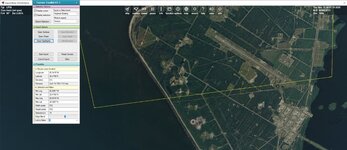
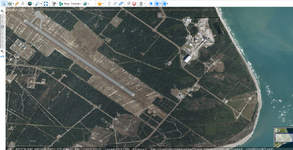
I want to redo the LP36 area.
but not sure. it seems the green box is huge
 

Attachments

  • lp361.jpg
    lp361.jpg
    77.5 KB · Views: 13
If you mean the previous post, then I saw it. It looks I used that tool with Orbiter 2016 some time ago, although I'm not sure enough. Now I can't try it since I don't have Orbiter 2016 installed on my PC. I'm using Orbiter 2024 that contains the tool as "built-in".
I think gattispilot needs your help regarding the LP36 area.
 
it seems the green box is huge
It is because you don't have highly detailed surface tiles. The highest resolution level of the tile that contains your area is 15 and that is why it is so big.

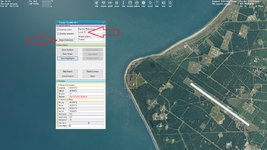
Try, for example, choose "Level 19" and then export the selected tile:

1.png

You will get the tile like this:

1.jpg
 
Thanks. I get this.

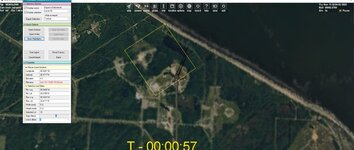
Not sure to do with it? trying to follow


I cannot extract maps?

Should I use hi res textures?

Can I just grab the tiles for the LP36?
 

Attachments

  • tile1.jpg
    tile1.jpg
    69.7 KB · Views: 5
  • tile1.jpg
    tile1.jpg
    17.3 KB · Views: 4
Last edited:
Thanks.

Confused.

So looking at part 2

I got the program

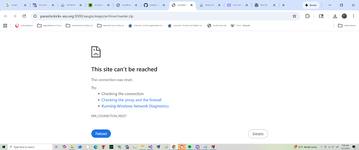
But I can not load the maps.

Also, you need maps (the fourth link).

Unpack it into Maps folder of SAS.Планета. Rename "maps" to "sas.maps".

Run SAS.Планета, change language if needed. Do: View -> Projection -> Geographic.
 
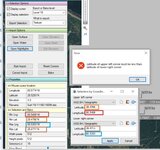
So I get this error.

Not sure how they got these numbers:
[imath]147\cdot2+1=295[/imath]

and has the name:

[imath]235\cdot2=470[/imath]
 

Attachments

  • coorrdinates1.jpg
    coorrdinates1.jpg
    71 KB · Views: 5
So I get this error.
Try enter negative values for longitude like here (I did it for the USA, so it should work for you):
Enter our four numbers:

5.png

Not sure how they got these numbers:
[imath]147\cdot2+1=295[/imath]

and has the name:

[imath]235\cdot2=470[/imath]
Here I calculated the correct names for a tile of level 14 since the tool displayed names for a tile of level 13. You don't need it, since the new version of the tool displays names for all levels.
 
Thanks.

If I am following the step2
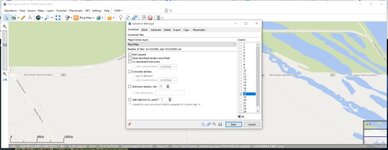
I didn't see bing-Satellite?

What zoom should I try?
 

Attachments

  • tile3.jpg
    tile3.jpg
    50.7 KB · Views: 2
Back
Top