Discussion Tile making

OK so it looks like it is is 17/2799/4526

I can get that and add my new images. Do I need to rename it or save as the old tile name
 
I supposed it's the file 17/002800/004526. You should keep names.
 
Thanks. So a whole new area. Paris France.
We have a Eifel tower mesh.
As I understand it. take the level 17 tile. And then add new level 19 scaled images to it, right?
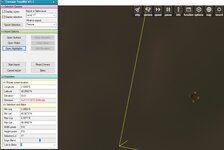
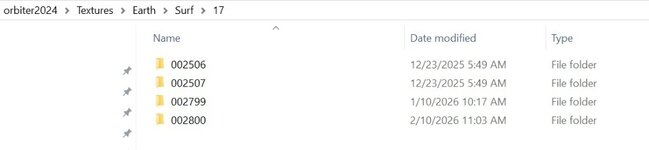
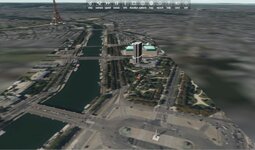
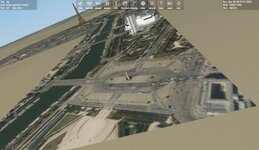
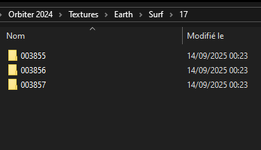
But this is what I get for that. But I don't have that tile in my level 17 folder?
 

Attachments

  • paris17.jpg
    paris17.jpg
    48.8 KB · Views: 3
  • TEX17FOLDER.jpg
    TEX17FOLDER.jpg
    20.6 KB · Views: 3
Last edited:
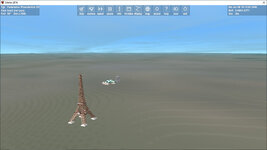
Ok. So I made some level 14 and 17 and 19 tiles. Made some meshes of the tower,.....

BUt not sure how to get these tiles to work in 2016?

The terrain tool kit just CTD for me in 2016
 

Attachments

  • 2024PARIS.jpg
    2024PARIS.jpg
    89.7 KB · Views: 9
You don't need to use the Terrain Tool Kit for displaying tiles in Orbiter 2016.
 
This is the same Quadtree system you are using.

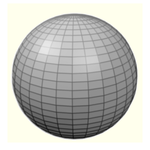
The Moon and all planetoids in Orbiter are divided in 'squares' like this. As you can see, the 'squares' at the Equator are nice rectangles, but the ones near the poles are completely distorted.

1771263641813.png
 
Since the targets are going to be near the pole. Is there a way to fix it?
 
Here are the files for the tower,.....

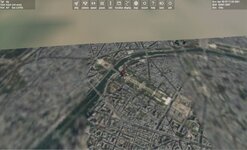
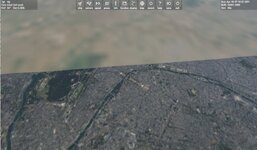
I add level 14. And get this view
I think I might have missed a step in installing the tiles. After all, this is the first time I've tried to add custom tiles using the whole quadtree system. Isn't there some kind of program I need to run to do so?
 
Since the targets are going to be near the pole. Is there a way to fix it?

No easy way, no.

Maybe it is possible to 'distort' the tiles to counter the geometric distortion, but this will likely come at the cost of a lesser resolution.

I think I might have missed a step in installing the tiles. After all, this is the first time I've tried to add custom tiles using the whole quadtree system. Isn't there some kind of program I need to run to do so?
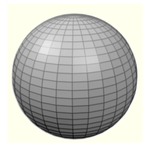
The thing is that you need to know the exact path of the folders inside which the tiles must be installed.

Simply put there is the resolution (16,17,18 etc...) then a series of number that tell Orbiter where on the planet (in which 'quad') the tile should be displayed. So it will be something like :

1771266556404.png
 
Last edited:
I think I might have missed a step in installing the tiles. After all, this is the first time I've tried to add custom tiles using the whole quadtree system. Isn't there some kind of program I need to run to do so?
No. I think you just unzip the files. The textures go in the Earth/surf/folder
 
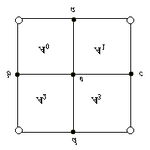
And always remember this drawing, what you are doing is that you are filling these 'quads' with the satellite pictures. Each time you go +1 resolution level, you divide 1 quad in 4 new smaller quads. Hence the 'QuadTree' name.

1771266752286.png

That's geometry, when you subdivide 1 rectangle, you get 4 smaller rectangles :

1771266952795.png

So because there are 2 dimensions (height & width), in this context, "1/2 = 4 ".
 
Back
Top