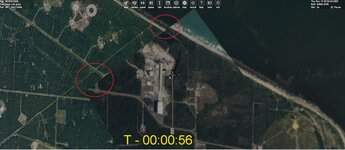
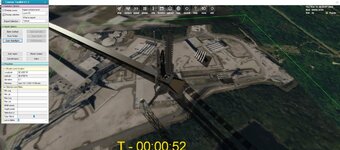
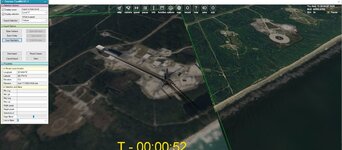
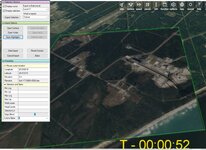
Discussion Tile making

Or just wrong names for the tile and its folder, I'll try to give you right ones tomorrow.

 
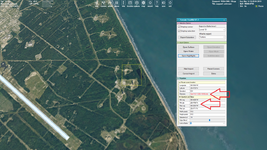
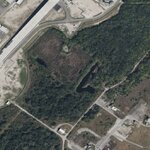
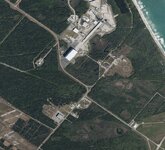
Here is your tile:

1.png

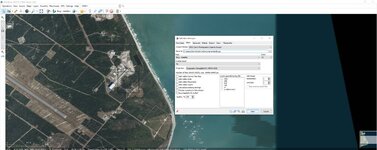
Most likely you moved the mouse cursor after selecting the yellow square (tile). The name of the tile and its folder change during moving the mouse.

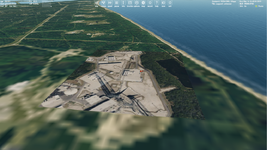
So you need "011200" for the folder name and "018106" for the tile name. In this case it's displaying correct:

2.png

But notice, that it's the tile of the level 19, so it will be visible only at close distance.
 
Thanks When I get back i will try to get the other areas of the pad.
So what do i need to do to make it seen further out
 
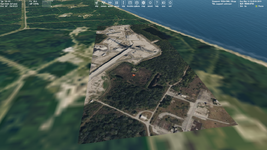
Thanks. So I tried making a level 19 tile to match the existing one. But It is not seen.

Also I tried to make a 17 and not seen.

Not sure if I am using the correct folder/filenames?
 

Attachments

  • lp36tex2.zip
    lp36tex2.zip
    240.3 KB · Views: 1
  • tile17step2.jpg
    tile17step2.jpg
    37 KB · Views: 3
  • tile2b.jpg
    tile2b.jpg
    62.4 KB · Views: 2
  • tile17b.jpg
    tile17b.jpg
    62.3 KB · Views: 2
  • tile2c.jpg
    tile2c.jpg
    72 KB · Views: 3
  • tile2setup.jpg
    tile2setup.jpg
    72.5 KB · Views: 3
This was for another area next to it. Also not sure about the area 17
 
Then check if names of a tlile and its folder contains 6-digit value.
The tool displays correct names for the seldcted tile, so you can see them.
 
Thanks.
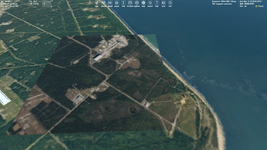
So is this an issue?
see how the borders don't match?

Also can I use these tiles in base builder? I see the Launchpad is off.

I wonder how to get this in 2016?
 

Attachments

  • tile17b.jpg
    tile17b.jpg
    70 KB · Views: 1
So is this an issue?
see how the borders don't match?
I'm not sure. Checking coordinates and names should answear to you.
Also can I use these tiles in base builder? I see the Launchpad is off.

I wonder how to get this in 2016?
I'm not using it, so I don't know, but tiles work the same both for 2016 and 2024.
 
Thanks.
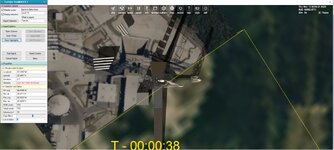
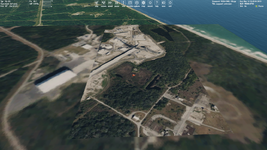
So not sure how to fix this. At level 17 I moved the LP to the correct location. But zoom into level 19 and you see the pad is not in the correct place
 

Attachments

  • tile19a.jpg
    tile19a.jpg
    91.9 KB · Views: 2
  • tile17c.jpg
    tile17c.jpg
    75.7 KB · Views: 2
I will look at it. Did you attach the tile of level 17 above in that archieve?
 
I'm confused. What the level do you have issues with? Also, I can't read values on your screenshots, they are too wide and not quality enough.
 
Last edited:
Sorry. So on level 17 if I place the pad at the site. when I go to level 19 the pad needs to be moved.
 

Attachments

  • level17.jpg
    level17.jpg
    83.4 KB · Views: 2
Well. I tried it. Level 17:

17.png

Level 19:

19.png

It seems to me the level 19 is good, whereas level 17 is wrong.

You can try to check coordinates and download a new tile. Or change map source. Also, look at these tiles an a graphic editor, just increase the tile of level 17 up to 2048x2048 and put two tiles of level 19 over it, then check if they fit the tile of level 17. One more solution (the best, I think) is downloading a tile of level 17 of resolution 2048x2048 and then cropping it into tiles of levels 18, 19. That's how I did all my tiles. I described it in this thread.
 
Yes, I think your both tiles of level 19 are good, since they fit the default tiles:

19.png

So, you can decrease them to 128x128 and put on the default tile of level 17 (just export it in the Terrain Tool Kit) in a graphic editor.
 
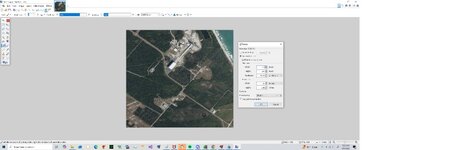
Thanks. Ok. so I can take my level 19 tiles reduce to 128x 128 and paste on top on the 17 tile?
Like this?
 

Attachments

  • level17new.jpg
    level17new.jpg
    44.4 KB · Views: 1
Yes, but I reccomend to you to download the default tile of level 17 in Orbiter using exporting option it in the Terrain Tool Kit.
 
Yes, but I reccomend to you to download the default tile of level 17 in Orbiter using exporting option it in the Terrain Tool Kit.
Thanks. so how to tell original versus the one I made. When I run it it shows my 4526 tile for level 17
 
Back
Top