Discussion Mesh making with Blender

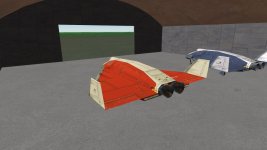
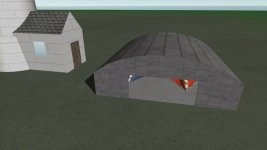
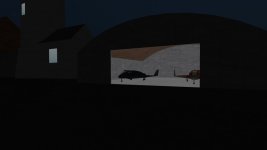
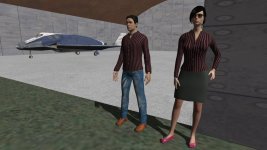
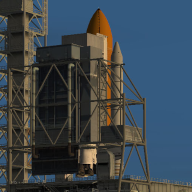
Made and textured a hangar. It took only a couple of hours. I used emission for inner textures to make the interior visible at night:

1.jpg2.jpg3.jpg
 
Not to steal/hijack the thread. But how hard is it to use MakeHuman in blender? I wonder if it could make poseable figure where the joint could be animated?
 
Not to steal/hijack the thread.
No problem, feel free to ask everything you're interested in.

There're two MakeHuman versions:
1) Independent program (I'm using this one). After creation a character (it's very easy to do) I export it to FBX, then open in Blender, apply "Shade Smooth", and it's ready to be converted to MSH. Also, I have to convert textures to DDS and assign them to meshes. UV maps are created automatically.
2) A version to be integrated in Blender (I didn't use it yet).

MakeHuman has the sceleton system (I didn't try it), so I'm sure you can animate a character.
 
Thanks. It looked like Make Human now has a Blender add on. Which version of Blender and script for making the blend file to a mesh?

I might be nice to make EVA or IVA guys?
 
Thanks. It looked like Make Human now has a Blender add on. Which version of Blender and script for making the blend file to a mesh?

I might be nice to make EVA or IVA guys?
Blender 4.0. 4.1 and later have breaking changes with Python. I plan on updating the script with 4.2 seems to have stabilized.
 
@Blake, I think it will be very useful to add the warning if possible:
It would be helpful if you could implement a warning in your addon in case this limit is exceeded.
But I don't know what the limit is in OpenOrbiter/Orbiter 2016 for triangles (or maybe vertices).
 
I'm also still learning blender for orbiter meshes haha. It can be a lot but once you get the basics it'll go by real quick to make more advanced models. I've had the grace of Jordan being able to teach me some things through the NASSP discord, that man is a blender wizard.
 
The answer is there (and validated by @martins himself) :


Note that, as @martins says, it is related to the DX7 'built-in' client. AFAIK OpenOrbiter will switch to D3D9 as default, so I assume it will lift that limitation.
 
I need an advice concerning additional maps in Orbiter (OpenOrbiter).

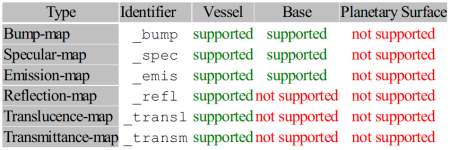
Orbiter supported maps:

Без імені.png

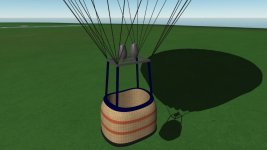
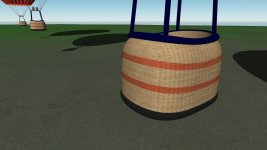
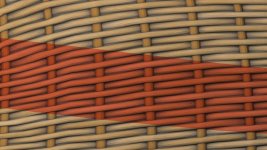
I've already used the Color and Normal textures for the basket:

Без імені2.jpg

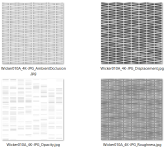
Besides, I have the following textures:

maps.png

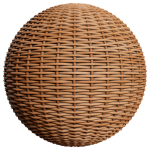
What of these could I use to make the basket look better?:

Wicker010A.png

And what the identifier of the Orbiter texture maps do they correspond? (I feel I should use the Rouhness texture.)
 
Ambient occlusion(AO) adds "shadow" when 2 faces connect each other. For example, you have a floor and a wall, were they connect, AO adds shadow. I don't think D3D9Client supports this.

Displacement is similar to Bump map. This adds fake geometry to the mesh.

Opacity is for transparency.
Roughness for reflections.

AO or (and) Displacement is what you need for your mesh the most.

I noticed you have allready used the Normal map, so you don't need the Displacement map. Both are similar. In blender Displacement can add real geometry to the mesh.
 
Thanks.
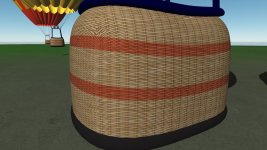
I made some tests. I got a good result taking the Ambient Occlusion texture, inverting it, and using as the "_refl" map:

Без імені.jpgБез імені2.jpg
 
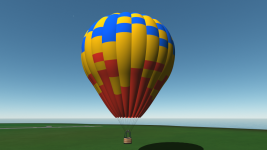
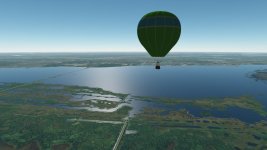
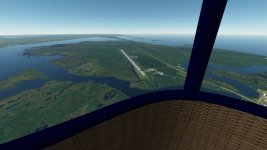
I made it to fly (using hover and main engines without particle streams and flames) using the Vessel Builder. That's really feels interesting:

Без імені.jpgБез імені2.jpg
 
Nice perspective. I wish I could ever make something sane with Blender. Just for making a quick and dirty temporary mesh, Anim8or is IMHO better than Blender, since you have less features in your way.
 
I started with Anim8or (it was about February of this year), since I didn't know 3D modeling before at all, so I thought Anim8or is a good way, because it has less features (as you're saying). I didn't modeling much with Anim8or. Then I decided to try Blender (I think it was about June of this year).

There're more videos on Blender on YouTube. I watched a couple of free video courses, and now I know more about 3D modeling. Now I can say Blender is very fast, convenient and easy if you take a couple of systematic video courses (even free ones).

 
I started with Anim8or (it was about February of this year), since I didn't know 3D modeling before at all, so I thought Anim8or is a good way, because it has less features (as you're saying). I didn't modeling much with Anim8or. Then I decided to try Blender (I think it was about June of this year).

There're more videos on Blender on YouTube. I watched a couple of free video courses, and now I know more about 3D modeling. Now I can say Blender is very fast, convenient and easy if you take a couple of systematic video courses (even free ones).

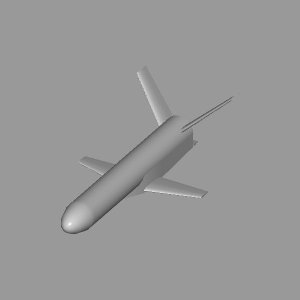
I am not yet convinced. Maybe the problem is, that I want to do this:


And not spend a lot of time learning tutorials that teach me how to make flower pots. But I appreciate the mentioning of the Youtube channel of somebody making Aircraft models. Maybe one day I will see the light.
 
And not spend a lot of time learning tutorials that teach me how to make flower pots.
Yes, I understand you. I took the course that used furniture examples, but it taught me the basics.
I am not yet convinced. Maybe the problem is, that I want to do this:

Is this the model that you are trying to make in Blender? What the problem is? (It looks I saw this picture before in one of your posts.)
 
Mostly how to get the dimensions right, I made it based on a technical drawing and since I need the mesh for testing a module, I want to get the dimensions as accurate as possible, e.g. for having no divergence between thruster positions and thruster force reference. Also creating the fuselage transitions is hard in Blender.
 
Back
Top