Discussion Mesh making with Blender

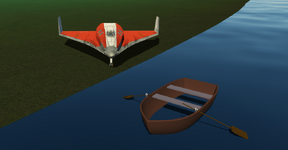
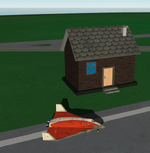
Water inside the boat:

boat.png

Any suggestions on what could be done? :)

Only creating the bottom of the boat at water level?
 
Water inside the boat:

View attachment 39850

Any suggestions on what could be done? :)

Only creating the bottom of the boat at water level?

Create illusion. Like add a fishing net texture on the 'false bottom' of the boat, along with a few crates, lifejackets, a buoy...
 
To have water inside the boat?
 
Just using the "Project from View" when look down on the model. It automatically creates the UV map, that fits such the texture very well (from below too).
Can you post a link to the tut.?
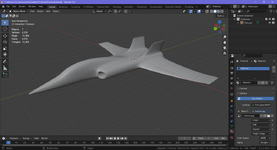
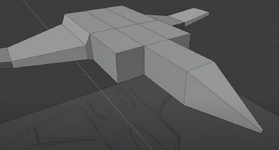
Of course. It's not in English (but you can ask everything you don't understand). This one tutorial on YouTube (creation of drawings can be skipped). The video contains that simple texturing. The interesting thing is that a low-poly mesh is very simple, like this (almost):

plane.png

And then the "Subdivision Surface" modifier makes everything automatically. So you can get the same result and pretty quickly.
Nice looking plane! just needs a cockpit and gear:)
Although I'm a little concerned about the center of lift, cannards might help;)
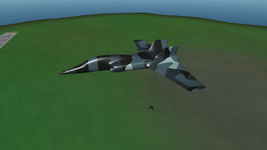
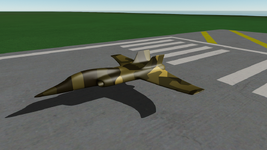
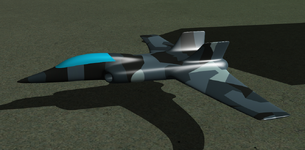
Thanks. I made (opaque) glass quickly. I also don't like that the wings are located at the back, and the elevator is missing. But it looks pretty nice because of the smoothness and textures:

glass.png

By the way, I found the YouTube channel about airplane modeling (in Blender). I was just planning to make the Mooney (and Maule).
 
Project from View
Ok, the skinning the cat thing! I generally go through all options to see what fits best, worse case unwrap by hand.

Thanks for the links
Nice tutorials, looking forward to seeing your planes in Orbiter.:)
(I'm finding Youtube more frustrating than useful nowadays, the worst is back-to-back advertising every 20s! Imbeded videos work ok;))
 
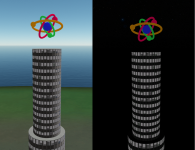
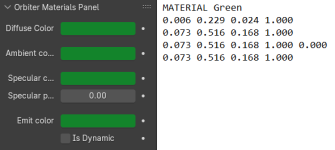
I tried to make an atom (like on my picture), and I'm wondering what settings could be used for materials to make it look like neon or just better? No textures used, that's only four colored materials:

atom.pnggreen.png

Maybe some additional texture maps could be used? I'd like to add some shine, halo, make it more glassy, etc.
 
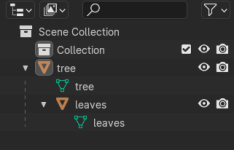
Once I made a tree using a tree generator, and it looks like the "leaves" object belongs to the "tree" object. How can I separate them to get two independent object, that is, without hierarchy?:

b.png
 
Can you try dragging the leaves in the Outliner (that's what you see in your screenshot) outside of tree?
 
I tried it before, but that didn't work. But now I tried it again and saw a tooltips. I dragged the "leaves" object holding the "Shift" key, and it worked. Thank you.
 
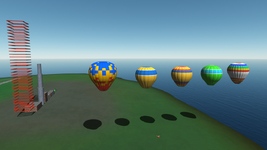
I noticed that using "Shade Smooth" or "Shade Auto Smooth" options in Blender makes grid meshes flicker a lot, whereas using "Shade Flat" greatly reduces flickering.

f.jpg

Also, using black material (color) removes flickering even when "Shade Smooth" or "Shade Auto Smooth" is used.
I'm very satisfied with this "discovery".
 
Looks good. Ideally you want to add some roughness to that brick/concrete texture/material. A normal map with some random noise could also make it look more like stone.
 
Back
Top