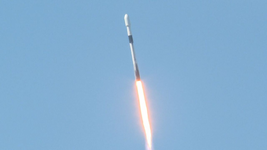
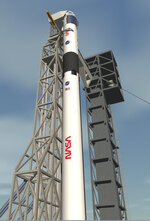
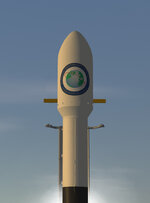
OHM Falcon9 for Orbiter2016

Luis is asking, "How can I create the recently released Transporter-8 & CRS-28 missions in the game?"

I haven't seen anyone making these specific missions for Orbiter, so I guess you'll need to make your own.

@Kyle may have made an earlier Transporter mission for the Falcon9 in his mission package:
So you could use that mission launch scenario as a starting point, then edit the scenario date/names/etc. as required.
You might need to edit the payload mass (in the relevant .cfg file) as well.
If no earlier Transporter mission is available, you could edit one of the Falcon9 "Test" scenarios and set the satellite payload mass in the .cfg file.

For CRS-28, you could use @Donamy 's Cargo Dragon2 (VesselBuilder version):
I'm not familiar with it, but I would think you can attach it to Falcon9 in the same way as the Crew Dragon.
You could edit one of the Crew Dragon 2022 scenarios:
Or you could just use the Crew Dragon add-on (it looks aproximately correct).

For either mission you may want to put the ISS in the right orbit.
You can get pos/vel state vectors for ISS from JPL Horizons
(but don't forget to swap Y<->Z coordinates, and convert km -> m)

Have fun! Good luck!
Brian
 
Versions of FalconHeavy, SpaceX LC39-A, Tesla Roadster and Roadster textures by @Felix24, that were current at the time of the video, are attached....
 

Attachments

Hey BrianJ, is there any way to edit the length of the Falcon 9 exhaust? Looks like it should be about as long as the vehicle itself. I'm not sure if it's something I can tweak on my own, so I figured I'd ask :)


1686876097032.png
 
Hi,
yes, its a long plume! No way to change the exhaust length externally, I'm afraid.
But the exhaust texture starts to look a bit stretched if I make it much bigger.
I'll see if I can bump it up a bit if I do another update sometime.
Cheers,
Brian
 
SLC-40 will host Crew Dragon launches for the first time in the near future
 
Update 240227

New .cfg file options......
NASA logo 1st and 2nd stage skins (by @Kyle, some adaptations by me)
Specify custom fairing texture
Recoverable fairings (fairings now passive, no parafoil, by default)

And.....
Crew Access Tower for SLC-40
cat1.jpgcf1.jpg
 
In the fairrecovery.cfg
ClassName = f9_v12_stg2 Module = Falcon9R_V12/f9_v12 ;;;;;;un-comment ; for Dragon adaptor or No Fairing options ;Dragon = 1 ;NoFairing = 1 ;Adaptor = Falcon9R_V12/star48bv_adaptor FairRecovery = 1 ;Expendable = 1 ;Charred = 1 ;FairingTex = Falcon9R_V12/f9_fair_logo.dds ;NASASkin = 0 ;;; 1 for all, 2 for upper only ;;;;;; set payload attach points, 20 maximum, 0->19 PayloadAttach0 = 0 0 26.646 0 0 1 0 1 0 ;;; default PayloadAttach1 = 0 0 29.646 1 0 0 0 1 0
 
Update 240303

Fixed skin selection bug and wrong "extreme charred" texture.

Oops! Sorry about that.
The new .dll module and correct texture are included in the patch attached below.
(If you don't want to download the whole thing again)
 

Attachments

thank for the help and the logos look super. With crew 8 they seemed to have only had the NASA logos on the second stage and SpaceX on the first stage
 
And only one American flag on Endeavor.
 
I has been the NASA worm since Crew 3
 
Back
Top