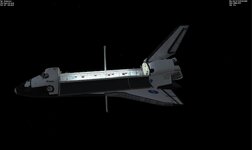
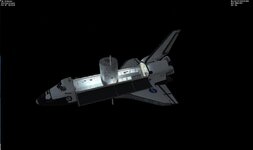
Question How to stop payload clipping SSV

How would I add RMS attachments in the module?
Thanks for your help.
If the Module is just a cfg file, then it should be adding a line to it. If it is a dll, then I think you would need the code.
The details of what the RMS expects of the attachments are in the SSV manual.
 
I tried the scenario. I got a CTD. Not sure what these vessels are.

Freedom:Node-2B
PDGF1:project-Outposts\Components\PDGF

So I removed those vessels and was going to run the scn and add a vessel to test RMS grapple.

But I didn't see an RMS but the OBSS is thru the hull.
 

Attachments

Last edited:
The mission file is also need.
 
Thanks. Now I get this
 

Attachments

  • ssvobss1.jpg
    ssvobss1.jpg
    28.2 KB · Views: 9
Not sure why I am not seeing the rms. I am running the latest SSV.
 
do I need to do anything else other than press ctrl and enter, do I need to flip a switch and then press ctrl and enter?
 
do I need to do anything else other than press ctrl and enter, do I need to flip a switch and then press ctrl and enter?
Panel A8U > End Effector Mode > Auto, then Ctrl+Enter and you will be grappled if all 3 top talkbacks go gray. Otherwise Ctrl+Backspace, so the End Effector opens the snares, and try again.
You can practice this in the "Payload Latch Test" scenario.
 
How do I find out what coordinates to put in the config file for the attachment point in the module?
 
How do I find out what coordinates to put in the config file for the attachment point in the module?
You will have to open the mesh in some 3D editor, blender for example (plus a plugin to import and export mesh files, search the forum).
 
You will have to open the mesh in some 3D editor, blender for example (plus a plugin to import and export mesh files, search the forum).
I have downloaded blender and I have the coordinates for where I want the attachment point, now I'm not sure how to add it to the cfg file. do I just add the coordinates in a new line in the attachment point section?

Thanks for your help, and sorry for asking so many questions.
 
I have downloaded blender and I have the coordinates for where I want the attachment point, now I'm not sure how to add it to the cfg file. do I just add the coordinates in a new line in the attachment point section?

Thanks for your help, and sorry for asking so many questions.
The cfg file format is described in file Orbitersdk\doc\3DModel.pdf, page 2.
 
I have downloaded blender and I have the coordinates for where I want the attachment point, now I'm not sure how to add it to the cfg file. do I just add the coordinates in a new line in the attachment point section?
Yes.

The cfg file format is described in file Orbitersdk\doc\3DModel.pdf, page 2.
It is also in "Doc\OrbiterConfig.pdf", page 25... not sure why the same info is in two places... :unsure:
 
I put the mission file in the folder but still get the obss thru the hull.

This is the cfg for Node2-b Put your position direction and rotation here.
; === Attachment Points === BEGIN_ATTACHMENT C -1.129 1.959 0.0 0.5 -0.866 0.0 0.0 0.0 -1.0 UTL ; 0 C 1.129 1.959 0.0 -0.5 -0.866 0.0 0.0 0.0 -1.0 UTL ; 1 C -1.05 -1.88 0.0 0.5 0.866 0.0 0.0 0.0 -1.0 UTL ; 2 C 1.05 -1.88 0.0 -0.5 0.866 0.0 0.0 0.0 -1.0 UTL ; 3 C -1.129 1.959 0.43 0.5 -0.866 0.0 0.0 0.0 -1.0 UTS ; 4 C -1.129 1.959 -0.51 0.5 -0.866 0.0 0.0 0.0 1.0 UTS ; 5 C 1.129 1.959 0.43 -0.5 -0.866 0.0 0.0 0.0 -1.0 UTS ; 6 C 1.129 1.959 -0.51 -0.5 -0.866 0.0 0.0 0.0 1.0 UTS ; 7 C -1.09 -1.88 0.43 0.5 0.866 0.0 0.0 0.0 -1.0 UTS ; 8 C -1.09 -1.88 -0.51 0.5 0.866 0.0 0.0 0.0 1.0 UTS ; 9 C 1.08 -1.88 0.43 -0.5 0.866 0.0 0.0 0.0 -1.0 UTS ; 10 C 1.08 -1.88 -0.51 -0.5 0.866 0.0 0.0 0.0 1.0 UTS ; 11 P 0.0 -0.7 0.0 0.0 -1.0 0.0 0.0 0.0 1.0 XS ; 0 (SHUTTLE BAY) P 2.21 0.51 2.48 1.0 0.0 0.0 0.0 1.0 0.0 GS ; 1 (SHUTLLE RMS Grapple) P 2.21 0.51 -2.75 1.0 0.0 0.0 0.0 1.0 0.0 GS ; 2 (SHUTLLE RMS Grapple) P -2.21 0.51 2.6 -1.0 0.0 0.0 0.0 1.0 0.0 GS ; 3 (SHUTLLE RMS Grapple) P -2.21 0.51 -2.65 -1.0 0.0 0.0 0.0 1.0 0.0 GS ; 4 (SHUTLLE RMS Grapple) P 0.05 -2.2 -0.32 0.0 -1.0 0.0 0.0 0.0 1.0 GS ; 5 (SHUTLLE RMS Grapple) END_ATTACHMENT
 
Back
Top