
-
ORBITER-FORUM will be temporarily closed at 2026-07-23 18:00 UTC while we complete some OF maintenance tasks. The amount of downtime is expected to take up to one hour, but probably less.
You are using an out of date browser. It may not display this or other websites correctly.
You should upgrade or use an alternative browser.
You should upgrade or use an alternative browser.
New Release D3D9Client Development
- Thread starter jarmonik
- Start date

- Joined
- Apr 1, 2008
- Messages
- 2,167
- Reaction score
- 663
- Points
- 113
Just out of curiosity, TMHLIVE:
What are your framerates with the 'naked Orbiter'[1] running DG-Scenario[2]?
Orbiter: | ___ | fps
Orbiter_NG: | ___ | fps
[1] no additional addons (except D3D9Client for the NG of course)
[2] Scenarios\Delta-glider\DG Mk4 in orbit.scn
What are your framerates with the 'naked Orbiter'[1] running DG-Scenario[2]?
Orbiter_NG: | ___ | fps
[1] no additional addons (except D3D9Client for the NG of course)
[2] Scenarios\Delta-glider\DG Mk4 in orbit.scn

TMHLIVE
Sci-Fi Test Pilot
- Joined
- Feb 21, 2014
- Messages
- 182
- Reaction score
- 0
- Points
- 0
I just installed all my addons back to orbiter. Can I just kill them in the mods section of the launcher?
---------- Post added at 11:27 PM ---------- Previous post was at 11:16 PM ----------
Orbiter stock no sound no nothing full screen: 30 fps
Orbiter_NG same settings:CRASH x 2 check the log.
here you go...means nothing to me. This is the first time it has crashed tho..EVER
---------- Post added at 11:27 PM ---------- Previous post was at 11:16 PM ----------
Orbiter stock no sound no nothing full screen: 30 fps
Orbiter_NG same settings:CRASH x 2 check the log.
here you go...means nothing to me. This is the first time it has crashed tho..EVER
Code:
**** Orbiter.log
Build Aug 30 2010 [v.100830]
Timer precision: 2.79365e-007 sec
Found 0 joystick(s)
Module AtlantisConfig.dll .... [Build 100830, API 100830]
Module AtmConfig.dll ......... [Build 100830, API 100830]
Module DGConfigurator.dll .... [Build 100830, API 100830]
Module D3D9Client.dll ........ [Build 130712, API 100830]
Module Framerate.dll ......... [Build 100830, API 100830]

**** Creating simulation session
D3D9Client: [DirectX 9 Initialized]
D3D9Client: Sytem has XNA math support
D3D9Client:WARNING: [Hardware has only a limited non-power of 2 texture support]
[Insufficient Vertex Shader. Attempting software vertex processing...]
D3D9Client:WARNING: [Insufficient Vertex Shader. Attempting software vertex processing...]
D3D9Client:WARNING: [Not a pure device]
D3D9Client:WARNING: [No Hardware T&L]
D3D9Client:WARNING: [No Hardware MipMap auto generation]
D3D9Client:WARNING: [No shadow mapping support]
.\D3D9Frame.cpp Line:420 Error:-2005530516 pd3dDevice->CreateTexture(ShmMapSize, ShmMapSize, 1, D3DUSAGE_RENDERTARGET, D3DFMT_R32F, D3DPOOL_DEFAULT, &pShmRT, NULL)
D3D9Client: [3DDevice Initialized]
D3D9Client: [Compiling Effects for Shader Model 2.0]
D3D9Client: [Loading Stars]
D3D9Client: [Loading Constellations]
D3D9Client: [D3D9Client Initialized]
Module Sun.dll ............... [Build 100830, API 100830]
VSOP87(E) Sun: Precision 1e-006, Terms 554/6634
Module Mercury.dll ........... [Build 100830, API 100830]
VSOP87(B) Mercury: Precision 1e-005, Terms 167/7123
Module Venus.dll ............. [Build 100830, API 100830]
Module VenusAtm2006.dll ...... [Build 100830, API 100830]
VSOP87(B) Venus: Precision 1e-005, Terms 79/1710
Module Earth.dll ............. [Build 100830, API 100830]
Module EarthAtmJ71G.dll ...... [Build 100830, API 100830]
VSOP87(B) Earth: Precision 1e-008, Terms 2564/2564
Module Moon.dll .............. [Build 100830, API 100830]
ELP82: Precision 1e-005, Terms 116/829
Module Mars.dll .............. [Build 100830, API 100830]
Module MarsAtm2006.dll ....... [Build 100830, API 100830]
VSOP87(B) Mars: Precision 1e-005, Terms 405/6400
Module Phobos.dll ............ [Build ******, API 060425]
Module Deimos.dll ............ [Build ******, API 060425]
Module Galsat.dll ............ [Build 100217, API 100215]
Module Jupiter.dll ........... [Build 100830, API 100830]
VSOP87(B) Jupiter: Precision 1e-006, Terms 1624/3625
Module Io.dll ................ [Build 100217, API 100215]
Module Europa.dll ............ [Build 100217, API 100215]
Module Ganymede.dll .......... [Build 100217, API 100215]
Module Callisto.dll .......... [Build 100217, API 100215]
Module Satsat.dll ............ [Build 100215, API 100212]
Module Saturn.dll ............ [Build 100830, API 100830]
VSOP87(B) Saturn: Precision 1e-006, Terms 2904/6365
Module Mimas.dll ............. [Build 100215, API 100212]
SATSAT Mimas: Terms 113
Module Enceladus.dll ......... [Build 100215, API 100212]
SATSAT Enceladus: Terms 33
Module Tethys.dll ............ [Build 100215, API 100212]
SATSAT Tethys: Terms 101
Module Dione.dll ............. [Build 100215, API 100212]
SATSAT Dione: Terms 59
Module Rhea.dll .............. [Build 100215, API 100212]
SATSAT Rhea: Terms 68
Module Titan.dll ............. [Build 100215, API 100212]
SATSAT Titan: Terms 100
Module Iapetus.dll ........... [Build 100215, API 100212]
SATSAT Iapetus: Terms 605
Module Uranus.dll ............ [Build 100830, API 100830]
VSOP87(B) Uranus: Precision 1e-006, Terms 1827/5269
Module Miranda.dll ........... [Build ******, API 060425]
Module Ariel.dll ............. [Build ******, API 060425]
Module Umbriel.dll ........... [Build ******, API 060425]
Module Titania.dll ........... [Build ******, API 060425]
Module Oberon.dll ............ [Build ******, API 060425]
Module Neptune.dll ........... [Build 100830, API 100830]
VSOP87(B) Neptune: Precision 1e-006, Terms 391/2024
Finished initialising world
Module DeltaGlider.dll ....... [Build 100830, API 100830]
Module LuaInline.dll ......... [Build 100830, API 100830]
Module ShuttleA.dll .......... [Build 100830, API 100830]
Module ShuttlePB.dll ......... [Build 100830, API 100830]
Finished initialising status
Finished initialising camera
.\D3D9Surface.cpp Line:610 Error:-2005532292 D3DXCreateTexture(pDevice, desc.Width, desc.Height, 1, D3DUSAGE_RENDERTARGET, desc.Format, D3DPOOL_DEFAULT, &pNew)
Orbiter Version 100830
D3D9Client Build [Jul 12 2013]
Exception Code=0xC0000005, Address=0x01037179
EAX=0x00000000 EBX=0x009FF530 ECX=0x010807FB EDX=0x01393F00 ESI=0x013D76F0 EDI=0x013D76F0 EBP=0x013D7718 ESP=0x009FF4B8 EIP=0x01037179
C:\Orbiter 2010\Modules\Plugin\D3D9Client.dll EntryPoint=0x01081DBB, Base=0x01020000, Size=1449984
Exception in clbkBlt(0x13D76F0, 171,557, 0x13D76F0, 773,22,28,12, 0x0)
!!! Abnormal Program Termination !!!
Last edited by a moderator:

- Joined
- Sep 12, 2010
- Messages
- 3,131
- Reaction score
- 415
- Points
- 123
- Location
- Rome
- Website
- www.tuttovola.org
Please insert your logs between the CODE /CODE tags.
It helps make them more readable.
It helps make them more readable.
For some reason lots of addons crash when I load them with this. Addons like Shuttle Fleet, AMSO, and DGIV work great with this but a lot of addons don't work. When I load up a scenario it says Orbiter has stopped working. Also some addons don't have launchpads in this but in Default Orbiter there are launchpads. Why is this happening?
TMHLIVE
Sci-Fi Test Pilot
- Joined
- Feb 21, 2014
- Messages
- 182
- Reaction score
- 0
- Points
- 0
For some reason lots of addons crash when I load them with this. Addons like Shuttle Fleet, AMSO, and DGIV work great with this but a lot of addons don't work. When I load up a scenario it says Orbiter has stopped working. Also some addons don't have launchpads in this but in Default Orbiter there are launchpads. Why is this happening?
Welcome to my life

For some reason lots of addons crash when I load them with this. Addons like Shuttle Fleet, AMSO, and DGIV work great with this but a lot of addons don't work. When I load up a scenario it says Orbiter has stopped working. Also some addons don't have launchpads in this but in Default Orbiter there are launchpads. Why is this happening?
Did you create symbolic links in Video->Advanced tab of Orbiter_ng with d3d9 client enabled?
Yes but its still crashing for certain mods.Did you create symbolic links in Video->Advanced tab of Orbiter_ng with d3d9 client enabled?
Can you list add-ons that are not working for you??
I don't know the exact names but these are the crafts that don't work with this. They work perfectly in default orbiter though but I wish they would in this.
Code:
=These crash on start=
Antares
Ariane 5
Atlas V
Delta II
Dream Chaser
LADEE
-----------------------------
=These are missing launchpads or pieces=
Project Mercury
Project Gemini
Project Skylab(Skylab B)
The reason why they are just the spacecraft is because I like to keep my scenarios clean and organized.
Last edited:
- Joined
- Sep 12, 2010
- Messages
- 3,131
- Reaction score
- 415
- Points
- 123
- Location
- Rome
- Website
- www.tuttovola.org
Antares? :hmm:
Antares? :hmm:
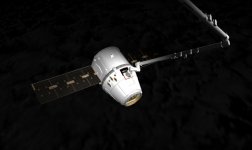
[ame="http://www.orbithangar.com/searchid.php?ID=6419"]http://www.orbithangar.com/searchid.php?ID=6419[/ame]

I got it to work. Don't think I did anything special though.

Actually, I need to make 100% sure I got that with the D3D9. I'll check when I get home.
Actually, I need to make 100% sure I got that with the D3D9. I'll check when I get home.
Last edited:
- Joined
- Sep 12, 2010
- Messages
- 3,131
- Reaction score
- 415
- Points
- 123
- Location
- Rome
- Website
- www.tuttovola.org
I thought you were speaking about FOI's Antares, this one:
[ame="http://www.orbithangar.com/searchid.php?ID=4682"]Antares Manned Spacecraft 2.51[/ame]

mikes
New member
- Joined
- Feb 8, 2010
- Messages
- 15
- Reaction score
- 0
- Points
- 1
Hello Orbinauts,
after months using Orbiter 100830 with multiple D3D9 releases of graphic client everything worked fine. Today I decided to install latest orbiter beta. I downloaded also D3D9 R12 for beta but when I want to activate D3D9 client in modules this error appears:

I know it is in czech, my native language. But it means in english: Orbiter Launchpad: orbiter.exe - Input point was not found.
In orbiter 100830 works d3d9 flawlessly in orbiter ng. But I cant bring it to life in orbiter beta 121103 which is for me mystery.
But I think this forum and orbiter community is full of people with full of knowlege so I please if someone has idea how to put trough this issue.
Thank you in advance.
With best regards
Mike
after months using Orbiter 100830 with multiple D3D9 releases of graphic client everything worked fine. Today I decided to install latest orbiter beta. I downloaded also D3D9 R12 for beta but when I want to activate D3D9 client in modules this error appears:
I know it is in czech, my native language. But it means in english: Orbiter Launchpad: orbiter.exe - Input point was not found.
In orbiter 100830 works d3d9 flawlessly in orbiter ng. But I cant bring it to life in orbiter beta 121103 which is for me mystery.
But I think this forum and orbiter community is full of people with full of knowlege so I please if someone has idea how to put trough this issue.
Thank you in advance.
With best regards
Mike

I think there is a special beta D3D9 client build for that orbiter version. It would be on their sourceforge site that can be found in the dedicated D3D9 thread.
Similar threads

- Sticky
- Replies
- 6
- Views
- 10K

- Replies
- 10
- Views
- 4K


- Replies
- 1
- Views
- 4K


- Replies
- 7
- Views
- 4K