

-
ORBITER-FORUM will be temporarily closed at 2026-07-23 18:00 UTC while we complete some OF maintenance tasks. The amount of downtime is expected to take up to one hour, but probably less.
You are using an out of date browser. It may not display this or other websites correctly.
You should upgrade or use an alternative browser.
You should upgrade or use an alternative browser.
Discussion Tile making
- Thread starter misha.physics
- Start date

misha.physics
Well-known member
- Joined
- Dec 22, 2021
- Messages
- 1,534
- Reaction score
- 2,326
- Points
- 128
- Location
- Lviv
- Preferred Pronouns
- he/him
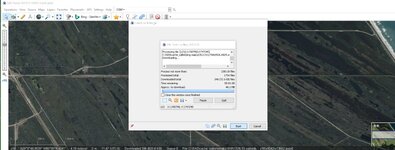
Sorry, It looks you need to choose 18 level in the tool, not 23. You can just cancel the downloading.
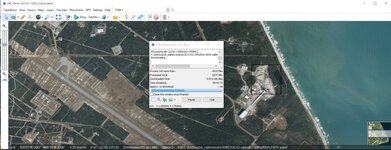
Tile is not found?
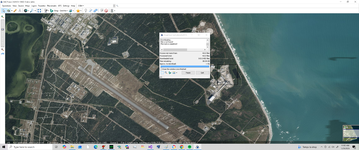
Starting again
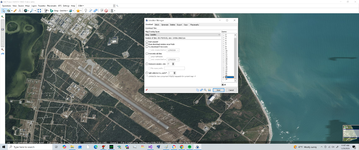
Same result. It goes to the end but even though it says task complete. Tile missing. and nothing is downloaded
misha.physics
Well-known member
- Joined
- Dec 22, 2021
- Messages
- 1,534
- Reaction score
- 2,326
- Points
- 128
- Location
- Lviv
- Preferred Pronouns
- he/him
It looks you didn't change level from 23 to 18.So do I need to do these to get all the pad area?
You should save a map manually as I described starting from here:Same result. It goes to the end but even though it says task complete. Tile missing. and nothing is downloaded
Start this. After downloading click on the blue square in the lower left corner (Selection Manager).
misha.physics
Well-known member
- Joined
- Dec 22, 2021
- Messages
- 1,534
- Reaction score
- 2,326
- Points
- 128
- Location
- Lviv
- Preferred Pronouns
- he/him
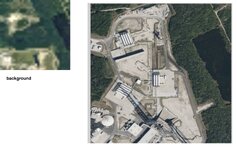
Personally I'm using Photoshop to place a downloaded satellite map on top of the background tile.
I don't have that. But it looks like the background is 512x 512. So scale my sate image to that?
misha.physics
Well-known member
- Joined
- Dec 22, 2021
- Messages
- 1,534
- Reaction score
- 2,326
- Points
- 128
- Location
- Lviv
- Preferred Pronouns
- he/him
Yes, image should be square.
Thanks
so scale to 512 pixel square?
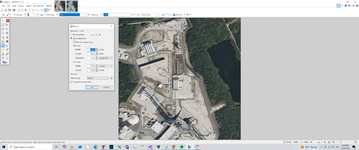
so scale to 512 pixel square?
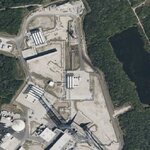
So I can convert to dds. Then put in the texture folder, right? But where?
misha.physics
Well-known member
- Joined
- Dec 22, 2021
- Messages
- 1,534
- Reaction score
- 2,326
- Points
- 128
- Location
- Lviv
- Preferred Pronouns
- he/him
Here:
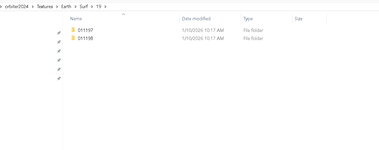
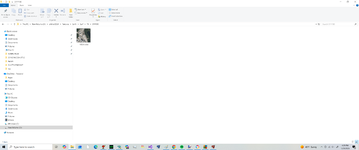
Thanks. Weird I don't see that folder?
also does it matter what I name it?
also does it matter what I name it?
misha.physics
Well-known member
- Joined
- Dec 22, 2021
- Messages
- 1,534
- Reaction score
- 2,326
- Points
- 128
- Location
- Lviv
- Preferred Pronouns
- he/him
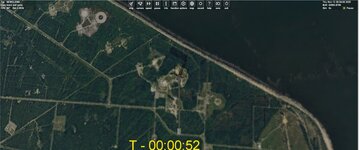
Try zooming in.
misha.physics
Well-known member
- Joined
- Dec 22, 2021
- Messages
- 1,534
- Reaction score
- 2,326
- Points
- 128
- Location
- Lviv
- Preferred Pronouns
- he/him
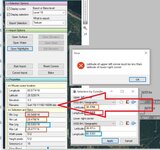
1) The tile name should have 6-digit name too. Add a zero at the beginning.
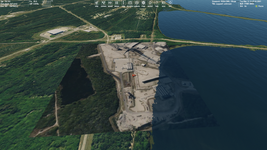
2) Your tile is visible, but in the wrong place. You use wrong coordinates:
2) Your tile is visible, but in the wrong place. You use wrong coordinates:
Similar threads

- Replies
- 12
- Views
- 4K

- Replies
- 0
- Views
- 1K

- Replies
- 10
- Views
- 4K


- Replies
- 7
- Views
- 4K
- Replies
- 79
- Views
- 28K