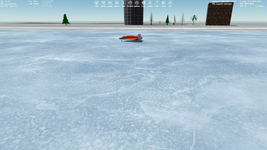
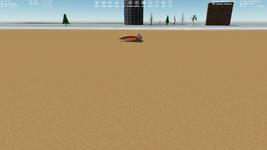
Discussion Tile making

What do you mean by "actual Wideawake International spaceport"?
I just meant the original add-on for Orbiter 2006. Just saying as a whole that Wideawake International should be remade for 2016 eventually.
 
Sorry, I made a mistake here:
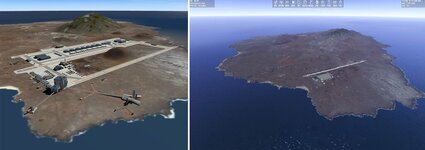
Wideawake International (Ascension Island) from Orbiter 2010
It was created for Orbiter 2006. Not for 2016.
I just meant the original add-on for Orbiter 2006. Just saying as a whole that Wideawake International should be remade for 2016 eventually.
You mean the left base (the original addon for 2006) is more complex (namely here are more objects), than the right base (for 2016). Yes?

3.jpg

By the way, is the name "Wideawake International" fictional? Because I can't find this name on the Internet.
 
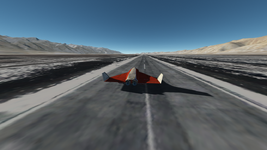
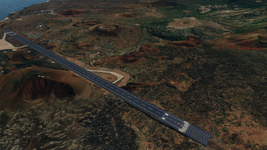
It is. On the right (Orbiter 2016) is based on the real Royal Air Force base on Ascension Island, Wideawake Airfield. Wideawake International, the add-on, feature a fictional spaceport which is meant to be an evolution of the original, real airfield.
 
Thank you. I understood, so, on the left (Orbiter 2006) it's shown the fictional spaceport called Wideawake International.
 
I just realized today that a mesh resolution value on D3D9Client concerns only the resolution of terrain (relief) unevenness, and it doesn't affect the quality of the textures. So, there isn't difference between 16, 32 and 64 mesh resolution when surface elavation is disabled :confused:
 
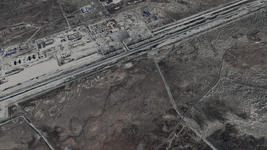
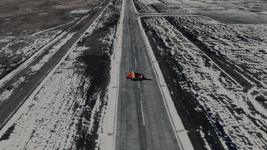
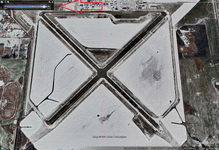
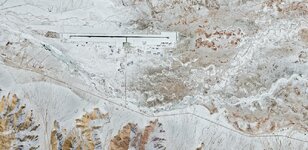
I tested tiles of 21 level. Just downloaded a whole highly detailed map for level 16 of 16384x16384 and cutted it up to 21 level, so every tile of levels 16-21 is 512x512. I wanted to make a winter runway in winter mountains. I made this:

1.png2.png3.png

I'd like to make the completely white base in the mountains, but it's not easy to find good winter satellite maps. Maybe someone knows where it can be found? Some snowy airports in the mountains. Of course, we can just make summer textures white using Photoshop, but it will be nice to find native highly detailed winter satellite maps of some Earth area with a real airport.
 
I made the native runway texture of Ascension Island as a .*dds object:

runway.png

It requires some improvements, but I didn't really like it. I think this could be done better with manually texture editing.

But I learned how to make runways for Orbiter :)
 
Try looking at North Peace Regional Airport (Fort St. John, BC Canada) or any of the airports around Edmonton, AB Canada (especially CFB Edmonton), for winter airport images.
 
Well, also I made a test flat mesh with a runway texture, and it hasn't the problem of the shining through the ground:

runway_as_mesh-png.36654
runway_as_mesh2.png

Only the shadows of the exhaust and (maybe) a vessel are visible through the ground. But it’s not so noticeable and looks better than the whole runway is visible through the ground. Maybe it can help @jarmonik to solve this problem.
Try looking at North Peace Regional Airport (Fort St. John, BC Canada) or any of the airports around Edmonton, AB Canada (especially CFB Edmonton), for winter airport images.
I just looked them on Google Earth, and sadly there aren't winter images. I've seen mentions of winter maps on some forums, it should be search some more.
 

Attachments

  • runway_as_mesh.png
    runway_as_mesh.png
    826.3 KB · Views: 108
I just looked them on Google Earth, and sadly there aren't winter images. I've seen mentions of winter maps on some forums, it should be search some more.
There are, you just need to activate Historical Imagery. (View > Historical Imagery)
1706738649268.png
 
Better to just use Google with the airport names and winter and just look at the image selections.
 
Hi Misha, impressive work on the tiles here!
Have a question: I had problems digging trenches for bases. IIRC .flt files are dependant on tile resolution. Me thinks with level 21 tiles one could dig a pretty accurate trench? Have you done any eperiments in this direction?
 
Hi, honestly I don't know how the *.flt files depend on the tile level. I haven't made such experiments. But you could try, just notice that the 21 tile levels became available only recently with the latest Orbiter builds on GitHub.
 
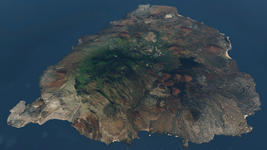
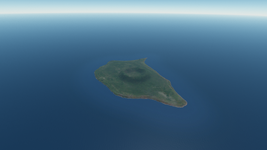
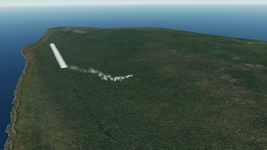
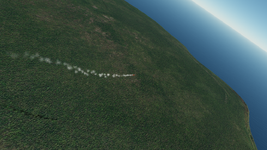
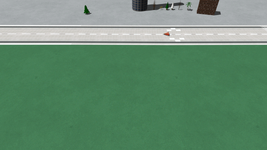
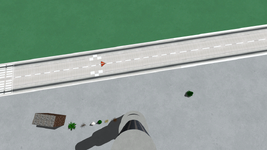
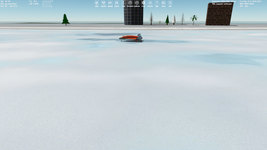
These surface tiles seems to be made manually, namely it's not satellite maps. But they look pretty nice for this small island. The buildings are located on asphalt textures which looks pretty nice too. All this leads me to thinking, that maybe it will be better to make such neat custom textures for bases instead of using satellite maps. So that they are smoothly blurred, so there will be no flickering of pixels... It just looks very neat and nice, I think.
 
What are you thinking about this? Is it too cartoony?:

!1.png!2.png

More:

!4.png!5.png!6.png
 
Back
Top