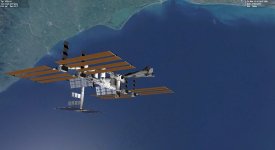
taking screenshots

Keatah

Active member
Joined
Apr 14, 2008
Messages
2,218
Reaction score
2
Points
38
At risk of getting thrown off the forum I do hereby ask the most basic question of all, how do I take a screenshot aside from using the print-screen key? I didn't see anything in the orbiter manual pdf, unless I'm simply overlooking it.

I figured out how to do a direct ascent to the iss, but can't figure out the screenshot stuff. What gives!!?!!?!


k
 
When you use the printscreen key Windows copies screenshot data to the clipboard. What you need yet is a program to capture the picture data in the clipboard and write it to an image file (e.g., BMP or JPG). There are several freeware screenshot capture programs out there; I like Multigrab, available here: http://www.softpedia.com/get/Multimedia/Graphic/Graphic-Others/MultiGrab.shtml

Note that you can press ALT-PRINTSCREEN to just capture the current window to the clipboard; this is useful if you are running Orbiter in a window and want to take a screenshot of just the Orbiter window instead of the entire desktop.
 
I can recommend this:-

[ame="http://www.orbithangar.com/searchid.php?ID=3279"]Screen capture[/ame]

Does what it says, and its done by an Orbinaut!

N.
 
3 different solutions - and all of them work well. Thanks !
 
HI, I installed "screen capture" to take screen shot, but seems does not works with Orbiter_ng.exe; some one know why? In the first image you can see the screenshot from orbiter.exe and in the second one from Orbiter_ng.exe.
ORBITER 2016 installed with D3D9Client r1355 installed
thanks a lot
 

Attachments

  • 21.05.18 14-00-17 XR2-01.jpg
    21.05.18 14-00-17 XR2-01.jpg
    668.7 KB · Views: 5
  • 21.05.18 14-02-18 XR2-01.jpg
    21.05.18 14-02-18 XR2-01.jpg
    38.7 KB · Views: 5
...or [Alt]+[PrintScreen] to just copy the current window image to clipboard and then paste it into you favourite paint program/App (paint.NET, irfanview, etc. pp.)
 
...or Windows 7-10 have a nice built-in "Sniping Tool" app that conveniently helps to select part of screen for image and then annotate it with color marker and copy to clipboard or save as image.
 
You can probably find several applications that automatically save any PrintScreens. I use Dropbox, and it does it for me, for example.
 
Back
Top