Skylab 1973 rebuild

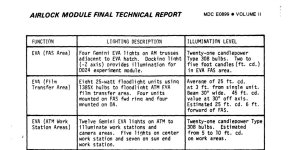
Been looking at images and making changes. Added the directions. And 2 bus bars.

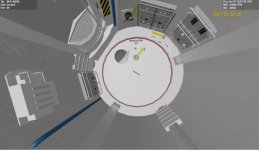
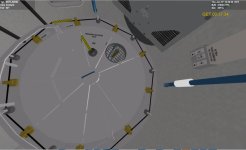
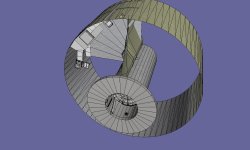
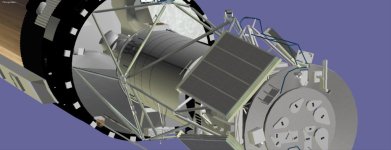
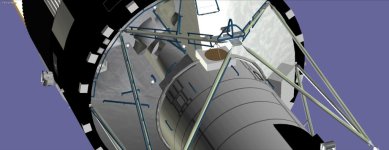
So I have 2 meshes external and airlock. I guess in the VC mode I can set if in the airlock show the airlock mesh if in the OWS show the OWS mesh,....

I might add all the external airlock stuff to the external and darken the airlock window. But in the VC you should be able to see the interior stuff?


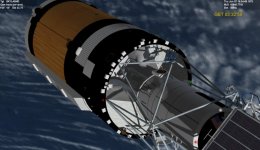
I think on the external I will put covers over the OWS and STS windows to cover the empty mesh?

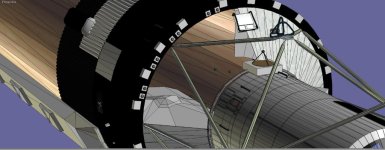
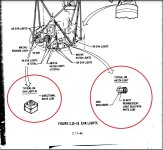
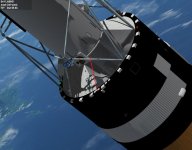
On external feature meshwise is the external lamps. I may make them as a mesh where the light part is different from the housing. And then just light up the light part?
 

Attachments

  • skylablight3.jpg
    skylablight3.jpg
    109.9 KB · Views: 10
  • SKYLABEXTERIOR3.jpg
    SKYLABEXTERIOR3.jpg
    83 KB · Views: 10
  • SKYLABINTERIORAFT.jpg
    SKYLABINTERIORAFT.jpg
    56.2 KB · Views: 10
  • SKYLABINTERIORFRONT.jpg
    SKYLABINTERIORFRONT.jpg
    46.3 KB · Views: 7
  • SKYLABAIRLOCKMESH.jpg
    SKYLABAIRLOCKMESH.jpg
    69.3 KB · Views: 6
  • SKYLABEXTERIORMESH.jpg
    SKYLABEXTERIORMESH.jpg
    85.1 KB · Views: 6
  • skylablight1.jpg
    skylablight1.jpg
    71.8 KB · Views: 5
  • skylablight2.jpg
    skylablight2.jpg
    95.9 KB · Views: 6
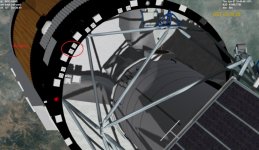
Added lights. Since I am doing several meshes. Would it make sense to do the solar panels as separate meshes? Then One could select 2 panels or 1?
 

Attachments

  • SKYLABEXTERIORMESH2.jpg
    SKYLABEXTERIORMESH2.jpg
    59.6 KB · Views: 3
Depends. If you want to do Skylab without the damage, two panels are needed. If you just want to do the historic mission, one panel is enough.
 
I thought I was getting close. Then saw issues.
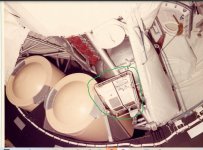
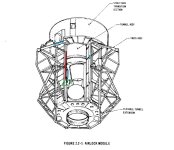
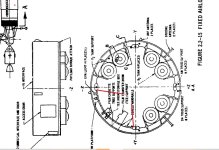
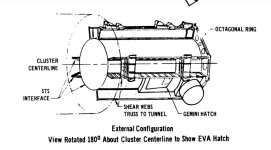
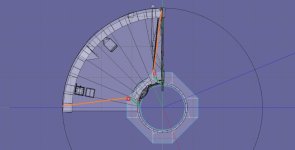
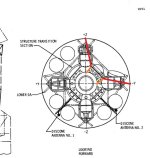
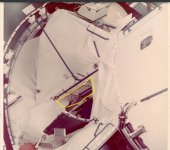
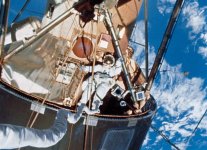
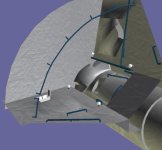
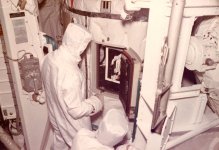
I am going to redo the airlock area. It looks like the airlock hatch is recessed from the sides. Almost like a pocket?
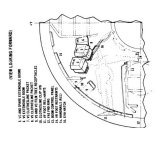
The trusses need joints to the FAS. and on the drawing of the eva station number 14 seems to be in that pocket? I can't tell if the recess is only one one side?
 

Attachments

  • externalairlock1a.jpg
    externalairlock1a.jpg
    57 KB · Views: 8
  • skylabairlock1.jpg
    skylabairlock1.jpg
    85.3 KB · Views: 7
  • airlocktunnel1.jpg
    airlocktunnel1.jpg
    67.9 KB · Views: 7
  • airlocktunnel2.jpg
    airlocktunnel2.jpg
    91.9 KB · Views: 5
  • airlocktunnel3.jpg
    airlocktunnel3.jpg
    72.5 KB · Views: 4
  • airlocktunnel4.jpg
    airlocktunnel4.jpg
    42.6 KB · Views: 5
  • airlocktunnel5.jpg
    airlocktunnel5.jpg
    55 KB · Views: 7
  • airlocktunnel6.jpg
    airlocktunnel6.jpg
    63.1 KB · Views: 9
  • 11650845513_4a4c4d53cd_c.jpg
    11650845513_4a4c4d53cd_c.jpg
    132.6 KB · Views: 9
  • eva2b.jpg
    eva2b.jpg
    37.2 KB · Views: 8
Last edited:
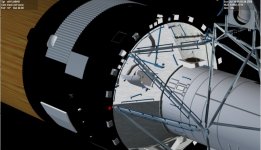
Got a mesh. I need to redo somethings. Need to find better image of the center section. To see how big it was?

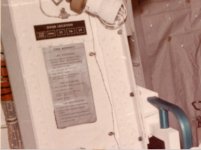
It would be nice to see what the the grey sign stated. All I could make out is crew activity.

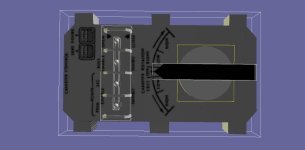
I have the control panel on the wrong side.

I need to redo the Panel.
 

Attachments

  • ATMCENTERSTATION1.jpg
    ATMCENTERSTATION1.jpg
    85.8 KB · Views: 7
  • NEWSKYLABEVASTATION2.jpg
    NEWSKYLABEVASTATION2.jpg
    86 KB · Views: 6
  • ATMCENTERSTATION2.jpg
    ATMCENTERSTATION2.jpg
    83.7 KB · Views: 5
  • ATMCENTERSTATION3.jpg
    ATMCENTERSTATION3.jpg
    46.9 KB · Views: 6
  • skylabrcp2.jpg
    skylabrcp2.jpg
    31.7 KB · Views: 6
Do you already have a concept, where you would place the internal VC positions? If not, I'll just keep the level of detail concept generic.
 
I think maybe 3 or 4. MDA, Airlock, OWS
Places between hatches
But still means a lot of mesh parts
 
Last edited:
I think maybe 3 or 4. MDA, Airlock, OWS
Places between hatches
But still means a lot of mesh parts

Yes. Of course, the fewer positions you have the less meshes you actually need. Also I think the mesh making process could be pretty easy, if you want to go cheap. With enough distance or through an open hatch, you could replace a lot of things with coarse "painted card board boxes" and it wouldn't really be a big problem.

Also, you could group certain positions together to use the same mesh visibility configuration. You could then just compare if the mesh visibility status changed and if not, simply keep the mesh visibility instead of resetting them again. For example, I think you only need two such configurations for the whole OWS to already save a lot of unnecessary rendering.

If you care for the hatch positions as additional input, you could even reduce the active triangles a lot more....
 
Thanks. So don't do all the buttons,.........

Makes no sense, if nobody could appreciate them, right? Just focus on those that are close enough to the player at a time to actually see the difference. Or you need enough VC positions to show them.
 
Thanks. On the VC I am using the ISS_HD code so you can move thru the skylab. Or make a texture of panels?
 
Thanks. On the VC I am using the ISS_HD code so you can move thru the skylab. Or make a texture of panels?

Maybe you then need to use the actual camera position for the level of detail decisions than just simple discrete camera positions.
 
Let me put together an external mesh and vessel and then we can see what to do.
 
you might put one guy at the wardroom table one floating in the big lab and one in the MDA at the telescope controls
Yes. I have that. But at what detail level? Because I have the same movement as the ISS_HD you can get close to the panels.
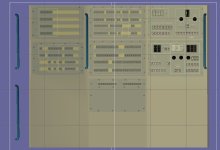
But if I just put some cameras locations then rather than same all the buttons/switches I might could do a texture. Like on the control and display console, all the switches are mesh groups,....
 
I hope to have a external mesh soon. If we go with multiple camera locations. Then the detail may not need to be as great. But with the ISS_HD movement you can move up to panels and read the labels,.......
 
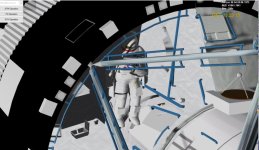
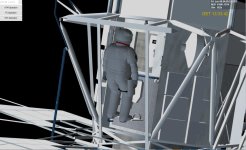
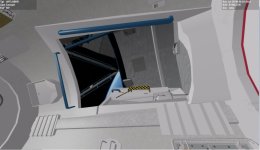
We have this right now. The airlock is highly detailed.

As I understand the VC camera points would be in the mda area and OWS. BUT not every switch,.....

Then the Control display which has alots of switches,.... make this just a texture?
 

Attachments

  • cdtexture.jpg
    cdtexture.jpg
    52.4 KB · Views: 11
  • skylabairlockint.jpg
    skylabairlockint.jpg
    55.7 KB · Views: 11
  • skylabairlockext.jpg
    skylabairlockext.jpg
    82.5 KB · Views: 11
Back
Top