Request Single Person Spacecraft

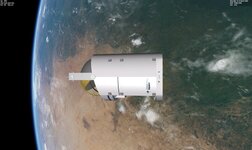
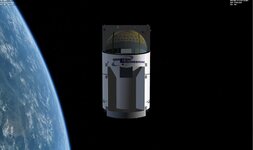
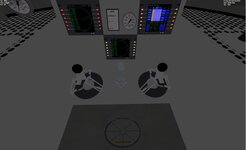
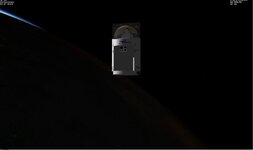
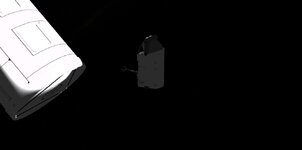
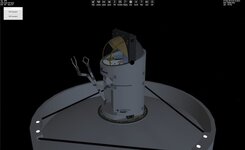
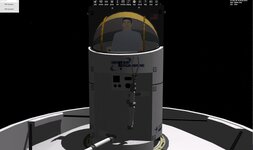
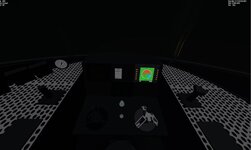
I loaded it in VB. Just to see mesh issues. No Arms yet.

I need to light the interior more. But the exterior is what I need to fix. You can see a line almost down the center. It is a divide between 2 textures. Both are white. One is all white and the other is white with the logo.
 

Attachments

  • SPSORBITER3.jpg
    SPSORBITER3.jpg
    51.6 KB · Views: 12
  • SPSORBITER2.jpg
    SPSORBITER2.jpg
    88.4 KB · Views: 12
  • SPSORBITER1.jpg
    SPSORBITER1.jpg
    45.9 KB · Views: 12
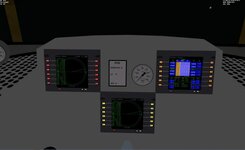
I think I may need to redo the MFD code. Just so you get some constrast. I make the sides of the top darker so you see the top and the sides.
 

Attachments

  • SPSVC2.jpg
    SPSVC2.jpg
    47.3 KB · Views: 8
  • SPSVC1.jpg
    SPSVC1.jpg
    46.1 KB · Views: 8
Trying to get the values for rcs,.....

I have
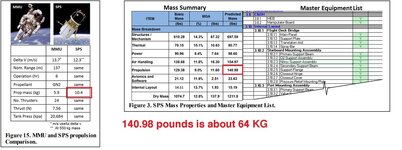
SetEmptyMass(485.72);

propellant I am not sure. as the pdf has 2 values.
I have max thrust at 7.56

Not sure on the ISP
 

Attachments

  • spsspecs1.jpg
    spsspecs1.jpg
    90.9 KB · Views: 3
You could of course also use the flags in Orbiters msh file format to disable the shading completely for certain groups like a backlit MFD surface.
 
Trying to get the values for rcs,.....

I have
SetEmptyMass(485.72);

propellant I am not sure. as the pdf has 2 values.
I have max thrust at 7.56

Not sure on the ISP

The propulsion system mass includes thrusters, valves and tanks. The propellant mass is really the lower value, its just compressed nitrogen gas.
 
I am stumped. Not I get a instant CTD when I reload.

Here is a zip of the cfg, module, mesh and textures.

I can add it. BUt when I reload instant CTD with nothing in the log,......

I can post the code
 

Attachments

Then you likely have a problem within clbkLoadStateEx or clbkSaveState. The source code would be good for debugging.
 
Thanks. I fixed it. It is is the simple stuff that can drive you crazy:)

I have moved past the mfd for now.
 
Thanks. I fixed it. It is is the simple stuff that can drive you crazy:)

I have moved past the mfd for now.

As usual. I lost 9 hours of work a few weeks ago for finding out that after a merge, a 19 was suddenly an 18 again and thus no longer supplying the correct version of a dependency....
 
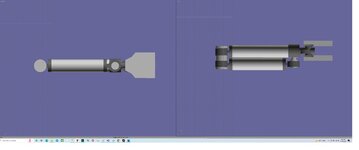
Both arms.

On the finger/claw I have it as 2 animations. An Attachment point will be used. Not sure if the point would need to be in the center or move with a finger?
 

Attachments

  • spsarms.jpg
    spsarms.jpg
    33.1 KB · Views: 5
I am going to redesign the arms. They need to be able to close up more for stowing.
 

Attachments

  • spsarms1.jpg
    spsarms1.jpg
    44.6 KB · Views: 8
I am looking at what images of the SPS arms there are. Maybe this:

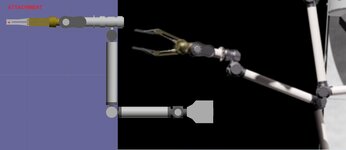
There is a white housing that allows the arm to rotate along the y axis maybe 170 degrees. Then a joint that rotates 360. The first arm is attached so it can rotate 360. The 2nd arm is offset so it can rotate 360 degrees. I suppose the next arm offset so to allow 360 degree movement.
 

Attachments

  • spsarmnew.jpg
    spsarmnew.jpg
    19.7 KB · Views: 2
This is what the arms will look like. Lots of movement.
 

Attachments

  • spsarm1.jpg
    spsarm1.jpg
    23 KB · Views: 6
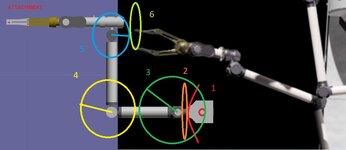
Should be only six degrees of freedom, not sure if the additional actuator right behind the fingers is really for orientating the "hand" or is actually the motor for opening and closing the fingers.
 
Where did u see 6 degrees

6 degrees of freedom = 6 joints to rotate or translate = 6 ways to change position and orientation of the tool of the robot arm.
 
OK Maybe like this.
1 180 degrees
all the rest are 360
 

Attachments

  • spsarm1A.jpg
    spsarm1A.jpg
    64.5 KB · Views: 4
Back
Top