Problem Orbiter Will Not Work Orbiter and Orbiter_NG w/ D3D9 Client

drummerboynano17

New member
Joined
Jan 28, 2012
Messages
4
Reaction score
2
Points
3
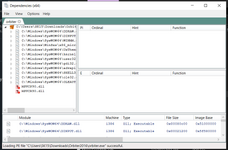
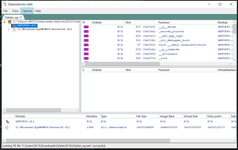
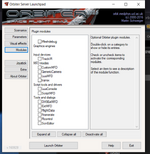
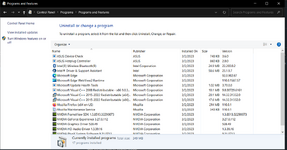
Okay, so I am at a loss at why Orbiter will not work for me. I've tried everything. I'm on a clean install of Windows 10. I've tried a clean install of Windows 11 installed the vcredist_x86 within the install folder AND I've installed the june 2010 directx redist package. I ran the DependenciesWalker program and all it's telling me is I'm missing MSVCR90.dll which should be a part of the vcredist_x86 install if I'm not mistaken? When running Orbiter_NG, when I try to enable the d3d9 client it gets stuck. Am I missing something here? Again, this is clean install of Windows 10 and a clean install of Orbiter2016 with the only "mod" installed is D3D9 client. Please help!!
 

Attachments

  • ControlPanel.png
    ControlPanel.png
    284.3 KB · Views: 29
  • Orbiter Dependencies.png
    Orbiter Dependencies.png
    219.2 KB · Views: 25
  • OrbiterNG Dependencies.png
    OrbiterNG Dependencies.png
    174.7 KB · Views: 30
  • Orbiter.log
    Orbiter.log
    647 bytes · Views: 4
  • OrbiterD3D9 Stuck.png
    OrbiterD3D9 Stuck.png
    186.6 KB · Views: 31
Fixed the issue. For anyone with a laptop with a mux switch. Make sure the setting is set to the highest performance to make sure the system is using the dedicated GPU instead of the intel UHD graphics.
 
This has been a common problem for newcomers lately. I'm glad you were able to figure it out.

Thank you for posting your solution; that will be helpful to others experiencing the same issues.
 
Hi,
I have problem with orbiter on new laptop.
When D3D9 files have been copied, the launchpad freezes and doesn't give an answer.

Laptop with Win 11 RTX 3050
Client downloaded from:

DirectX runtime lib downloaded from:

Is there any others soft i have to install?

Without D3D9 files in modules-plugin folder launchpad starts normaly.

Thanks in advance fo help.


1697313975851.png
 
Hmm, I have no experience with running D3D9Client on Windows 11, but I doubd that that migh be a no-go.
Do the logs (Orbiter.log in main folder and Modules\D3D9Client\D3D9ClientLog.html) show something?
 
Fixed the issue. For anyone with a laptop with a mux switch. Make sure the setting is set to the highest performance to make sure the system is using the dedicated GPU instead of the intel UHD graphics.
The exe file for performance setup is located at Orbiter2016\Modules\Server\orbiter.exe
Not the one in the root folder of the game
 
Hmm, I have no experience with running D3D9Client on Windows 11, but I doubd that that migh be a no-go.
Do the logs (Orbiter.log in main folder and Modules\D3D9Client\D3D9ClientLog.html) show something?
Nothing, judging from other cases.
I created a ticket in the hope that something can be done to provide more insight into these issues: https://github.com/orbitersim/orbiter/issues/382
 
Do we not have "verbose" logging functionality any more?
I don't think that adds much on the startup. IMO, these issues need something more specific: either new logs/checks in the startup phase or some sort of standalone tester/debugger.
 
You have to completely disable the integrated graphics to make this work.
I had the exact same issue on my Win11 laptop.
It works, but the frame rate has dropped significantly during simulation. I'm able to turn integrated graphics on after opening the launch pad.
 
Silly question: how do you disable the integrated graphics?
Regards.
Dragon.
Note: I figured it out.
 
Last edited:
I just change my laptop to a new one, with Intel Xe Graphics, and was unable to run Orbiter or Orbiter_ng. OpenOrbiter works without trouble enabling the DX11 wrapper, but since I'm a fan of AMSO, and most addons only work on Orbiter2016, was desperately seeking a workaround. I finally found it on this utlity: https://dege.fw.hu/dgVoodoo2/QuickGuide/
Just copied the X86 dlss on the Orbiter2016 folder and Orbiter.exe work. I could even enable antialiasing with the voodoo control panel. Hope it helps anyone else....
 
Sorry, could you explain what the "DX11 wrapper" you mean by this?
If you install the latest "OpenOrbiter" from https://github.com/orbitersim/orbiter/releases , it comes with a d3d9 client that has an option (editing the D3D9Client.cfg) called EnableDX12Wrapper. Just editing to "EnableDX12Wrapper = 1" and the d3d9 client works.... But again, not all addons work yet on this version of Orbiter.....
 
I tried it with the 240514 version, it's not the last, but has that option in the D3D9Client.cfg as well. I changed it from 0 to 1 and got a black screen after running the default scenario with DG, althouth I hear sounds.

How does the "EnableDX12Wrapper" option affect on Orbiter? Is there any difference in performance, graphics, etc compared to "EnableDX12Wrapper=0"?
 
How does the "EnableDX12Wrapper" option affect on Orbiter? Is there any difference in performance, graphics, etc compared to "EnableDX12Wrapper=0"?

If you have the issue where some newer computers cant open Orbiter because they don't support DX9, this makes it so Orbiter loads rather than crashing.
 
Back
Top