Orbiter Screenshot Thread

IcP1hqK.png


Africa, as seen through the telescope of Apollo 8.
 
Are the telescopes in NASSP fully functional for navigation?
 
Are the telescopes in NASSP fully functional for navigation?

The sextant and scanning telescope are fully functional, I think. You can use it for multiple navigation programs of the Apollo Guidance Computer, e.g. finding and realigning your inertial orientation by pointing the telescope to different stars.
 
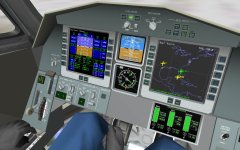
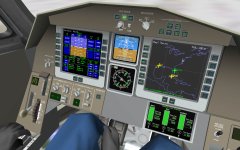
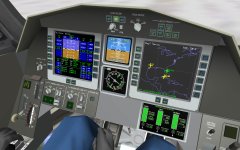
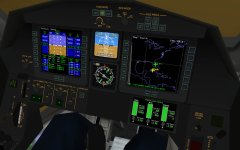
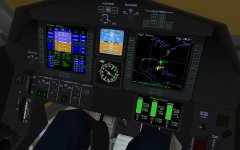
Just tying up a few loose ends in the DG virtual cockpit. Notice the new gimbal and hover attitude functions. The gimbal "auto" function now follows the manual user input to provide pitch, yaw and roll moments by gimballing the main engines accordingly. I think I got the idea from a suggestion by Artlav to make the gimbals more useful :thumbup:
It's now possible to have some attitude control when main engines are engaged even without RCS or airfoils enabled (although the roll moment is a bit feeble since the two engines are mounted so close together).

New is also the hover attitude control. Switching this to "auto" or "manual" modulates the three hover engines to achieve a given target pitch or roll angle taken by interpreting the user input. This is useful for translating the DG over a landing pad, since the pitch and roll angles translate into longitudinal and lateral accelerations (in the absence of an atmosphere). Only caveat is that this mode only works if the hover thrusters are not set too close to zero or max thrust. The modulation is constrained to maintain the total linear thrust, so if the thrusters are too close to either limit, there is no margin for modulation.

Next to the hover attitude controls, there is the hover hold altitude function. Currently this is just the standard built-in method, but I hope to extend it to (i) actually display the target altitude (ii) allow to modify the hold altitude manually (iii) switch between hold altitude and hold vertical velocity. This should turn soft landings at Brighton Beach into child's play.

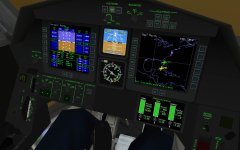
And yes, there are now interior design options for panel colours and mood lighting. :cheers:

Next beta will include all this, but may be a little longer still, since progress is slow. The Matlab script generating this cockpit has now grown to a cool 6000 lines and it's getting messy ...
 

Attachments

  • dg_cockpit1.jpg
    dg_cockpit1.jpg
    239.4 KB · Views: 124
  • dg_cockpit2.jpg
    dg_cockpit2.jpg
    239.4 KB · Views: 98
  • dg_cockpit3.jpg
    dg_cockpit3.jpg
    229.7 KB · Views: 98
  • dg_cockpit4.jpg
    dg_cockpit4.jpg
    176.9 KB · Views: 104
  • dg_cockpit5.jpg
    dg_cockpit5.jpg
    174.4 KB · Views: 90
  • dg_cockpit6.jpg
    dg_cockpit6.jpg
    173.1 KB · Views: 83
And yes, there are now interior design options for panel colours and mood lighting. :cheers:

Looks nice!

I'm working on cockpit lights for the D3D9 client, and I'm wondering what kind of special textures you are using, and how you are rendering things.

Some screenshots of the in-progress Atlantis flight deck at night:

 
Looks nice!

I'm working on cockpit lights for the D3D9 client, and I'm wondering what kind of special textures you are using, and how you are rendering things.

Some screenshots of the in-progress Atlantis flight deck at night:
Impressive!

My panel textures consist of just a generic noise texture for the surface structure, so they can be swapped out (or set up with different material properties) without effort. The labels and shadows are separate alpha-blended textures rendered on top of the panel background. The labels are rendered with standard diffuse material during daytime, and with emissive material and additive flag set when instrument illumination is switched on.

I actually introduced a new user flag bit for mesh groups to "bypass texture RGB values during render", in other words, only use the alpha channel from the texture, and for RGB colour use the material values only. This allows me to add shadows to the labels for daylight rendering, but ignoring those for the illuminated mode. Hopefully this will be easy to propagate to the D3D9 client.
 
Looks nice!

I'm working on cockpit lights for the D3D9 client, and I'm wondering what kind of special textures you are using, and how you are rendering things.

Some screenshots of the in-progress Atlantis flight deck at night:

That looks really great. I wasn't aware of you were working something like that. :tiphat: You should be able to sent a request to join the project from CodePlex site or is the work available from some place else ?
 
Looks nice!

I'm working on cockpit lights for the D3D9 client, and I'm wondering what kind of special textures you are using, and how you are rendering things.

Some screenshots of the in-progress Atlantis flight deck at night:


How would you do transition from night to day, other textures ?
 
I actually introduced a new user flag bit for mesh groups to "bypass texture RGB values during render", in other words, only use the alpha channel from the texture, and for RGB colour use the material values only. This allows me to add shadows to the labels for daylight rendering, but ignoring those for the illuminated mode. Hopefully this will be easy to propagate to the D3D9 client.

That should be easy to apply. No problem.
 
Talk about a code first approach :blink:

That's what happens when a coder tries his hands on 3D artistry. On the plus side, my script automatically spits out relevant animation parameters (rotation axes, active mouse areas, etc.) in a header file that is #included in the Deltaglider code, so if I move a button around, I don't actually have to change anything in the code, just recompile.
 
picture.php

A habitat for long duration, deep space missions

From right to left, this stack consists of an SLS upper stage as the kick stage, the Orion spacecraft, an ISS-derived hab, two Multi-Mission Space Exploration Vehicles to explore an asteroid (one would be sufficient, the other is needed for counter-balance) and a solar-electric propulsion module.
Based on a 2012 NASA paper.
 
picture.php

A habitat for long duration, deep space missions

From right to left, this stack consists of an SLS upper stage as the kick stage, the Orion spacecraft, an ISS-derived hab, two Multi-Mission Space Exploration Vehicles to explore an asteroid (one would be sufficient, the other is needed for counter-balance) and a solar-electric propulsion module.
Based on a 2012 NASA paper.

Very cool!
 
picture.php

A habitat for long duration, deep space missions

From right to left, this stack consists of an SLS upper stage as the kick stage, the Orion spacecraft, an ISS-derived hab, two Multi-Mission Space Exploration Vehicles to explore an asteroid (one would be sufficient, the other is needed for counter-balance) and a solar-electric propulsion module.
Based on a 2012 NASA paper.

Where did you get that "ISS Derived Hab module"? Good design, by the way.
 
My panel textures consist of just a generic noise texture for the surface structure, so they can be swapped out (or set up with different material properties) without effort. The labels and shadows are separate alpha-blended textures rendered on top of the panel background. The labels are rendered with standard diffuse material during daytime, and with emissive material and additive flag set when instrument illumination is switched on.

So, if I understand correctly, there are three textures:

the diffuse base texture,
a texture that applies shade, multiply blended, and
a texture that contains the labels and floodlights, which in daytime is multiply blended, and in nighttime is additive blended

Am I close?

How would you do transition from night to day, other textures ?

Basically, the night textures are controlled by the sunlight strength. During the day, the night textures are invisible, and the normal textures show. As the sun sets and gets weaker, the night textures begin to fade in, until the sun is gone. The reverse happens at sunrise.

I don't think there's a way to control the panel lights with a switch or keyboard shortcut (yet), so the lights automatically fade in and out with the sun.

Right now, I'm experimenting with two rendering methods, and I will be working on more as ideas arise.

1. The _emis texture contains only shadows, floodlit areas, and illuminated instruments and labels. This texture is multiplied with the diffuse texture and emissive material property at night to provide the output.

2. The _emis texture contains everything. This texture replaces the diffuse texture at night.

 
So, if I understand correctly, there are three textures:

the diffuse base texture,
a texture that applies shade, multiply blended, and
a texture that contains the labels and floodlights, which in daytime is multiply blended, and in nighttime is additive blended

Am I close?

Essentially yes, although in my case the day/night mode transition is not automatic or gradual, but by the user switching on the instrument lights. So you can have additive emissive effects also in daylight. It doesn't show much in sunlit areas, but is distinctive in shaded areas, as one would expect. There is also a brightness dial, which simply provides a multiplier for the emissive colour component.
 
Where did you get that "ISS Derived Hab module"?
This is actually one module of the stock 'ProjectAlpha ISS'. I imported the ISS into my modelling program (Gmax) and deleted the unused modules. The ISS model has an amazing level of detail!
I was looking for a scenario how the Orion may be used for exploration. The arrangement described in the NASA paper seems plausible.
The MMSEV is the Space Exploration Vehicle made by Gattispilot.
 
jM2tV7t.jpg


Saw some other water pictures in another thread, it sure looks good but big performance hit.
 
Back
Top