Orbiter 2024 Release

Status
Not open for further replies.
Et tu va devoir updater ton add-on Kourou! 😋

Quoi que... ça veut dire que je dois updater Québec moi aussi. Merde. :ROFLMAO:


THAT! 💯
Je suis content de voir qu'il y'a d'autres Québécois ici!!! 😊😊😊Je suis près de Victoriaville, originaire de Sherbrooke. Ça fait longtemps que tu as découvert Orbiter? Si je comprends bien, tu programmes des add-ons pour Orbiter? Je suis vraiment content de voir ça, et je tiens à te remercier pour tes contributions.

Je programmes aussi, mais en C#. Je ne crois pas qu'il y ait des bindings dans l'API Orbiter pour C#???

À la prochaine, et si ton code est sur GitHub, j'aimerais bien y jeter un coup d'oeil. Donne moi l'URL de ton repo 🧐

Est-ce qu'il y'a un regroupement d'utilisateurs d'Orbiter au Québec?.

A+

Next time I'll write in English to avoid possibly breaking rules. Sorry for non-francophones, I just saluted and thanked her for her participation to add-ons.

Cheers everyone!
 
Je programmes aussi, mais en C#. Je ne crois pas qu'il y ait des bindings dans l'API Orbiter pour C#???
Once upon a time there was Orbiter.NET, but it seems like the code is lost in time now. I still have it on my drive and could upload it to github, if you are interested.
 
Update: I looked into Orbiter Galaxy module but there is no source code available for portability.
Why, there's a blast from the past... I never published the source code because it was essentially Baby's first C++ project, and built on several hacks. So it was a royal mess. You wouldn't have much joy porting it even if the source code was still around. Which, in all honesty, I am not sure it is. I wasn't even using version control yet back then. It's possible that it's still hanging around on a backup drive, but I really don't think it's worth digging it up.
 
You wouldn't have much joy porting it even if the source code was still around.
If someone could create/update for Orbiter16/24 that would be so cool! The other software still works it's just the MFD that's broken, and that was quite simple; it points and holds with absolute killrot.

Which leads me to another question:
What would be the easiest way to add 3d terrain to "alien" planets? I guess copying and changing color won't work?
@Mr Martian How did you make your moon terrains? Can that be done for larger worlds too?
 
What would be the easiest way to add 3d terrain to "alien" planets? I guess copying and changing color won't work?
Somehow hacking a procedural terrain generator into the data input stream of the terrain renderer? Now that Orbiter is open source, it would even be possible, but it's a huge undertaking in and of itself. Artlav could probably tell a merry tale or two about that...
 
Somehow hacking a procedural terrain generator into the data input stream of the terrain renderer?
Did think of Orolux, but was hoping for something a little easier (that I might be able to implement). ;)
 
Orbiter.exe не запускается, а в Orbiter_ng.exe у DeltaGliderIV-3 не переключаются панели в кокпите по Ctrl+стрелка вверх-вниз.
 
Orbiter.exe не запускается, а в Orbiter_ng.exe у DeltaGliderIV-3 не переключаются панели в кокпите по Ctrl+стрелка вверх-вниз.
Sorry no comprende, but I can say that DG4 (Dansteph) defineately doesn't work properly with Orbiter2024 (nor O16 for that matter), ground elevation issues.
 
If someone could create/update for Orbiter16/24 that would be so cool! The other software still works it's just the MFD that's broken, and that was quite simple; it points and holds with absolute killrot.

Which leads me to another question:
What would be the easiest way to add 3d terrain to "alien" planets? I guess copying and changing color won't work?
@Mr Martian How did you make your moon terrains? Can that be done for larger worlds too?
Hi @Buck Rogers
I had colour and bump maps which I converted to tiles and used TileSplitter and treeman to create the .tree files for elevation and surface maps. This is an achingly slow process, but with some patience is entirely doable, just a lot of steps involved. If you want to create elevation and surface textures, along with optional specular cloud textures etc from scratch then use them, that would be the best way to go, but this is obviously laborious. If your goal is procedurally generated worlds, that is a whole other undertaking. You would need to have a robust understanding of Orbiter's core engine, along with development of graphics plugins.

But to answer your question, the method I used can be scaled up or down to any sized planet. This format is how the default Phobos and Deimos work, giving their irregular terrain, and also how the default Earth and Mars work, so any scale is possible, just keep in mind that higher resolutions require more tiles, and therefore more work...

Hope that helps!
 
I had colour and bump maps
Did you make these yourself? I've worked with Bryce so I'm guessing it's similar.
But to answer your question, the method I used can be scaled up or down to any sized planet. This format is how the default Phobos and Deimos work, giving their irregular terrain, and also how the default Earth and Mars work, so any scale is possible, just keep in mind that higher resolutions require more tiles, and therefore more work...
Thanks for the clarification, I wasn't sure if small bodies were done differently.
but this is obviously laborious.
This is the bit I was hoping to avoid;)
Was hoping one could do a quick hack, change color, apply to a different sized world (wishful thinking on my part).

But your moons do look impressive, and are a big motivation to try it out some time.
 
Is that manual work?

Maybe some tool that creates/generates random elevation tiles for a whole selectial body might be a good idea?

Also, I'm interested in making micro-textures for body surfaces.
Actually! That reminded me, for Nereid in the Neptunian Moons for Orbiter 2016 - 2024, since we have not mapped it in any detail, I made use of the export textues function in SpaceEngine. I simply exported SpaceEngine's procedurally generated Nereid and used the bumb map for the elevation. I then tweaked the colours for the diffuse map to more closely reflect what we do know about the moon.

So if your goal is quantity over hand-crafted topography, I would recomend making procedural planets using SpaceEngine's edit planet tool, then exporting the textures. This does require owning SpaceEngine though, and I believe exporting textures over 2048x1024 requires the pro version. That wasn't an issue for Nereid given its small size. There may also be licensing issues too, now that I think of it...

That whole process still requires you to convert the generated texture images to the tile format that Orbiter can make use of...

Micro textures should be a much easier undertaking, basically a seamless normal map texture in .dds format with transparency tweaked. Never attempted it myself though.
 
Did you make these yourself? I've worked with Bryce so I'm guessing it's similar.

Thanks for the clarification, I wasn't sure if small bodies were done differently.

This is the bit I was hoping to avoid;)
Was hoping one could do a quick hack, change color, apply to a different sized world (wishful thinking on my part).

But your moons do look impressive, and are a big motivation to try it out some time.
Take a look at the end-user documentation I included in those addons, I sourced the heigh maps from various sources for the Neptunian moons addon. For the Uranian moons addon I made use of the beautiful handpainted maps made by @Astra (found on their DeviantArt, thanks for the plug Astra!). Bryce is probably a good way to go for making textures from scratch actually, wow that takes me back, haven't used Bryce in over a decade!

I did make a photoshop template which made it slightly easier to devide the texture images into tiles. I keep meaning to make a propper tutorial and include my templates one day, just need to get around to it. I do want to share this process in a step-by-step guide, as the more accessible this is for dedicated developers like you, the richer everyone's experience in Orbiter is :)
 
Actually! That reminded me, for Nereid in the Neptunian Moons for Orbiter 2016 - 2024, since we have not mapped it in any detail, I made use of the export textues function in SpaceEngine. I simply exported SpaceEngine's procedurally generated Nereid and used the bumb map for the elevation. I then tweaked the colours for the diffuse map to more closely reflect what we do know about the moon.

So if your goal is quantity over hand-crafted topography, I would recomend making procedural planets using SpaceEngine's edit planet tool, then exporting the textures. This does require owning SpaceEngine though, and I believe exporting textures over 2048x1024 requires the pro version. That wasn't an issue for Nereid given its small size. There may also be licensing issues too, now that I think of it...

That whole process still requires you to convert the generated texture images to the tile format that Orbiter can make use of...

Micro textures should be a much easier undertaking, basically a seamless normal map texture in .dds format with transparency tweaked. Never attempted it myself though.
Make sure you're respecting license terms.
 
wow that takes me back, haven't used Bryce in over a decade!
:) Have to see if I can get it installed, it's very old I fear it won't work on newer systems.

step-by-step guide
Yes please! But no stress, look forward to it sometime when you have time for it.
as the more accessible this is for dedicated developers
You may kickstart something beautiful, there's defineately interest (and many barren worlds).:)
 
Make sure you're respecting license terms.
From SpaceEngine's license terms:
LICENSE
Copyright of the "SpaceEngine" software (the "Software") belongs to Cosmographic Software LLC (the "Licensor"). The Licensor reserves all other rights in the Software not expressly granted to you here. Subject to your compliance with these terms and conditions, the Licensor grants you a royalty-free, non-exclusive license to use or run the Software for personal, non-commercial use only, and to copy and distribute any content created with the Software (screenshots, video, textures, scripts, but not soundtrack), for personal, non-commercial educational presentations, charity and other non-commercial use. Copyright and other intellectual property laws and treaties protect this Software Product. The Software Product is licensed, not sold. If you wish to use the Software or content created with the Software for commercial purposes, please purchase the SpaceEngine PRO DLC available on Steam.

RIGHTS FOR "RE-USE"
You receive the right to re-use images, videos, and other such media created in the Software for the purposes of non-commercial education and non-commercial virtual exhibits, provided that "SpaceEngine" is credited either by a caption on the image which might reasonably considered to be visible when included, or in such a manner as is typical for the purpose, such as inclusion in a credits or acknowledgements section, as “SpaceEngine © Cosmographic Software LLC.”
You receive the right to create and make publicly available videos containing images, video and sounds of the Software through social media channels such as Twitch.tv and Youtube.com, through so-called “Let´s Play" videos or "livestream" presentations, under the provision that they are not monetized in any way. Donations such as "Superchat" are not considered monetization for this purpose. Soundtracks may only be made publicly available in the context of a "Let´s Play" video or "livestream" in which showcasing the Software and its gameplay is the primary content. In the context of any such "Let´s Play" video or "livestream", the following copyright notice must be displayed prominently in the video description: “SpaceEngine © Cosmographic Software LLC.”

From this I can glean that redistributing procedural textures generated in SpaceEngine is acceptable providing it is part of freeware (non-profit) and SpaceEngine is appropriately credited, as I did in the end-user documentation for the Neptunian moons addon.

This is for the basic version that I have, the pro version may have different terms surrounding the higher resolution exports available, but one of the pro version's supposed selling points is additional distribution liberties for developers and multimedia producers (primarily in the education sector).
 
I'm noticing difficulties with Mimas (Saturn's moon), but I'm not sure if it's a bug, maybe it's caused by the close distance to Saturn. So, it's hard to take off vertically with DG, since it turns over immediately just after taking off from the ground. Also, DG slides over the ground, so it's very hard to brake and stop the vessel.

Maybe someone might try it.
 
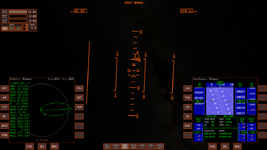
Also, there's a problem with orbital navigation with Mimas (also, I tried Tethys). So, PRO GRADE autopilot doesn't orient a vessel in the orbital velocity direction:

Без імені.png

But it works right with Iapetus.
 
Last edited:
I'm noticing difficulties with Mimas (Saturn's moon), but I'm not sure if it's a bug, maybe it's caused by the close distance to Saturn.
I think this is the same in Orb16. Mimas only has a gravity of 0.01 G, and is not the main sphere of influence, there are 4 bodies acting and Mimas is the smallest even if your on it.
it's hard to take off vertically with DG, since it turns over immediately just after taking off from the ground.
Use Auto level.
Also, DG slides over the ground, so it's very hard to brake and stop the vessel.
Yes it's very slippery and impossible to brake, this does seem to be more of an issue with Orb24? (also noticed a wierd G spike every 500s?).
Also, there's a problem with orbital navigation with Mimas (also, I tried Tethys). So, PRO GRADE autopilot doesn't orient a vessel in the orbital velocity direction:
Auto selection will choose the main body of influence. You can manually select the Ref. in the Orbit MFD and press HUD for it to be displayed. You may need another MFD in some cases, or even have to eyeball it!
0022.jpg
Welcome to navigating the moon realms!
 
Last edited:
Yes, the 0.05G indicator shows that you cannot trust Orbit MFD or velocity pointer in the HUD.
 
Status
Not open for further replies.
Back
Top