
Discussion Mission Control Mega-Thread

I would also love to add some how the space network plugin to it so it will be a "total immersion" MCC ;)

Orb::Connect is very extensible and can communicate with other plugins if they cooperate -- see the code attached to this post to learn how it is done.

---------- Post added at 10:31 PM ---------- Previous post was at 10:20 PM ----------

@kamaz:

I think, you simply have a different approach:

You are asking "how", i am asking "what"

I'm not asking you how to do this, I'm telling you what the existing technology can do so you can avoid reinventing the wheel.

To be fair, I was never really interested in MCC aplications so I cannot provide "what". But if you want to leverage my add-ons to build your MCC application, that's great, and I will gladly tell you "how".
 
@fred18:

I will have a look at the space network plugin. Can you pls detail a bit what you mean with "total immersion" ?

with a total immersion addon I mean an addon that puts you in a simulated enviroment as much as complex as possible with lots of real aspect to be kept in consideration for performing a mission or a flight. In this example radio communications
 
I do not want something special, just some kind of a vessel like Houston Mission Control room, where in "cockpit" view mode just to sit and look at MFD's, when accelerating time 1000x, so mission goes faster.
 
Last edited:
I do not want something special, just some kind of a vessel like Houston Mission Control room, where in "cockpit" view mode just to sit and look at MFD's, when accelerating time 1000x, so mission goes faster.

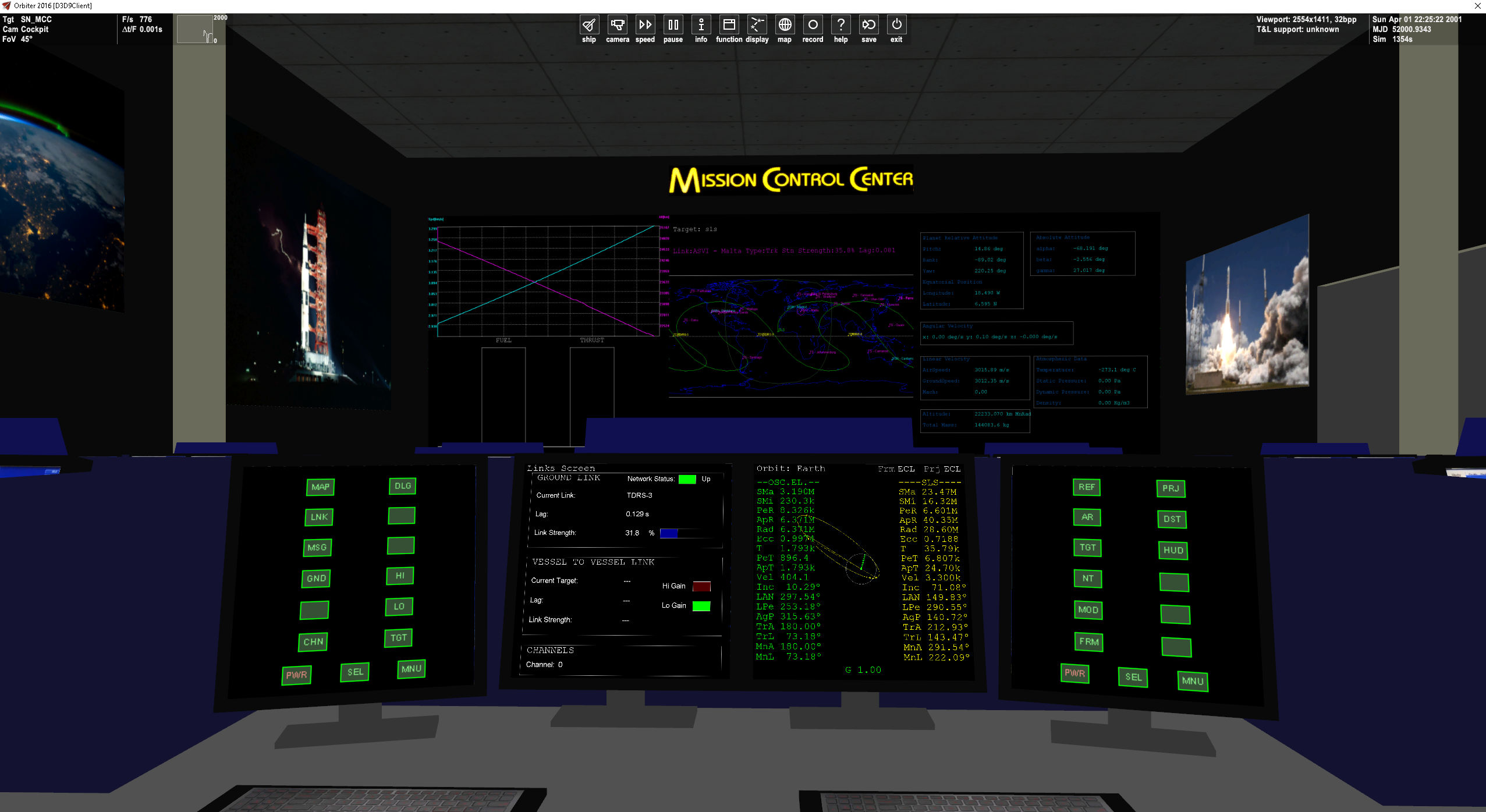
Give a run to this if you want (download link in the post last line)

SN_MCC.png


https://www.orbiter-forum.com/showthread.php?p=582362&postcount=8
 
Switching to the interior view of this gives me a CTD. Orbiter log and DX9 Client log don't give me anything on it unfortunately.

It is for orbiter 2016 official release, i forgot to mention it. Is it the orbiter version you are using?
 
It is for orbiter 2016 official release, i forgot to mention it. Is it the orbiter version you are using?

I'm using the latest Orbiter Beta. I'll check on a clean Orbiter 2016 install.

EDIT: Works fine on a clean Orbiter2016 install. So it might not be Orbiter Beta compatible or some other issue in my NASSP development install. In my MFD for NASSP (RTCC MFD) I so far have added two MFD pages that are modeled after two mission control displays, so all I really wanted to do is post a screenshot of your MCC addon with those two MFD pages running, haha.
 
Last edited:
Thank you - that's exactly what I was looking for!

Great looking room.
Only as Indy91 wrote, if I press F8, then is CTD. But I use MFD overlays anyway, so that is a minor problem.

P.S. Just saw the reply, I am also on Orbiter BETA, so I see why.
 
Hey guys, glad you like it, here is a module for the orbiterbeta version. It should work... careful: it's only the module, the dll inside the zip must be put inside orbiter/modules folder manually.

If the VC works then you should enjoy it much more:
- ctrl+t defines the vessel target to follow on the big screens
- you can move around the room with ctrl+arrows keys (go in front, and back behind the glasses in the press room :) )

Let me know if it works!
 

Attachments

Yep, it works.

YB1pjXu.png
 
Reaching back to resurrect on old joy. @fred18 do you think you could recompile the dll with the Orbiter2024 build? I get the same CTD going to virtual cockpit that we had between 2016 and the Beta.
 
Last edited:
Back
Top