Project ISSU

Hi all.

Erupter:
1st) my Tortoise told me "Error Repository moved temporarily to 'http://projectissu.svn.sourceforge.net/';" when i entered the url posted above, so no download nor update
You have entered wrong adress.
Enter this: https://projectissu.svn.sourceforge.net/svnroot/projectissu/
With this adress should be ok.

Pete:
All that really needs doing is
1) Resizing
2) Adding interior + adapting it for new hatches
3) Adding detail like EVA handrails, trunnion pins, hatches, windows & raised tile areas. Once my textures are finished, I will upload another copy of them, where I will mark in red which areas need changing + what needs changing on them. I have pictures of what needs changing also. I will explain all this in more detail once textures are finished
4) Texturing

I have been thinking about adding interior as Virtual Cockpit, so we will be able to make some switches and gain fps when camera is outside.

I took a look on the Destiny's mesh. I think, that it hasn't "Truss docking port". I didn't find it, so we can get it from Mustard's destiny.
 
I like the idea about switches.

I took a look on the Destiny's mesh. I think, that it hasn't "Truss docking port". I didn't find it, so we can get it from Mustard's destiny.
For S0 (which Mustard is doing) it will be an attachment point, not docking port:)
I intend to create some kind of auto-attach system, so when S0 is placed on top of Destiny, it would attach itself when released from RMS.
 
We will have that effect, when we make docking port instead of attach point.
 
We will have that effect, when we make docking port instead of attach point.

Yes, we could, but you see Mustard is using an attachment point on his S0. Also, if a docking port is used, you get "jumping" of the truss to the docking port when it gets near.
 
It depends on one parameter: Docking Range. If you set up this parameter to 0.05m, you will not have "jump" effect.
 
OK, I decided to have a go at modelling myself...

I'm just testing out my textures. I'm still learning - this is my first ever modelling job.

I will still need a lot help with raised areas. I will do texturing myself if it will make things any easier.

Here's my progress so far...(still needs a lot of work)
 
Last edited:
OK, I decided to have a go at modelling myself...

I'm just testing out my textures. I'm still learning - this is my first ever modelling job.

I will still need a lot help with raised areas. I will do texturing myself if it will make things any easier.

Here's my progress so far...(still needs a lot of work)

Very nice!
I guess you're using default cylindrical and planar mapping.
Does Orbiter support masking? Light masks? Wish it supported bump or displacement, but that are way too modern.

Think you have to twinkle a bit with material properties to better resemble a metal though.

Pete please send me your msn, or add me up. I sent you mine in one on the first PMs.
 
dont forget about me the Beta Tester for the ISSU Pete
and when will i be getting the first thing to test?
 
@Airforce Master 101
You'll get something to test when we'll have something completely functional ready to test.
 
Hi all.

Sorry this thread has gone a bit quiet lately, I have been a bit busy over the last few days.

I have been thinking about how best to organise the work that needs to be done, and I have come up with the answer:

What I will do, is create a word document which will list all the work that needs doing, along with annotated pictures, notes, diagrams etc. I will upload this to the SVN, then all members can read it, and post here which jobs they would like to do.

After playing around with modelling, I have decided that it will be easier if I make the textures for the raised tile areas as a separate image to the main tiles image. My main tiles are now finished, and I will now concentrate on doing these raised tile images. I have also decided that we will need textures for the PDGF & FRGF. I will make these also.


Thanks

-Pete


-----Post Added-----

--EDIT--

I also decided to leave all modelling work, including texturing, to other people, at least until I acquire more skills;)

For now I will just concentrate on making image files.
 
I need an info i can't source.
Hatches details.
Diameter, shape, height, direction of aperture (do they fold inward or outward when open?).
I can't find these.
I noticed from high-res pictures available on the net that actual donamy's unity proportions are wrong: hatches occupy about two thirds of the total module length in the real Unity. But on Donamy's they occupy less then half

reference
1998%20STS88.jpg


Now wanting to make it accurate i sourced the module dimensions on various sites (settled on the wikipedia ones), but i lack any accurate measurement for the hatches.
 
Erupter,
So you are working on Unity now, yes?

I think Donamy's Unity is based on Harmony, which has spaces for 8 racks. Unity only has space for 4 racks, and so it is shorter.

The hatches don't fold outward or inward, they slide on runners.
iss016e006834.jpg

The runners are the grey strips leading away from the hatches. The hatches move slightly inwards, then roll along these runners to open. When they are open, they sit at an angle to the port.
The diameter of the actual hatches is 50 inches. I have some hatch textures in the textures folder on the SVN.

On exterior, hatches are covered by a white cover. There are 4 "petals" that open to allow docking of other modules. One "petal" can be seen open below. The white cover is then removed to expose the hatches.
iss017e008746.jpg


For Unity interior, use pictures of Harmony interior, then simply change some colours & remove 4 racks:)
 
--UPDATE--

Hi team.

I'm nearly finished the two documents I am working on. 1 is an info document on Destiny, explaining simply everything you need to know, and the second is a list (with pictures) of what needs doing to the Destiny model. I will put them on the SVN when done.

I'm also finished the main Destiny tiles textures, just finishing up the detailed parts.

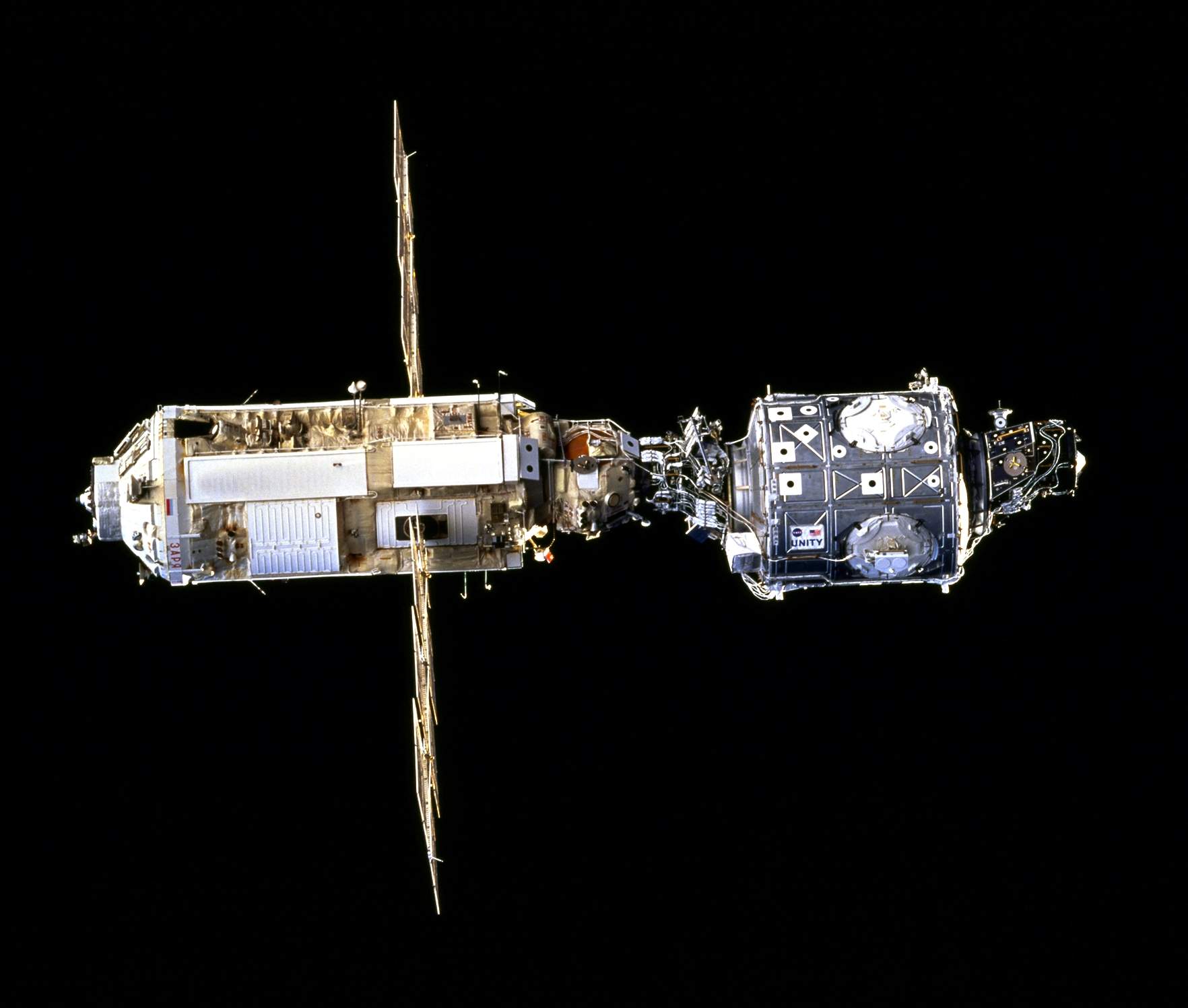
ISSU is now working on Destiny, Unity & the PMA.

--TEAM UPDATE--
Gawinnard, author of the Space Shuttle Mid-Deck for SSU, has agreed to help with ISSU once he has finished is current stuff. So thanks to him for that.:speakcool: His development blog is here:
www.desktopsimmer.blogspot.com

-MESHES UPDATE--
I have been taking a look at ISSU's current meshes (at thhe moment untextured). I have included some previews below.

@ Poscik: If we had the Destiny interior as a VC, could we still have it visible from the external view also?


More news soon,

-Pete

PMA:
3220430887_0171b42834_b.jpg

3221279536_b1f6d056c6_b.jpg


Quest:
3234565210_caa3dbac98_b.jpg

3234564970_f9371c9bbf_b.jpg


Zarya:
3234565390_7130d98245_b.jpg

3234565532_16ab2990b8_b.jpg


Zvezda:
3233715549_d258fe93c6_b.jpg

3234565884_6792f9f9d7_b.jpg


(NOTE: Meshes have too many faces, so some detail will probably have to be lost, or else FPS will be too low. In English: They're too detailed for most PC's to cope with);)
 
I need an info i can't source.
Hatches details.
Diameter, shape, height, direction of aperture (do they fold inward or outward when open?).
You can see the harmony hatch sliding up in this video:
 
Hi !

When is the next version of International Space Station expected?

Thank You! :)
 
Hi team.
@ Poscik: If we had the Destiny interior as a VC, could we still have it visible from the external view also?

Yes. If you press F1 to go "inside" and press F8 to load VC and then press F1, interior will be visible from outside.
 
Back
Top