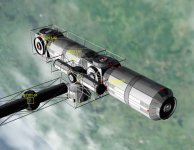
New Release Interplanetary Modular Spacecraft RC9

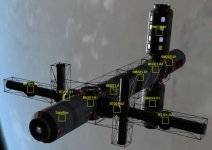
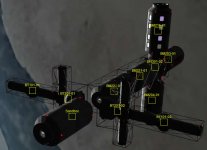
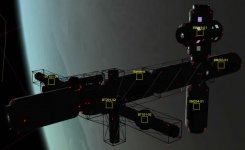
I line up my BT201's just the way I want them, but when I push the integrate button, I get a "Successful Undocking" message instead of the "Successful Integration" message and well... the photo shows the results.

BT201 on the left is pre-integration, one on the right is post-integration.

What did I forget to do?

are you trying to integrate a vessel that has another docked to it? i thought that always caused some strange behaviour
 
Won't this have any negative side-effects when two attachment points are in the same position?

As long as they have different IDs there shouldn't be any problems.

are you trying to integrate a vessel that has another docked to it? i thought that always caused some strange behaviour

It can lead to some strangeness, but usually it works fine.
 
No docked vessel when BT201 rotates

No, the space station I'm integrating is a free-flying station in Earth orbit that I use as a sandbox to test out configurations before each launch to the real station with my loaded XR5. I suspect there's a disconnect between the docking port enumeration and the attachment point enumerations. I'm seeing a lot of other modules rotating as well (BM222, BM216, BM204 to name a few).

I'm also seeing when they rotate that a duplicate module is created. What I mean by this is I push the integration button, I get the "Successful undocking" message (instead of the successful docking message) and then there's a rotated copy of the module attached to my station, but there's a duplicate of the module in the correct orientation still apparently attached to 'something'... although it's not the station. I know it's a duplicate because it shows up as a new entry in the scenario editor and I can delete it leaving the rotated copy attached to my station.

If someone could explain (or point to a link that explains) the docking port vs attachment port enumerations in the config files, I'd be happy to dig through all the ones that I'm using, and fix them if they are broken. I'm using only the SSBB modules that have been updated to work with the IMS, so if there's someone who I could send these fixed files too so they can be included into the next release of IMS, I'd be willing to do that as well. Always interested in helping out the improvement of this excellent add-on.
 
I'm not currently sure if the enumeration influences anything, but it is a possibility. The much more concerning issue here is the creation of a duplicate...

please post the whole scenario and detailed (click by click) reproduction.
 
I have to run off to work now, I'll post a copy of the scenario (before and after integration) this evening when I get home.
 
Click by click with screen captures and scenarios

1. Start with an empty scenario (see attachment)
2. Add a BM201 module in earth orbit
3. Add a BN301-01 module
4. Dock BN301-01 port 1 to BM201 module port 2
5. Add BM222-01 module
6. Dock BM222-01 port 1 to BN301-01 port 2
7. Add BM221-01 module
8. Dock BM221-01 port 1 to BM222-01 port 2
9. Add BN301-02 module
10. Dock BN301-02 port 1 to BN222-01 port 2
11. Add BT201-01 module
12. Dock BT201-01 port 5 to BN301-01 port 3
13. Add BT201-02 module
14. Dock BT201-02 port 5 to BN301-01 port 4
15. Add BT101-01 module
16. Dock BT101-01 port 5 to BT201-01 port 6
17. Add BT101-02 module
18. Dock BT101-02 port 5 to BT201-02 port 6
19. Add BM216-01 module
20. Dock BM216-01 port 1 to BN301-02 port 5
21. Add BM204-01 module
22. Dock BM204-01 port 1 to BN301-02 port 6
23. Add BM203-01 module
24. Dock BM203-01 port 1 to BN301-02 port 2
25. Save scenario and make screen capture (see attachments)
26. Attach nearest module
26.1. BN301-01 shows up
27. Integrate BN301-01
27.1. Get “Capture and hard dock” message and BN301-01 disappears from picture
28. Make screen capture showing missing BN301-01 (see attachment)
29. CNTL-Q out of scenario
29.1. Have to do this because pushing integration button on a 2nd module is ignored
30. Reload Scenario from IMS quicksave 1
31. Note BN301-01 visibly integrated
32. Attach nearest module 3 times
32.1. BM222-01, BT201-01, and BT201-02 show up
33. Integrate BT201-01
33.1. Get no verbal message that anything happened and BT201-01 disappears from picture
34. CNTL-Q out of scenario and reload Scenario from IMS quicksave 2
35. Note BT201-01 was rotated as part of the integration process
36. Integrate BM222-01
36.1. Get “Undocking confirmed” message and BM222-01 disappears from picture
37. Make screen capture showing missing BM222-01 and a rotated BT201-01 (see attachments)
38. CNTL-Q out of scenario and reload Scenario from IMS quicksave 3
39. Attach nearest module 2 times
39.1. BT101-01 and BM221 show up
40. Integrate BM221
40.1. Get no verbal message that anything happened
41. CNTL-Q out of scenario and reload scenario from IMS quicksave 4
42. Attach nearest module 1 time
42.1. BT301-02 shows up
43. Integrate BT301-02
43.1. Get no verbal message that anything happened
44. CNTL-Q out of scenario and reload scenario from IMS quicksave 5
45. Attach nearest module 3 times
45.1. BM216-01, BM204-01, and BM203-01 show up
46. Integrate BM216-01
46.1. Get no verbal message that anything happened
47. CNTL-Q out of scenario and reload scenario form IMS quicksave 6
48. Take screen capture showing extra BM216 module at 90 degrees from original BM216 module (see attachments)
49. Save scenario (see attachments)

Hope you're able to duplicate this.

The rotation during integration is bad, but the extra BM216 module just confused things. When I deleted the extra BM216 module, the one in the correct direction is deleted. In other words, the integrated BM216 module is rotated 90 degrees from where it was intended to go.

I'm also worried that I'm not getting the "Hard Docking confirmed" message after the first docking, and I'm getting an "Undocking confirmed" message about 50% of the time when I integrate a module and it gets rotated during the integration process.
 

Attachments

  • Empty scenario.scn
    Empty scenario.scn
    1 KB · Views: 4
  • Modules all added.scn
    Modules all added.scn
    4.5 KB · Views: 3
  • readyForIntegration.jpg
    readyForIntegration.jpg
    37.7 KB · Views: 16
  • missingBN301-01.jpg
    missingBN301-01.jpg
    31.7 KB · Views: 13
  • missingBM222AndRotatedBT201.jpg
    missingBM222AndRotatedBT201.jpg
    42.4 KB · Views: 10
  • ExtraBM216.jpg
    ExtraBM216.jpg
    35.9 KB · Views: 13
  • End Result.scn
    End Result.scn
    4.9 KB · Views: 3
Last edited:
A quickie update. After a little experimentation, It looks like each module that I attached is still there and still attached in the direction that I wanted it to be in. It's just that the picture that is displayed is rotated 90 degrees from the direction it is in. This deduction is based upon the location of the unused docking ports on the rotated modules being where they should be physically even though the orientation of the module does not have the unused docking ports in the right location.

Also, if I use the [current state] save or manually save and reload from that after an integration, the duplicate modules don't seem to appear in the scenario. It's only when I use the IMS produced quick saves that I end up with an extra module after an attachment that causes a rotation of the picture to occur.

If there's anything else I can do to help out with this, please don't hesitate to ask. I do this sort of reverse-engineering/debugging/testing of software for a living. I'm the sort of person that managers HATE to have on their test team.. because I will uncover every hard-to-fix bug in a system if I'm allowed to test it. This tends to blow schedules, which is why managers hate me.

Unless I'm on the development team trying to FIX the bugs I find as well....
 
Last edited:
Thanks for your report, I'll try your scenarios as soon as I get my notebook back (this evening).


...
Also, if I use the [current state] save or manually save and reload from that after an integration, the duplicate modules don't seem to appear in the scenario. It's only when I use the IMS produced quick saves that I end up with an extra module after an attachment that causes a rotation of the picture to occur.

What IMS version you're using? What you described here was a bug of 2.0 version and should be fixed in IMS 2.3. Try it and see if these problems are still here.


If there's anything else I can do to help out with this, please don't hesitate to ask. I do this sort of reverse-engineering/debugging/testing of software for a living. I'm the sort of person that managers HATE to have on their test team.. because I will uncover every hard-to-fix bug in a system if I'm allowed to test it. This tends to blow schedules, which is why managers hate me.

Unless I'm on the development team trying to FIX the bugs I find as well....

Seems like you're the kind of a person we needed so badly during the active development phase of IMS. Still, I hope for better times in the future :)
 
Version info and other stuff

I'm using R2 of IMS.. Is there a newer version? If so, is the link you provided the latest version?

If I install a newer version over the version I have, will I have to restart all my station building activities or will it correct my scenarios as-is and I can just pick up where I left off?

Oh, and did I mention that I have a BS in Aerospace Engineering, MS in Mechanical Systems Engineering, and 3 years towards a Ph.D. in Aerospace Engineering? Major was Computational Fluid Dynamics and Numerical Heat Transfer Analysis with a minor in Spacecraft Design.

Why yes, I am a rocket scientist. :)
 
Last edited:
This is a newer version, and it is not compatible with the older scenarios because of a number of reasons, I'm afraid, so you'll need to build everything from scratch.
 
Ok. I'm about to head to bed, so tomorrow I'll copy in the newer version of IMS wipe out everything I've done so far, rebuild my module database, and then start building again. I'll post again on Saturday afternoon with an update.

I assume that I can just copy over the newer version over the older version and I don't have to start all over again with a clean install of Orbiter.
 
When I deleted the extra BM216 module, the one in the correct direction is deleted. In other words, the integrated BM216 module is rotated 90 degrees from where it was intended to go.

Just a question of caution... are you by chance running a graphics client? That would at least explain the rotated module, if not really the duplication. I should have thought of that question sooner, as rotated (that is, indeed, unrotated) modules are typical behavior under graphics clients, because they don't support meshtransform(). Client compatibility isn't here yet.
 
Just a question of caution... are you by chance running a graphics client? That would at least explain the rotated module, if not really the duplication. I should have thought of that question sooner, as rotated (that is, indeed, unrotated) modules are typical behavior under graphics clients, because they don't support meshtransform(). Client compatibility isn't here yet.

Last time I checked meshes of IMS vessels were invisible under D3D9 client.

Oh, and did I mention that I have a BS in Aerospace Engineering, MS in Mechanical Systems Engineering, and 3 years towards a Ph.D. in Aerospace Engineering? Major was Computational Fluid Dynamics and Numerical Heat Transfer Analysis with a minor in Spacecraft Design.

Why yes, I am a rocket scientist. :)

Hadn't noticed this part of your comment when you said it. I guess we'll have some serious questions to you when we're back on this project again :lol:

---------- Post added at 23:35 ---------- Previous post was at 21:20 ----------

Just tried to build your vessel according to your step-by-step instructions under IMS 2.3 - nothing wrong happened, everything integrated correctly and nothing disappeared. I hope you will have no troubles with 2.3 version too.

picture.php
 
Still getting rotation at integration

I'm still getting a rotation of the BT201 module. I suspect that I'm getting a conflict between the IMS SSBB modules and the SSBB4.1B modules that I installed prior to playing with IMS.

Q1) Is the SSBB4.1B and/or the SSBB4.x XR5 add-on required to use the SSBB modules in IMS with an XR5?

Q2) Is there a known conflict between the SSBB4.1B and/or SSB4.x XR5 add-ons and the IMS?

If not, I'll make a fresh install of Orbiter 2010 P1 w/out the SSBB4.1B and the XR5 SSBB4.x add-on and see if that gets rid of the unwanted rotation at integration.

Here's a picture of the rotation happening during integration on my current space station sandbox. It's a slightly different configuration than my earlier example, but it's a BM201 coupled to a BN301 with a BT201 attached to the BN301. I get a crash of Orbiter when I try to reload after the first integration (but that was expected) and I can still only do 1 integration before having to shut down Orbiter (that wasn't expected). The BT201 comes out rotated after integration.

I just saw the comment about the graphics client. I'm using the DX9 client.

Q3) Is that what is causing the problem?
 

Attachments

  • StillGettingRotationAtIntegration.jpg
    StillGettingRotationAtIntegration.jpg
    40.4 KB · Views: 15
Last edited:
Last time I checked meshes of IMS vessels were invisible under D3D9 client.

Last time I checked they showed up nicely, but unrotated (as can be expected, since the function that rotates them isn't supported. I'll have to write a custom one for that at some point...) But it was quite some time ago.

Q1) Is the SSBB4.1B and/or the SSBB4.x XR5 add-on required to use the SSBB modules in IMS with an XR5?

SSBB is required, since IMS doesn't supply its meshes, and isn't allowed to do so. SSBB4.1B is recommended, but only required if you use any of the few meshes not included in SSBB 4.1, but only in 4.1B. If that is the case, it's written in the module description on the scenario editor image.

Q2) Is there a known conflict between the SSBB4.1B and/or SSB4.x XR5 add-ons and the IMS?

No, and neither is it possible, as long as you spawn using IMS configs. Spawning a module by using the original config will have rather unpredictable results, and won't add any actual properties to the vessel.

I just saw the comment about the graphics client. I'm using the DX9 client.

Q3) Is that what is causing the problem?

Yes, definitely. I should have thought of it as soon as I saw the symptoms, before requesting the whole repro, sorry about that. Although I cannot currently quite imagine why the modules would get duplicated in DX9, IMS is definitely not compatible (yet... and looking at my schedule, might not be for some time, I'm sorry to say).

Frankly, I am surprised that the panels work at all. I was having trouble with those too when testing.
 
I made the duplicates go away...

The duplicate problem vanishes if I use a manual quicksave/save instead of the IMS produced quicksave after each integration cycle. This appears to be where the problem is, a conflict between the IMS quicksave and the DX9 client.

As for the rotation, if the DX9 client is causing that problem, then that's a big issue since all the latest add-ons to Orbiter 2010 P1 seem to require either the DX9 or DX11 clients to work at their full capacity. And I also heard that the latest Orbiter 2013 beta is also using a DX client higher than DX7, so that's going to be a problem when the next version of Orbiter comes out.

I'm not familiar with all the differences between the various DX clients. I stopped programing for Windows when the original DX1.0 clients came out because it just looked like something Microsoft was doing to cause me to have to re-write all my code every 2-3 years (or less).

Anyway, I'm in the process of creating a parallel installation of Orbiter 2010 with everything but the DX9 client installed. I'll post a reply after I do that.. should take me about 2 hours to install all these add-ons in the correct order.... ;)

BTW this is an EXCELLENT add-on. It's exactly what I've been looking for ever since I figured out how to use TransX to get from Earth to Saturn to Jupiter to Mars back to Earth in less than 10 years. As it's still kind of in the development phase, I'm offering my skills to help get it finished. :)
------------------------------------------------------------------------------------ Update ---------------------------------------------------
I made a copy of my existing Orbiter 2010 folder (all 5+ Gb of it!) and disabled DX9 in that copy. I then proceeded to build my station and integrated it all at once and nothing rotated. So, to conclude, I've discovered the following symptoms of problems with the DX9 client. Hope this helps you track down where the problem is! :)

1) When integrating, you can only integrate 1 module and then you have to shut down the scenario and reload it from [current state] (See #2 for why you have to restart it from [current state] and not the IMS created quick saves). I can attach new modules to the stack; I can't integrate more than 1 module at a time w/out restarting the scenario.
2) When reloading the scenario, if you reload it from 1 of the quick saves IMS creates as part of the integration process a duplicate of the module you just integrated may appear (not 100% of the time, about 75% of the time). The duplicates will appear in the correct orientation of the original part if the original part was rotated during the integration step. If the original part does not appear to rotate during the integration process, then the copy will appear in a slightly shifted position from the original (BN301 modules do this when they duplicate). I suspect this may be an error in the code that deletes the stand-alone module after it's been integrated into the stack, or how the IMS code handles the DX9 error that ends up causing the module to rotate when integrated.
3) When integrating, modules will sometimes appear to rotate 90 degrees from the orientation they were docked in. This does not appear to affect where the docking ports are, just how the module physically appears on the screen. (BT101, BT201, and several of the BM2** full size modules have been seen doing this). The rotation usually happens when the module is docked to a multi-port node (BN301 for instance) but even then they don't always rotate. The BT101 and BT201 modules always rotate no matter what they are connected to. The BM2** modules tend to rotate about 50% of the time, usually when connected to a BM301 but sometimes when connected to another BM2** module. 2 of the non-SSBB modules also appeared to rotate upon integration, so it's not just an SSBB module problem.
4) After doing several integrations (and restarts), if you add another module to the stack, then try to dock it, although all the docking points show up, the new module will not move to a new position on the stack if you undock it and re-dock it to a different location. This doesn't happen all the time; I've only seen it happen twice actually. To resolve this you have to shut down the scenario and reload it from the [current state] save point. Then when you move the module, it will visibly move to the new location. Once again, this appears to be a graphics problem as the module actually moves, but the visual picture does not show it moving.

These issues all appear to have a graphical component to them, which leads me to agree that there is something going wrong with how DX9 handles the DX7 calls. I put the blame entirely on non-backwards compatibility issues between DX9 and DX7. Thank you Microsoft! ;)

If I stumble across any other issues, I'll make a new post, but for now we can log this issue as closed by using a workaround (disabling DX9 Client).

 
Last edited:
These issues all appear to have a graphical component to them, which leads me to agree that there is something going wrong with how DX9 handles the DX7 calls. I put the blame entirely on non-backwards compatibility issues between DX9 and DX7. Thank you Microsoft!

Actually not. The problem is a limitation in the API Orbiter makes available to graphics clients. In explicit, the function MeshTransform, which orbiter uses to manipulate meshes, is not opened to graphics clients, because it is quite a bit specific for the .msh format. Since there is no guarantee that the clients will actually use the .msh format, this can lead to problems.
What I have to do is to write a function that not so much rotates the mesh, but the vertices inside the mesh, that would be universally compatible with graphics clients, but also a bit slow at times. DanSteph did it for UCGO, since that too stumbled over the same obstacle. I just haven't made it quite that far yet...

As it's still kind of in the development phase, I'm offering my skills to help get it finished.

You would be most welcome, actually. Trouble is, you'll take a few looks at the code, bang your head on the table a few times and start writing it from scratch. Because that's what I feel sorely tempted to do every time when I think of the mess. It's even planned, after the current features run stable (which they more or less seem to do now if not for clients, although finalisation will need some further testing).

I have not been actively developing for the better part of a year now, for several reasons, but am very close to getting myself into it again. But what I'm really itching to do is tear all the guts out and replace them with something more modular and sensible, so future features can be added more easily. What I'm absolutely not looking forward to is client compatibility... My math stinks, to put it mildly, but arguably the current version should be made client compatible before starting the next one. If you'd like to help with that, you'd be more than welcome. You'd also be welcome for anything else, of course. You'd also be the most expierienced coder involved by far... Us n00bs so far didn't even set up a repository :shifty:
 
What language is it written in?

When I left college in 1996, I had written commercial grade software in 16 different languages (I taught myself the BASIC language for the TRS-80 in 45 minutes by writing a demo program for the local Radio Shack store's floor model when I was 13; they used it for 2 years). Since then I've written commercial grade software in a total of 34 computer languages. I have a lot of recent experience with C++ and PL/SQL, but I have 15+ years experience in 3 other languages that I haven't used in a while.

My biggest problem is I don't have any sort of software development tool on my home computer, so although I can probably look over code using various text editors, I don't have the ability to compile it and run what I compile.

However, if you need someone to take a alpha/beta release candidate out for a spin after someone else compiles it and makes it in an installable format, I think I can help out with that. Now that I have a DX9 and a non-DX9 install of Orbiter 2010 P1 with LOTS of other add-ons installed, I can probably try out various components from a normal user's perspective.

I suspect my biggest problem (and it's not really a problem) is we live in widely spaced time zones. So if you post something and would like me to look at it, it may be 12+ hours before I even see it.

Just remember... Software development is a mad race between software engineers trying to write bigger and better idiot proof software and the Universe trying to create bigger and better idiots.... and the Universe has a 15+ billion year head start... ;)
 
The duplicate problem vanishes if I use a manual quicksave/save instead of the IMS produced quicksave after each integration cycle. This appears to be where the problem is, a conflict between the IMS quicksave and the DX9 client.

This is weird since this exact problem was existing in IMS RC2 under inline DX7 client and was fixed by IMS 2.3 patch. Are you sure you placed IMS.dll into the correct folder? It should be placed in Modules\IMS folder replacing the older version.

The problem was caused by Orbiter not having enough time to erase a vessel being integrated into IMS craft between integration and autosave. It was meant initially to erase a vessel in the same timestep the integration happens and autosave in the next timestep. But somehow the actual vessel deletion in Orbiter happens at the next timestep after the vessel deleting function is called, so the autosave was called in the same timestep the deletion was happening, which resulted in saving the had-to-be-deleted vessel with autosave, hence modules' duplication. The fix for this bug was quite simple if primitive: I just made the program to wait two timesteps after integration between integration and autosave. Duplication on IMS autosave stopped. This is why I'm surprised you say it's still here with IMS 2.3. I've never tried it with D3D9 though.

What language is it written in?

It's in Visual C++ 2008 Express (it's not working when the code is compiled under C++ 2010 at least).

Hey, I wrote a database management program in QBasic once and it was used at my mother's work for several years too, but, alas, this is where my programming experience ends. And it was around twenty years ago... The program was running on IBM 8088 machine :)
 
Last edited:
Back
Top