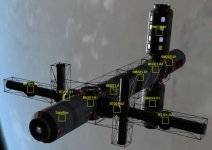
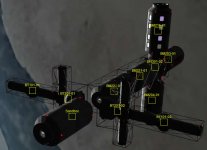
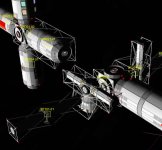
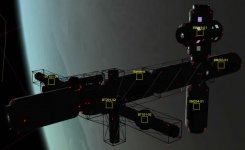
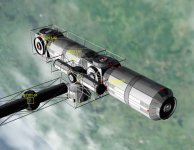
I made the duplicates go away...
The duplicate problem vanishes if I use a manual quicksave/save instead of the IMS produced quicksave after each integration cycle. This appears to be where the problem is, a conflict between the IMS quicksave and the DX9 client.
As for the rotation, if the DX9 client is causing that problem, then that's a big issue since all the latest add-ons to Orbiter 2010 P1 seem to require either the DX9 or DX11 clients to work at their full capacity. And I also heard that the latest Orbiter 2013 beta is also using a DX client higher than DX7, so that's going to be a problem when the next version of Orbiter comes out.
I'm not familiar with all the differences between the various DX clients. I stopped programing for Windows when the original DX1.0 clients came out because it just looked like something Microsoft was doing to cause me to have to re-write all my code every 2-3 years (or less).
Anyway, I'm in the process of creating a parallel installation of Orbiter 2010 with everything but the DX9 client installed. I'll post a reply after I do that.. should take me about 2 hours to install all these add-ons in the correct order....

BTW this is an EXCELLENT add-on. It's exactly what I've been looking for ever since I figured out how to use TransX to get from Earth to Saturn to Jupiter to Mars back to Earth in less than 10 years. As it's still kind of in the development phase, I'm offering my skills to help get it finished.

------------------------------------------------------------------------------------ Update ---------------------------------------------------
I made a copy of my existing Orbiter 2010 folder (all 5+ Gb of it!) and disabled DX9 in that copy. I then proceeded to build my station and integrated it all at once and nothing rotated. So, to conclude, I've discovered the following symptoms of problems with the DX9 client. Hope this helps you track down where the problem is!
1) When integrating, you can only integrate 1 module and then you have to shut down the scenario and reload it from [current state] (See #2 for why you have to restart it from [current state] and not the IMS created quick saves). I can attach new modules to the stack; I can't integrate more than 1 module at a time w/out restarting the scenario.
2) When reloading the scenario, if you reload it from 1 of the quick saves IMS creates as part of the integration process a duplicate of the module you just integrated may appear (not 100% of the time, about 75% of the time). The duplicates will appear in the correct orientation of the original part if the original part was rotated during the integration step. If the original part does not appear to rotate during the integration process, then the copy will appear in a slightly shifted position from the original (BN301 modules do this when they duplicate). I suspect this may be an error in the code that deletes the stand-alone module after it's been integrated into the stack, or how the IMS code handles the DX9 error that ends up causing the module to rotate when integrated.
3) When integrating, modules will sometimes appear to rotate 90 degrees from the orientation they were docked in. This does not appear to affect where the docking ports are, just how the module physically appears on the screen. (BT101, BT201, and several of the BM2** full size modules have been seen doing this). The rotation usually happens when the module is docked to a multi-port node (BN301 for instance) but even then they don't always rotate. The BT101 and BT201 modules always rotate no matter what they are connected to. The BM2** modules tend to rotate about 50% of the time, usually when connected to a BM301 but sometimes when connected to another BM2** module. 2 of the non-SSBB modules also appeared to rotate upon integration, so it's not just an SSBB module problem.
4) After doing several integrations (and restarts), if you add another module to the stack, then try to dock it, although all the docking points show up, the new module will not move to a new position on the stack if you undock it and re-dock it to a different location. This doesn't happen all the time; I've only seen it happen twice actually. To resolve this you have to shut down the scenario and reload it from the [current state] save point. Then when you move the module, it will visibly move to the new location. Once again, this appears to be a graphics problem as the module actually moves, but the visual picture does not show it moving.
These issues all appear to have a graphical component to them, which leads me to agree that there is something going wrong with how DX9 handles the DX7 calls. I put the blame entirely on non-backwards compatibility issues between DX9 and DX7. Thank you Microsoft!
If I stumble across any other issues, I'll make a new post, but for now we can log this issue as closed by using a workaround (disabling DX9 Client).