Meshing Question GMAX: Spline shaping

DaveS

Addon Developer
Addon Developer
Donator
Beta Tester
Joined
Feb 4, 2008
Messages
9,754
Reaction score
1,027
Points
203
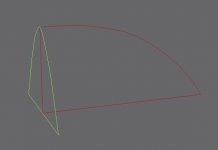
I have these two shapes made from splines and I want to give Spline A(green) the shape of Spline B(red).

But I don't know how to do that. I have hit a bit of a stumbling block here, so I have decided so if any one here knows the answer.
 

Attachments

  • GMAX_Shapes.jpg
    GMAX_Shapes.jpg
    20.5 KB · Views: 28
splining eh? thats pretty hardcore.

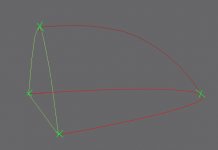
make your spline cage look like this - remember that 'cage' is the operative word.... you want to construct lines in such a way that the surfaces can be drawn between them using "surface modifier".

make sure that the vertexes (green crosses) are welded up... so in this pic, you have 6 lines and 4 vertexes, then add the modifier.... i'm not sure that surface will draw a surface over a shape defined with more than 4 vertexes due to technical limitations, it being very old basically.
 

Attachments

  • splineshap.jpg
    splineshap.jpg
    25.1 KB · Views: 28
splining eh? thats pretty hardcore.

make your spline cage look like this - remember that 'cage' is the operative word.... you want to construct lines in such a way that the surfaces can be drawn between them using "surface modifier".

make sure that the vertexes (green crosses) are welded up... so in this pic, you have 6 lines and 4 vertexes, then add the modifier.... i'm not sure that surface will draw a surface over a shape defined with more than 4 vertexes due to technical limitations, it being very old basically.
Thanks! Looks pretty straightforward, so I shall try it when I get back to my dev machine.
 
make sure that the vertexes (green crosses) are welded up... so in this pic, you have 6 lines and 4 vertexes, then add the modifier.... i'm not sure that surface will draw a surface over a shape defined with more than 4 vertexes due to technical limitations, it being very old basically.
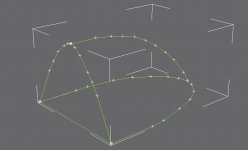
Does this look correct? I have tried using the Surface modifier but it doesn't work correctly, most likely due to those limitations you're referring to.
 

Attachments

  • GMAX_Shapes_2.jpg
    GMAX_Shapes_2.jpg
    42 KB · Views: 26
lol. yeah thats because you have about a thousand vertexes... remember i said no more than 4 per surface... rather than have lots of verts and lots of lines, you should use as few as possible and edit the curves, using bezier corners to make the shapes you want.

maybe this will help...
i havent watched it all, and its for a different but related app. should cover the basics.
 
Last edited:
lol. yeah thats because you have about a thousand vertexes... remember i said no more than 4 per surface... rather than have lots of verts and lots of lines, you should use as few as possible and edit the curves, using bezier corners to make the shapes you want.
OK, thanks. I guess the "4 per surface" got me.
 
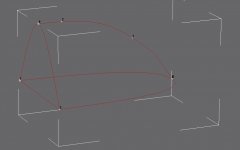
Weired. I can't seem to be able to weld the intersecting vertices of the spline cage. They're exactly lined up with each other, yet GMAX says there's no vertices within weld threshold.
 

Attachments

  • GMAX_Shapes_3.jpg
    GMAX_Shapes_3.jpg
    46.1 KB · Views: 13
well for a start you still have 2 more verts than you need on that upper arc, which will make surface fail.

as for your problem, i can't tell if you actually have 2 verts at those intersections, basically you should have 3 separate elements... the back shape, made of 3 lines and 3 verts, with a vertex on the apex of the curve.. same again for the lower shape but minus the straight edge so you have 2 lines and 3 verts (ends and mid-arc). then you should just have 1 line with 2 verts as an arc connecting those apexes...if you put those shapes together they should weld up just fine. otherwise perhaps try fusing them if you can with the 'fuse' button if you have one.
 
well for a start you still have 2 more verts than you need on that upper arc, which will make surface fail.

as for your problem, i can't tell if you actually have 2 verts at those intersections, basically you should have 3 separate elements... the back shape, made of 3 lines and 3 verts, with a vertex on the apex of the curve.. same again for the lower shape but minus the straight edge so you have 2 lines and 3 verts (ends and mid-arc). then you should just have 1 line with 2 verts as an arc connecting those apexes...if you put those shapes together they should weld up just fine. otherwise perhaps try fusing them if you can with the 'fuse' button if you have one.
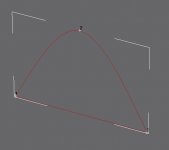
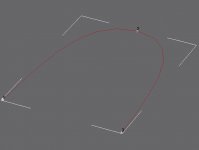
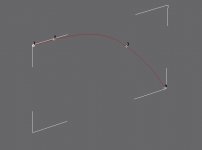
Well, the problem with the upper arc is that it begins with a straight section before it curves down. I have attached images of the various shapes.
 

Attachments

  • GMAX_Shapes_back.jpg
    GMAX_Shapes_back.jpg
    19.6 KB · Views: 8
  • GMAX_Shapes_lower.jpg
    GMAX_Shapes_lower.jpg
    22 KB · Views: 8
  • GMAX_Shapes_side.jpg
    GMAX_Shapes_side.jpg
    13.8 KB · Views: 7
Well, the problem with the upper arc is that it begins with a straight section before it curves down. I have attached images of the various shapes.

then you'll need to add more lines and verts as needed to make the shape.

i can't see why thats failing to weld though, splines are a pain... all the parts are attached together as one shape before you try and weld no?

otherwise break/detach the arcs into separate lines perhaps?
 
then you'll need to add more lines and verts as needed to make the shape.

i can't see why thats failing to weld though, splines are a pain... all the parts are attached together as one shape before you try and weld no?

otherwise break/detach the arcs into separate lines perhaps?
Maybe you can take a look at it? I could send you the .gmax file for you to examine. Everything lines perfectly, no misaligned lines or verts.

---------- Post added 10-13-10 at 09:12 AM ---------- Previous post was 10-12-10 at 09:38 AM ----------

Just to make sure of the procedure:

  1. Create the three splines, make sure no more than 4 vertices/spline
  2. Select one of splines, then attaching the two other splines by using the "Attach" button
  3. Select the vertices to welded and then in Vertex editing mode, clicking on the "Weld" button
  4. Once the welding is done, going to the Modifier pull-down menu selecting "Surface"
  5. Inspect the model, make any necessary corrections by editing Step 2
  6. Done(?)
Is this the correct procedure or I have I left out a step?
 
4 verts per surface other than that, sounds ok, is it working now? one thing you may wanna try is to delete the arcs on one side, then try welding it up, you can mirror the resulting mesh later. "fuse" helps. if you have that option..

as you can tell, splines are fussy... i dont personally use them so much, i favour subdivision surface modelling for curved shapes.
 
4 verts per surface other than that, sounds ok, is it working now? one thing you may wanna try is to delete the arcs on one side, then try welding it up, you can mirror the resulting mesh later. "fuse" helps. if you have that option..
Well, the problem is step 3, the welding.It just refuses to weld any of the vertices.
 
none? you've tried increasing the threshold by massive amounts? i've had problems like this, but i've generally solved it by breaking the splines apart into separate lines, or splitting the shape in half.

---------- Post added at 09:58 AM ---------- Previous post was at 09:50 AM ----------

infact, you probably dont even need to weld them up.. just make sure the points are snapped together and add the surface modifier.
 
none? you've tried increasing the threshold by massive amounts? i've had problems like this, but i've generally solved it by breaking the splines apart into separate lines, or splitting the shape in half.
How do you break the splines into separate lines? I haven't found anything that does this, but then I just be overlooking it.
 
select segment, then 'detach' button. have you just tried applying the surface modifier to the unwelded shape though?
 
select segment, then 'detach' button. have you just tried applying the surface modifier to the unwelded shape though?
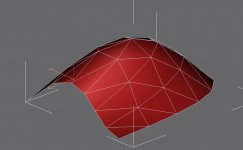
Yes, didn't turn out so well. I'll post a screenie once get back to my dev machine in about 30 minutes.
 
Here's the screenine along with the gmax file zipped.
 

Attachments

  • GMAX_Shapes_surface.jpg
    GMAX_Shapes_surface.jpg
    107.6 KB · Views: 11
  • Splines.zip
    Splines.zip
    13.7 KB · Views: 3
wow! spline-caging... it's been a while since i last used this technique...

it's great for creating highly organic or flowy shapes, but rather cumbersome when you have something specific in mind :hmm:

i used it a lot when i first found out about it.... but nowadays, i usually prefer extrude-and-FFD methods....
i tried creating the base shape for my G42 this way (it took a few tries to get a good starting point) - but i found it was being a bit hard to get under control


anyways, theres a few key facts about spline-cages which must be accounted for at all times:

* when you "connect" lines, they DO NOT weld (this is impossible by the nature of splines) - you have to check "area selection" with a threshold of ~.03 to be able to work with bound vertices as one

* you cannot use a surface modifier over separate objects, all curves must be attached as "splines" sub-objects of a single shape

* the surface modifier cannot fill areas which have less than 3 or more than 4 vertices - you must create the spline cage with this in mind, or you'll get "holes" or possibly nothing at all

* 3-vertex areas will be filled with triangles, 4-vertex ones are filled with rectangles, the number of them depends on the "iterations" value - note that the borders between the two are likely to disturb your intended curve and pose a challenge to work with

* once you have a workable starting spline, convert it to an editable patch - you'll get some finer tools and it should relief the CPU a bit

* this technique is deprecated for a while now... although powerful, it's not the most efficient tool for the job... i think Max is more inclined towards NURBS surfacing these days (i should probably check into that as well)


good luck and have fun! :thumbup:
 
Back
Top